
เมรอสส์ เอ็มเอสเอส560
Meross Smart Dimmer Switch (MSS560) User Manual
รุ่น: MSS560
การแนะนำ
The Meross Smart Dimmer Switch (MSS560) is designed to provide intelligent control over your lighting. This single-pole dimmer switch allows you to remotely control, dim, and schedule your lights using the Meross app, Apple HomeKit, Amazon Alexa, or Google Assistant. It requires a neutral wire for installation and operates on a 2.4GHz Wi-Fi network.
ข้อมูลด้านความปลอดภัย
- ต้องการลวดเป็นกลาง: Ensure your electrical box has a neutral wire (typically white) before installation. If unsure, consult a qualified electrician.
- ปิดเครื่องก่อนการติดตั้ง: ควรปิดสวิตช์ไฟที่ตัวตัดวงจรทุกครั้งก่อนติดตั้งหรือซ่อมบำรุงสวิตช์ เพื่อป้องกันไฟฟ้าช็อต
- Single Pole Setup Only: This switch is designed for single pole configurations only. It is not compatible with 3-way or multi-way switch setups.
- ความเข้ากันได้ของหลอดไฟ: Works with non-smart dimming bulbs. Maximum wattage: 400W for incandescent (INC), 150W for CFL & LED bulbs. Do not use with smart bulbs.
- ความต้องการ Wi-Fi: Supports 2.4GHz Wi-Fi networks only. 5GHz Wi-Fi is not supported. No hub is required.
- วัสดุทนไฟ: The switch housing is made of PC+ABS fire-retardant material for safety.
- ระบบป้องกันการโอเวอร์โหลด: Certified by FCC/ETL, the device includes protection against electrical overload.
มีอะไรอยู่ในกล่อง
- Meross Smart Dimmer Switch (MSS560)
- คู่มือการติดตั้งแบบด่วน
- ลวดถั่ว
- สกรูยึด
- Faceplate (standard size)
การตั้งค่า
รายการตรวจสอบก่อนการติดตั้ง
- Verify your electrical box has a neutral wire (white).
- Ensure you have a 2.4GHz Wi-Fi network.
- Confirm your setup is single pole (not 3-way).
- Check bulb compatibility (non-smart dimmable LED/CFL/INC).

Image: Diagram illustrating the necessity of a neutral wire and compatible bulb types (LED, CFL, INC) with wattage limits, and incompatibility with smart bulbs.

Image: Important notes on switch compatibility, including single pole setup, 2.4GHz Wi-Fi, neutral wire, and non-smart dimming bulb support.
การติดตั้งฮาร์ดแวร์
- ปิดเครื่อง: ค้นหาเบรกเกอร์วงจรของคุณและปิดสวิตช์ที่คุณกำลังเปลี่ยน ตรวจสอบว่าไฟฟ้าปิดอยู่โดยใช้โวลท์tagอีผู้ทดสอบ
- ถอดสวิตช์เก่าออก: Carefully remove the faceplate and unscrew the existing switch from the electrical box. Pull the switch outward without touching any wires.
- ระบุสายไฟ: Identify the Live (black/red), Load (brown/black), Neutral (white), and Ground (green/bare copper) wires. Label them if necessary.
- เชื่อมต่อสวิตช์ใหม่: Use the provided wire nuts to connect the corresponding wires of the Meross Smart Dimmer Switch to your home's electrical wires. Ensure all connections are secure.
- สวิตช์ความปลอดภัย: Carefully push the wires and the new switch into the electrical box. Screw the switch to the box and attach the faceplate.
- คืนค่าพลัง: Turn on the power at your circuit breaker.
Video: Official Meross guide on how to install the HomeKit smart dimmer switch, demonstrating the wiring process and safety precautions.
การตั้งค่าแอปและการจับคู่
- ดาวน์โหลดแอป Meross: Download the Meross app from the App Store or Google Play.
- เพิ่มอุปกรณ์: Open the Meross app, tap the '+' icon to add a new device, and select the Smart Dimmer Switch. Follow the in-app instructions.
- เชื่อมต่อกับ Wi-Fi: Connect the switch to your 2.4GHz Wi-Fi network.
- HomeKit Setup (Optional): If using Apple HomeKit, scan the HomeKit setup code located on the device or its packaging. You may need to manually enter the 8-digit code.
- Calibrate Dimming Range: Use the app to set the maximum and minimum light levels for optimal dimming performance with your specific bulbs.
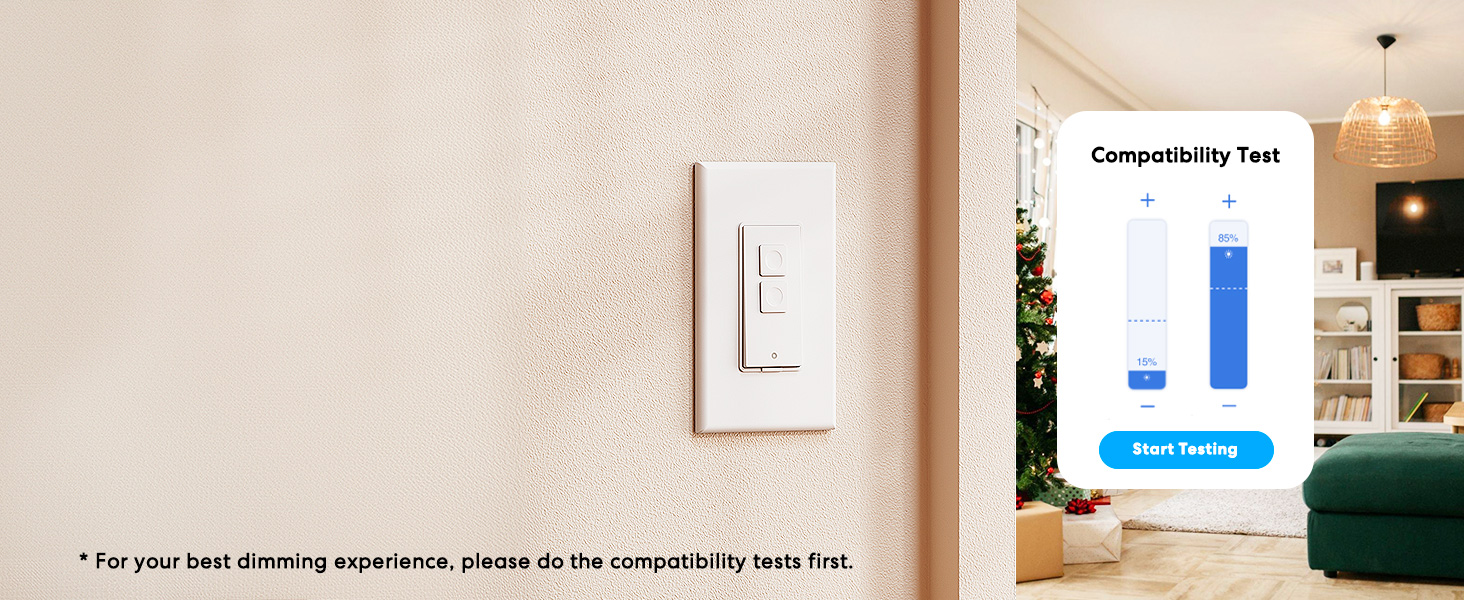
Image: Meross app interface demonstrating the dimming compatibility test to optimize light levels.
คำแนะนำการใช้งาน
การควบคุมด้วยมือ
The Meross Smart Dimmer Switch features physical buttons for direct control:
- ปุ่มเปิด/ปิด: Press the main button to turn lights on or off.
- ปุ่มหรี่แสง: Use the smaller up/down buttons to adjust brightness levels.
การควบคุมแอพ
Control your lights from anywhere with internet access using the Meross app:
- เปิด/ปิดระยะไกล: Tap the switch icon in the app to toggle lights.
- dimming: Use the slider in the app to precisely adjust brightness from 0% to 100%.

Image: A user controlling lights remotely via the Meross app on a smartphone.
การควบคุมด้วยเสียง
The Meross Smart Dimmer Switch is compatible with leading voice assistants:
- Apple HomeKit/Siri: Say "Hey Siri, turn on the light" or "Hey Siri, dim the light to 50%".
- อเมซอนอเล็กซ่า: Say "Alexa, turn on the light" or "Alexa, dim the light to 20%".
- ผู้ช่วย Google: Say "Hey Google, turn on the light" or "Hey Google, dim the light to 90%".

Image: Visual representation of voice commands for Siri, Alexa, and Google Assistant to control light brightness.
Scheduling & Scenes
Automate your lighting to suit your lifestyle:
- ตารางเวลา: Set specific times for lights to turn on/off or dim automatically. Supports sunrise and sunset settings.
- ฉาก: Create custom scenes for different moods or activities (e.g., "Movie Night" with dimmed lights).

Image: Meross app interface displaying options for setting scenes, timers, and schedules for automated lighting control.
การซ่อมบำรุง
- การทำความสะอาด: Wipe the switch and faceplate with a soft, dry cloth. Do not use liquid cleaners or aerosols.
- อัพเดตเฟิร์มแวร์: Regularly check the Meross app for firmware updates to ensure optimal performance and security.
การแก้ไขปัญหา
- สวิตช์ไม่ตอบสนอง: If the switch is unresponsive or the indicator light is red, try pressing the small power reset button located at the bottom of the switch.
- ปัญหาการเชื่อมต่อ Wi-Fi: Ensure your smartphone is connected to a 2.4GHz Wi-Fi network during setup. If the switch loses connection, verify your router is functioning correctly and the switch is within range.
- ปัญหาการหรี่แสง: If lights flicker or do not dim correctly, re-calibrate the dimming range in the Meross app. Ensure you are using compatible non-smart dimmable bulbs.
- HomeKit Remote Control: For remote control via HomeKit, an additional networked Apple device (HomePod, Apple TV 4K/HD, or iPad) must be set up as a HomeKit bridge and remain online.
ข้อมูลจำเพาะ
| คุณสมบัติ | ข้อมูลจำเพาะ |
|---|---|
| โหมดการทำงาน | เปิดปิด |
| คะแนนปัจจุบัน | 4 Amps |
| ปฏิบัติการฉบับที่tage | 120 โวลต์ |
| ประเภทการติดต่อ | เปิดปกติ |
| ประเภทขั้วต่อ | Clamp |
| เทอร์มินัล | ใบมีด |
| ขนาดรายการ (ยาว x กว้าง x สูง) | 4.7 x 2.8 x 1.5 นิ้ว |
| ประเภทวงจร | ทางเดียว (ขั้วเดี่ยว) |
| ประเภทตัวกระตุ้น | ปุ่มกด |
| วัสดุติดต่อ | ทองแดง |
| การให้คะแนนการคุ้มครองระหว่างประเทศ | IP00 |
| จำนวนตำแหน่ง | 1 |
| คะแนนอุณหภูมิบน | 40 องศาเซลเซียส |
| ประเภทตัวควบคุม | อเมซอน อเล็กซา, แอปเปิล โฮมคิท, กูเกิล แอสซิสต์ |
| วิธีการควบคุม | เสียง, แอป |
| โปรโตคอลการเชื่อมต่อ | Wi-Fi (2.4GHz เท่านั้น) |
| สี | สีขาว |
| วัดtage | 400 watts (INC), 150 watts (CFL & LED) |
| วัสดุ | Plastic (PC+ABS fire-retardant) |
การรับประกันและการสนับสนุน
การรับประกัน
The Meross Smart Dimmer Switch typically comes with a 1-year warranty. Please refer to your product packaging or the Meross webเว็บไซต์สำหรับข้อกำหนดและเงื่อนไขการรับประกันโดยเฉพาะ
สนับสนุน
If you have any questions regarding your switch type, installation, or Wi-Fi connections, please contact Meross customer support. You can usually find contact information within the Meross app or on the official Meross webเว็บไซต์.
ข้อมูลเพิ่มเติม
วิดีโอ: จบแล้วview of Meross smart home products, showcasing various features and benefits of integrating smart devices into your home.
Ask a question about this manual
Ask about setup, troubleshooting, compatibility, parts, safety, or missing instructions. Manuals+ will review the question and use this page’s manual context to help answer it.