
1. บทนำ
This manual provides instructions for the installation, operation, and maintenance of the Hombli Smart Indoor Camera (Model HBCI-0309). This device is designed to enhance home security with features such as 1080P Full HD video, motion detection, night vision, and two-way audio. It integrates with smart home ecosystems like Amazon Alexa and Google Assistant for convenient control.

The Hombli Smart Indoor Camera, model HBCI-0309, shown alongside its retail packaging. The packaging highlights features such as 'Easy install & User friendly' and compatibility with Google Assistant and Alexa.
2. สินค้าหมดview
2.1 คุณสมบัติหลัก
- วิดีโอความละเอียด Full HD 1080P: Provides clear video quality with a 130-degree wide-angle view.
- Motion and Audio Detection: Sends notifications to your smartphone upon detecting activity.
- การมองเห็นตอนกลางคืน: Ensures visibility in low-light conditions up to 7 meters.
- เสียงสองทาง: Built-in microphone and speaker for direct communication.
- การจัดเก็บข้อมูลภายในเครื่อง: Supports Micro SD card for video recording.
- Hombli App Control: Live video streaming and remote management via the Hombli app (Android and iOS).
- การควบคุมด้วยเสียง: เข้ากันได้กับ Amazon Alexa และ Google Assistant
- ติดตั้งง่าย: Designed for user-friendly setup.
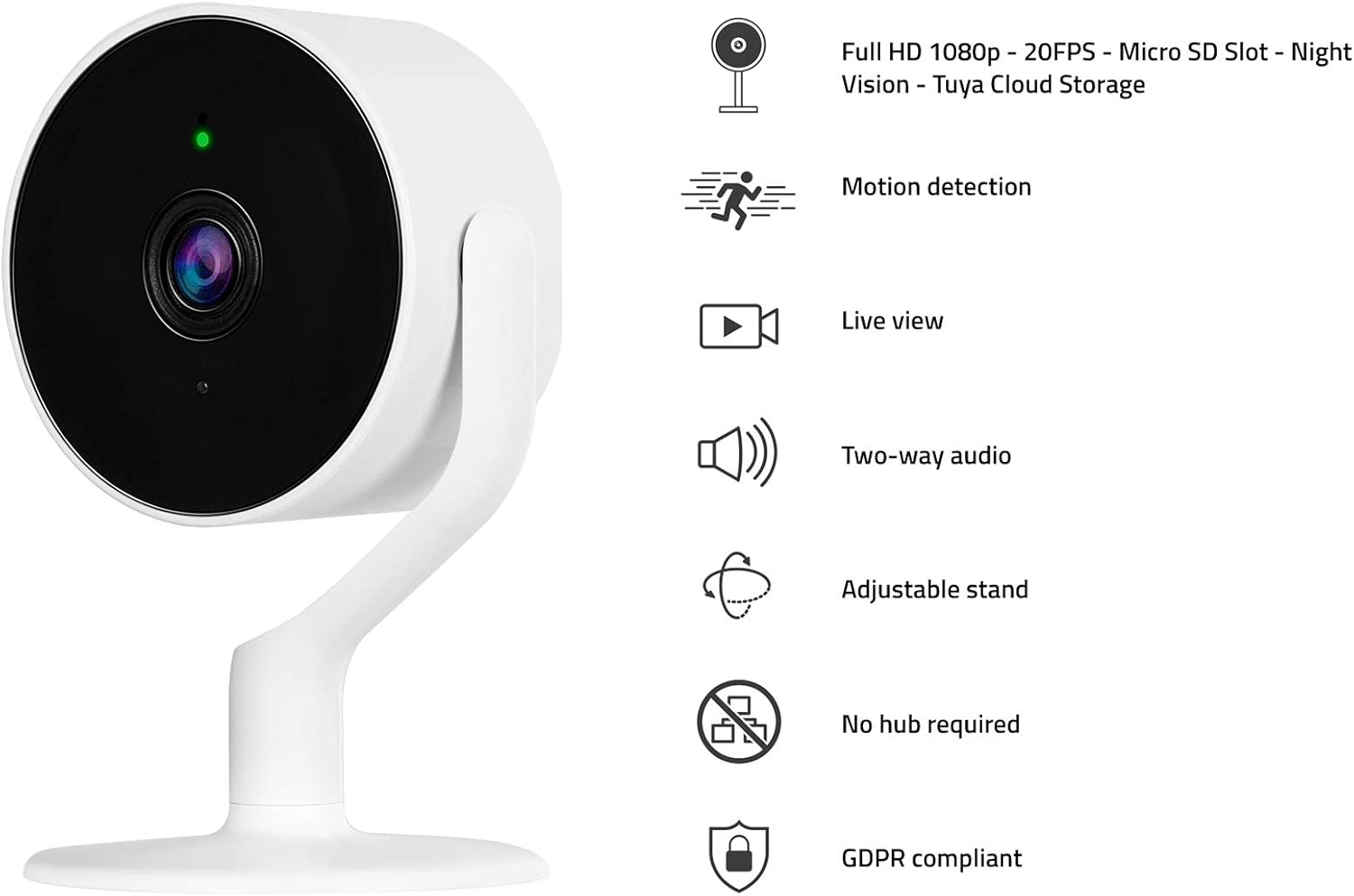
The Hombli Smart Indoor Camera with a visual representation of its key features: Full HD 1080p video, motion detection, live view, two-way audio, adjustable stand, no hub required, and GDPR compliance.
2.2 เนื้อหาบรรจุภัณฑ์
- Hombli Smart Indoor Camera (HBCI-0309)
- อะแดปเตอร์แปลงไฟ
- Mounting Accessories (e.g., self-adhesive base)
- คู่มือการใช้งาน (เอกสารนี้)
3. คู่มือการติดตั้ง
3.1 การติดตั้งทางกายภาพ
- เลือกตำแหน่ง: เลือกสถานที่ภายในอาคารที่มีทัศนวิสัยชัดเจน view of the area you wish to monitor and within range of your Wi-Fi network. The camera can be placed on a flat surface or mounted to a wall.
- Prepare for Mounting (Optional): If mounting, ensure the surface is clean and dry. Peel the protective film from the self-adhesive base.
- ติดตั้งกล้อง: Secure the camera to the desired surface. The adjustable stand allows for flexible positioning.
- เชื่อมต่อพลังงาน: Plug the included power adapter into the camera's power port and then into a standard electrical outlet. The camera will power on and indicate its status with an LED light.

A close-up of hands peeling the protective film from the self-adhesive base, preparing the camera for installation.
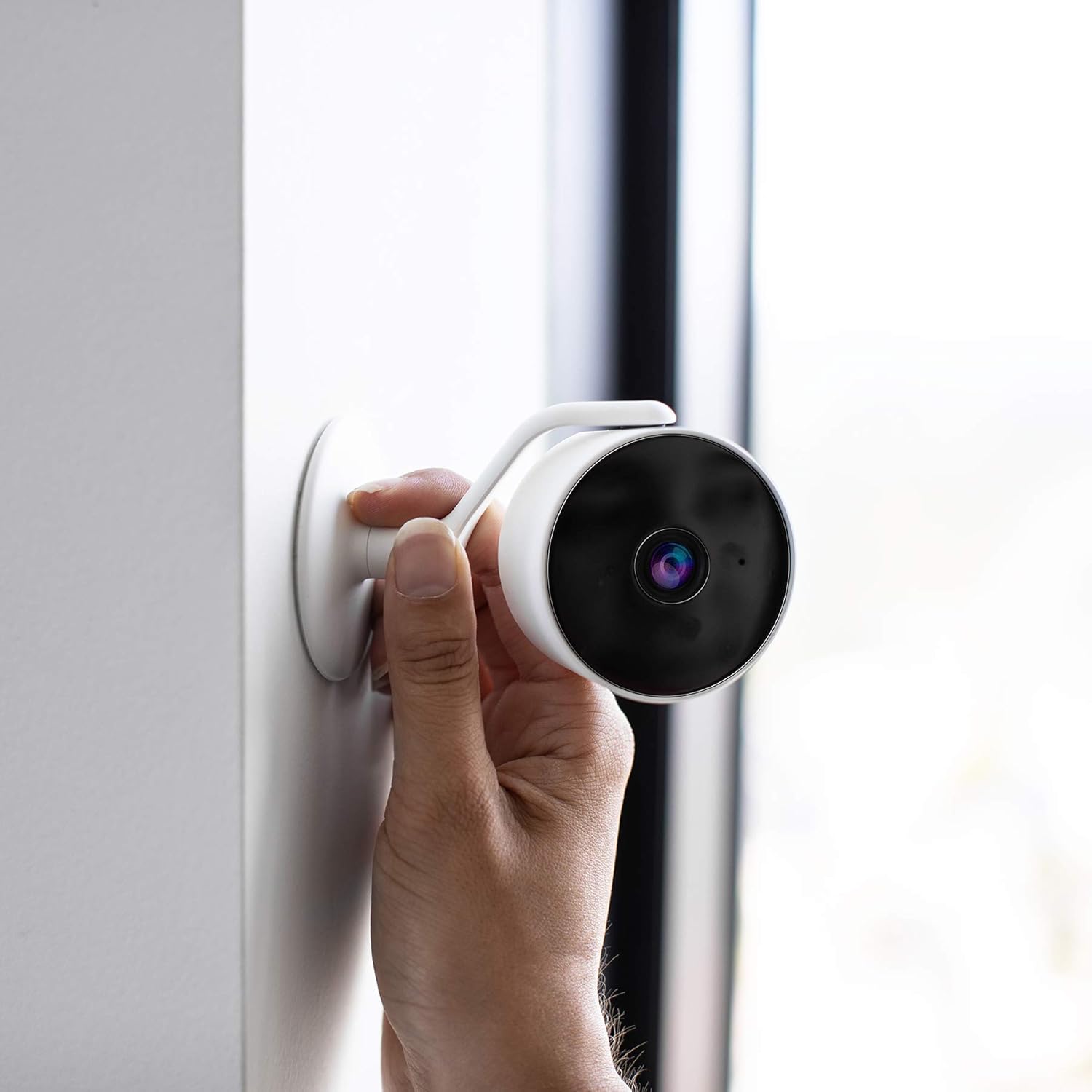
A hand positioning the Hombli Smart Indoor Camera against a wall, illustrating its flexible mounting options.
3.2 การติดตั้งและการจับคู่แอป
- Download the Hombli App: ค้นหา "Hombli" in the Apple App Store (for iOS) or Google Play Store (for Android) and download the application.
- สร้างบัญชี: Open the Hombli app and follow the on-screen instructions to create a new user account or log in if you already have one.
- เพิ่มอุปกรณ์: In the Hombli app, tap the "+" icon to add a new device. Select "Smart Indoor Camera" from the list of available devices.
- ทำตามคำแนะนำในแอป: The app will guide you through the pairing process, which typically involves connecting the camera to your 2.4 GHz Wi-Fi network. Ensure your smartphone is connected to the same Wi-Fi network during setup.
- ตั้งชื่อกล้องของคุณ: Once successfully paired, you can assign a name to your camera (e.g., "Living Room Camera") for easy identification.
4. คู่มือการใช้งาน
4.1 สด View
Open the Hombli app and select your camera from the device list to view the live video feed. You can monitor your space in real-time from anywhere with an internet connection.

The Hombli Smart Indoor Camera positioned next to a smartphone, which shows the live feed and motion detection alerts within the Hombli application.

ผู้ใช้ viewing the Hombli app on their smartphone, observing the live video feed from the Smart Indoor Camera.
4.2 Motion and Audio Detection
The camera is equipped with sensors to detect motion and sound. When an event is detected, the camera will send a notification to your smartphone via the Hombli app. You can customize detection sensitivity and notification settings within the app.
4.3 เสียงสองทาง
Utilize the two-way audio feature to communicate through the camera. Tap the microphone icon in the live view interface of the Hombli app to speak, and listen through the camera's built-in speaker.
4.4 การมองเห็นตอนกลางคืน
The camera automatically switches to night vision mode in low-light conditions, providing clear black and white video up to 7 meters. This feature ensures continuous monitoring around the clock.
4.5 การจัดเก็บข้อมูลบนการ์ด SD
Insert a Micro SD card (not included) into the designated slot on the camera for local video storage. The camera supports continuous recording or event-based recording, configurable through the Hombli app. Ensure the SD card is formatted correctly via the app.

A detailed diagram illustrating the physical dimensions of the Hombli Smart Indoor Camera (6.1 x 6.1 x 10.2 cm) and indicating the location of the Micro SD card slot for local storage.
4.6 การบูรณาการการควบคุมด้วยเสียง
The Hombli Smart Indoor Camera can be integrated with Amazon Alexa and Google Assistant. Follow the instructions in the respective smart assistant apps to link your Hombli account. Once linked, you can use voice commands to view รับชมการถ่ายทอดสดบนจอแสดงผลอัจฉริยะที่รองรับได้

The Hombli Smart Indoor Camera highlighting its compatibility with Google Assistant and Amazon Alexa for voice control.
5. การบำรุงรักษา
- การทำความสะอาด: ใช้ผ้านุ่มและแห้งเช็ดเลนส์และตัวกล้อง หลีกเลี่ยงการใช้สารเคมีรุนแรงหรือวัสดุที่มีฤทธิ์กัดกร่อน
- อัพเดตเฟิร์มแวร์: Regularly check the Hombli app for available firmware updates to ensure optimal performance and security.
- ความเสถียรของเครือข่าย: ตรวจสอบให้แน่ใจว่าเครือข่าย Wi-Fi ของคุณเสถียรและมีสัญญาณแรงเพียงพอสำหรับกล้อง เพื่อให้สามารถใช้งานได้อย่างต่อเนื่องโดยไม่สะดุด
6 การแก้ไขปัญหา
- กล้องออฟไลน์:
- ตรวจสอบว่ากล้องเปิดอยู่และอะแดปเตอร์ไฟเชื่อมต่ออย่างแน่นหนาหรือไม่
- ตรวจสอบให้แน่ใจว่าเครือข่าย Wi-Fi ของคุณเปิดใช้งานอยู่ และกล้องอยู่ในระยะทำการ
- รีสตาร์ทกล้องโดยถอดปลั๊กอะแดปเตอร์ไฟแล้วเสียบใหม่
- If issues persist, try re-pairing the camera with the Hombli app.
- คุณภาพวิดีโอไม่ดี:
- ตรวจสอบให้แน่ใจว่าเลนส์กล้องสะอาดและปราศจากฝุ่นหรือคราบสกปรก
- ตรวจสอบความแรงของสัญญาณ Wi-Fi ของคุณ สัญญาณอ่อนอาจส่งผลต่อคุณภาพการสตรีมวิดีโอ
- Motion/Audio Detection Not Working:
- Verify that motion and audio detection are enabled in the Hombli app settings for the camera.
- Adjust the sensitivity settings in the app.
- โปรดตรวจสอบให้แน่ใจว่าได้เปิดใช้งานการแจ้งเตือนของแอปบนสมาร์ทโฟนของคุณแล้ว
- การ์ด SD ไม่บันทึก:
- โปรดตรวจสอบให้แน่ใจว่าได้เสียบการ์ด SD อย่างถูกต้องแล้ว
- Format the SD card through the Hombli app.
- Check if the SD card has sufficient free space or if it's corrupted.
7. ข้อมูลจำเพาะ
| หมายเลขรุ่น | HBCI-0309 |
| ความละเอียดในการจับภาพวิดีโอ | 1080p เต็ม HD |
| Viewอิงแองเกิล | 130 องศา |
| ช่วงการมองเห็นตอนกลางคืน | 7 เมตร |
| เทคโนโลยีไร้สาย | Wi-Fi (2.4 GHz) |
| เสียง | ระบบเสียงสองทาง |
| พื้นที่จัดเก็บ | การ์ด Micro SD (สูงสุด 128GB ไม่รวม) |
| แหล่งพลังงาน | อะแดปเตอร์ 5V |
| ขนาด (กว้าง x ยาว x สูง) | 6.1 x 6.1 x 10.2 ซม. |
| น้ำหนัก | 200 กรัม |
| วัสดุ | พลาสติก |
| สี | สีขาว |
| การใช้งานภายใน/ภายนอกอาคาร | ในร่ม |
| อุปกรณ์ที่รองรับ | สมาร์ทโฟน (แอนดรอยด์/ไอโอเอส), อเมซอน อเล็กซา, กูเกิล แอสซิสต์ |
8. การรับประกันและการสนับสนุน
For warranty information and technical support, please refer to the official Hombli website or contact Hombli customer service directly. Details are typically provided on the product packaging or within the Hombli app's support section.