
EDJO XYUS-MK201
EDJO 87-Key Mechanical Gaming Keyboard
Model: XYUS-MK201
1. บทนำ
This manual provides detailed instructions for the EDJO 87-Key Mechanical Gaming Keyboard. Designed for gamers and typists, this keyboard features durable mechanical blue switches, vibrant rainbow LED backlighting, and anti-ghosting technology for a responsive and enjoyable experience.

Image: EDJO 87-Key Mechanical Keyboard overview banner.
2. คุณสมบัติหลัก
- Real Mechanical Blue Switches: Experience crisp, precise tactile feedback with an audible click sound. These switches offer a 50 million keystroke lifespan, 2.2mm distance to actuation, and 50g actuation force.
- Colorful Rainbow LED Backlit: Features 9 distinct lighting modes with adjustable brightness to enhance your gaming atmosphere. Laser UV carved characters ensure visibility in low-light conditions.
- 87 Keys Full Anti-Ghosting: All 87 keys are conflict-free with N-key rollover, ensuring every keypress is registered accurately, even during rapid, complex commands.
- การออกแบบตามหลักสรีรศาสตร์: Constructed with a durable metal-ABS frame, designed for comfort during extended gaming or typing sessions.
- ทางลัดมัลติมีเดีย: Includes 11 multimedia key combinations for efficient control of media playback and system functions.
- โครงสร้างทนทาน: Features an aluminum alloy panel, making it wear-resistant, anti-corrosion, and easy to clean. The keycaps are removable for maintenance.

Image: Detailed diagram illustrating the components and specifications of the Blue Mechanical Switch, including keystroke lifespan, distance to actuation, and actuation force.

ภาพ: ระยะใกล้ view of the keyboard, emphasizing features like the aluminum alloy panel, waterproof design, anti-corrosion properties, and removable keycaps.
3. คู่มือการติดตั้ง
3.1 การเชื่อมต่อคีย์บอร์ด
- หาตำแหน่งพอร์ต Micro USB บนแป้นพิมพ์
- Connect the provided removable USB cable to the keyboard's Micro USB port.
- Plug the other end of the USB cable into an available USB port on your computer (PC, Laptop, Chromebook, etc.).
- แป้นพิมพ์นี้เป็นแบบ plug-and-play และระบบปฏิบัติการของคุณควรรู้จักมันโดยอัตโนมัติ
3.2 ความเข้ากันได้ของระบบ
The EDJO Mechanical Gaming Keyboard is widely compatible with the following operating systems:
- วินโดวส์ XP
- วินโดวส์วิสต้า
- วินโดวส์ 7
- วินโดวส์ 8
- วินโดวส์ 10
- วินโดวส์เอ็กซ์
- ระบบปฏิบัติการ Mac
- Other operating systems (e.g., Chrome OS)

Image: Keyboard shown with icons representing various compatible operating systems and devices, including Windows, Android, Google, and Mac OS.
4. คู่มือการใช้งาน
4.1 โหมดแสงไฟและการปรับแต่ง
The keyboard features 9 distinct rainbow LED backlight modes. You can cycle through these modes and adjust their brightness using the function (Fn) key combinations:
- เปลี่ยนโหมดแสง: กด Fn + อินส์ (Insert key) to cycle through the 9 available lighting effects.
- ปรับความสว่างของแสง: กด Fn + ↑ (Up Arrow) to increase brightness.
- ปรับความสว่างของแสง: กด Fn + ↓ (ลูกศรลง) เพื่อลดความสว่าง
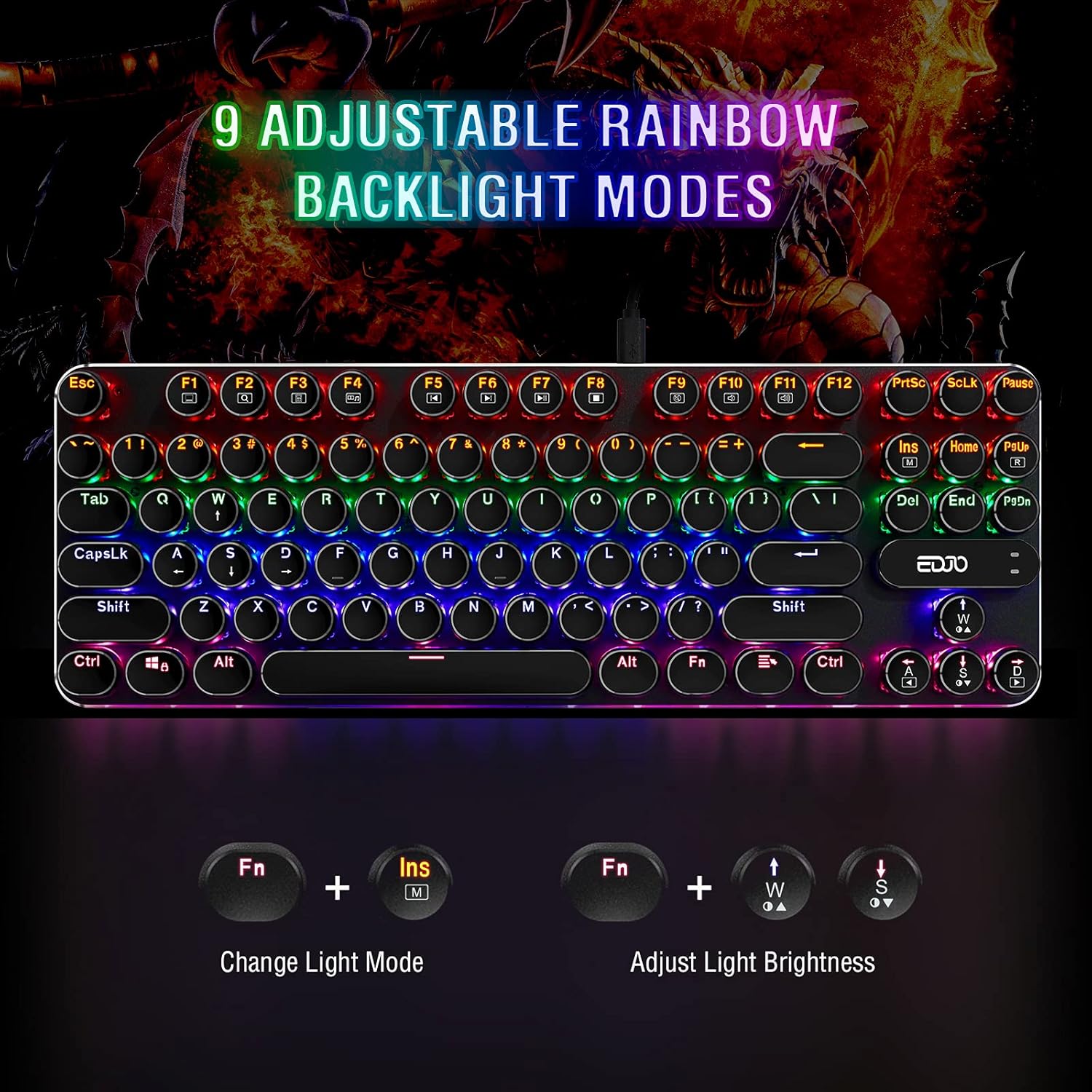
Image: Visual guide demonstrating how to change backlight modes and adjust brightness using Fn key combinations.
4.2 ทางลัดมัลติมีเดีย
The keyboard includes 11 multimedia function key combinations for quick access to common tasks:
| คีย์ผสม | การทำงาน |
|---|---|
| Fn + F1 | คอมพิวเตอร์ของฉัน |
| Fn + F2 | ค้นหา |
| Fn + F3 | เครื่องคิดเลข |
| Fn + F4 | เครื่องเล่นสื่อ |
| Fn + F5 | เพลงก่อนหน้า |
| Fn + F6 | เพลงถัดไป |
| Fn + F7 | เล่น/หยุดชั่วคราว |
| Fn + F8 | ซีดีสต็อป |
| Fn + F9 | ปิดเสียง |
| Fn + เอฟ10 | ลดระดับเสียง |
| Fn + เอฟ11 | เพิ่มระดับเสียง |
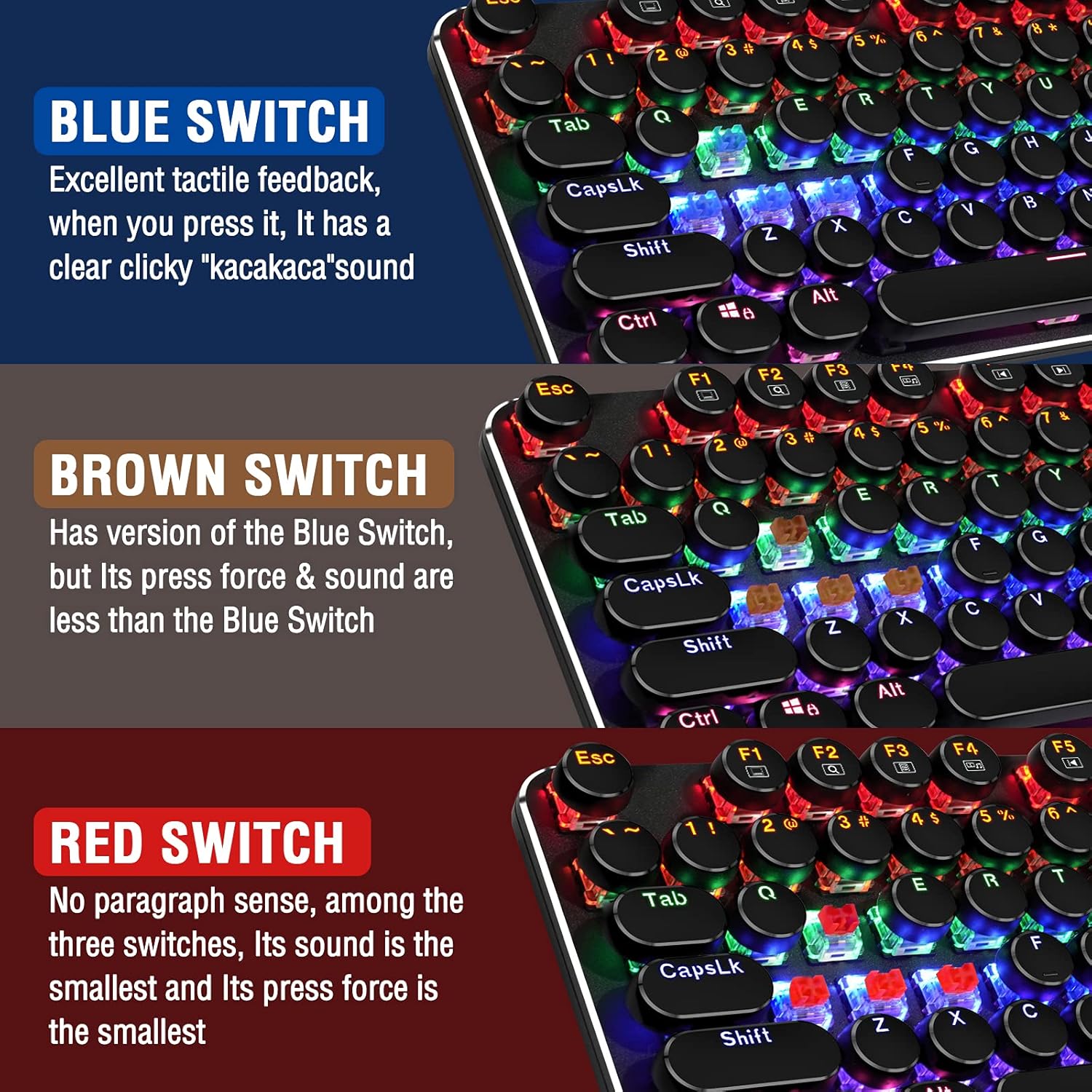
Image: Diagram illustrating the 11 multimedia shortcuts accessible via the Fn key combined with F1-F11.
4.3 คุณสมบัติป้องกันการหลอก
The EDJO 87-Key Mechanical Gaming Keyboard features full N-key rollover anti-ghosting. This means that all 87 keys can be pressed simultaneously without any conflicts or missed inputs, ensuring accurate registration of every command during intense gaming sessions.
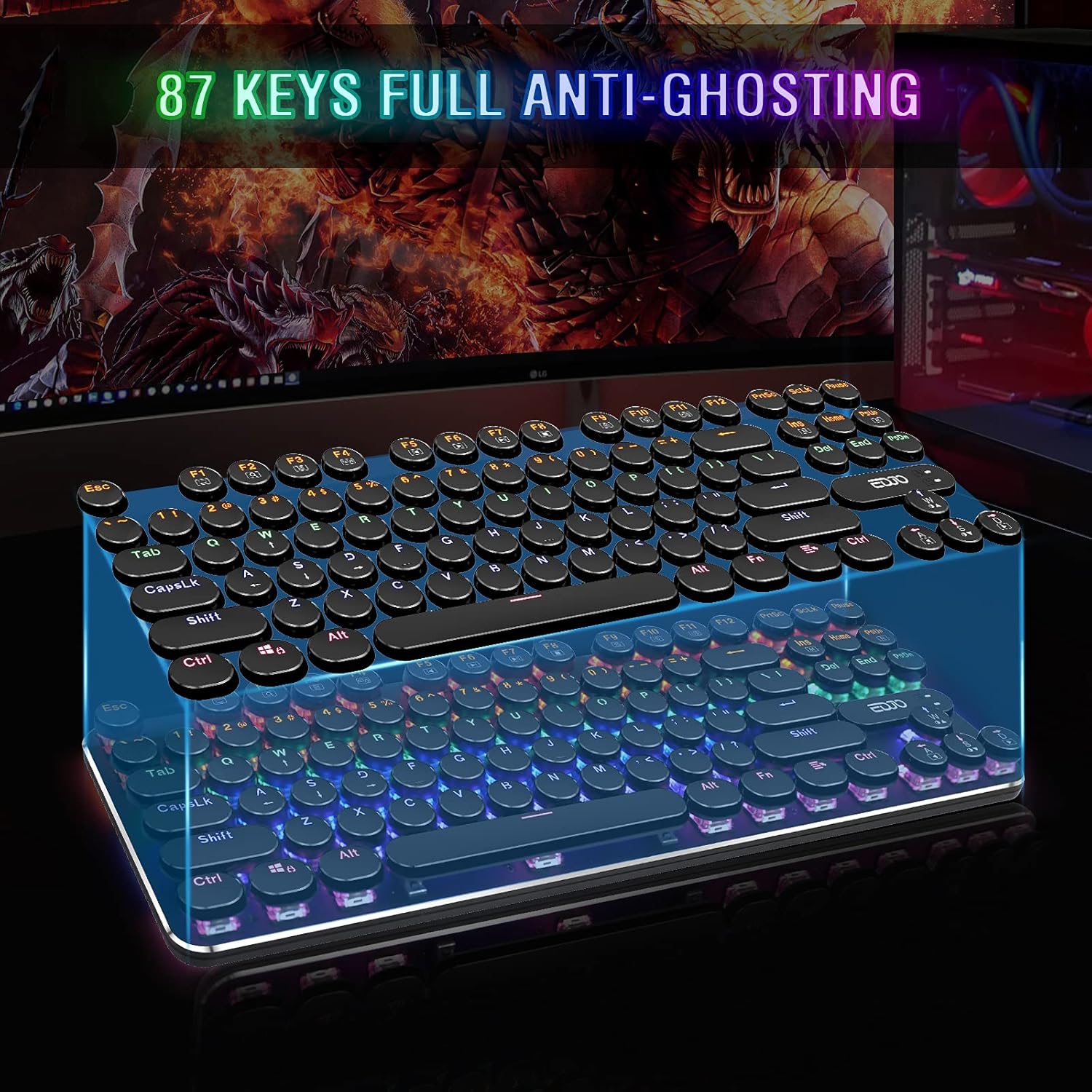
Image: Illustration demonstrating the 87-key full anti-ghosting capability, showing multiple simultaneous key presses being registered.
5. การบำรุงรักษา
To ensure the longevity and optimal performance of your EDJO Mechanical Gaming Keyboard, follow these maintenance guidelines:
- การทำความสะอาด: Regularly wipe the keyboard surface with a soft, dry cloth. For deeper cleaning, you can use a can of compressed air to remove dust and debris from between the keycaps.
- การถอดคีย์แคป: The keycaps are removable, allowing for easier cleaning underneath. Use a keycap puller (if available) or gently pry them off. Ensure the keyboard is unplugged before removing keycaps.
- หลีกเลี่ยงของเหลว: While the keyboard has some water resistance, avoid direct exposure to large amounts of liquid. If spills occur, unplug the keyboard immediately and allow it to dry completely before reconnecting.
- พื้นที่จัดเก็บ: เก็บแป้นพิมพ์ไว้ในที่แห้งและเย็น หลีกเลี่ยงแสงแดดโดยตรงและอุณหภูมิที่สูงหรือต่ำเกินไปเมื่อไม่ได้ใช้งานเป็นเวลานาน
6 การแก้ไขปัญหา
If you encounter any issues with your EDJO Mechanical Gaming Keyboard, please refer to the following common problems and solutions:
- แป้นพิมพ์ไม่ตอบสนอง:
- ตรวจสอบให้แน่ใจว่าสาย USB เชื่อมต่อกับคีย์บอร์ดและคอมพิวเตอร์อย่างแน่นหนา
- ลองเสียบคีย์บอร์ดเข้ากับพอร์ต USB อื่นบนคอมพิวเตอร์ของคุณ
- รีสตาร์ทเครื่องคอมพิวเตอร์ของคุณ
- ทดสอบแป้นพิมพ์บนคอมพิวเตอร์เครื่องอื่นเพื่อตรวจสอบว่าปัญหาอยู่ที่แป้นพิมพ์หรือพอร์ต USB/ไดรเวอร์ของคอมพิวเตอร์
- ไฟแบ็คไลท์ไม่ทำงานหรือกระพริบ:
- Ensure the backlight is not turned off or set to the lowest brightness level using Fn + ↑/↓.
- Try cycling through the backlight modes using Fn + อินส์.
- คีย์ไม่ลงทะเบียนหรือพิมพ์ซ้ำ:
- Check for any debris or foreign objects stuck under the keycap. Gently remove the keycap and clean the switch area.
- Ensure the keyboard drivers are up to date (usually handled automatically by the operating system).
If you encounter any problems during use that are not resolved by the above steps, please contact EDJO customer support via Amazon email for a satisfactory solution.
7. ข้อมูลจำเพาะ
| คุณลักษณะ | รายละเอียด |
|---|---|
| ยี่ห้อ | เอดโจ |
| ผู้ผลิต | เอดโจ |
| แบบอย่าง | XYUS-MK201 |
| หมายเลขชิ้นส่วน | XYUS-MK201 |
| ความเข้ากันได้ของระบบปฏิบัติการ | Windows XP/Vista/7/8/10/X, Mac, Chrome-book, etc. |
| แพลตฟอร์มฮาร์ดแวร์ | PC |
| อุปกรณ์ที่รองรับ | แล็ปท็อป คอมพิวเตอร์ตั้งโต๊ะ |
| คุณสมบัติพิเศษ | Backlit, Ergonomic, Anti-Ghosting, Multimedia Keys |
| รวมแบตเตอรี่ | เลขที่ |
| แบตเตอรี่ที่จำเป็น | เลขที่ |
| คำอธิบายแป้นพิมพ์ | คีย์บอร์ดสำหรับเล่นเกม |
| ประเภทขั้วต่อ | Micro USB (Removable Cable) |
| การวางแนวมือ | ถนัดทั้งสองมือ |
| Has an attached light | Yes (Rainbow LED Backlit) |
| ขนาดสินค้า | 35.56 x 12.45 x 2.54 ซม. |
| น้ำหนักสินค้า | 721 กรัม |
| ASIN | B08FMNP771 |
| วันที่พร้อมใช้งานครั้งแรก | 25 สิงหาคม 2020 |
| สี | สวิทช์สีฟ้า |
| สไตล์ | คีย์บอร์ดสำหรับเล่นเกม |
| จำนวนปุ่ม | 87 |
| หมายเลขซีรีย์ | 201 |
8. การรับประกันและการสนับสนุน
For any product-related inquiries, technical support, or warranty claims, please contact EDJO customer support directly through the Amazon platform where the product was purchased. Provide your order details and a clear description of the issue to receive prompt assistance.