
การแนะนำ
This manual provides comprehensive instructions for the installation, operation, and maintenance of your Walfront AC200-240V WiFi Fan Coil Unit Thermostat. This digital thermostat is designed for controlling central air conditioners and fan coil units, offering precise temperature regulation and convenient control via its LCD display or a connected Wi-Fi application.
คุณสมบัติที่สำคัญ ได้แก่:
- LCD display showing room temperature, heating/cooling status, fan speed, and clock.
- Four fan speed modes: automatic, high, medium, and low.
- Integrated sensor with a temperature range of 5°C to 35°C for high accuracy.
- Strong anti-interference capabilities.
- Wi-Fi connectivity for remote control via a smartphone application.
ข้อมูลด้านความปลอดภัย
Please read all safety warnings and instructions carefully before installing or operating this device. Failure to follow these instructions may result in electric shock, fire, or damage to the product.
- อันตรายจากไฟฟ้า: Installation must be performed by a qualified electrician. Disconnect power at the circuit breaker before installation or servicing.
- เล่มที่tage: Ensure the power supply matches the thermostat's rated voltagอี (AC200-240V).
- การจัดวาง: Install the thermostat in a location away from direct sunlight, drafts, or heat sources that could affect temperature readings.
- การทำความสะอาด: Do not use liquid cleaners or aerosols directly on the thermostat. Clean with a soft, dry cloth.
สินค้าเกินview
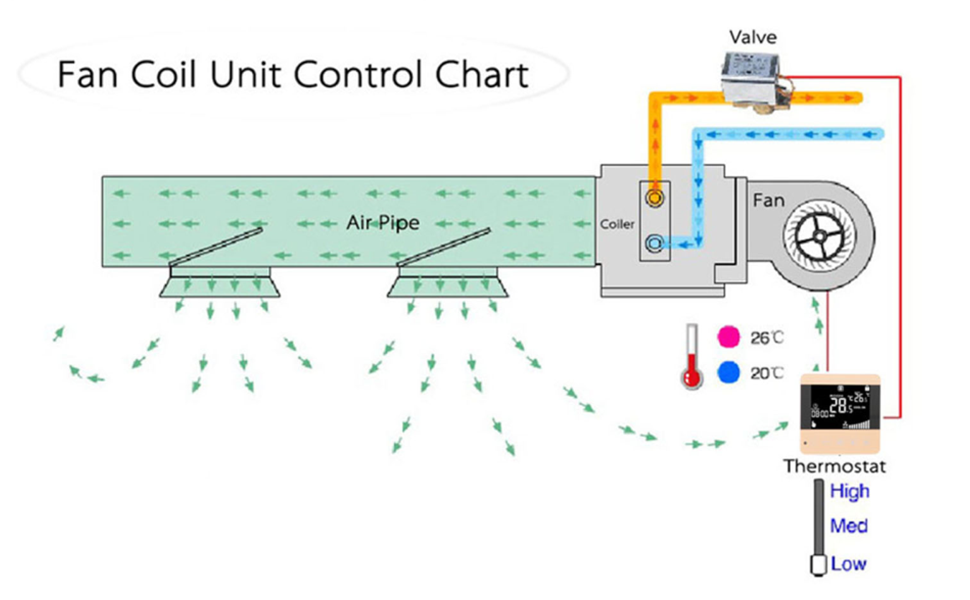
The Walfront WiFi Fan Coil Unit Thermostat features a clear LCD display and touch controls for easy interaction. It is designed to seamlessly integrate into your central air conditioning system.
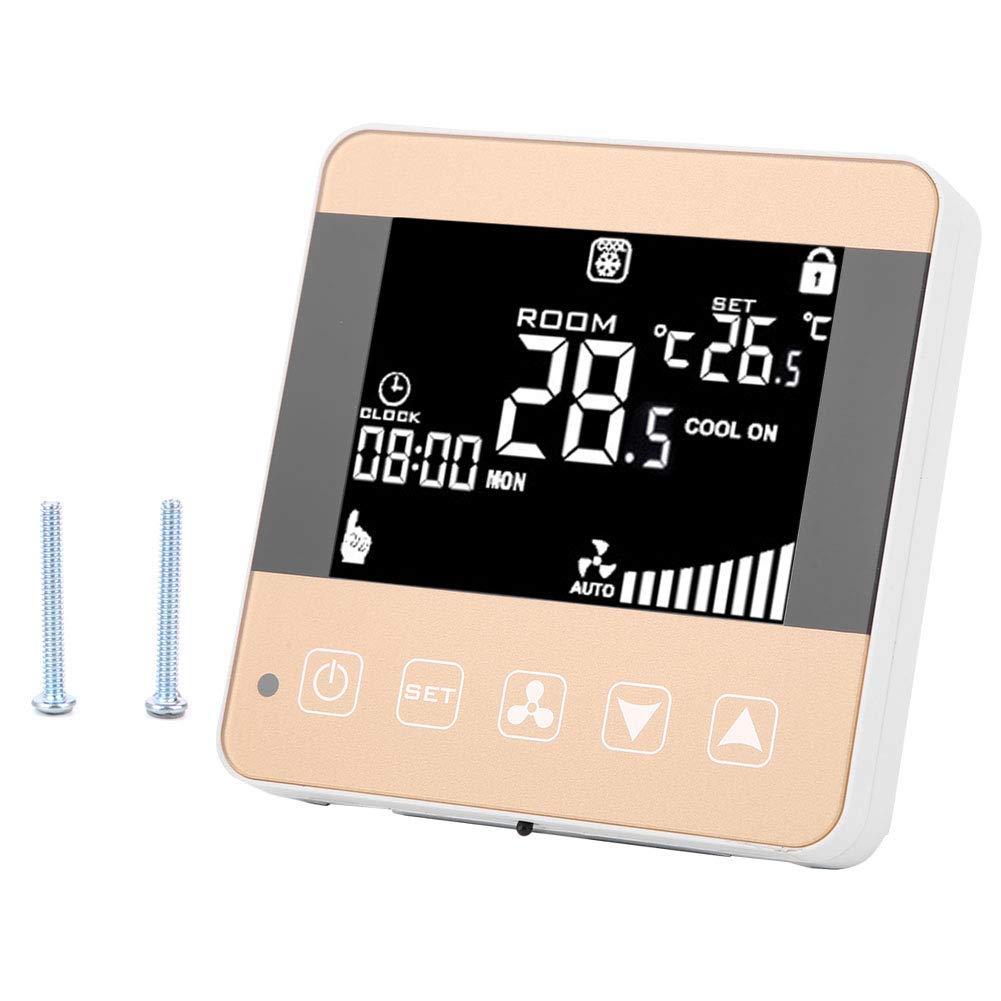
The thermostat's display provides real-time information, including the current room temperature, the set temperature, the operating mode (heating or cooling), fan speed, and the current time. The touch buttons below the screen allow for manual adjustments.

The device is designed for wall mounting and connects directly to your fan coil unit's wiring. Its compact and modern design blends well with various interior decors.

การตั้งค่า
การติดตั้ง
- การตัดการเชื่อมต่อไฟฟ้า: Before beginning installation, ensure the main power supply to the fan coil unit and the thermostat's circuit is turned off at the circuit breaker.
- การติดตั้ง: Mount the thermostat to a standard electrical wall box using the provided screws. Ensure it is securely fastened.
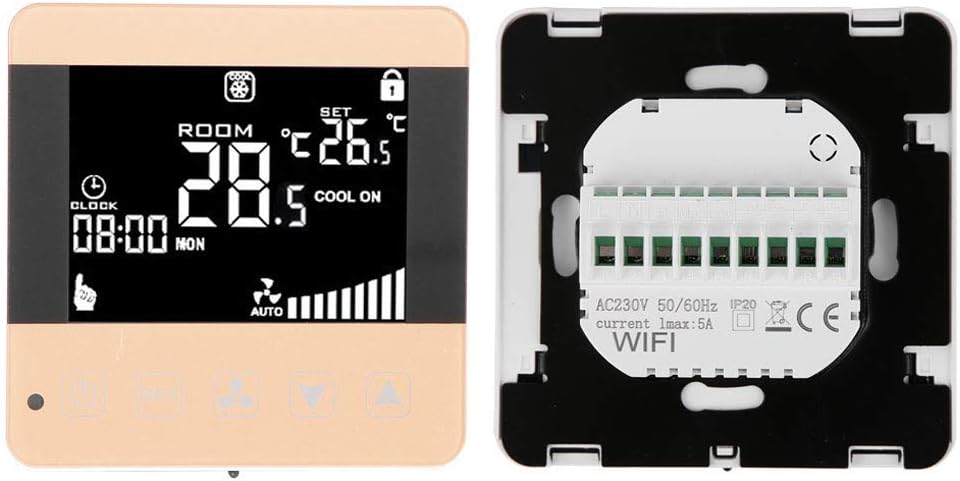
- การเดินสายไฟ: Connect the electrical wires from your fan coil unit to the corresponding terminals on the back of the thermostat. Refer to the wiring diagram below and your fan coil unit's manual for specific connections. Common connections include Live (L), Neutral (N), High Fan Speed (H), Medium Fan Speed (Med), Low Fan Speed (Low), and Valve control wires.

การเปิดเครื่องครั้งแรกและการเชื่อมต่อ Wi-Fi
- คืนค่าพลัง: Once wiring is complete and secure, restore power at the circuit breaker. The thermostat display should illuminate.
- การจับคู่ Wi-Fi: Follow the instructions in the dedicated smartphone application (refer to the app's guide for download and pairing process) to connect your thermostat to your home Wi-Fi network. This will enable remote control and advanced scheduling features.
คำแนะนำการใช้งาน
การทำงานพื้นฐาน
- ปุ่มเปิด/ปิด: Press the power button (usually indicated by a circle with a vertical line) to turn the thermostat on or off.
- การปรับอุณหภูมิ: Use the Up (▲) and Down (▼) arrow buttons to increase or decrease the desired set temperature. The temperature range is 5°C to 35°C.
- การเลือกโหมด: Press the 'SET' button to cycle through operating modes (e.g., Heating, Cooling, Fan Only).
- การควบคุมความเร็วพัดลม: Press the fan icon button to select the desired fan speed: Automatic, High, Medium, or Low. In Automatic mode, the fan speed adjusts based on the temperature difference.
- แสดงนาฬิกา: The current time is displayed on the LCD screen. Time settings can typically be adjusted via the smartphone application.
การควบคุมผ่าน Wi-Fi และแอปพลิเคชัน
Once connected to Wi-Fi, the thermostat can be controlled remotely using the dedicated smartphone application. This allows for:
- Remote temperature adjustment.
- Scheduling and programming of temperature settings.
- Monitoring of room temperature and system status.
- Advanced settings configuration.
Refer to the smartphone application's help section for detailed instructions on using its features.
การซ่อมบำรุง
The Walfront WiFi Fan Coil Unit Thermostat requires minimal maintenance to ensure optimal performance.
- การทำความสะอาด: ควรเช็ดทำความสะอาดหน้าจอเทอร์โมสตัทเป็นระยะๆasing with a soft, dry, lint-free cloth. Do not use abrasive cleaners, solvents, or chemical sprays, as these can damage the surface or internal components.
- การดูแลเซ็นเซอร์: Ensure the temperature sensor (located within the unit) is not obstructed by dust or debris, which could affect temperature accuracy.
- อัพเดตเฟิร์มแวร์: Check the smartphone application periodically for any available firmware updates for your thermostat. Updates can improve performance and add new features.
การแก้ไขปัญหา
หากคุณพบปัญหาเกี่ยวกับเทอร์โมสตัท โปรดดูปัญหาทั่วไปและวิธีแก้ไขต่อไปนี้:
| ปัญหา | สาเหตุที่เป็นไปได้ | สารละลาย |
|---|---|---|
| จอแสดงผลเทอร์โมสตัทว่างเปล่า | ไม่มีแหล่งจ่ายไฟ | ตรวจสอบเบรกเกอร์และตรวจสอบให้แน่ใจว่าไฟฟ้ากลับมาใช้งานได้แล้ว ตรวจสอบการเชื่อมต่อสายไฟ |
| การอ่านอุณหภูมิไม่ถูกต้อง | Sensor obstruction or improper placement. | Ensure the sensor is clear of debris. Relocate the thermostat if it's in direct sunlight or a draft. |
| ไม่สามารถเชื่อมต่อ Wi-Fi ได้ | รหัสผ่าน Wi-Fi ไม่ถูกต้อง สัญญาณอ่อน หรือปัญหาเราเตอร์ | Verify Wi-Fi password. Move the thermostat closer to the router or check router settings. Restart the router. |
| Fan coil unit not responding. | Incorrect wiring or unit malfunction. | Double-check wiring connections. Consult a qualified technician if the issue persists. |
ข้อมูลจำเพาะ
| คุณสมบัติ | ข้อมูลจำเพาะ |
|---|---|
| ยี่ห้อ | Walfront |
| หมายเลขรุ่น | WLF-XXX |
| แหล่งพลังงาน | Câble électrique (Wired) |
| เล่มที่tage | 240 Volts (AC200-240V) |
| เทคโนโลยีการเชื่อมต่อ | ไวไฟ |
| ประเภทการควบคุม | สัมผัส, แอปพลิเคชัน |
| ประเภทการควบคุมอุณหภูมิ | ดิจิตอล |
| ช่วงอุณหภูมิ | 5°C - 35°C (Internal Sensor) |
| ประเภทจอภาพ | จอแอลซีดี |
| แสงไฟแบ็คไลท์ | ใช่ |
| ประเภทการติดตั้ง | จันทร์tage mural (Wall Mount) |
| น้ำหนักสินค้า | 183 กรัม |
| การใช้งานเฉพาะ | Climatiseur (Air Conditioner) |
ข้อมูลการรับประกัน
For detailed warranty information, please refer to the product packaging or contact Walfront customer support. Typically, products come with a standard manufacturer's warranty covering defects in materials and workmanship under normal use.
สนับสนุน
If you require further assistance or have questions not covered in this manual, please contact Walfront customer support. Contact details can usually be found on the product packaging, the official Walfront webไซต์หรือผ่านผู้ค้าปลีกของคุณ