
การแนะนำ
Thank you for choosing the KPREPUBLIC SK64 60% Custom Mechanical Keyboard. This manual provides detailed instructions for setting up, operating, maintaining, and troubleshooting your new keyboard. The SK64 features a compact 60% layout, RGB backlighting, hot-swappable optical switches, and a versatile Type-C USB connection, designed for both gaming and office use.
เนื้อหาแพ็คเกจ
- KPREPUBLIC SK64 Mechanical Keyboard
- สายเคเบิล USB Type-C
การตั้งค่า
การเชื่อมต่อคีย์บอร์ด
To connect your SK64 keyboard, simply plug the provided USB Type-C cable into the port located on the back of the keyboard and connect the other end to an available USB port on your computer. The keyboard is plug-and-play and should be recognized automatically by most operating systems.
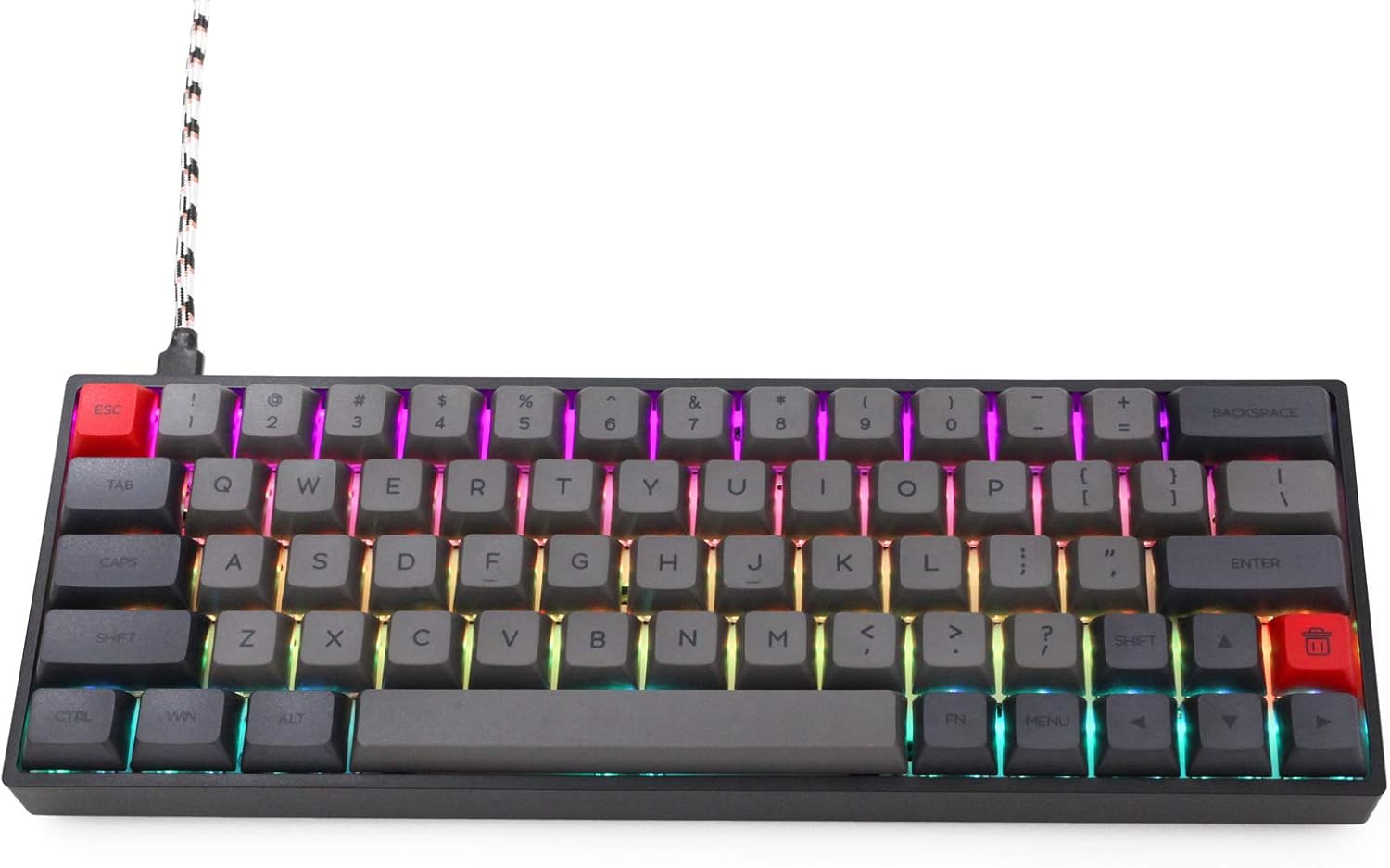
Image: The KPREPUBLIC SK64 keyboard with its USB-C cable connected, ready for use.
การติดตั้งซอฟต์แวร์
For advanced customization, including key remapping, macro creation, and detailed RGB lighting effects, download the official KPREPUBLIC control software from the manufacturer's webไซต์ ทำตามคำแนะนำบนหน้าจอเพื่อการติดตั้ง
คำแนะนำการใช้งาน
Key Layout and Function Layer
The SK64 features a compact 60% layout, which means some keys have secondary functions accessed via the Fn สำคัญ. สำหรับเช่นample, arrow keys, function row (F1-F12), and other multimedia controls are typically accessed by holding down the Fn key and pressing the corresponding key.

ภาพ: ด้านบน view of the KPREPUBLIC SK64 keyboard, illustrating the compact 60% key layout.
การควบคุมแสง RGB
The SK64 keyboard supports 16.8 million colors with various RGB lighting effects. You can cycle through different lighting modes, adjust brightness, and change colors using specific key combinations (often involving the Fn key and designated lighting control keys) or through the customization software.
สวิตช์แบบ Hot-Swappable
The SK64 is equipped with hot-swappable optical switches, allowing you to change switches without soldering. This feature enables easy customization of your typing experience or replacement of faulty switches. Use the provided switch puller tool to carefully remove and insert switches.

Image: A close-up showing the hot-swappable optical switches on the SK64 keyboard, with a switch removed to reveal the socket.
การซ่อมบำรุง
การทำความสะอาด
To clean your keyboard, disconnect it from your computer. Use a soft brush or compressed air to remove dust and debris from between the keycaps. For stubborn dirt, gently wipe the keycaps and case with a slightly damp ผ้า. หลีกเลี่ยงการใช้สารเคมีที่รุนแรงหรือมีความชื้นมากเกินไป
การเปลี่ยนสวิตช์
Refer to the 'Hot-Swappable Switches' section under Operating Instructions for details on how to safely remove and install optical switches.
การแก้ไขปัญหา
- แป้นพิมพ์ไม่ตอบสนอง: ตรวจสอบให้แน่ใจว่าสาย USB เชื่อมต่อกับแป้นพิมพ์และคอมพิวเตอร์อย่างแน่นหนาแล้ว ลองใช้พอร์ต USB หรือสายอื่นดู
- แสง RGB ไม่ทำงาน: Check if the lighting is turned off or set to a very low brightness. Use the keyboard's lighting control shortcuts or the software to adjust.
- กุญแจไม่ลงทะเบียน: For hot-swappable switches, ensure the switch is fully seated in its socket. If a specific key is not working, try replacing its switch.
- ซอฟต์แวร์ไม่ตรวจจับแป้นพิมพ์: Ensure the software is up-to-date and the keyboard is properly connected. Restart your computer and try again.
ข้อมูลจำเพาะ
| ผู้ผลิต | KPREPUBLIC |
| แบบอย่าง | สก64 |
| จำนวนคีย์ | 64 คีย์ |
| ประเภทสวิตซ์ | สวิตช์ออปติคอล Gateron (ถอดเปลี่ยนได้ขณะทำงาน) |
| การเชื่อมต่อ | ยูเอสบี ไทป์ ซี |
| การแบ็คไลท์ | RGB (16.8 ล้านสี) |
| อุปกรณ์ที่รองรับ | แป้นพิมพ์ |
| การใช้ที่แนะนำ | การเล่นเกม, ออฟฟิศ |
| ส่วนประกอบที่รวมอยู่ | สาย USB |
การรับประกันและการสนับสนุน
KPREPUBLIC products typically come with a manufacturer's warranty. Please refer to the warranty information provided at the time of purchase or visit the official KPREPUBLIC website for specific warranty terms and conditions. For technical support or further assistance, please contact KPREPUBLIC customer service through their official channels.