
1. บทนำ
This manual provides detailed instructions for the installation, operation, and maintenance of your EKYLIN DC 12V to 5V Micro USB Hardwire Kit. This device is designed to provide a stable 5V power supply to various electronic devices, such as dash cameras, GPS navigators, and other Micro USB powered gadgets, directly from your vehicle's 12V-24V electrical system. Please read this manual thoroughly before installation and use to ensure proper function and safety.
2. คุณสมบัติของผลิตภัณฑ์
- เล่มที่tage การแปลง: Converts DC 12V-24V vehicle input to a stable DC 5V 2.1A output.
- Right Angle Micro USB Plug: Features a right-angle Micro USB connector for convenient and space-saving device connection.
- ประสิทธิภาพสูง: Achieves a conversion rate of 96% or more, minimizing heat generation.
- การป้องกันที่ครอบคลุม: Includes built-in safeguards against over-voltage, over-current, over-temperature, short-circuit, and low car battery voltage auto cut-off.
- ความเข้ากันได้กว้าง: Suitable for dash cameras, GPS navigators, tablets, mobile phones, DVR recorders, and other 5V Micro USB devices.
- ความยาวสายเคเบิลเพิ่มเติม: Total length of 10 feet (3 meters) for flexible installation.
3. ข้อมูลจำเพาะ
| พารามิเตอร์ | ค่า |
|---|---|
| อินพุต Voltage | กระแสตรง 12V-24V |
| ปริมาณการส่งออกtage | กระแสตรง 5 โวลต์ |
| กระแสไฟขาออก | 2.1เอ |
| ประเภทขั้วต่อ | Micro USB (Right Angle) |
| ความยาวสายเคเบิลทั้งหมด | 10 ฟุต (3 เมตร) |
| ความยาวสายไฟ | 6.5 ฟุต (2 เมตร) |
| ความยาวสายชาร์จ | 3.2 FT (1 meter) |
| Converter Box Dimensions (L x W x H) | 4.9 ซม. x 2.8 ซม. x 1.5 ซม. (1.9 นิ้ว x 1.1 นิ้ว x 0.6 นิ้ว) |
| ประสิทธิภาพ | ≥ 96% |
| คุณสมบัติการป้องกัน | มากกว่าVoltage, Over Current, Over Temperature, Short Circuit, Low Car Battery Voltage Auto Cut Off (approx. 11.2V) |
4. เนื้อหาบรรจุภัณฑ์
- 1 x EKYLIN DC 12V to 5V Micro USB Hardwire Kit
5. การตั้งค่าและการติดตั้ง
Proper installation is crucial for the safe and effective operation of your hardwire kit. If you are unsure about any steps, it is recommended to seek professional assistance.
5.1 ข้อควรระวังเพื่อความปลอดภัย
- Always ensure the vehicle's ignition is OFF before beginning installation.
- Disconnect the vehicle's battery negative terminal if you are uncomfortable working with live electrical circuits.
- Carefully test and check the polarity and grounding of your vehicle's electrical system before making connections.
- Do not expose the hardwire kit to moisture or extreme temperatures.
5.2 แผนภาพการเดินสายไฟview
The hardwire kit features two input wires for connection to your vehicle's power source:
- Red Wire (ACC/Battery+): Connects to a switched 12V-24V power source (e.g., an ACC fuse in your fuse box) that turns on and off with the vehicle's ignition.
- White Wire (GND/Battery-): Connects to a reliable ground point on the vehicle's chassis.

Image: Close-up of the red (ACC/Battery+) and white (GND/Battery-) input wires.
5.3 ขั้นตอนการติดตั้ง
- Identify Power Sources: Locate your vehicle's fuse box. Using a circuit tester, identify a fuse that provides switched power (ACC) and a suitable ground point (metal chassis).
- Connect Power Wire: Use a fuse tap (not included) to connect the red wire (ACC/Battery+) of the hardwire kit to the identified switched power fuse.
- ต่อสายดิน: เชื่อมต่อ .อย่างปลอดภัย white wire (GND/Battery-) to a clean, unpainted metal bolt or screw on the vehicle's chassis. Ensure a good electrical connection.
- สายเคเบิลเส้นทาง: Carefully route the Micro USB cable from the power converter box to the location of your device (e.g., dash cam). Ensure the cable is tucked away neatly and does not interfere with vehicle operation or safety features.
- เชื่อมต่ออุปกรณ์: Plug the right-angle Micro USB connector into your dash camera, GPS navigator, or other compatible 5V device.
- ทดสอบฟังก์ชันการทำงาน: Turn on your vehicle's ignition. Your connected device should power on. If not, recheck all connections.
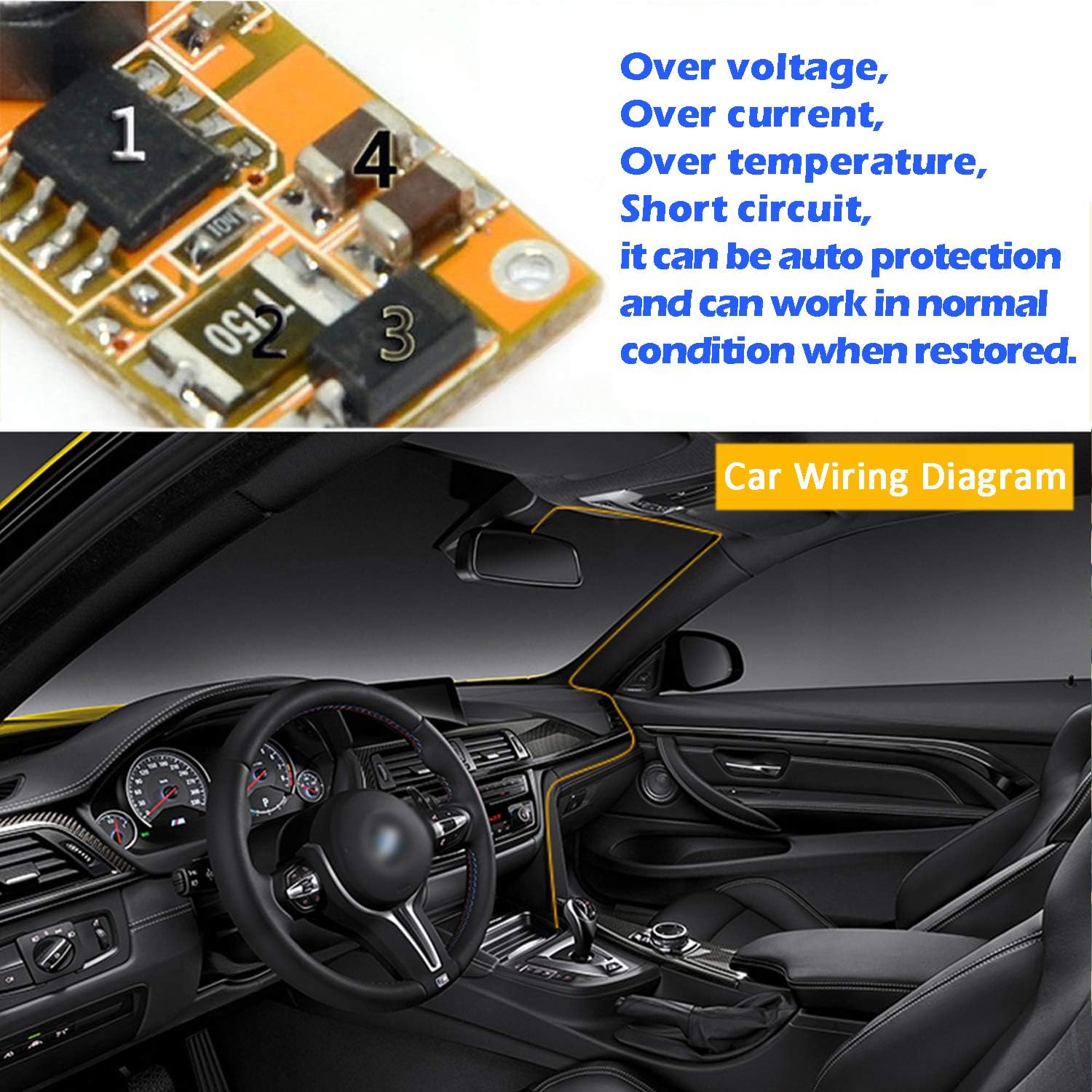
Image: Illustrative diagram of a car interior with suggested cable routing for a dash cam hardwire kit.
6. คู่มือการใช้งาน
Once installed, the EKYLIN DC 12V to 5V Micro USB Hardwire Kit operates automatically:
- When the vehicle's ignition is turned on, the hardwire kit will supply 5V power to your connected device.
- When the vehicle's ignition is turned off, the hardwire kit will cease power supply to the device.
- The built-in low car battery voltage auto cut-off feature will automatically stop power delivery if your vehicle's battery voltage drops below approximately 11.2V, preventing complete battery discharge. Power will resume when the voltage reaches approximately 11.6V.

Image: Various devices such as a dash cam, tablet, mobile phone, and other USB devices connected to the hardwire kit.
7 การแก้ไขปัญหา
If you encounter issues with your hardwire kit, please refer to the following troubleshooting steps:
- อุปกรณ์ไม่ได้เปิดเครื่อง:
- Ensure all connections (ACC, Ground, Micro USB) are secure and properly seated.
- Check the fuse connected to the ACC wire. Replace if blown.
- ตรวจสอบให้แน่ใจว่าได้เปิดสวิตช์กุญแจรถแล้ว
- ทดสอบปริมาณอินพุตtage at the hardwire kit's red wire to ensure it receives 12V-24V when the ignition is on.
- Confirm your device requires 5V Micro USB power.
- พลังงานไม่สม่ำเสมอ:
- Check for loose connections, especially the ground wire.
- Ensure the fuse tap is making good contact.
- Monitor your car battery voltagอี ปริมาณต่ำtage cut-off may be activating if the battery is weak.
- Device Not Charging/Low Output:
- Ensure the Micro USB cable is fully inserted into your device.
- Verify your device is not drawing more than 2.1A, which is the maximum output of this kit.
- Hardwire Kit Overheating:
- Ensure the converter box is not covered or placed in an area with poor ventilation.
- Confirm your device's power requirements are within the kit's specifications (5V 2.1A max).
8. การบำรุงรักษา
The EKYLIN DC 12V to 5V Micro USB Hardwire Kit requires minimal maintenance:
- Periodically check all electrical connections to ensure they remain secure.
- Keep the converter box free from dust and debris.
- Avoid exposing the unit to excessive moisture or direct sunlight for prolonged periods.
9. การสนับสนุนลูกค้า
For any questions, concerns, or assistance with your EKYLIN DC 12V to 5V Micro USB Hardwire Kit, please contact our customer support. We are committed to resolving any issues you may encounter.