
1. บทนำ
ขอบคุณสำหรับการซื้อasing the KONKA 43U55A 43-inch U5 Series 4K UHD Android Smart TV. This manual provides essential information for setting up, operating, and maintaining your new television. Please read these instructions carefully before using the product and retain them for future reference.
The KONKA 43U55A features a 4K Ultra HD display, Android TV operating system, and an integrated Google Assistant with voice remote control, offering a comprehensive entertainment experience.
2. ข้อมูลด้านความปลอดภัย
ปฏิบัติตามข้อควรระวังด้านความปลอดภัยขั้นพื้นฐานเสมอเมื่อใช้โทรทัศน์เครื่องนี้เพื่อลดความเสี่ยงต่อการเกิดไฟไหม้ ไฟฟ้าช็อต และการบาดเจ็บ
- แหล่งพลังงาน: ตรวจสอบให้แน่ใจว่าทีวีเชื่อมต่อกับแหล่งจ่ายไฟ AC 100-240V, 50/60Hz แล้ว
- การระบายอากาศ : อย่าปิดกั้นช่องระบายอากาศ ควรเว้นพื้นที่รอบทีวีให้เพียงพอเพื่อให้อากาศถ่ายเทได้สะดวก
- น้ำและความชื้น: อย่าให้ทีวีโดนฝนหรือความชื้น อย่าวางสิ่งของที่บรรจุของเหลว เช่น แจกัน บนทีวี
- ความร้อน: ควรวางโทรทัศน์ให้ห่างจากแหล่งความร้อน เช่น เครื่องทำความร้อน ช่องระบายความร้อน เตา หรืออุปกรณ์อื่นๆ ที่ก่อให้เกิดความร้อน
- การทำความสะอาด: ถอดปลั๊กทีวีออกจากเต้ารับที่ผนังก่อนทำความสะอาด ใช้ผ้านุ่มและแห้ง ห้ามใช้น้ำยาทำความสะอาดชนิดน้ำหรือสเปรย์ทำความสะอาด
- เด็ก: ห้ามเด็กปีนป่ายบนทีวีหรือขาตั้ง
- การติดตั้งบนผนัง: If wall-mounting, ensure the mount is suitable for the TV's weight and installed by qualified personnel.
- ฟ้าผ่า: ถอดปลั๊กทีวีในระหว่างที่มีพายุฝนฟ้าคะนองหรือเมื่อไม่ได้ใช้งานเป็นเวลานาน
3. เนื้อหาบรรจุภัณฑ์
ตรวจสอบว่ามีรายการทั้งหมดอยู่ในแพ็คเกจ:
- KONKA 43U55A 43-inch Smart TV
- รีโมทคอนโทรลพร้อมฟังก์ชั่นสั่งงานด้วยเสียง
- TV Stands (2 pcs)
- สกรูสำหรับขาตั้งทีวี
- สายไฟ
- คู่มือเริ่มต้นอย่างรวดเร็ว
- คู่มือการใช้งาน (เอกสารนี้)
4. การตั้งค่า
4.1 การติดตั้งขาตั้ง
To install the TV stands:
- วางทีวีคว่ำหน้าลงบนพื้นผิวที่นุ่มและเรียบอย่างระมัดระวังเพื่อป้องกันไม่ให้หน้าจอเสียหาย
- จัดขาตั้งแต่ละอันให้ตรงกับรูสกรูที่ตรงกันที่ด้านล่างของทีวี
- ยึดขาตั้งแต่ละอันด้วยสกรูที่ให้มา ตรวจสอบให้แน่ใจว่าขันแน่นสนิท
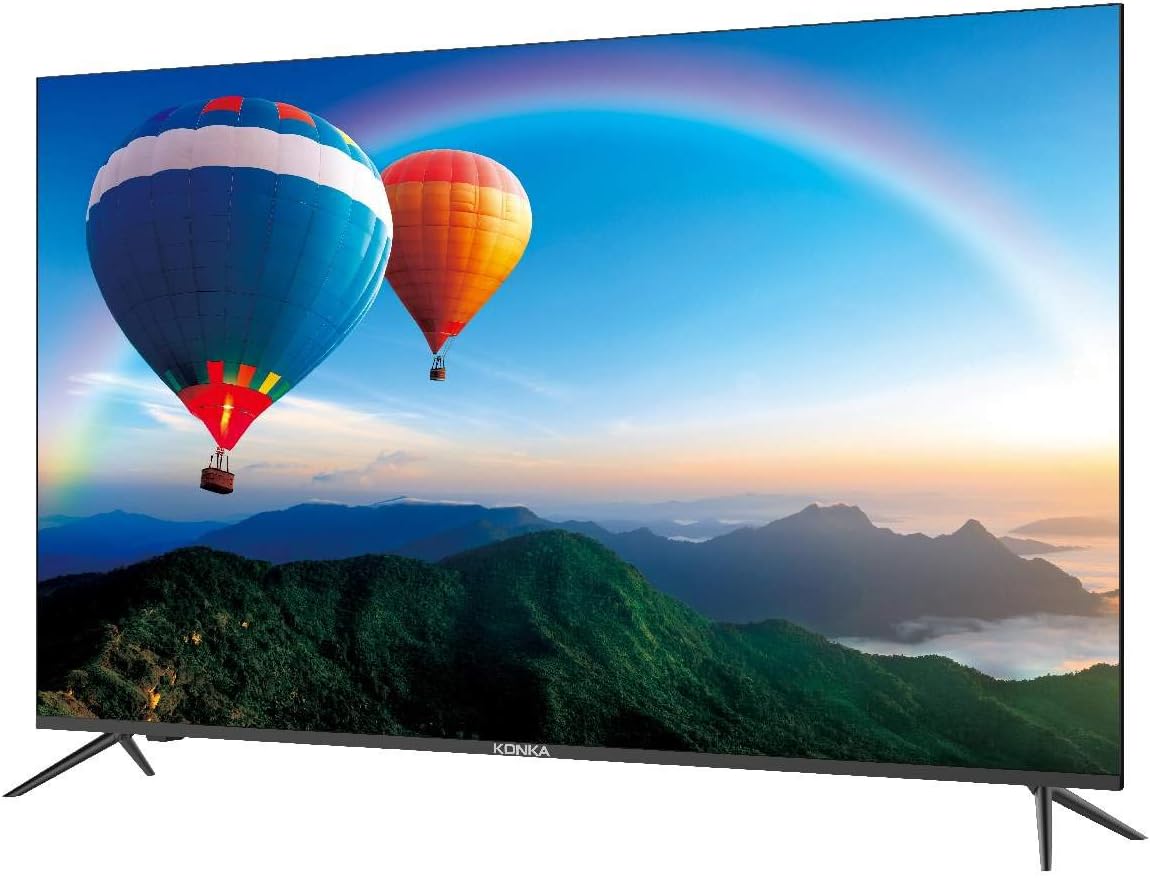
This image shows the front of the KONKA 43U55A Smart TV, highlighting its ZeroBezel design and the included stand. The screen displays a colorful landscape with hot air balloons.
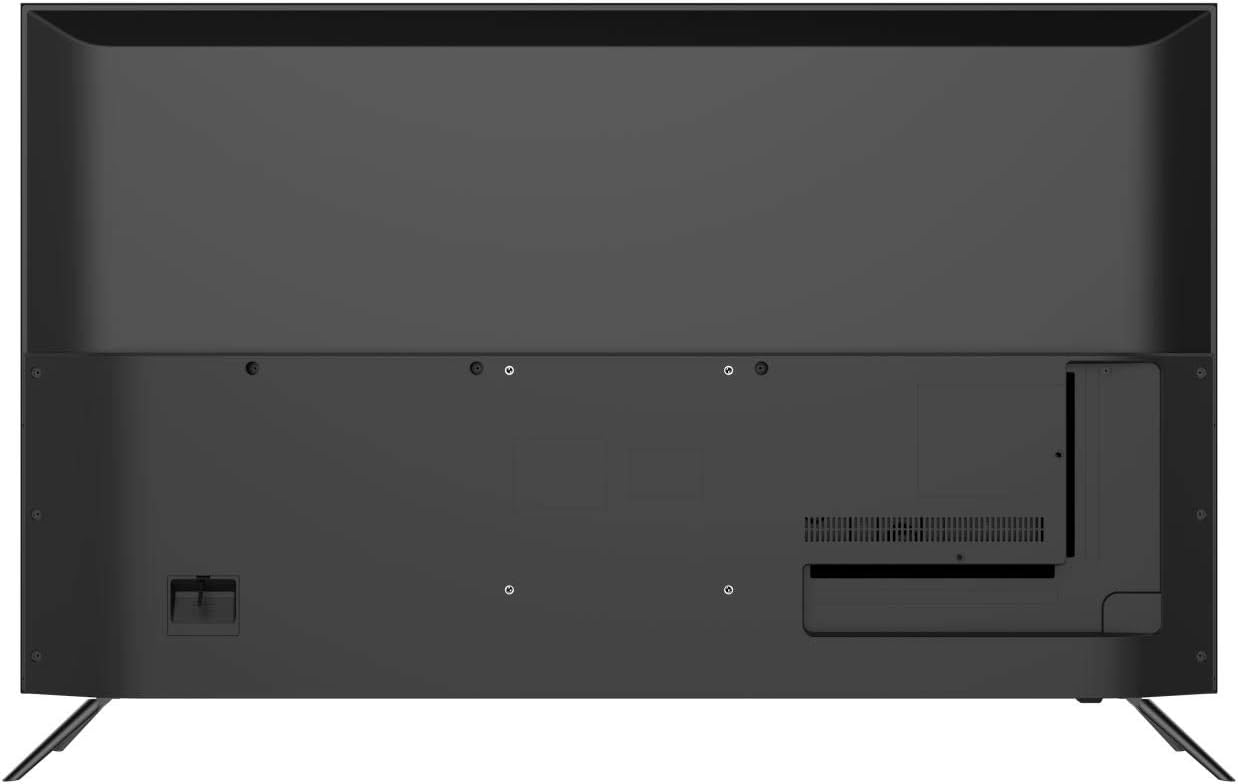
This image displays the back panel of the KONKA 43U55A Smart TV, indicating the VESA mounting holes and the general layout of the rear casing.
4.2 การติดตั้งบนผนัง (ทางเลือก)
If you choose to wall-mount your TV, you will need a VESA-compatible wall mount kit (sold separately). Refer to the wall mount kit's instructions for proper installation. Ensure the wall can support the weight of the TV and the mount.
4.3 การเชื่อมต่ออุปกรณ์
Your KONKA 43U55A TV offers various ports for connecting external devices.

This diagram illustrates the various connectivity ports available on the KONKA 43U55A Smart TV, detailing the locations for USB, HDMI (including ARC), Headphone, LAN, Optical, AV In, and RF connections.
- HDMI (อินเทอร์เฟซมัลติมีเดียความละเอียดสูง): Connect Blu-ray players, game consoles, cable/satellite boxes, and other HDMI-enabled devices. The TV has 4 HDMI inputs, with HDMI1 supporting ARC (Audio Return Channel).
- ยูเอสบี: เชื่อมต่ออุปกรณ์จัดเก็บข้อมูล USB เพื่อเล่นสื่อ fileทีวีเครื่องนี้มีพอร์ต USB 2 พอร์ต
- แลน (อีเธอร์เน็ต): เชื่อมต่อสายเคเบิลอีเทอร์เน็ตสำหรับการเชื่อมต่ออินเทอร์เน็ตแบบใช้สาย
- OPTICAL (Digital Audio Out): เชื่อมต่อกับซาวด์บาร์หรือเครื่องรับสัญญาณเสียงเพื่อเอาต์พุตเสียงดิจิทัล
- AV IN (Composite Video/Audio): เชื่อมต่ออุปกรณ์รุ่นเก่าโดยใช้สายวิดีโอคอมโพสิตและสายเสียงสเตอริโอ
- RF (Antenna/Cable In): เชื่อมต่อเสาอากาศหรือสายเคเบิลโคแอกเชียลของเคเบิลทีวี
- หูฟัง: เชื่อมต่อหูฟังเพื่อการฟังแบบส่วนตัว
4.4 การเปิดเครื่องครั้งแรกและการตั้งค่า Android TV
After connecting all desired devices and the power cord:
- กดปุ่มเปิด/ปิดบนรีโมทคอนโทรลหรือทีวี
- ปฏิบัติตามคำแนะนำบนหน้าจอเพื่อทำการตั้งค่าเบื้องต้นให้เสร็จสมบูรณ์ รวมถึงการเลือกภาษา การเชื่อมต่อเครือข่าย (Wi-Fi หรืออีเทอร์เน็ต) และการลงชื่อเข้าใช้บัญชี Google
- Pair the voice remote control as prompted to enable Google Assistant functionality.
5. การใช้งานทีวีของคุณ
5.1 การควบคุมระยะไกล
The included remote control allows you to navigate the TV's features. It includes dedicated buttons for common functions and a microphone button for voice commands.
- พลัง: เปิดหรือปิดทีวี
- ป้อนข้อมูล: เลือกแหล่งสัญญาณเข้า (HDMI, AV เป็นต้น)
- ปุ่มนำทาง: ขึ้น ลง ซ้าย ขวา เพื่อเลื่อนดูเมนู
- ตกลง/ป้อน: ยืนยันการเลือก
- กลับ: กลับไปยังหน้าจอที่แล้ว
- บ้าน: เข้าถึงหน้าจอหลักของ Android TV
- ระดับเสียง +/-: ปรับระดับเสียง.
- ช่อง +/-: เปลี่ยนช่องทีวี
- ปุ่มไมโครโฟน: เปิดใช้งาน Google Assistant สำหรับคำสั่งเสียง
5.2 คุณสมบัติของ Android TV
Your KONKA Smart TV runs on Android TV, providing access to a wide range of content and smart features:
- ร้านค้า Google Play: Download and install your favorite streaming apps, games, and utilities.
- ผู้ช่วย Google: Use voice commands via the remote to search for content, get information, control smart home devices, and more. Press the microphone button on your remote and speak your command.
- Chromecast ในตัว: ส่งเนื้อหาจากสมาร์ทโฟน แท็บเล็ต หรือคอมพิวเตอร์ที่รองรับไปยังหน้าจอทีวีได้โดยตรง
5.3 การตั้งค่าภาพและเสียง
เข้าสู่เมนูการตั้งค่าของทีวีเพื่อปรับแต่งภาพและเสียงตามความต้องการของคุณ
- การตั้งค่ารูปภาพ: Adjust brightness, contrast, color, sharpness, and picture modes. The TV features Konka's XC3 Quad Core+ Ultra HD engine, HiBright Pro LED backlight, and ColorWave Wide Color Gamut technology for enhanced visual quality.
- การตั้งค่าเสียง: Adjust bass, treble, balance, and select sound modes. If the built-in speakers do not meet your audio preferences, consider connecting an external soundbar or home theater system via HDMI ARC or Optical output.
6. การบำรุงรักษา
6.1 การทำความสะอาดทีวี
To ensure the longevity and optimal performance of your TV, follow these cleaning guidelines:
- หน้าจอ: เช็ดหน้าจอเบาๆ ด้วยผ้านุ่มที่ไม่เป็นขุย สำหรับรอยฝังแน่น ให้เช็ดเบาๆampเทน้ำหรือน้ำยาทำความสะอาดหน้าจอชนิดพิเศษลงบนผ้า (อย่าฉีดลงบนหน้าจอโดยตรง)
- คณะรัฐมนตรี: เช็ดตู้ทีวีด้วยผ้าแห้งนุ่ม
- ไม่ได้ใช้: หลีกเลี่ยงการใช้สารทำความสะอาดที่มีฤทธิ์กัดกร่อน ขี้ผึ้ง หรือตัวทำละลาย เพราะอาจทำให้พื้นผิวของทีวีเสียหายได้
6.2 การดูแลทั่วไป
- หลีกเลี่ยงการวางของหนักบนทีวี
- อย่านำทีวีไปวางไว้กลางแดดโดยตรงหรือในอุณหภูมิที่สูงหรือต่ำเกินไป
- Unplug the TV from the power outlet during electrical storms or if it will be left unattended for an extended period.
7 การแก้ไขปัญหา
หากคุณประสบปัญหาเกี่ยวกับทีวี โปรดดูวิธีแก้ไขทั่วไปต่อไปนี้:
| ปัญหา | วิธีแก้ปัญหาที่เป็นไปได้ |
|---|---|
| ไม่มีไฟ/ทีวีไม่เปิด | ตรวจสอบว่าสายไฟเสียบเข้ากับทีวีและเต้ารับที่ผนังแน่นดีแล้ว ลองเสียบกับเต้ารับอื่นดู ตรวจสอบให้แน่ใจว่าแบตเตอรี่ของรีโมทคอนโทรลยังไม่หมด |
| ไม่มีภาพ / คุณภาพของภาพไม่ดี | Check input source selection. Ensure all cables (HDMI, AV, Antenna) are securely connected. Adjust picture settings in the TV menu. For external devices, check their output settings. |
| ไม่มีเสียง / คุณภาพเสียงไม่ดี | Check volume level and mute status. Ensure external audio devices are properly connected and powered on. Adjust sound settings in the TV menu. |
| รีโมตคอนโทรลไม่ทำงาน | Replace batteries. Ensure there are no obstructions between the remote and the TV's IR sensor. Re-pair the voice remote if necessary (refer to Android TV setup). |
| Android TV apps crashing or freezing | Ensure the TV's software is up to date. Clear the cache for the problematic app (Settings > Apps > [App Name] > Clear Cache). Reinstall the app if the issue persists. Restart the TV. |
| TV turns on randomly | This can sometimes occur if connected devices (e.g., Roku) update or send signals. To fully power off the TV, press and hold the Power button on the remote for approximately 3 seconds until a power-off prompt appears, then confirm. This puts the TV into a deeper sleep state. |
| ปัญหาการเชื่อมต่อ Wi-Fi | Restart your router and modem. Check TV network settings. Ensure the TV is within range of your Wi-Fi router. Try a wired LAN connection if possible. |
8. ข้อมูลจำเพาะ
| คุณสมบัติ | ข้อมูลจำเพาะ |
|---|---|
| ยี่ห้อ | คอนก้า |
| ชื่อรุ่น | 43U55A |
| ขนาดหน้าจอ | 43 นิ้ว |
| เทคโนโลยีการแสดงผล | นำ |
| ปณิธาน | 4K (3840 x 2160 พิกเซล) |
| อัตราการรีเฟรช | 120 เฮิรตซ์ |
| ระบบปฏิบัติการ | แอนดรอยด์ทีวี |
| คุณสมบัติพิเศษ | HDMI Input, Noise Reduction, Smart TV, Ultra High Definition |
| เทคโนโลยีการเชื่อมต่อ | HDMI |
| อัตราส่วนภาพ | 16:9 น. |
| ฮาร์ดแวร์อินเตอร์เฟซ | HDMI |
| ประเภทการติดตั้ง | ติดตั้งบนโต๊ะ |
| ขนาดสินค้า | 106.5 x 14 x 65 ซม. (พร้อมขาตั้ง) |
| น้ำหนักผลิตภัณฑ์ | 9.98 กก. |
| รุ่นปี | 2020 |
9. การรับประกันและการสนับสนุน
For warranty information and technical support, please refer to the documentation included with your purchase or visit the official KONKA webไซต์นี้ โปรดเก็บหลักฐานการซื้อไว้เพื่อใช้ยืนยันการรับประกัน