
1. บทนำ
Thank you for choosing the KSIX Thermometer HR Fitness Band. This device is designed to help you monitor your physical activity, body temperature, heart rate, and sleep patterns. Please read this manual carefully before using the product to ensure proper operation and maintenance.
2. เนื้อหาบรรจุภัณฑ์
- KSIX Thermometer HR Fitness Band
- คู่มือการใช้งาน
- สายชาร์จ
3. สินค้าหมดview
The KSIX Thermometer HR Fitness Band features a 1.4-inch TFT color display and a durable design. It includes sensors for continuous body temperature and heart rate monitoring. The band is also water-resistant up to 1 meter for 30 minutes.

รูปที่ 3.1 : ด้านหน้า view of the KSIX Thermometer HR Fitness Band with a clock display.
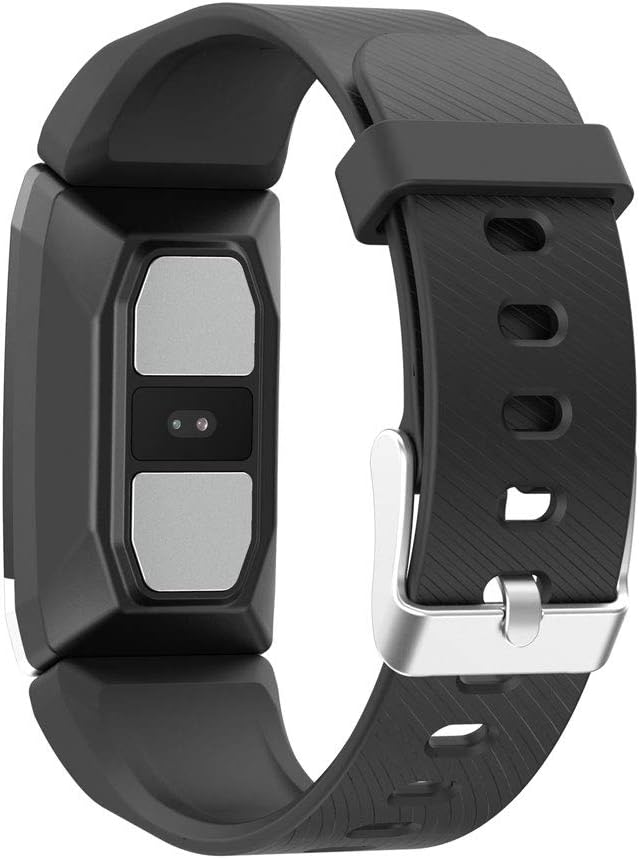
รูปที่ 3.2: ด้านหลัง view of the fitness band, highlighting the integrated sensors for health monitoring.
คุณสมบัติหลัก:
- การวัดอุณหภูมิร่างกาย: Integrated sensor for continuous temperature tracking.
- Dynamic Heart Rate Monitoring: การติดตามอัตราการเต้นของหัวใจอย่างต่อเนื่องตลอด 24 ชั่วโมง
- โหมดมัลติสปอร์ต: Records duration, steps, and heart rate during various sports activities.
- การติดตามการนอนหลับ: ตรวจสอบระยะเวลาและคุณภาพการนอนหลับ
- ความต้านทานน้ำ: IP67 rated, submersible up to 1 meter for 30 minutes.
- การแจ้งเตือน: Receive alerts for calls and messages when connected to your smartphone.
4. การตั้งค่า
4.1 การชาร์จอุปกรณ์
Before first use, fully charge your fitness band. Connect the charging cable to the designated port on the band and to a USB power source. The battery icon on the screen will indicate charging status. A full charge typically takes approximately 2 hours.
4.2 การติดตั้งและการจับคู่แอป
- ดาวน์โหลด แวร์ฟิต 2.0 ดาวน์โหลดแอปจากแอปสโตร์ของสมาร์ทโฟนของคุณ (ใช้งานได้กับ Android 5.1 ขึ้นไป และ iOS 8.0 ขึ้นไป)
- ตรวจสอบให้แน่ใจว่าได้เปิดใช้งาน Bluetooth บนสมาร์ทโฟนของคุณแล้ว
- Open the Wearfit 2.0 app and follow the on-screen instructions to create an account or log in.
- Navigate to the device pairing section within the app and search for your KSIX Thermometer HR Fitness Band.
- Select your device from the list to establish a Bluetooth 4.0 connection.
- Once paired, the band will synchronize with your smartphone, and you can customize settings and view ข้อมูล.
5. คู่มือการใช้งาน
5.1 การนำทางอินเทอร์เฟซ
The fitness band features a touch-sensitive screen. Swipe up, down, left, or right to navigate through different functions and menus. Tap to select an option or confirm an action.
5.2 Monitoring Body Temperature
The band continuously monitors your body temperature. To view your current temperature, navigate to the temperature screen on the device. Historical data and trends can be viewed in the Wearfit 2.0 app.
5.3 การตรวจวัดอัตราการเต้นของหัวใจ
The dynamic heart rate monitor tracks your pulse 24 hours a day. Access the heart rate screen on the band to see your real-time heart rate. Detailed graphs and average readings are available in the Wearfit 2.0 app.
5.4 โหมดมัลติสปอร์ต
Activate multi-sport mode from the device menu to track specific activities. This mode records duration, step count, and heart rate during your workout. End the activity to save the data, which will then sync to the Wearfit 2.0 app.
5.5 การติดตามการนอนหลับ
Wear the band while sleeping to automatically track your sleep patterns. The device records sleep duration and quality. View detailed sleep analysis in the Wearfit 2.0 app.
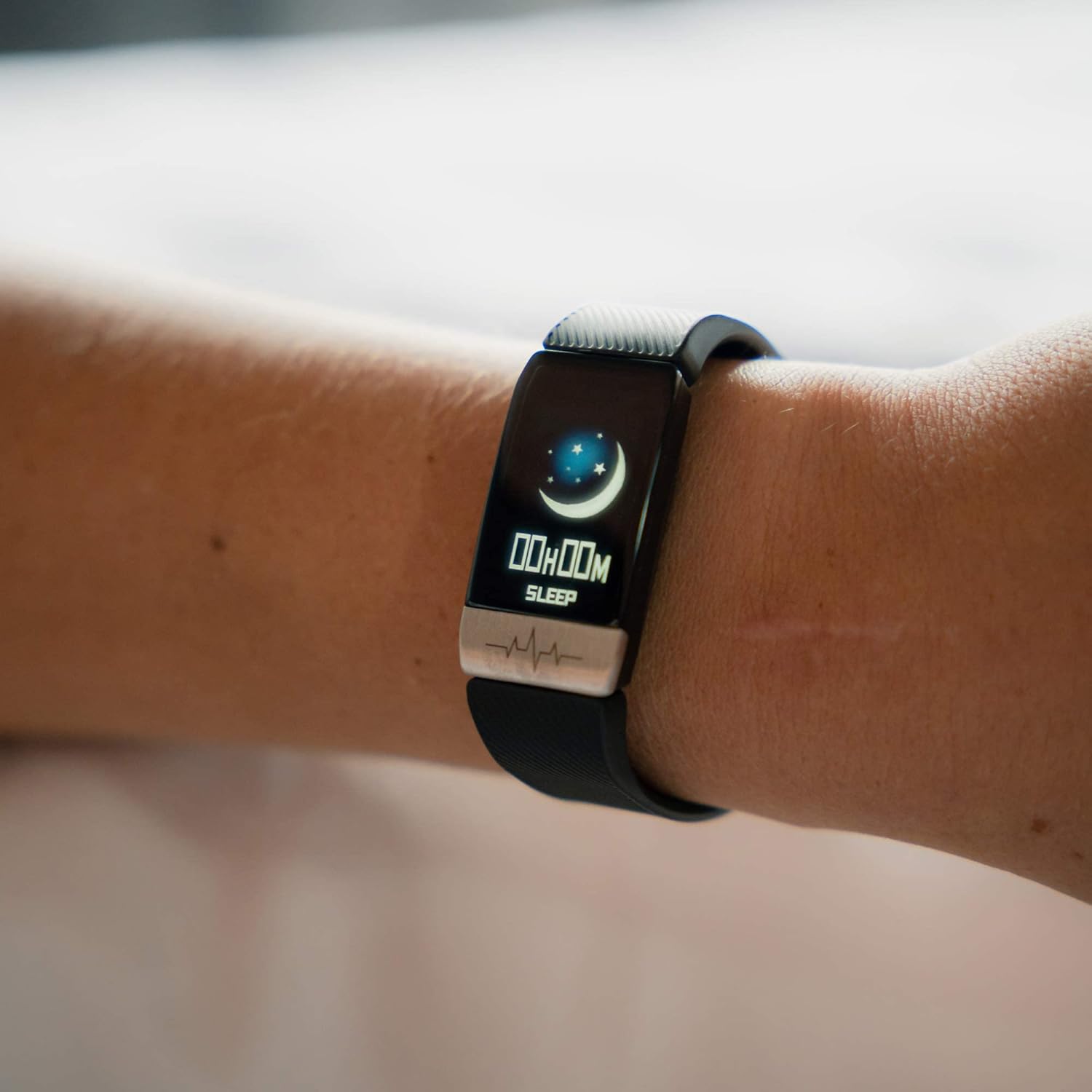
Figure 5.1: The fitness band displaying sleep tracking information on the user's wrist.
5.6 การแจ้งเตือน
Once paired with your smartphone, the band can display notifications for incoming calls, messages, and app alerts. Ensure notification permissions are enabled in the Wearfit 2.0 app and your phone's settings.
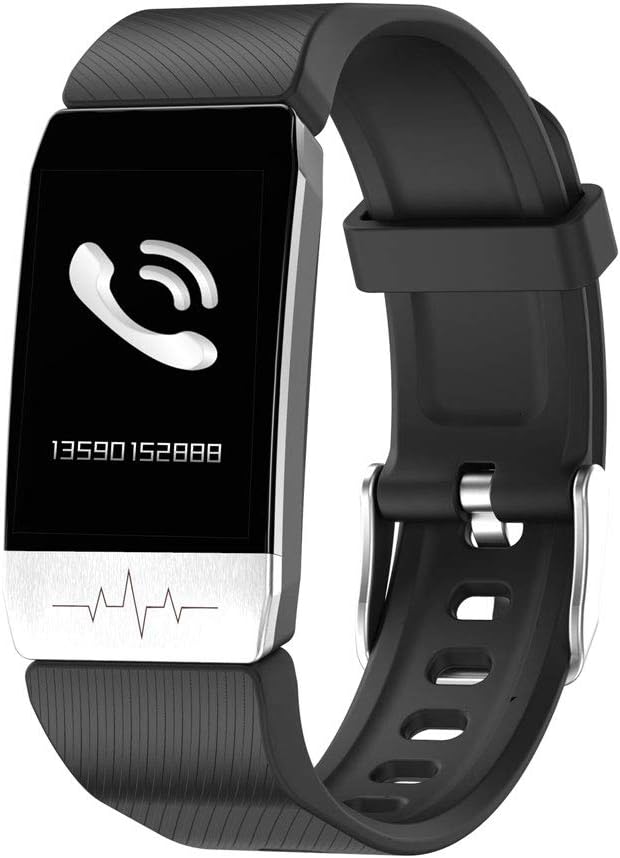
Figure 5.2: The fitness band showing an incoming call notification.
6. การบำรุงรักษา
6.1 การทำความสะอาด
Regularly clean your fitness band with a soft, damp ใช้ผ้าเช็ดทำความสะอาด หลีกเลี่ยงการใช้สารเคมีรุนแรงหรือวัสดุที่มีฤทธิ์กัดกร่อน เพราะอาจทำให้เครื่องเสียหายได้ ตรวจสอบให้แน่ใจว่าขั้วชาร์จสะอาดและแห้งก่อนทำการชาร์จ
6.2 ความต้านทานต่อน้ำ
The KSIX Thermometer HR Fitness Band is IP67 water-resistant, meaning it can be submerged in water up to 1 meter deep for a maximum of 30 minutes. It is suitable for daily use, such as washing hands or showering. However, it is not recommended for diving, high-pressure water activities, or prolonged submersion.

Figure 6.1: The fitness band submerged in water, showcasing its water-resistant design.
7 การแก้ไขปัญหา
- อุปกรณ์ไม่เปิด: ตรวจสอบให้แน่ใจว่าอุปกรณ์ชาร์จเต็มแล้ว เสียบอุปกรณ์เข้ากับที่ชาร์จและรอสักครู่ก่อนที่จะลองเปิดเครื่องอีกครั้ง
- ไม่สามารถจับคู่กับสมาร์ทโฟนได้:
- ตรวจสอบให้แน่ใจว่าเปิดใช้งาน Bluetooth บนโทรศัพท์ของคุณแล้ว
- Make sure the Wearfit 2.0 app is installed and running.
- Check if the band's battery is not critically low.
- Try restarting both your phone and the fitness band.
- Ensure the band is not already paired with another device.
- Inaccurate readings (temperature/heart rate):
- Ensure the band is worn snugly on your wrist, but not too tight.
- ทำความสะอาดเซ็นเซอร์ที่ด้านหลังของแบนด์
- Avoid extreme temperatures or rapid changes in environment.
- โปรดทราบว่าอุปกรณ์เหล่านี้ไม่ใช่เครื่องมือทางการแพทย์ และค่าที่ได้ใช้เพื่อเป็นข้อมูลอ้างอิงเท่านั้น
- การแจ้งเตือนไม่ปรากฏ:
- Verify that the band is successfully paired with your phone.
- Check notification settings within the Wearfit 2.0 app.
- Ensure your phone's system settings allow the Wearfit 2.0 app to send notifications.
8. ข้อมูลจำเพาะ
| คุณสมบัติ | รายละเอียด |
|---|---|
| หมายเลขรุ่น | TP-8427542106342_BXSTBAND_Vendor |
| แสดง | 1.4-inch TFT Color |
| ความจุของแบตเตอรี่ | 90 มิลลิแอมป์ |
| อายุการใช้งานแบตเตอรี่ | นานถึง 5 วัน |
| การเชื่อมต่อ | บลูทูธ 4.0 |
| ความต้านทานต่อน้ำ | IP67 (up to 1m for 30 minutes) |
| ความเข้ากันได้ | แอนดรอยด์ 5.1+ / iOS 8.0+ |
| เซ็นเซอร์ | Body Temperature, Heart Rate, Micro Vibration |
| วัสดุสายรัด | สแตนเลส |
| วัสดุตัวเรือน | สแตนเลส |
| ขนาด (แพ็คเกจ) | 13.2 x 10.1 x 4.8 ซม. |
| น้ำหนัก | 60 กรัม |
9. การรับประกันและการสนับสนุน
The KSIX Thermometer HR Fitness Band comes with a รับประกัน 2 ปี การรับประกันนี้มีระยะเวลาตั้งแต่วันซื้อสินค้า ครอบคลุมเฉพาะข้อบกพร่องจากการผลิตเท่านั้น การรับประกันนี้ไม่ครอบคลุมความเสียหายที่เกิดจากการใช้งานผิดวิธี อุบัติเหตุ การดัดแปลงโดยไม่ได้รับอนุญาต หรือการสึกหรอตามปกติ
For technical support, warranty claims, or further assistance, please contact your retailer or visit the official KSIX webเว็บไซต์สำหรับข้อมูลการติดต่อ
ผู้ผลิต: ATLANTIS INTERNACIONAL