
1. บทนำ
ขอบคุณสำหรับการซื้อasing the Monitor Audio Bronze W10 6G Series Subwoofer. This manual provides essential information for the safe and optimal operation of your new subwoofer. Please read these instructions thoroughly before installation and use, and retain them for future reference.
2. ข้อมูลด้านความปลอดภัย
ปฏิบัติตามข้อควรระวังด้านความปลอดภัยต่อไปนี้เสมอเพื่อป้องกันไฟฟ้าช็อต ไฟไหม้ หรือความเสียหายต่อเครื่อง:
- อย่าให้เครื่องโดนฝนหรือความชื้น
- อย่าเปิดcasinก. ส่งต่อการบริการทั้งหมดให้กับบุคลากรที่มีคุณสมบัติเหมาะสม
- ตรวจสอบให้แน่ใจว่ามีการระบายอากาศที่เหมาะสม อย่าปิดกั้นช่องระบายอากาศ
- หากไม่ได้ใช้งานเครื่องเป็นเวลานาน ควรถอดสายไฟออกจากเต้ารับที่ผนัง
- Use only the power cord supplied or specified by the manufacturer.
- หลีกเลี่ยงการวางเครื่องไว้ใกล้แหล่งความร้อนหรือโดนแสงแดดโดยตรง
3. เนื้อหาบรรจุภัณฑ์
ตรวจสอบว่ามีสินค้าทั้งหมดอยู่ในบรรจุภัณฑ์:
- Monitor Audio Bronze W10 6G Series Subwoofer
- สายไฟ
- คู่มือการใช้งาน (เอกสารนี้)
4. สินค้าหมดview
4.1 คุณสมบัติหลัก
- Long-throw 10" driver featuring 'dished' C-CAM cone for powerful bass.
- 10" flat panel Auxiliary Bass Radiator (ABR) positioned underneath the unit for enhanced low-frequency extension.
- คลาส ดี amplifier with high current Switch Mode Power Supply (SMPSU) for efficient power delivery.
- Amplifier Output: 220 Watts RMS.
- Power Consumption: Maximum 300 W, Standby <0.5 W (ErP compliance).
4.2 Subwoofer Components
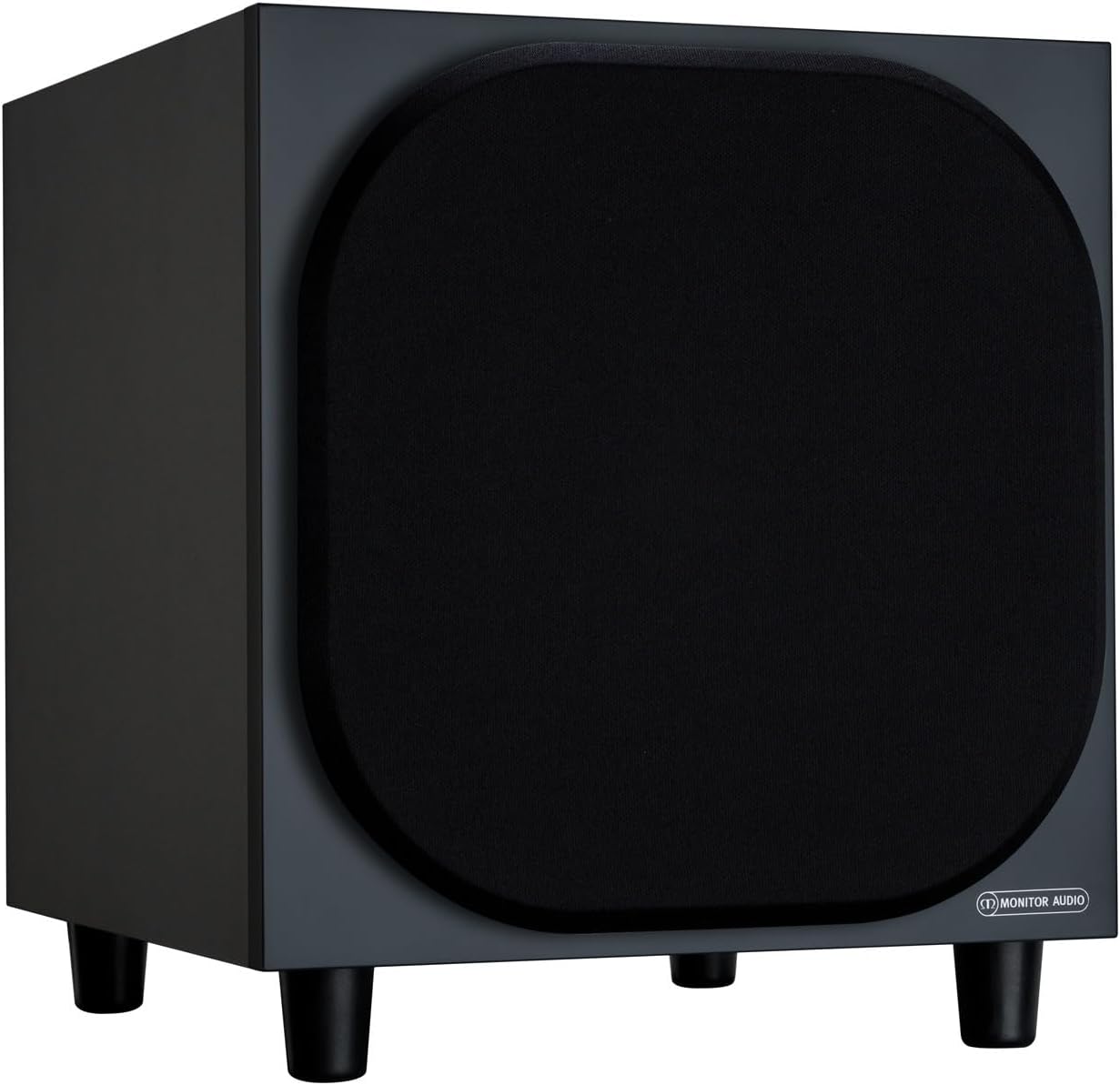
รูปที่ 4.2.1 : ด้านหน้า View of the Monitor Audio Bronze W10 Subwoofer. This image displays the front of the subwoofer with its protective grille, showcasinด้วยดีไซน์ที่กะทัดรัดและสวยงาม

รูปที่ 4.2.2: มุม View of the Monitor Audio Bronze W10 Subwoofer. This image provides an angled perspective, highlighting the overall form factor and the four sturdy feet.

Figure 4.2.3: Rear Panel of the Monitor Audio Bronze W10 Subwoofer. This image details the rear panel, showing all input/output connections, control knobs for frequency, volume, and phase, and the power switch.
5. การตั้งค่า
5.1 การจัดวาง
Optimal placement of the subwoofer is crucial for sound quality. Experiment with different positions in your listening room. Generally, placing the subwoofer in a corner can enhance bass output, while placing it along a wall can provide a more balanced response. Avoid placing it directly against a wall if possible, as this can lead to boomy bass.
5.2 การเชื่อมต่อ
- อินพุตเสียง: เชื่อมต่อซับวูฟเฟอร์เข้ากับเครื่องรับ AV ของคุณหรือ amplifier's LFE (Low-Frequency Effects) or Subwoofer output using an RCA cable. The Bronze W10 features both LFE and stereo RCA inputs.
- การเชื่อมต่อไฟฟ้า: Ensure the subwoofer's power switch is in the 'Off' position. Connect the supplied power cord to the subwoofer's AC inlet and then to a suitable wall outlet. The unit supports AC 110-120V or 220-240V, selectable via a switch on the rear panel.
- 12V Trigger (Optional): If your AV receiver or amplifier has a 12V trigger output, connect it to the subwoofer's 12V Trigger input. This allows the subwoofer to power on/off automatically with your main system.
5.3 การเพิ่มพลังเริ่มต้น
After making all connections, switch the subwoofer's power to 'On'. The power indicator light should illuminate. If using the 12V trigger, ensure your main system is powered on.
6. คู่มือการใช้งาน
6.1 การควบคุม
The rear panel of the Bronze W10 features several controls for fine-tuning its performance:
- ปริมาณ: Adjusts the overall output level of the subwoofer. Start with a low setting and gradually increase until it blends seamlessly with your main speakers.
- ความถี่ (จุดตัดความถี่): Sets the upper frequency limit for the subwoofer. This should typically be set to match the low-frequency extension of your main speakers. Common settings range from 80Hz to 120Hz.
- เฟส: Allows you to adjust the phase of the subwoofer's output relative to your main speakers (0° or 180°). This helps ensure that the subwoofer's sound waves are in sync with the main speakers, preventing cancellation or reinforcement at the crossover point. Experiment with both settings to find the one that produces the most coherent bass.
- โหมด: Selects the power mode (On, Auto, 12V Trigger). 'Auto' mode will put the subwoofer into standby when no audio signal is detected and power it on when a signal is present.
- โหมดเบส: (Refer to Figure 4.2.3) This switch allows selection between different bass characteristics, such as 'Music' or 'Movie' modes, or a 'Bass Boost' setting, to optimize performance for various content.
6.2 Wireless Connectivity (Bluetooth)
The Bronze W10 features Bluetooth connectivity for wireless control or audio input (check specific model features for audio input capability). Refer to your source device's manual for pairing instructions. The Bluetooth range is approximately 10 meters.
7. การบำรุงรักษา
7.1 การทำความสะอาด
To clean the subwoofer, use a soft, dry, lint-free cloth. Do not use abrasive cleaners, waxes, or solvents, as these can damage the finish. For stubborn marks, a slightly damp สามารถใช้ผ้าแล้วตามด้วยผ้าแห้ง
7.2 การดูแล
- Avoid exposing the subwoofer to extreme temperatures or humidity.
- ห้ามวางของหนักทับตัวเครื่อง
- ตรวจสอบให้แน่ใจว่ามีการระบายอากาศที่เพียงพอรอบๆ ตัวเครื่องเพื่อป้องกันความร้อนสูงเกินไป
8 การแก้ไขปัญหา
| ปัญหา | สาเหตุที่เป็นไปได้ | สารละลาย |
|---|---|---|
| ไม่มีเสียง |
|
|
| เสียงผิดเพี้ยน |
|
|
| เสียงฮัมเพลง |
|
|
9. ข้อมูลจำเพาะ
| คุณสมบัติ | รายละเอียด |
|---|---|
| ชื่อรุ่น | SB6GW10B |
| ประเภทลำโพง | ซับวูฟเฟอร์ |
| เส้นผ่านศูนย์กลางซับวูฟเฟอร์ | 10 นิ้ว |
| Amplifier Output (RMS) | 220 วัตต์ |
| Speaker Maximum Output Power (Peak) | 600 วัตต์ |
| Frequency Response (Lower Limit) | 25 เฮิรตซ์ |
| การใช้พลังงาน (สูงสุด) | 300 วัตต์ |
| การใช้พลังงาน (สแตนด์บาย) | <0.5 W (ErP compliance) |
| เทคโนโลยีการเชื่อมต่อ | Auxiliary, RCA, Wireless (Bluetooth) |
| เทคโนโลยีการสื่อสารไร้สาย | บลูทูธ |
| ช่วงบลูทูธ | 10 เมตร |
| วิธีการควบคุม | Manual Knobs, Remote (if applicable) |
| ขนาดสินค้า (ลึก x กว้าง x สูง) | ลึก 14.33 นิ้ว x กว้าง 12.64 นิ้ว x สูง 14.33 นิ้ว |
| น้ำหนักสินค้า | 34.7 ปอนด์ (15.74 กก.) |
| ประเภทการติดตั้ง | ที่วางบนโต๊ะ |
| สี | สีดำ |
10. ข้อมูลการรับประกัน
Monitor Audio products are designed and manufactured to the highest quality standards. This product is covered by a Limited Warranty. For specific warranty terms and conditions, please refer to the warranty card included with your product or visit the official Monitor Audio webไซต์ โปรดเก็บหลักฐานการซื้อไว้เพื่อใช้ในการเรียกร้องการรับประกัน
11. การสนับสนุน
For further assistance, technical support, or service inquiries, please contact your authorized Monitor Audio dealer or visit the official Monitor Audio webเว็บไซต์:
Webเว็บไซต์: www.monitoraudio.com
Address: Monitor Audio Ltd, 24 Brook Road, Rayleigh, Essex, SS6 7XJ, United Kingdom