
1. สูงกว่าview
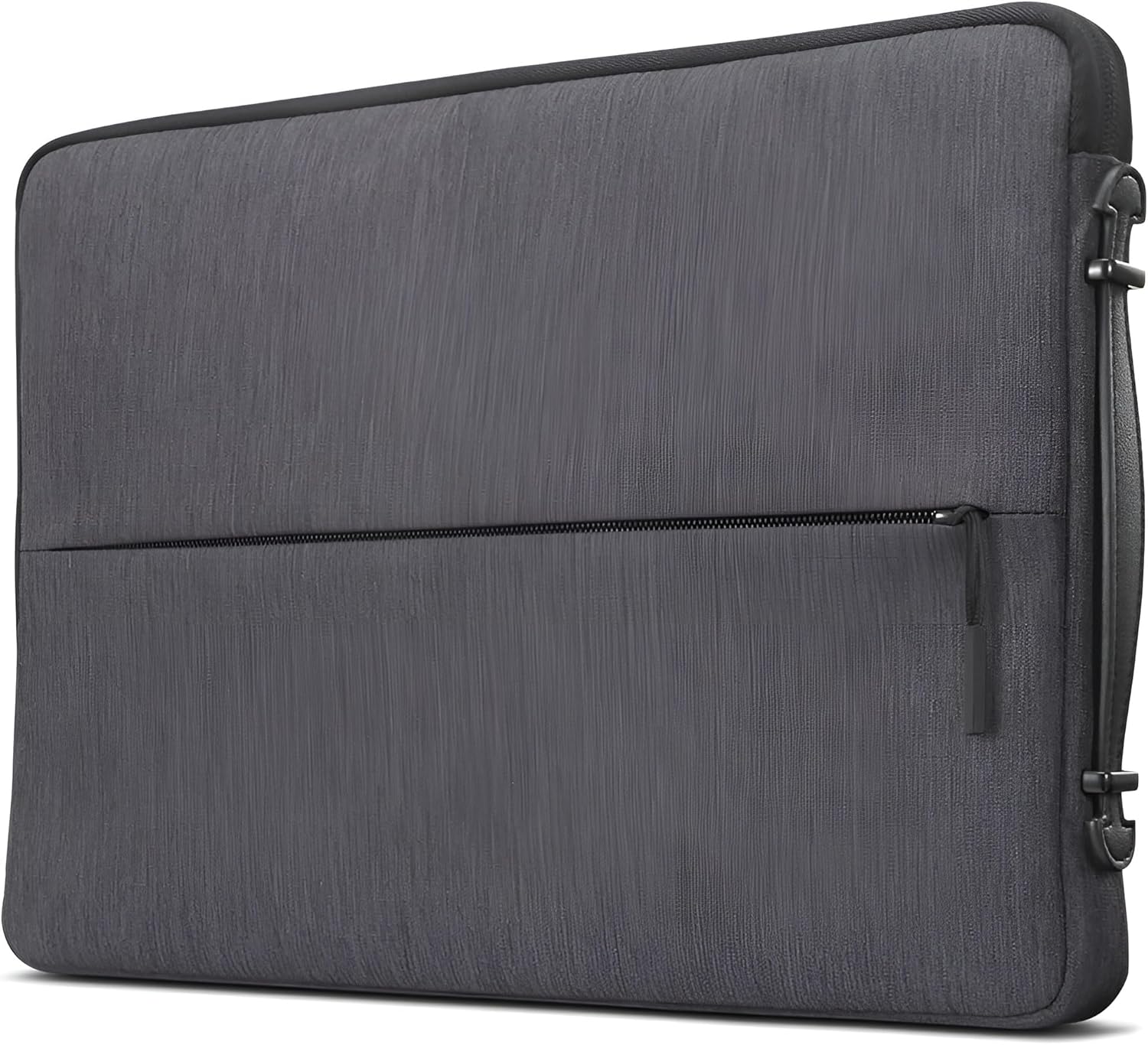
The Lenovo Urban Laptop Sleeve is designed to provide protection and portability for your 15.6-inch laptop, notebook, or tablet. It features a water-resistant exterior, padded compartments, and a slim, lightweight design for convenient transport. This manual provides essential information for the proper use and care of your sleeve.
2. คุณสมบัติหลัก
- Durable and Water-Resistant Design: Constructed from high-quality polyester, offering durability and water resistance to protect devices from moisture.
- บางและน้ำหนักเบา: Designed for a precise fit without adding bulk, weighing approximately 10.2 ounces (0.29 kg).
- มีหูหิ้วที่สะดวกต่อการพกพา: Features a sturdy handle for easy transportation.
- Padded Compartments: Interior includes multiple padded sections for devices and accessories, providing cushioning and preventing scratches.
- Protective Rubber Bumpers: Equipped with rubber bumpers on each corner to absorb shock from accidental drops and impacts.


3. การตั้งค่า
- ตรวจสอบความเข้ากันได้ของอุปกรณ์: Before use, measure your laptop, notebook, or tablet to ensure its dimensions are compatible with the sleeve. The internal dimensions for this 15.6-inch sleeve are 15.6" x 10.6" x 1.1" (395 x 270 x 28 mm).
- การตรวจสอบเบื้องต้น: Unpack the sleeve and inspect it for any signs of damage. Ensure all zippers and seams are intact.
- เตรียมความพร้อมสำหรับการใช้งาน: Remove any packaging materials from inside the sleeve. The sleeve is ready for immediate use.


4. คู่มือการใช้งาน
- การใส่อุปกรณ์ของคุณ: Open the main zipper compartment. Gently slide your laptop or tablet into the padded interior. Ensure it sits snugly within the protective lining.
- Using Accessory Compartments: Utilize the zippered front pocket for smaller accessories such as a power bank, mouse, cables, or pens. The internal padded compartments help organize and protect these items.
- Carrying the Sleeve: Use the integrated carrying handle for easy transport. Alternatively, the slim design allows the sleeve to be placed inside a larger bag or backpack.


5. การบำรุงรักษา
- การทำความสะอาด: สำหรับคราบสกปรกเล็กน้อย ให้เช็ดภายนอกด้วยผ้าสะอาดamp เช็ดด้วยผ้าและสบู่เหลวอ่อนๆ ห้ามซักด้วยเครื่องซักผ้าหรืออบแห้ง ตากให้แห้งสนิท
- ความต้านทานน้ำ: While the sleeve is water-resistant, it is not fully waterproof. Avoid prolonged exposure to heavy rain or submersion in water.
- พื้นที่จัดเก็บ: Store the sleeve in a cool, dry place when not in use. Avoid exposing it to extreme temperatures or direct sunlight for extended periods.
6 การแก้ไขปัญหา
- อุปกรณ์ไม่พอดี: Ensure you have the correct sleeve size for your device. Refer to the specifications section for internal dimensions.
- ปัญหาซิป: If a zipper becomes stiff, apply a small amount of zipper lubricant or wax. Avoid forcing the zipper, as this can cause damage.
- คราบ: For stubborn stains, a gentle fabric cleaner designed for polyester may be used, following the product instructions carefully. Test on an inconspicuous area first.
7. ข้อมูลจำเพาะ
| คุณสมบัติ | รายละเอียด |
|---|---|
| ยี่ห้อ | เลอโนโว |
| หมายเลขรุ่น | GX40Z50942 |
| สี | สีเทาถ่าน |
| Compatible Device Size (Maximum) | 15.6 นิ้ว |
| ขนาดภายนอก | 15.7" x 10.8" x 1.2" (400 x 275 x 30 มม.) |
| ขนาดภายใน | 15.6" x 10.6" x 1.1" (395 x 270 x 28 มม.) |
| น้ำหนักสินค้า | 10.2 ออนซ์ (0.29 กก.) |
| วัสดุของตู้หุ้ม | โพลีเอสเตอร์ |
| ระดับความต้านทานต่อน้ำ | ทนน้ำ |
| สื่อในตัว | Lenovo Urban Sleeve Case, Warranty Card |
8. การรับประกันและการสนับสนุน
ข้อมูลการรับประกัน
This Lenovo Urban Laptop Sleeve comes with a รับประกันจำกัด 1 ปี. Please refer to the included Warranty Card for detailed terms and conditions, including coverage and claim procedures.
การสนับสนุนลูกค้า
For technical assistance, warranty claims, or product inquiries, please visit the official Lenovo support webหรือติดต่อฝ่ายบริการลูกค้าของพวกเขา โดยปกติแล้ว ข้อมูลการติดต่อจะสามารถพบได้ในเว็บไซต์ของ Lenovo webไซต์หรือบนบรรจุภัณฑ์ผลิตภัณฑ์