
1. สินค้าหมดview
The DSD TECH SH-BT01C Bluetooth Relay V2 is a single-channel Bluetooth 4.0 BLE relay module designed for remote control applications. This second-generation relay introduces enhanced features such as timer functions and security code authentication. It is compatible with both iOS and Android 4.3 or later devices, offering a control distance of up to 10 meters in open environments.
The module supports both 5V and 12V DC power inputs and can switch both DC and AC loads. The maximum DC control voltage is 30V, and the maximum AC switching voltage is 250V. The maximum load power should not exceed 600W.

รูปที่ 1: DSD TECH SH-BT01C Bluetooth Relay V2. This image displays the compact design of the Bluetooth relay module.
2. เนื้อหาบรรจุภัณฑ์
ตรวจสอบว่ามีรายการทั้งหมดอยู่ในแพ็คเกจ:
- DSD TECH SH-BT01C Bluetooth Relay V2 Module
- USB Cable (for power or data, depending on application)
- Product Qualified Certificate

รูปที่ 2: Package Contents. This image shows the Bluetooth relay module, a USB cable, and a product certificate.
3. การติดตั้งและการเดินสายไฟ
3.1 การเชื่อมต่อแหล่งจ่ายไฟ
The SH-BT01C module can be powered by either 5V DC or 12V DC. Connect the appropriate power source to the VCC and GND terminals on the input side of the module.
- อินพุต 5V: Connect 5V DC to the '5V' terminal and ground to 'GND'.
- อินพุต 12V: Connect 12V DC to the '12V' terminal and ground to 'GND'.
3.2 การเชื่อมต่อโหลด
The relay provides three output terminals: Normally Open (NO), Normally Closed (NC), and Common (COM). Select the appropriate connection based on your application's requirements.
- เปิดตามปกติ (NO): วงจรจะเปิด (ตัดการเชื่อมต่อ) เมื่อรีเลย์ไม่ได้รับพลังงาน และจะปิด (เชื่อมต่อ) เมื่อรีเลย์ได้รับพลังงาน
- ปกติปิด (NC): วงจรจะปิด (เชื่อมต่อ) เมื่อรีเลย์ไม่ได้รับพลังงาน และจะเปิด (ตัดการเชื่อมต่อ) เมื่อรีเลย์ได้รับพลังงาน
- ทั่วไป (COM): This is the common terminal for both NO and NC connections.

รูปที่ 3: Input and Output Terminals. This diagram clearly labels the 5V, 12V, and GND input terminals, as well as the NC, COM, and NO output terminals, and the control button.

รูปที่ 4: สายไฟ Example. This image illustrates how to connect power and load wires to the relay module's terminals.
3.3 การติดตั้งแอพ
To control the relay, download the official DSD TECH Switch application:
- สำหรับอุปกรณ์ Android: ค้นหา "DSD TECH Switch" in the Google Play Store.
- For iOS devices (iPhone and iPad): ค้นหา "DSD TECH Switch" in the Apple App Store.
4. คู่มือการใช้งาน
4.1 การเชื่อมต่อบลูทูธ
- Ensure the SH-BT01C module is powered on.
- เปิดใช้งาน Bluetooth บนสมาร์ทโฟนหรือแท็บเล็ตของคุณ
- Open the "DSD TECH Switch" application. The app will automatically scan for available DSD TECH Bluetooth relays.
- Select your SH-BT01C module from the list within the app to establish a connection.
4.2 Relay Control via App
Once connected, the app interface will allow you to control the relay's state (ON/OFF). The SH-BT01C V2 also supports advanced features:
- ฟังก์ชั่นจับเวลา: Set schedules for the relay to turn on or off automatically at specified times.
- รหัสความปลอดภัย: Implement a security code to prevent unauthorized control of the relay. Refer to the app's settings for configuring this feature.
4.3 การควบคุมด้วยตนเอง
The module includes a physical button for direct control of the relay's state. Pressing this button will toggle the relay between its ON and OFF states.

รูปที่ 5: Multiple Control Scenarios. This image illustrates how one person can control multiple relays, and how multiple people can control a single relay using their smartphones.
5. ข้อมูลจำเพาะ
| คุณสมบัติ | ข้อมูลจำเพาะ |
|---|---|
| หมายเลขรุ่น | SH-BT01C |
| โมดูลบลูทูธ | DSD TECH SH-HC-08 (Bluetooth 4.0 BLE) |
| ความเข้ากันได้ | iOS devices, Android 4.3 and later |
| ระยะควบคุม | สูงถึง 10 เมตร (พื้นที่เปิดโล่ง) |
| โมดูลปฏิบัติการ Voltagอี (VCC) | DC 5V / 12V |
| DC Control Maximum Voltage | กระแสตรง 30 โวลต์ |
| Switching Control Maximum Voltage | ไฟฟ้ากระแสสลับ 250 โวลต์ |
| กำลังรับน้ำหนักสูงสุด | 600วัตต์ |
| ประเภทขั้วต่อ | เทอร์มินัล |
| วัสดุติดต่อ | ทองแดง |
| ประเภทการติดต่อ | ปกติเปิด (NO), ปกติปิด (NC) |
| ประเภทการติดตั้ง | ราง DIN |
| ขนาดสินค้า | 3.9 x 1.55 x 0.79 นิ้ว |
| น้ำหนัก | 3.17 ออนซ์ |
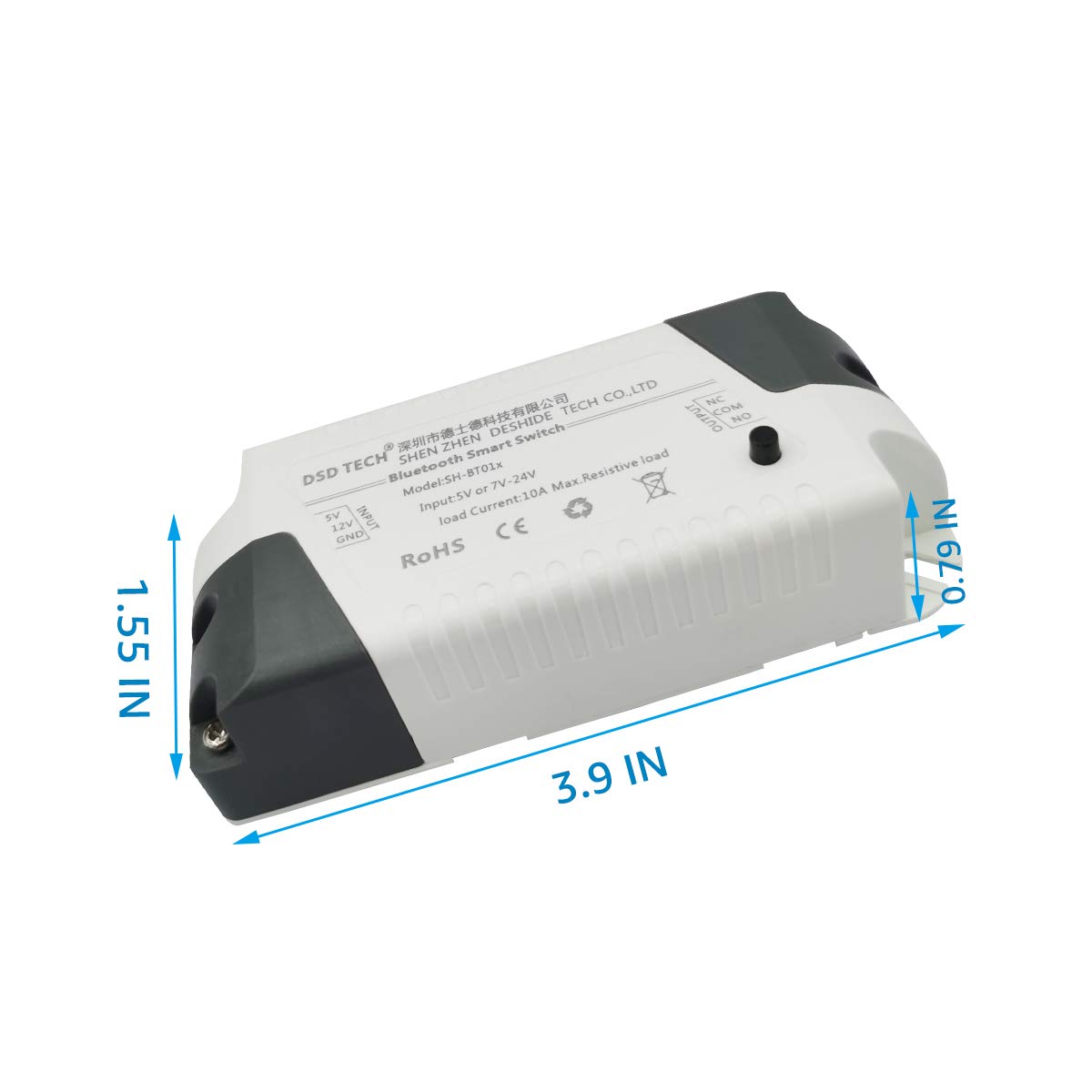
รูปที่ 6: Product Dimensions. This image provides a visual representation of the relay module's physical dimensions in inches.
6. การบำรุงรักษา
To ensure optimal performance and longevity of your DSD TECH SH-BT01C Bluetooth Relay V2, follow these maintenance guidelines:
- รักษาความสะอาด: Regularly clean the exterior of the module with a dry, soft cloth. Avoid using liquid cleaners or solvents.
- สภาพแวดล้อม : Operate the module within its specified temperature and humidity ranges. Avoid exposure to extreme heat, cold, or moisture.
- การจัดการโหลด: Do not exceed the maximum load power of 600W. Overloading can damage the relay and connected devices.
- ความสมบูรณ์ของสายไฟ: Periodically check all wiring connections to ensure they are secure and free from corrosion or damage.
7 การแก้ไขปัญหา
If you encounter issues with your DSD TECH SH-BT01C Bluetooth Relay V2, consider the following troubleshooting steps:
- ไม่มีไฟฟ้า: Ensure the power supply (5V or 12V DC) is correctly connected and providing the specified voltage. Check for loose connections.
- ปัญหาการเชื่อมต่อบลูทูธ:
- ตรวจสอบว่าบลูทูธได้เปิดใช้งานบนอุปกรณ์มือถือของคุณแล้ว
- Ensure the relay module is within the 10-meter control range.
- Confirm your device's Bluetooth version is 4.0 BLE or higher. This relay is not compatible with Bluetooth 2.0 SPP devices.
- Restart the DSD TECH Switch app and your mobile device.
- รีเลย์ไม่ทำงาน:
- Check the load wiring (NO, NC, COM) for correct connections.
- Ensure the connected load does not exceed the maximum 600W power rating.
- Test the relay using the physical button on the module to rule out app-related issues.
- ฟังก์ชั่นแอป: If the app is not responding or features like timers/security codes are not working, ensure the app is updated to the latest version.
If problems persist after attempting these steps, please contact DSD TECH customer support for further assistance.
8. การรับประกันและการสนับสนุน
DSD TECH is committed to providing high-quality products and excellent customer service. The SH-BT01C Bluetooth Relay V2 comes with the following:
- One-Year Warranty Service: Covers manufacturing defects and malfunctions under normal use for one year from the date of purchase.
- การสนับสนุนทางเทคนิคตลอดอายุการใช้งาน: Access to expert assistance for any technical questions or issues you may encounter with the product.
- One-Year Product Replacement Service: In case of eligible product failure within the warranty period.
For any questions or support needs regarding this product, please contact DSD TECH customer service. We aim to respond to all inquiries within 24 hours.
Additionally, programming instructions for developing your own application to control this Bluetooth relay are openly available for advanced users.