
ข้อมูลด้านความปลอดภัยที่สำคัญ
Read all instructions before operating the Radio Flyer Oasis Car. Failure to follow these instructions may result in serious injury. Keep this manual for future reference.
- คำแนะนำด้านอายุ: Suitable for children ages 3 years and older (36-72 months).
- ความจุน้ำหนัก: Maximum weight capacity is 130 lbs (59 kg).
- การดูแลผู้ใหญ่: Constant adult supervision is required during operation.
- สภาพแวดล้อมการทำงาน: Use on flat, dry surfaces away from traffic, pools, or steep inclines.
- อุปกรณ์ป้องกัน: ควรสวมหมวกนิรภัยและอุปกรณ์ความปลอดภัยที่เหมาะสมเสมอ
- ความปลอดภัยของแบตเตอรี่: Follow all battery charging and handling instructions carefully.
เนื้อหาแพ็คเกจ
ตรวจสอบให้แน่ใจว่ามีชิ้นส่วนครบทุกชิ้นก่อนเริ่มประกอบ:
- Radio Flyer Oasis Battery Power Car (main body)
- แบตเตอรี่แบบชาร์จไฟได้ 12 โวลต์
- เครื่องชาร์จแบตเตอรี่
- Assembly hardware and tools (if applicable)
- คู่มือการใช้งาน
คำแนะนำในการประกอบ
Assembly is required for the Radio Flyer Oasis Car. Please follow the detailed step-by-step instructions provided in the separate assembly guide included with your product. Ensure all connections are secure and all parts are correctly installed before first use.
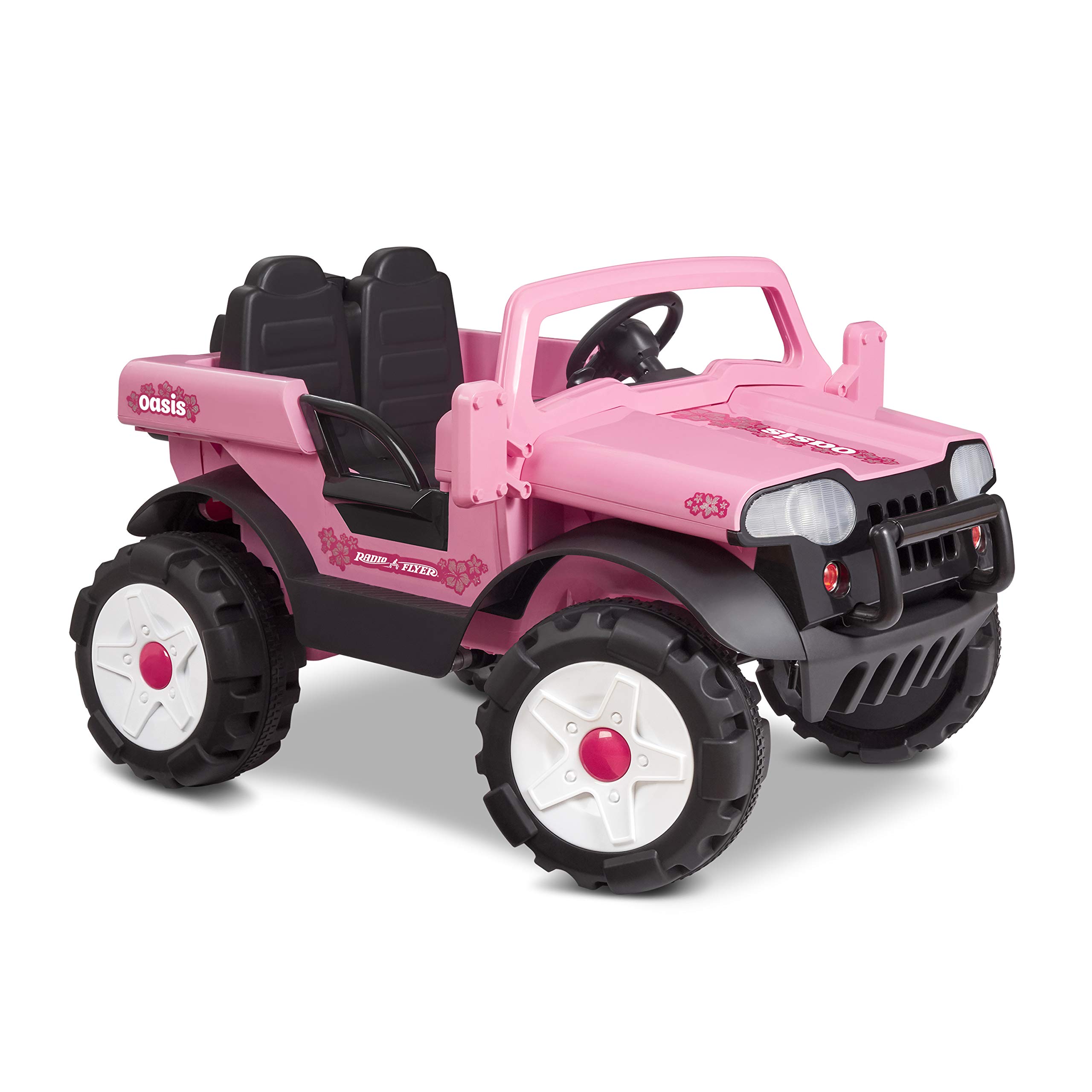
Image: The Radio Flyer Oasis Car, designed for two riders.
การชาร์จแบตเตอรี่
The Radio Flyer Oasis Car is powered by a 12-volt rechargeable battery. Proper charging is essential for optimal performance and battery life.
- หาตำแหน่งช่องใส่แบตเตอรี่ ซึ่งโดยทั่วไปจะอยู่ใต้เบาะนั่ง
- Connect the charger to the battery and then plug the charger into a standard wall outlet.
- For the first charge, allow approximately 6 hours. Subsequent charges may vary. Do not overcharge.
- ถอดเครื่องชาร์จออกเมื่อการชาร์จเสร็จสิ้น
Always charge the battery in a dry, well-ventilated area. Do not charge near flammable materials.
คำแนะนำการใช้งาน
การขับขี่ยานพาหนะ
The Oasis Car features a simple control system for easy operation.
- เปิด/ปิดเครื่อง: Use the main power switch on the dashboard to turn the vehicle on or off.
- คันเร่ง: Press the pedal to move forward. Release to stop.
- การตั้งค่าความเร็ว: The car has two forward speed settings (2.5 MPH and 5 MPH) and a single reverse speed (2.5 MPH). Use the gear shifter on the dashboard to select the desired speed or direction.
- การบังคับเลี้ยว: Turn the steering wheel to control the direction of the vehicle.
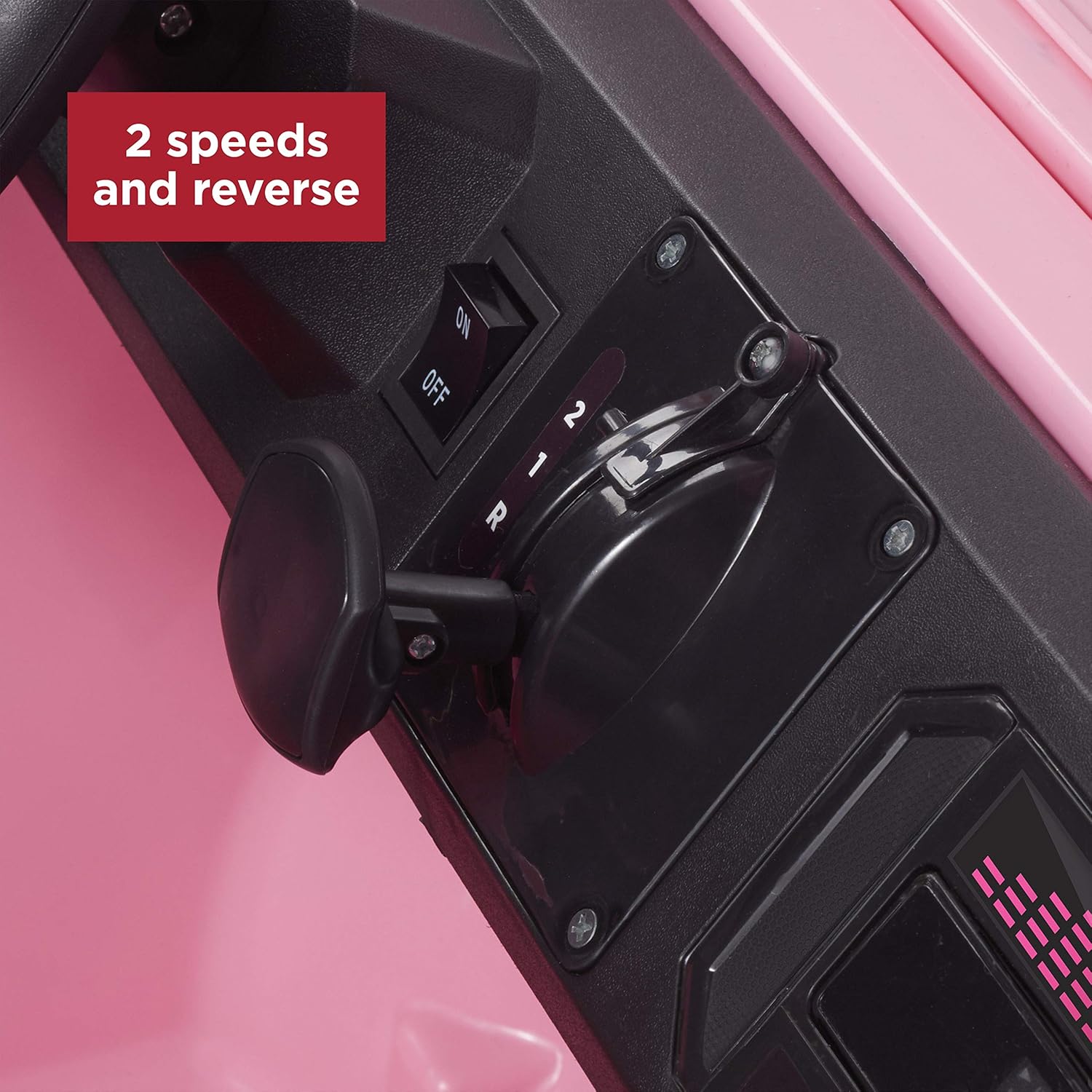
Image: The gear shifter for selecting forward speeds and reverse.
คุณสมบัติของยานพาหนะ
- Two-Rider Seating: Designed to comfortably accommodate two children.
- การเปิดประตู: Functional doors allow for easy entry and exit.
- ไฟหน้าทำงาน: The front headlights illuminate during operation.
- AM/FM Radio with AUX Input: Enjoy music with the integrated radio. An AUX input allows connection of external audio devices. The steering wheel also features 4 realistic car sounds.
- Rear Storage: The 'spare tire' at the rear opens to provide a convenient storage compartment for small toys or essentials.

Image: The car's opening door for easy access.

Image: The functional AM/FM radio with AUX input.
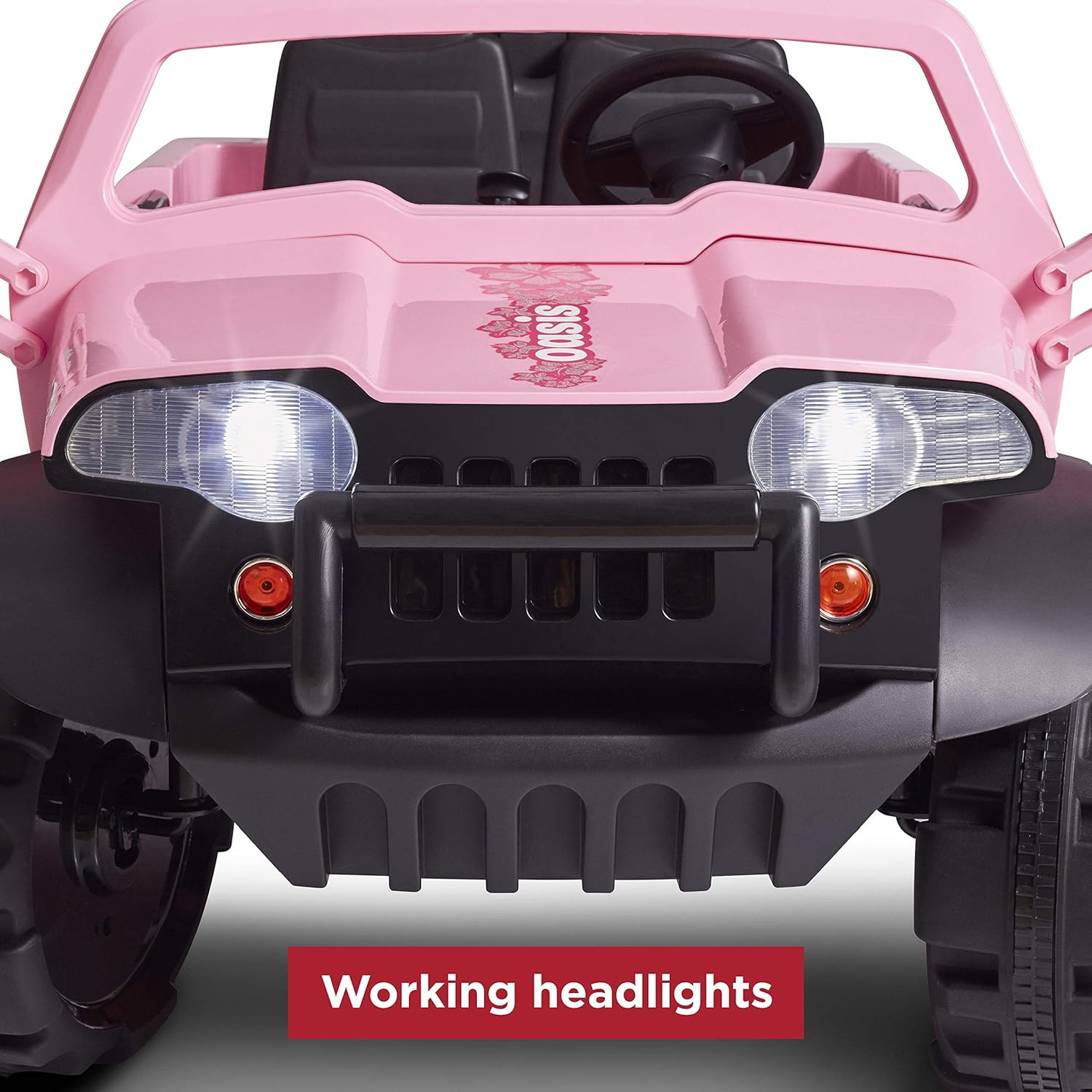
Image: The car's working headlights.
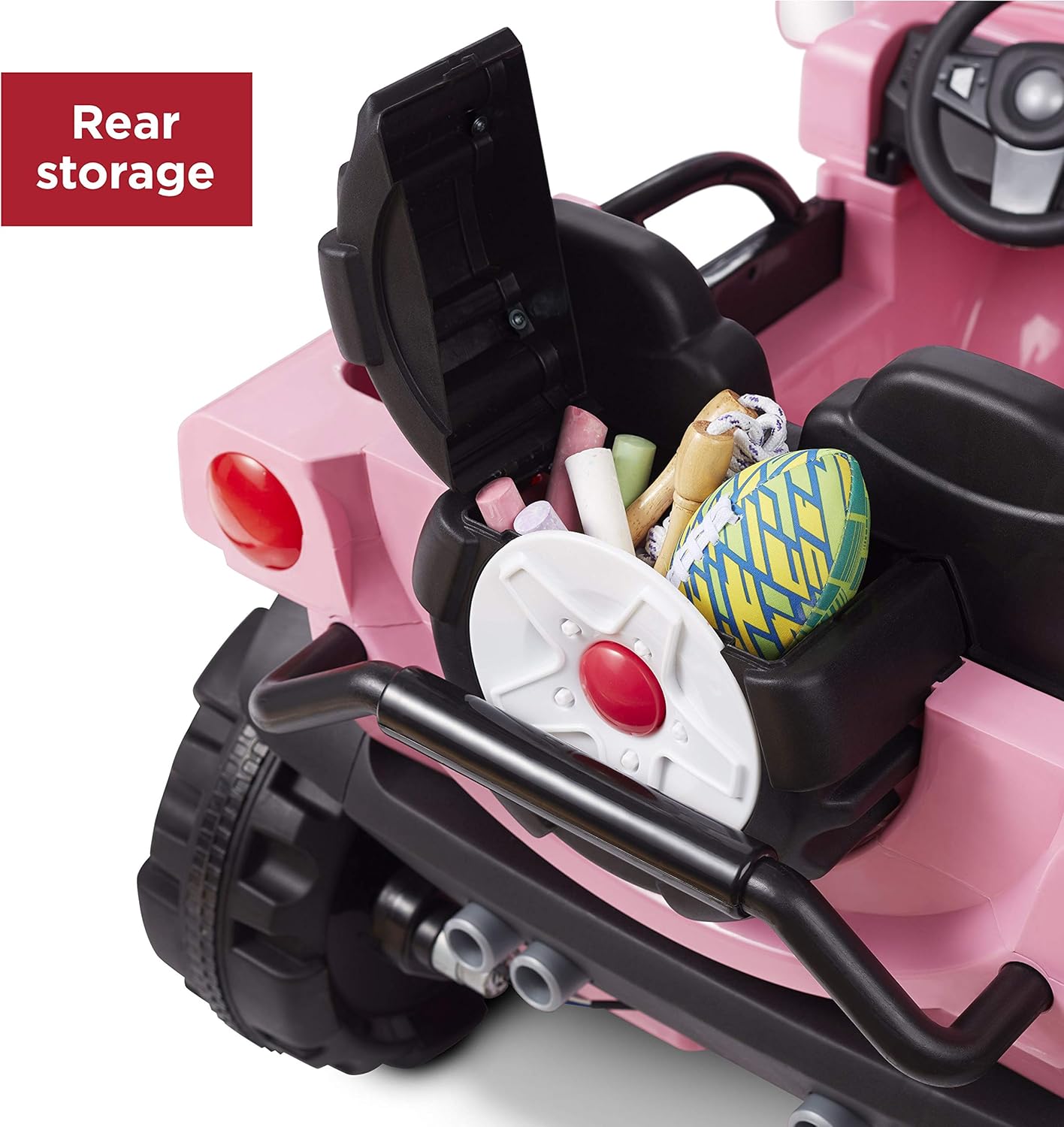
Image: The rear storage compartment.
วิดีโอ: วิดีโอนี้แสดงภาพประกอบเกี่ยวกับ...view of the Radio Flyer Oasis Car, showcasing its two-rider capacity, working headlights, functional radio, and ease of use for children.
การซ่อมบำรุง
Regular maintenance helps ensure the longevity and safe operation of your Radio Flyer Oasis Car.
- การทำความสะอาด: เช็ดรถด้วยสารกันบูดamp ผ้า. อย่าใช้สารเคมีที่รุนแรงหรือน้ำยาทำความสะอาดที่มีฤทธิ์กัดกร่อน
- การดูแลแบตเตอรี่ Store the battery in a cool, dry place. Charge the battery regularly, even when not in use, to maintain its life. Do not allow the battery to fully discharge for extended periods.
- พื้นที่จัดเก็บ: Store the vehicle indoors when not in use to protect it from weather elements.
- การตรวจสอบ: Periodically check all screws, nuts, and connections to ensure they are tight and secure. Inspect tires for wear.
การแก้ไขปัญหา
If you encounter issues with your Radio Flyer Oasis Car, refer to the following common problems and solutions:
| ปัญหา | สาเหตุที่เป็นไปได้ | สารละลาย |
|---|---|---|
| รถไม่เคลื่อนที่ | Battery is low or not connected; Power switch is off; Loose wiring. | Charge the battery; Ensure battery is properly connected; Turn power switch on; Check all wiring connections. |
| วิทยุไม่ทำงาน | Radio is off; Volume is too low; Poor signal. | Turn radio on; Adjust volume; Try a different location for better reception. |
| รถเคลื่อนตัวช้าๆ | Low battery charge; Operating on an incline or rough terrain; Overloaded. | Recharge battery; Move to a flatter, smoother surface; Ensure weight capacity is not exceeded. |
| Abrupt stopping/starting | Accelerator pedal issue. | Ensure the pedal is fully depressed or released. If the issue persists, contact customer support. |
ข้อมูลจำเพาะ
| คุณสมบัติ | รายละเอียด |
|---|---|
| หมายเลขรุ่น | 952PZ |
| ยี่ห้อ | เรดิโอ ฟลายเออร์ |
| ช่วงอายุ | 3+ years (36-72 months) |
| ความจุน้ำหนักสูงสุด | 130 ปอนด์ (59 กก.) |
| แบตเตอรี่ | 12-volt rechargeable |
| ความเร็ว | 2.5 MPH (forward/reverse), 5 MPH (forward) |
| ขนาดประกอบ (ยาว x กว้าง x สูง) | 50.5" x 36.9" x 29.9" (128.3 ซม. x 93.7 ซม. x 75.9 ซม.) |
| น้ำหนักสินค้า | 56.4 ปอนด์ (25.6 กก.) |
| ประเภทวัสดุ | พลาสติก |
| จำเป็นต้องประกอบ | ใช่ |

Image: The car features large, durable tires suitable for various terrains.
การรับประกันและการสนับสนุน
For warranty information, product registration, or to contact customer support, please refer to the warranty card included with your product or visit the official Radio Flyer website. Radio Flyer is committed to providing quality products and excellent customer service.