
1. บทนำ
Thank you for choosing the LAXIHUB 1080P Full HD Outdoor Security Camera. This device is designed to provide reliable surveillance for your outdoor spaces, featuring high-definition video, two-way audio, motion and noise detection, and robust weatherproofing. Please read this manual thoroughly before installation and use to ensure proper operation and safety.
2. สินค้าหมดview
2.1 เนื้อหาบรรจุภัณฑ์
- LAXIHUB Outdoor Security Camera
- อะแดปเตอร์แปลงไฟ
- สกรูยึดและตัวล็อค
- คู่มือการใช้งาน
- การ์ด Micro SD ขนาด 32GB (ติดตั้งมาแล้วหรือซื้อแยกต่างหาก)
2.2 คุณสมบัติหลัก
- วิดีโอความละเอียด Full HD 1080P: บันทึกภาพอาหารได้อย่างชัดเจนและละเอียดtage.
- การเชื่อมต่อ WiFi 2.4G: Connects to your home network for remote access.
- กันฝนระดับ IP65: Designed to withstand outdoor conditions (operating temperature -20°C to 50°C / -4°F to 122°F).
- ปรับปรุงการมองเห็นในตอนกลางคืน: Provides clear monitoring in low-light conditions up to 15 feet.
- เสียงสองทาง: ช่วยให้สามารถสื่อสารแบบเรียลไทม์ผ่านกล้องได้
- การตรวจจับการเคลื่อนไหวและเสียงรบกวน: Alerts you to activity and sound.
- ที่เก็บข้อมูลภายในเครื่องและบนคลาวด์: Supports Micro SD card (up to 128GB, 32GB included) and optional cloud storage.
- การรวมระบบบ้านอัจฉริยะ: เข้ากันได้กับ Amazon Alexa และ Google Assistant
2.3 ส่วนประกอบของกล้อง
ทำความคุ้นเคยกับส่วนประกอบทางกายภาพของกล้อง:
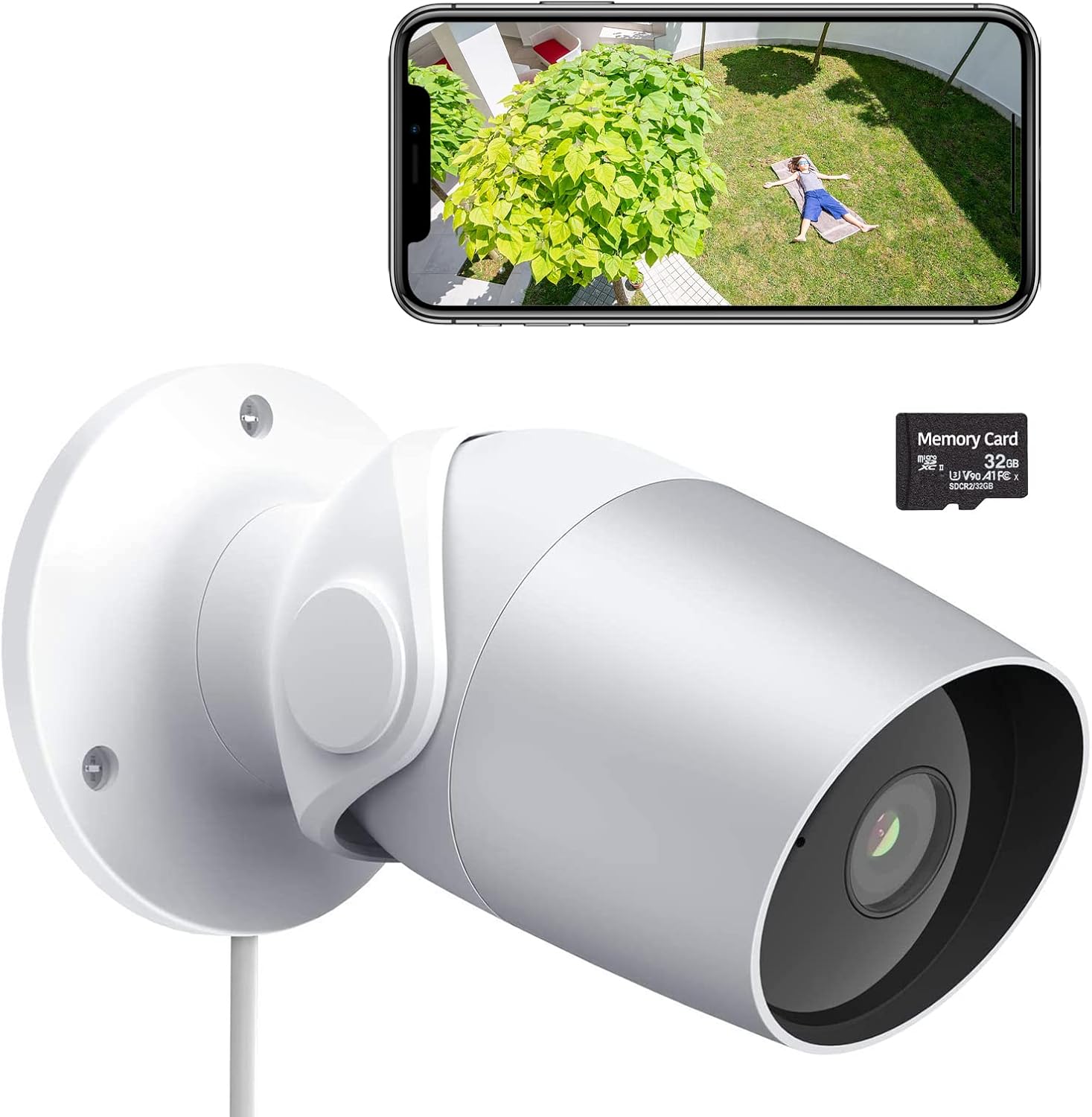
Figure 1: LAXIHUB Outdoor Security Camera with included 32GB Micro SD card and a smartphone displaying live feed.

รูปที่ 2: ภาพแสดงคุณสมบัติหลักของกล้อง
3. การตั้งค่า
3.1 การดาวน์โหลดแอปและสร้างบัญชี
- Download the 'Arenti' app from the App Store (iOS) or Google Play Store (Android).
- เปิดแอปและลงทะเบียนบัญชีใหม่หรือเข้าสู่ระบบหากคุณมีบัญชีอยู่แล้ว
3.2 การเปิดกล้อง
- เชื่อมต่ออะแดปเตอร์ไฟฟ้าเข้ากับพอร์ตอินพุตไฟฟ้าของกล้อง
- เสียบอะแดปเตอร์จ่ายไฟเข้ากับเต้ารับไฟฟ้ามาตรฐาน
- Wait for the camera's indicator light to flash, indicating it is ready for pairing.
3.3 การเชื่อมต่อกับ Wi-Fi
- In the Arenti app, tap the '+' icon to add a new device.
- เลือกโมเดลกล้องของคุณจากรายการ
- Follow the on-screen instructions to connect the camera to your 2.4GHz Wi-Fi network. Ensure your phone is connected to the same 2.4GHz network during setup.
- สแกนรหัส QR ที่แสดงบนโทรศัพท์ของคุณด้วยเลนส์กล้องเมื่อได้รับแจ้ง
- เมื่อเชื่อมต่อแล้วไฟแสดงสถานะจะเปลี่ยนเป็นสว่างคงที่
3.4 การติดตั้งการ์ด Micro SD
The camera supports a Micro SD card up to 128GB for local storage. A 32GB card is typically included.
- Locate the Micro SD card slot on the camera (refer to the product diagram if needed).
- ค่อยๆ เสียบการ์ด Micro SD ลงในช่องเสียบ โดยให้ด้านที่เป็นขั้วสีทองหันลง จนกระทั่งได้ยินเสียงคลิกเข้าที่
- ในแอป ให้ไปที่การตั้งค่ากล้อง แล้วฟอร์แมตการ์ด SD เพื่อประสิทธิภาพที่ดีที่สุด
3.5 การติดตั้งกล้อง
The camera is designed for wall mounting.
- เลือกตำแหน่งที่เหมาะสมสำหรับการติดตั้ง โดยต้องแน่ใจว่ามีพื้นที่โล่งกว้าง view และสามารถเข้าถึงเต้าเสียบปลั๊กไฟ
- Use the included mounting template (if provided) or mark the screw holes on the wall.
- เจาะรูนำร่องและใส่พุกยึดผนังหากจะติดตั้งบนผนังยิปซัมหรือผนังก่ออิฐ
- ยึดฐานติดตั้งกล้องเข้ากับผนังโดยใช้สกรูที่ให้มา
- ปรับมุมกล้องตามต้องการเพื่อการครอบคลุมที่เหมาะสมที่สุด
4. การใช้งานกล้อง
4.1 สด View และการเล่น
- Open the Arenti app and select your camera to view ฟีดสด
- ใช้ฟังก์ชั่นการเล่นซ้ำview บันทึกเสียงฟูtagบันทึกไว้ใน SD การ์ดหรือระบบคลาวด์
4.2 Motion and Noise Detection

Figure 3: The camera's AI-powered human motion and sound detection capabilities.
- In the app settings, enable and configure motion and noise detection sensitivity.
- Set up detection zones to focus on specific areas.
- Receive push notifications on your smartphone when activity is detected.
4.3 เสียงสองทาง

รูปที่ 4: อดีตample of two-way audio functionality for communication.
- ขณะถ่ายทอดสด viewแตะไอคอนไมโครโฟนเพื่อพูดผ่านกล้อง
- แตะไอคอนลำโพงเพื่อฟังเสียงจากตำแหน่งของกล้อง
4.4 การมองเห็นตอนกลางคืน
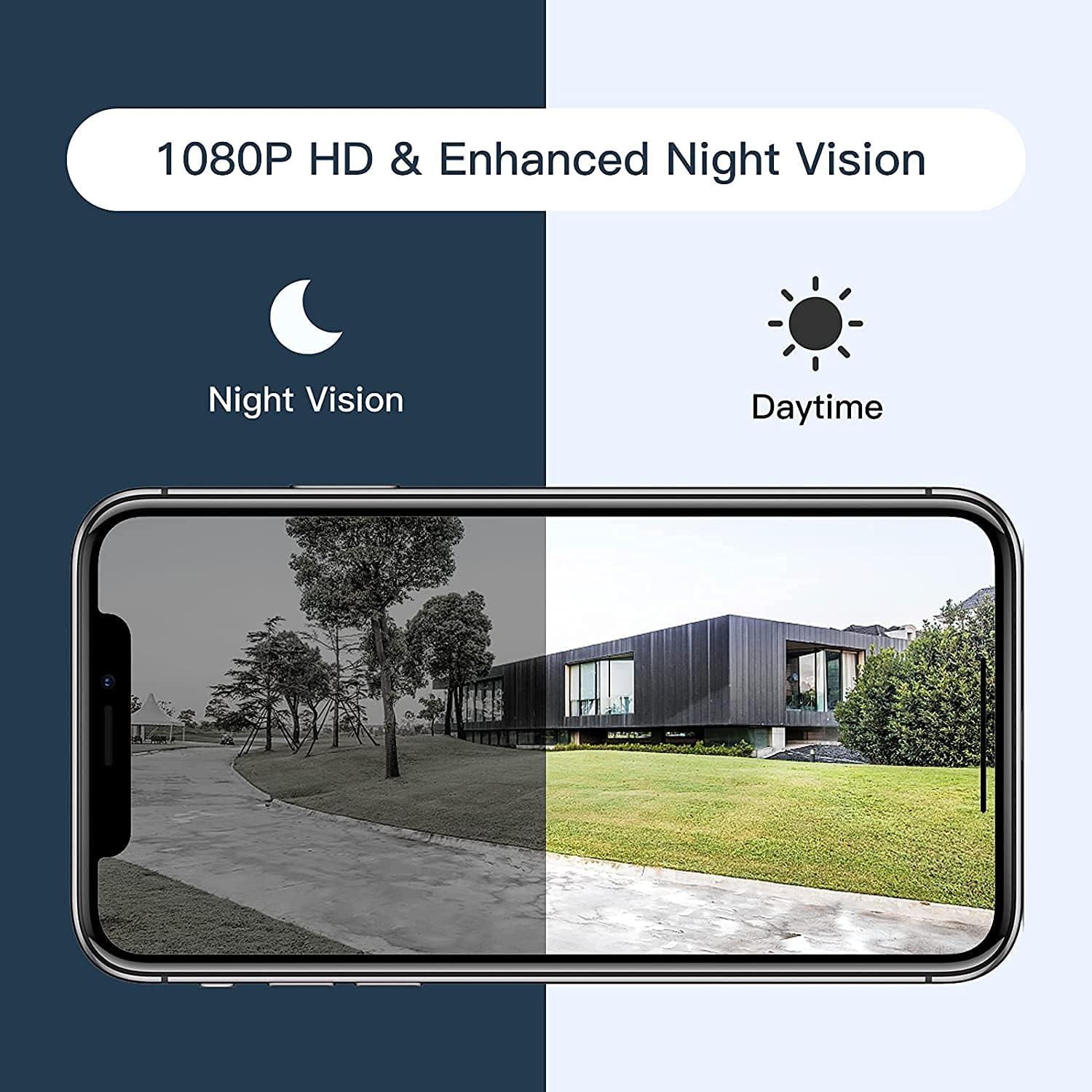
Figure 5: Comparison of daytime and night vision footage.
กล้องจะเปลี่ยนเป็นโหมดมองเห็นตอนกลางคืนโดยอัตโนมัติเมื่ออยู่ในสภาวะแสงน้อย ทำให้ได้วิดีโอขาวดำที่ชัดเจน
4.5 การรวมระบบบ้านอัจฉริยะ

Figure 6: The camera's compatibility with Amazon Alexa for voice control and viewการไอเอ็นจี
- To connect with Amazon Alexa or Google Assistant, follow the instructions in the Arenti app's integration section.
- เมื่อเชื่อมต่อแล้ว คุณสามารถใช้คำสั่งเสียงเพื่อ... view แสดงภาพจากกล้องบนจอแสดงผลอัจฉริยะที่รองรับ
4.6 การแบ่งปันการเข้าถึง

Figure 7: The camera supports sharing live view access with multiple family members.
You can share access to your camera's live feed with family members through the Arenti app. Navigate to the camera settings and select the sharing option to invite others.
5. การบำรุงรักษา
- การทำความสะอาด: ควรเช็ดเลนส์กล้องด้วยผ้าแห้งเนื้อนุ่มเป็นประจำ เพื่อให้ได้ภาพที่คมชัด ห้ามใช้สารเคมีรุนแรง
- อัพเดตเฟิร์มแวร์: Check the Arenti app periodically for available firmware updates. Keeping your camera's firmware updated ensures optimal performance and security.
- การเชื่อมต่อไฟฟ้า: Ensure the power cable and adapter are securely connected and free from damage.
- การป้องกันสภาพอากาศ: While IP65 rated, avoid directing high-pressure water jets directly at the camera. Ensure the power connection point is protected from excessive moisture.
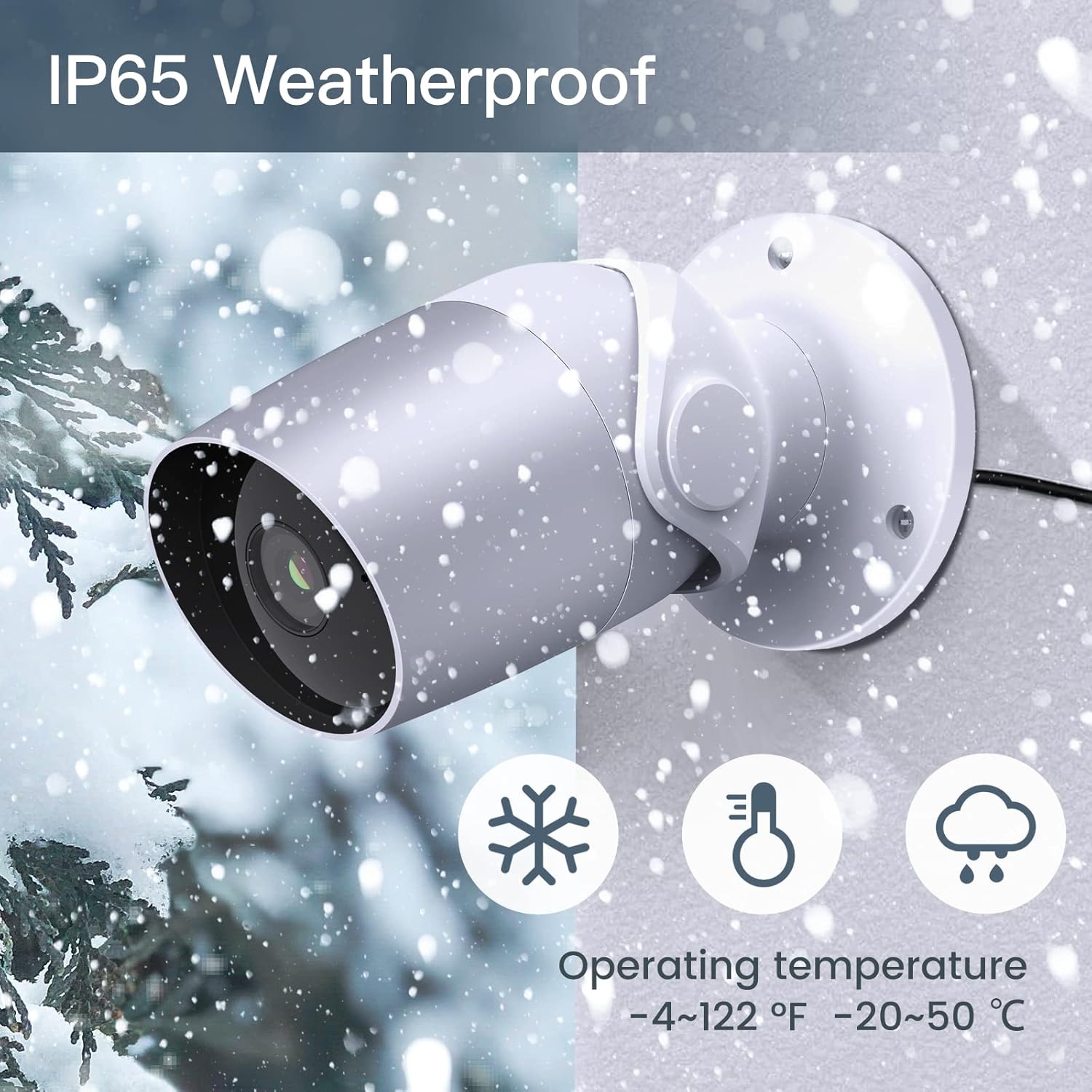
Figure 8: The camera's IP65 weatherproof rating ensures durability in various outdoor conditions.
6 การแก้ไขปัญหา
- กล้องไม่เปิด: Ensure the power adapter is correctly connected to the camera and a working power outlet. Try a different outlet or adapter if available.
- ไม่สามารถเชื่อมต่อกับ Wi-Fi:
- ตรวจสอบให้แน่ใจว่าเครือข่าย Wi-Fi ของคุณเป็น 2.4GHz กล้องไม่รองรับ Wi-Fi 5GHz
- ตรวจสอบว่ารหัสผ่าน Wi-Fi ของคุณถูกต้อง
- Move the camera closer to your Wi-Fi router during setup.
- Reset the camera (refer to the app or product for reset button location) and try pairing again.
- คุณภาพวิดีโอไม่ดี:
- Check your Wi-Fi signal strength. A weak signal can affect video streaming.
- ทำความสะอาดเลนส์กล้อง
- Motion/Noise detection not working:
- Ensure detection is enabled in the app settings.
- ปรับระดับความไว
- Verify notification permissions for the Arenti app on your smartphone.
- ปัญหาเสียงสองทาง:
- ตรวจสอบการตั้งค่าระดับเสียงบนโทรศัพท์และภายในแอป
- Ensure your phone's microphone is enabled for the Arenti app.
7. ข้อมูลจำเพาะ
| คุณสมบัติ | ข้อมูลจำเพาะ |
|---|---|
| ความละเอียดในการจับภาพวิดีโอ | 1080p เต็ม HD |
| โปรโตคอลการเชื่อมต่อ | Wi-Fi (2.4GHz เท่านั้น) |
| การให้คะแนนการคุ้มครองระหว่างประเทศ | IP65 ทนฝนและแดด |
| Viewอิงแองเกิล | 110 องศา |
| ช่วงการมองเห็นตอนกลางคืน | 15 ฟุต |
| อัตราเฟรม | 25 เฟรมต่อวินาที |
| แหล่งพลังงาน | สายไฟ (12 โวลต์ DC, 4.5 วัตต์) |
| พื้นที่จัดเก็บ | การ์ด Micro SD (สูงสุด 128GB, มี 32GB ให้มาด้วย), พื้นที่จัดเก็บข้อมูลบนคลาวด์ |
| ประเภทการแจ้งเตือน | Audio and Motion Detection |
| อุปกรณ์ที่รองรับ | สมาร์ทโฟน, อเมซอน อเล็กซา, กูเกิล แอสซิสต์ |
| อุณหภูมิในการทำงาน | -20°C ถึง 50°C (-4°F ถึง 122°F) |
| ขนาดสินค้า | 8 x 3.66 x 6 นิ้ว |
| น้ำหนักสินค้า | 14.1 ออนซ์ |
8. ข้อมูลการรับประกัน
Specific warranty details for your LAXIHUB Security Camera may vary by region and retailer. Please refer to the warranty card included with your product or contact LAXIHUB customer support directly for detailed information regarding warranty coverage and terms.
9. การสนับสนุนลูกค้า
If you encounter any issues or have questions not covered in this manual, please contact LAXIHUB customer support through the Arenti app or visit the official LAXIHUB website for assistance. You may also refer to the seller's support channels if purchased through a third-party retailer.