
1. บทนำ
Thank you for choosing the Reebok RDVNEG9P2S2B2N Digital Watch. This manual provides essential information for the proper setup, operation, and maintenance of your new timepiece. Please read this manual thoroughly before using the watch to ensure optimal performance and longevity.
2. ข้อมูลด้านความปลอดภัย
- ความต้านทานน้ำ: This watch is water resistant up to 100 meters. It is suitable for swimming and snorkeling but not for diving. Do not operate buttons underwater.
- อุณหภูมิ: Avoid exposing the watch to extreme temperatures (hot or cold) for extended periods, as this may affect its accuracy and battery life.
- สารเคมี: Keep the watch away from solvents, detergents, perfumes, and cosmetics, as these can damage the strap, case, or seals.
- ผลกระทบ: Protect the watch from strong impacts or drops, which can damage internal components or the crystal.
- แบตเตอรี่: Do not attempt to open the watch case or replace the battery yourself, as this may void the warranty and damage the watch. Refer to qualified service personnel.
3. เนื้อหาบรรจุภัณฑ์
ตรวจสอบว่ามีรายการทั้งหมดอยู่ในแพ็คเกจของคุณ:
- Reebok RDVNEG9P2S2B2N Digital Watch (with Stainless Steel Strap)
- Extra Silicone Strap
- Spring Bar Tool for strap replacement
- คู่มือการใช้งาน (เอกสารนี้)
4. สินค้าหมดview
Familiarize yourself with the main components of your Reebok digital watch.
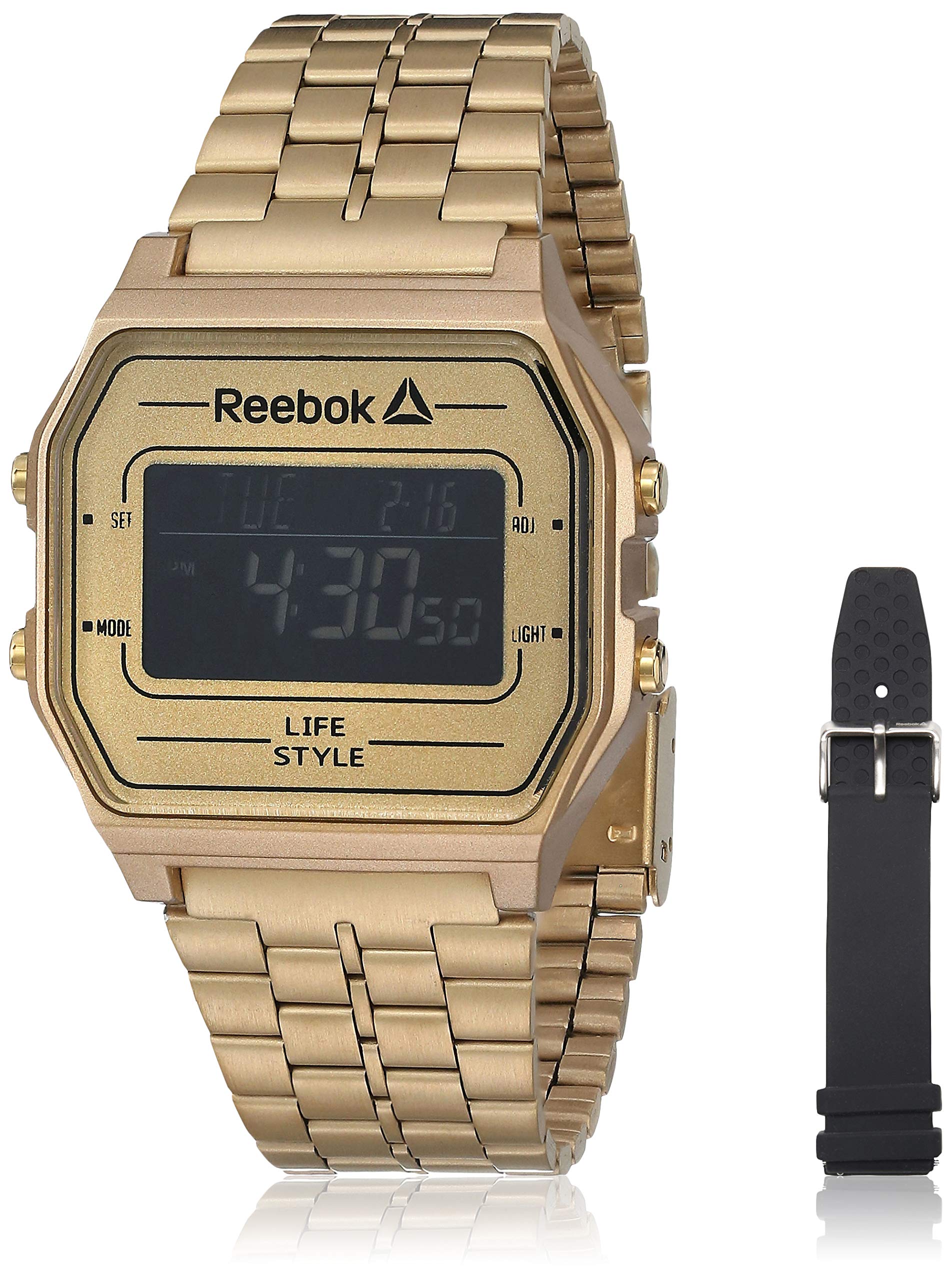
ภาพที่ 1: ด้านหน้า view of the Reebok RDVNEG9P2S2B2N Digital Watch with its gold stainless steel strap. The digital display shows time and date, and control buttons are visible on the sides.
- แสดง: หน้าจอแสดงผลดิจิทัล แสดงเวลา วันที่ และฟังก์ชันอื่นๆ
- ปุ่ม ตลท.: ใช้สำหรับป้อนและยืนยันการตั้งค่า
- ปุ่มโหมด: Cycles through different watch modes (Time, Alarm, Stopwatch, etc.).
- ปุ่ม ADJ: Adjusts values during setting.
- ปุ่มไฟ: เปิดไฟแบ็คไลท์เพื่อให้มองเห็นได้ชัดเจนในสภาพแสงน้อย
- กรณี: Gold-colored stainless steel case.
- สายคล้อง: Interchangeable straps (Stainless Steel and Silicone).
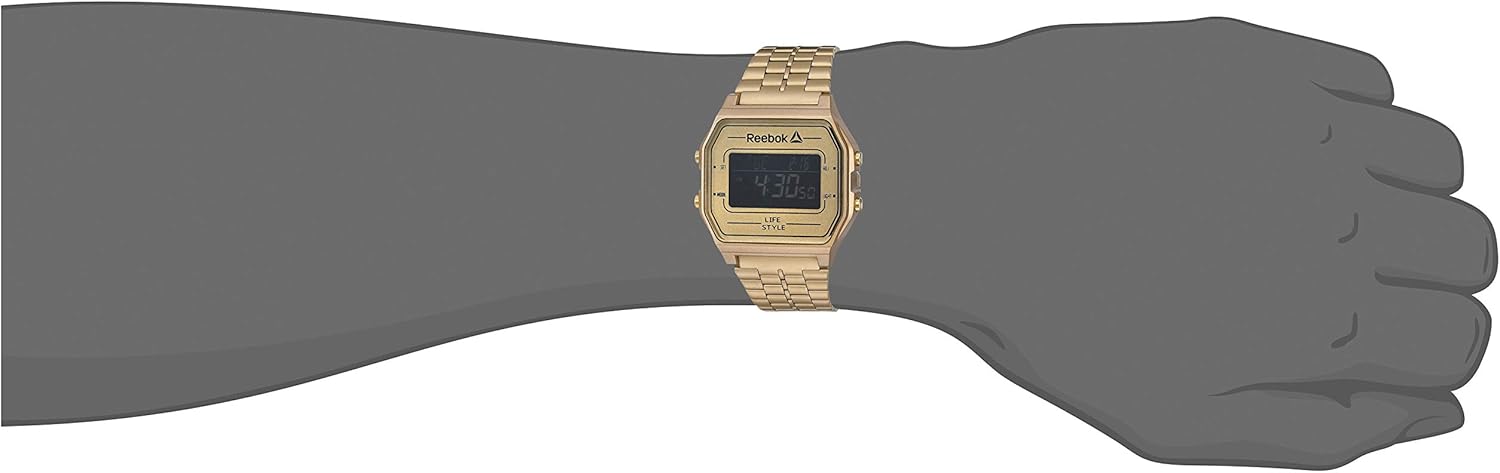
ภาพที่ 2: The Reebok RDVNEG9P2S2B2N Digital Watch worn on a wrist, showcasing its size and fit with the gold stainless steel strap.
5. การตั้งค่า
5.1 การตั้งเวลาและวันที่เริ่มต้น
- In normal timekeeping mode, press and hold the ชุด กดปุ่มค้างไว้จนกว่าเข็มวินาทีจะเริ่มกะพริบ แสดงว่าคุณอยู่ในโหมดการตั้งค่าแล้ว
- กดปุ่ม โหมด ปุ่มสำหรับสลับดูการตั้งค่า: วินาที → ชั่วโมง → นาที → ปี → เดือน → วัน
- ใช้ ก. button to increase the flashing value. Hold the ก. ปุ่มสำหรับเลื่อนค่าอย่างรวดเร็ว
- เมื่อปรับการตั้งค่าทั้งหมดแล้ว ให้กดปุ่ม ชุด กดปุ่มอีกครั้งเพื่อออกจากโหมดการตั้งค่าและบันทึกการเปลี่ยนแปลงของคุณ
5.2 รูปแบบ 12/24 ชั่วโมง
ขณะอยู่ในโหมดตั้งเวลา (วินาทีจะกะพริบ) ให้กดปุ่ม ก. กดปุ่มเมื่อตัวเลขบอกชั่วโมงกะพริบเพื่อสลับระหว่างรูปแบบเวลา 12 ชั่วโมง (พร้อมตัวบ่งชี้ AM/PM) และ 24 ชั่วโมง
6. การใช้งานนาฬิกา
การเลือกโหมด 6.1
กดปุ่ม โหมด กดปุ่มซ้ำๆ เพื่อวนดูฟังก์ชันต่างๆ ที่มีอยู่:
- โหมดแสดงเวลา (แสดงเวลาและวันที่ปัจจุบัน)
- โหมดปลุก
- โหมดนาฬิกาจับเวลา
6.2 การใช้ไฟแบ็คไลท์
กดปุ่ม แสงสว่าง ปุ่มสำหรับเปิดไฟหน้าจอเป็นเวลาไม่กี่วินาที ซึ่งมีประโยชน์ในสภาพแวดล้อมที่มืด
6.3 ฟังก์ชั่นปลุก
- จากโหมดการจับเวลา ให้กด โหมด until "AL" or "Alarm" appears on the display.
- กดปุ่มค้างไว้ ชุด กดปุ่มจนกว่าไฟแสดงเวลาปลุกจะกระพริบ
- ใช้ ก. ปุ่มตั้งชั่วโมงที่ต้องการ กด โหมด เพื่อเลื่อนเป็นนาที
- ใช้ ก. ปุ่มสำหรับตั้งเวลาเป็นนาทีตามต้องการ
- กด ชุด เพื่อยืนยันและออกจากการตั้งค่าการเตือน
- หากต้องการเปิด/ปิดนาฬิกาปลุก ให้กดปุ่ม ก. button while in Alarm Mode (without holding SET). An alarm icon will appear/disappear.
6.4 ฟังก์ชันจับเวลา
- จากโหมดการจับเวลา ให้กด โหมด until "ST" or "Stopwatch" appears on the display.
- กดปุ่ม ก. ปุ่มสำหรับเริ่มจับเวลา
- กดปุ่ม ก. กดปุ่มอีกครั้งเพื่อหยุดนาฬิกาจับเวลาชั่วคราว
- กดปุ่ม ชุด ปุ่มสำหรับรีเซ็ตนาฬิกาจับเวลาเป็นศูนย์
- To exit Stopwatch Mode, press the โหมด ปุ่ม.
7. การเปลี่ยนสายรัด
Your Reebok watch comes with an extra silicone strap and a spring bar tool for easy strap changes. Follow these steps carefully to avoid scratching your watch or damaging the spring bars.
7.1 Removing the Current Strap
- Place the watch face down on a soft, clean cloth to prevent scratches.
- Locate the spring bar tool. It typically has a forked end.
- Insert the forked end of the tool between the strap and the watch lug (the part of the watch case where the strap attaches).
- Gently push the spring bar inwards (towards the center of the strap) to compress it.
- Once one end of the spring bar is disengaged from the lug hole, carefully pull the strap away from the watch.
- Repeat for the other side of the strap and for the second strap piece.
- Keep the spring bars in a safe place if you intend to reuse the strap.
7.2 Attaching a New Strap
- Insert one end of a spring bar into one of the lug holes on the watch case.
- With the spring bar tool, compress the other end of the spring bar.
- Guide the compressed end into the opposite lug hole.
- Release the spring bar tool, ensuring both ends of the spring bar are securely seated in the lug holes. Gently tug on the strap to confirm it is firmly attached.
- Repeat for the second strap piece.
8. การบำรุงรักษา
8.1 การทำความสะอาด
- Watch Case and Stainless Steel Strap: Wipe regularly with a soft, dry cloth. For stubborn dirt, use a slightly damp ผ้าและสบู่อ่อนๆ แล้วเช็ดให้แห้ง
- สายซิลิโคน: Wash with mild soap and water, then rinse and dry completely.
- Avoid using abrasive cleaners or chemical solvents.
8.2 การดูแลการกันน้ำ
- Ensure the watch crown (if applicable, though this is a digital watch with buttons) and buttons are fully pressed in before any contact with water.
- ห้ามกดปุ่มใดๆ ขณะที่นาฬิกาจุ่มอยู่ในน้ำ
- หลังจากสัมผัสกับน้ำเกลือ ให้ล้างนาฬิกาด้วยน้ำสะอาดและเช็ดให้แห้งสนิท
- Water resistance is not a permanent condition and may decrease over time. Have the seals checked periodically by a qualified technician.
8.3 การเปลี่ยนแบตเตอรี่
When the display becomes dim or the watch stops functioning, the battery may need replacement. It is recommended to have the battery replaced by a professional watch technician to ensure proper sealing and water resistance integrity.
9 การแก้ไขปัญหา
| ปัญหา | สาเหตุที่เป็นไปได้ | สารละลาย |
|---|---|---|
| หน้าจอแสดงผลของนาฬิกาว่างเปล่าหรือมืดสนิท | แบตเตอรี่ต่ำหรือหมด | เปลี่ยนแบตเตอรี่ (แนะนำโดยผู้เชี่ยวชาญ) |
| เวลาไม่ถูกต้อง | Incorrect time setting; exposure to strong magnetic fields; low battery. | Reset the time and date (refer to Section 5.1). Keep away from strong magnets. Replace battery if issue persists. |
| ปุ่มต่างๆ ไม่ตอบสนอง | นาฬิกาเปียก มีความผิดปกติภายใน | ตรวจสอบให้แน่ใจว่านาฬิกาแห้งสนิท หากปัญหายังคงอยู่ โปรดติดต่อฝ่ายบริการลูกค้า |
| มีน้ำอยู่ภายในนาฬิกา | Water resistance compromised; buttons operated underwater. | นำนาฬิกาไปให้ช่างผู้เชี่ยวชาญตรวจสอบและซ่อมแซมโดยทันที เพื่อป้องกันความเสียหายเพิ่มเติม |
10. ข้อมูลจำเพาะ
- หมายเลขรุ่น: RDVNEG9P2S2B2N
- ประเภทจอภาพ: ดิจิตอล
- ความเคลื่อนไหว: ควอตซ์
- วัสดุเคส: สแตนเลส
- เส้นผ่านศูนย์กลางตัวเรือน: 42 มม.
- ความหนาของเคส: 5 มม.
- วัสดุสาย: Stainless Steel (Gold), Silicone (Extra)
- ความกว้างของสาย: 4 ซม.
- คริสตัล: แร่ธาตุ
- ความต้านทานน้ำ: 100 เมตร (330 ฟุต)
- แหล่งพลังงาน: แบตเตอรี่
- ประเภทตัวล็อค: Buckle (for silicone), Elegant Clasp (for stainless steel)
11. การรับประกันและการสนับสนุน
11.1 การรับประกันของผู้ผลิต
This Reebok watch is covered by a manufacturer's warranty. Please refer to the warranty card included in your original packaging for specific terms, conditions, and duration. The warranty typically covers manufacturing defects but does not cover damage resulting from misuse, accidents, unauthorized repairs, or normal wear and tear.
11.2 การสนับสนุนลูกค้า
For technical assistance, warranty claims, or service inquiries, please contact Reebok customer support through their official website or the contact information provided with your purchase documentation. When contacting support, please have your watch model number (RDVNEG9P2S2B2N) and proof of purchase readily available.