
การแนะนำ
Thank you for choosing the DEPSTECH D04 1080P HD Webแคม คู่มือนี้ให้ข้อมูลสำคัญสำหรับการตั้งค่า การใช้งาน และการบำรุงรักษา webcam to ensure optimal performance. The D04 webcam is designed to deliver sharp, crystal-clear video and natural audio for various applications, including video conferencing, online teaching, streaming, and gaming.
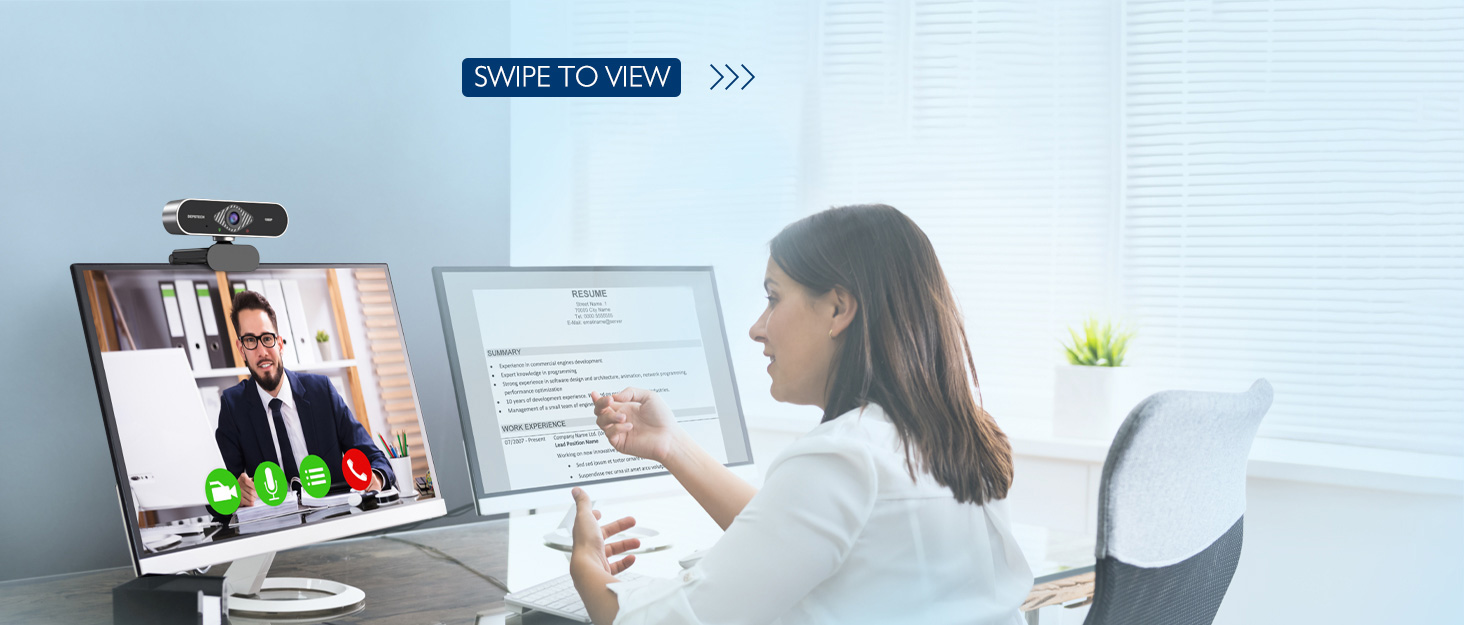
Image: DEPSTECH D04 Webcam in use for a video conference.
คุณสมบัติหลัก:
- วิดีโอ Full HD 1080P: Delivers sharp and crystal-clear video at 30 frames per second with a 6-layer glass HD lens and 1/2.9” CMOS image sensor.
- Stereo Microphone with Noise Reduction: Features an automatic noise reduction function for clearer and more natural sound, even in noisy environments.
- Automatic Light Correction & HDR: Ensures excellent video quality even in dimly lit conditions.
- ปลั๊กแอนด์เพลย์: No additional drivers or software required for most operating systems.
- ความเข้ากันได้ในวงกว้าง: Works with MAC OS, Windows XP/7/8/10, and popular applications like Skype, YouTube, Yahoo!, and Zoom.
เนื้อหาแพ็คเกจ
- DEPSTECH D04 Webลูกเบี้ยว
- ขาตั้งกล้องขนาดเล็ก
- ความคุ้มครองความเป็นส่วนตัว
- คู่มือการใช้งาน
คำแนะนำการตั้งค่า
1. Placement of the Webลูกเบี้ยว
DEPSTECH D04 webcam features a flexible mounting clip that allows it to be placed on various devices or surfaces.
- บนจอมอนิเตอร์/จอแล็ปท็อป: เปิดคลิปและวาง webcam on top of your monitor or laptop screen. Adjust the angle so the camera is stable and facing you.
- บนขาตั้งกล้อง: แนบไฟล์ webcam to the included mini tripod using the universal screw mount at the bottom of the clip. Place the tripod on a flat surface.
- บนพื้นผิวเรียบ: The clip can also be folded to create a stand, allowing the webcam to sit directly on your desk or shelf.

ภาพ: Webcam mounted on a laptop screen.

ภาพ: Webcam mounted on a tripod.
2. การเชื่อมต่อ Webลูกเบี้ยว
DEPSTECH D04 webcam is a plug-and-play device, requiring no additional driver installation for most operating systems.
- เชื่อมต่อสาย USB จาก webcam to an available USB port on your computer (desktop or laptop).
- Wait for your operating system to automatically detect and install the device. This usually takes a few seconds.
- Once detected, the webcam is ready for use with your preferred video communication or recording software.

Image: USB connection for the webลูกเบี้ยว.
คำแนะนำการใช้งาน
1. การใช้ Webcam with Software
After connecting, your DEPSTECH D04 webcam will be recognized as a standard video and audio input device by most applications.
- Open your desired video conferencing, streaming, or recording application (e.g., Zoom, Skype, OBS, YouTube, Facetime).
- Navigate to the application's settings or preferences, usually under 'Audio' and 'Video' sections.
- Select "DEPSTECH D04 Webcam" or "USB 2.0 Camera" as your video input device.
- Select "USB 2.0 Camera Audio" as your microphone input device.
- Adjust video and audio settings as needed within the application.

Image: User engaged in a video call with the webลูกเบี้ยว.
2. ความคุ้มครองความเป็นส่วนตัว
การ webcam includes a privacy cover for enhanced security and peace of mind. Slide the cover over the lens when the webcam is not in use to prevent accidental recordings or unauthorized access.

ภาพ: Webcam with the privacy cover closed.
3. ไฟแสดงสถานะ
การ webcam features indicator lights to show its status:
- ไฟเขียว: Indicates the camera is active and in use by an application.
- ไฟแดง: บ่งบอกถึง webcam is powered on and connected.
การซ่อมบำรุง
To ensure the longevity and optimal performance of your DEPSTECH D04 webแคม ปฏิบัติตามคำแนะนำการบำรุงรักษาดังต่อไปนี้:
- การทำความสะอาดเลนส์: Gently wipe the lens with a soft, lint-free cloth. Avoid using harsh chemicals or abrasive materials that could scratch the lens.
- ทำความสะอาดร่างกาย: ใช้ผ้าแห้งเนื้อนุ่มทำความสะอาดด้านนอกของตัวเครื่อง webลูกเบี้ยว.
- พื้นที่จัดเก็บ: เมื่อไม่ได้ใช้งาน โดยเฉพาะอย่างยิ่งเป็นเวลานาน ควรเก็บรักษาไว้ในที่ที่เหมาะสม webcam in a clean, dry place. Use the privacy cover to protect the lens.
- หลีกเลี่ยงเงื่อนไขที่รุนแรง: อย่าเปิดเผย webทนต่ออุณหภูมิ ความชื้น หรือแสงแดดโดยตรงที่สูงหรือต่ำเกินไป
การแก้ไขปัญหา
If you encounter issues with your DEPSTECH D04 webcam โปรดดูวิธีแก้ปัญหาทั่วไปต่อไปนี้:
- Webไม่พบกล้อง:
- ลองเชื่อมต่อดู webเสียบกล้องเข้ากับพอร์ต USB อื่นบนคอมพิวเตอร์ของคุณ
- รีสตาร์ทเครื่องคอมพิวเตอร์ของคุณ
- ตรวจสอบให้แน่ใจว่าสาย USB เชื่อมต่ออย่างแน่นหนา
- ตรวจสอบตัวจัดการอุปกรณ์ของระบบปฏิบัติการของคุณ (Windows) หรือข้อมูลระบบ (Mac) เพื่อดูว่า webมีรายการแคมอยู่
- ไม่มีวิดีโอ/หน้าจอสีดำ:
- Make sure the privacy cover is open.
- ตรวจสอบว่า webในตั้งค่าของแอปพลิเคชัน คุณได้เลือก "cam" เป็นอุปกรณ์รับสัญญาณวิดีโอแล้ว
- ปิดและเปิดแอปพลิเคชันใหม่อีกครั้ง
- ไม่มีเสียง/คุณภาพเสียงไม่ดี:
- Ensure "USB 2.0 Camera Audio" is selected as the microphone input in your application's settings.
- ตรวจสอบการตั้งค่าเสียงของคอมพิวเตอร์เพื่อให้แน่ใจว่าไมโครโฟนเปิดใช้งานอยู่และไม่ได้ปิดเสียงไว้
- Adjust the microphone input volume in your application or system settings.
- คุณภาพวิดีโอไม่ดี:
- Ensure you have adequate lighting in your environment. The webcam has auto light correction, but good ambient light helps.
- ทำความสะอาด webเลนส์แคม
- Check your internet connection speed if streaming or video conferencing.
ข้อมูลจำเพาะ
| ยี่ห้อ | ดีพสเทค |
| หมายเลขรุ่น | D04 |
| ความละเอียดในการจับภาพวิดีโอ | 1080p |
| ความเร็วในการจับภาพ | 30 เฟรมต่อวินาที |
| เทคโนโลยีโฟโต้เซนเซอร์ | CMOS (1/2.9” CMOS image sensor) |
| ประเภทโฟกัส | โฟกัสคงที่ |
| ประเภทเลนส์ | มุมกว้าง |
| เทคโนโลยีการเชื่อมต่อ | ยูเอสบี |
| รูปแบบเสียงที่รองรับ | สเตอริโอ |
| คุณสมบัติพิเศษ | Auto Light Correction, Noise Canceling Microphone, Tripod and Privacy Cover Included |
| ความเข้ากันได้ของระบบปฏิบัติการ | Mac OS, Windows XP/7/8/10 |
| สี | สีดำ |
ข้อมูลการรับประกัน
DEPSTECH D04 Webกล้องมาพร้อมกับ รับประกัน 1 ปี from the date of purchase. This warranty covers manufacturing defects and ensures the product is free from defects in material and workmanship under normal use. Please retain your proof of purchase for warranty claims. The warranty does not cover damage caused by misuse, accident, unauthorized modification, or external causes.
สนับสนุน
For further assistance, technical support, or warranty inquiries, please contact DEPSTECH customer service. You can typically find contact information on the official DEPSTECH webเว็บไซต์หรือผ่านทางร้านค้าปลีกที่คุณซื้อผลิตภัณฑ์
Please have your model number (D04) and proof of purchase ready when contacting support.