
การแนะนำ
ขอบคุณสำหรับการซื้อasing the eKids Harry Potter Bluetooth Speaker. This portable wireless speaker is designed to provide clear audio from your Bluetooth-enabled devices. This manual provides essential information for setting up, operating, and maintaining your speaker.

ภาพ: ด้านหน้า view of the eKids Harry Potter Bluetooth Speaker, featuring the Harry Potter character design.
ข้อมูลด้านความปลอดภัย
Please read and follow all safety instructions before using this product to prevent injury or damage.
- อย่าวางอุปกรณ์ไว้ในที่ที่มีอุณหภูมิสูงหรือต่ำเกินไป โดนแสงแดดโดยตรง หรืออยู่ในที่ชื้น
- Do not immerse the unit in water. This product is not waterproof.
- ใช้เฉพาะสายชาร์จที่ให้มาเท่านั้น
- อย่าพยายามถอดประกอบหรือปรับเปลี่ยนหน่วย
- เก็บให้พ้นจากมือเด็กเล็ก
- กำจัดแบตเตอรี่อย่างถูกต้องตามข้อบังคับท้องถิ่น
เนื้อหาแพ็คเกจ
ตรวจสอบว่ามีรายการทั้งหมดอยู่ในแพ็คเกจ:
- Harry Potter Bluetooth Speaker
- สายชาร์จไมโคร USB
- สายรัดข้อมือ
สินค้าเกินview
Familiarize yourself with the components of your speaker:

Image: Diagram showing the speaker's dimensions (2.2 inches / 56mm height, 1.8 inches / 46mm width) and labeled parts including the speaker grille, slot to attach wrist strap, port for charging (Micro USB), and Power/Pairing Button.
- ตะแกรงลำโพง: ตำแหน่งสำหรับส่งสัญญาณเสียงอยู่ด้านบนสุด
- ปุ่มเปิด/ปิดเครื่อง: Controls power and initiates Bluetooth pairing.
- พอร์ตชาร์จ: ช่องเสียบ Micro USB สำหรับเชื่อมต่อสายชาร์จ
- ช่องสำหรับสายรัดข้อมือ: สำหรับติดสายรัดข้อมือที่ให้มาด้วย
การชาร์จลำโพง
The speaker is powered by a built-in rechargeable Lithium-Ion battery. Before first use, fully charge the speaker.
- Connect the small end of the Micro USB charging cable to the Charging Port on the speaker.
- Connect the large end of the Micro USB charging cable to a powered USB port (e.g., computer, USB wall adapter).
- The charging indicator light (if present, refer to product for exact location) will illuminate during charging and turn off when fully charged.
- Charging time may vary. Disconnect the cable once charging is complete.
จับคู่บลูทู ธ
Follow these steps to connect your speaker to a Bluetooth-enabled device:
- ตรวจสอบให้แน่ใจว่าลำโพงชาร์จเต็มแล้ว
- กดปุ่มค้างไว้ ปุ่มเปิด/ปิด/จับคู่ on the speaker until you hear an audible prompt or see an indicator light flashing, indicating it is in pairing mode.
- On your Bluetooth-enabled device (smartphone, tablet, computer, etc.), go to the Bluetooth settings menu.
- เปิดใช้งาน Bluetooth และค้นหาอุปกรณ์ที่มีอยู่
- Select "Harry Potter Speaker" (or similar name) from the list of devices.
- Once paired, you will hear a confirmation tone, and the indicator light will stop flashing.
- The speaker can wirelessly stream audio up to 30 feet from your device.
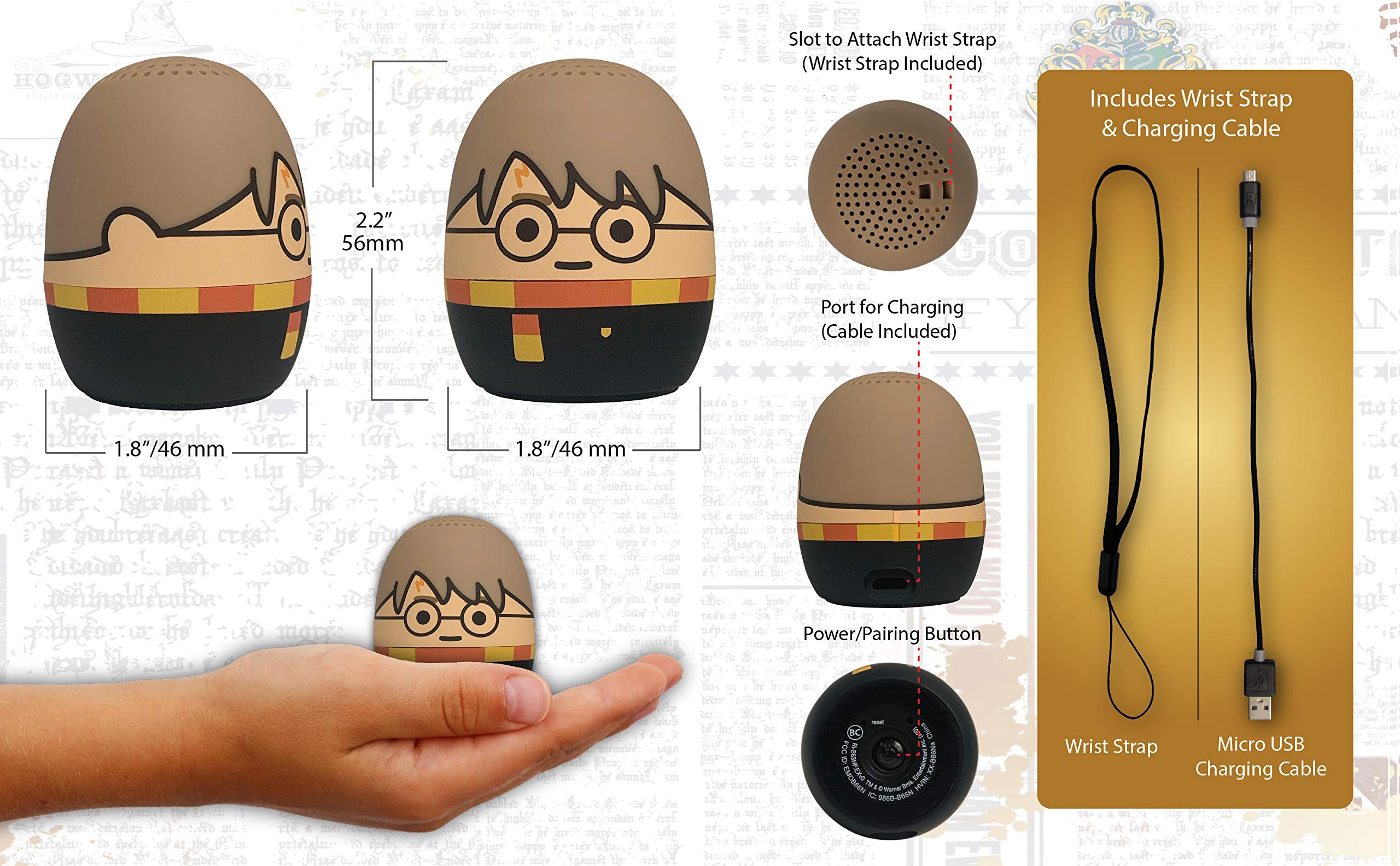
Image: The Harry Potter Bluetooth Speaker shown with icons representing compatible devices: mobile phone, tablet, notebook, PC, smart watch, and game device.
การดำเนินการ
After successful pairing, you can begin playing audio:
- การเล่นเสียง: Start playing music or other audio content on your paired device. The sound will be transmitted to the speaker.
- การควบคุมระดับเสียง: Adjust the volume directly from your paired device.
- เปิด/ปิดเครื่อง: กดปุ่มค้างไว้ ปุ่มเปิด/ปิด/จับคู่ to turn the speaker on or off.
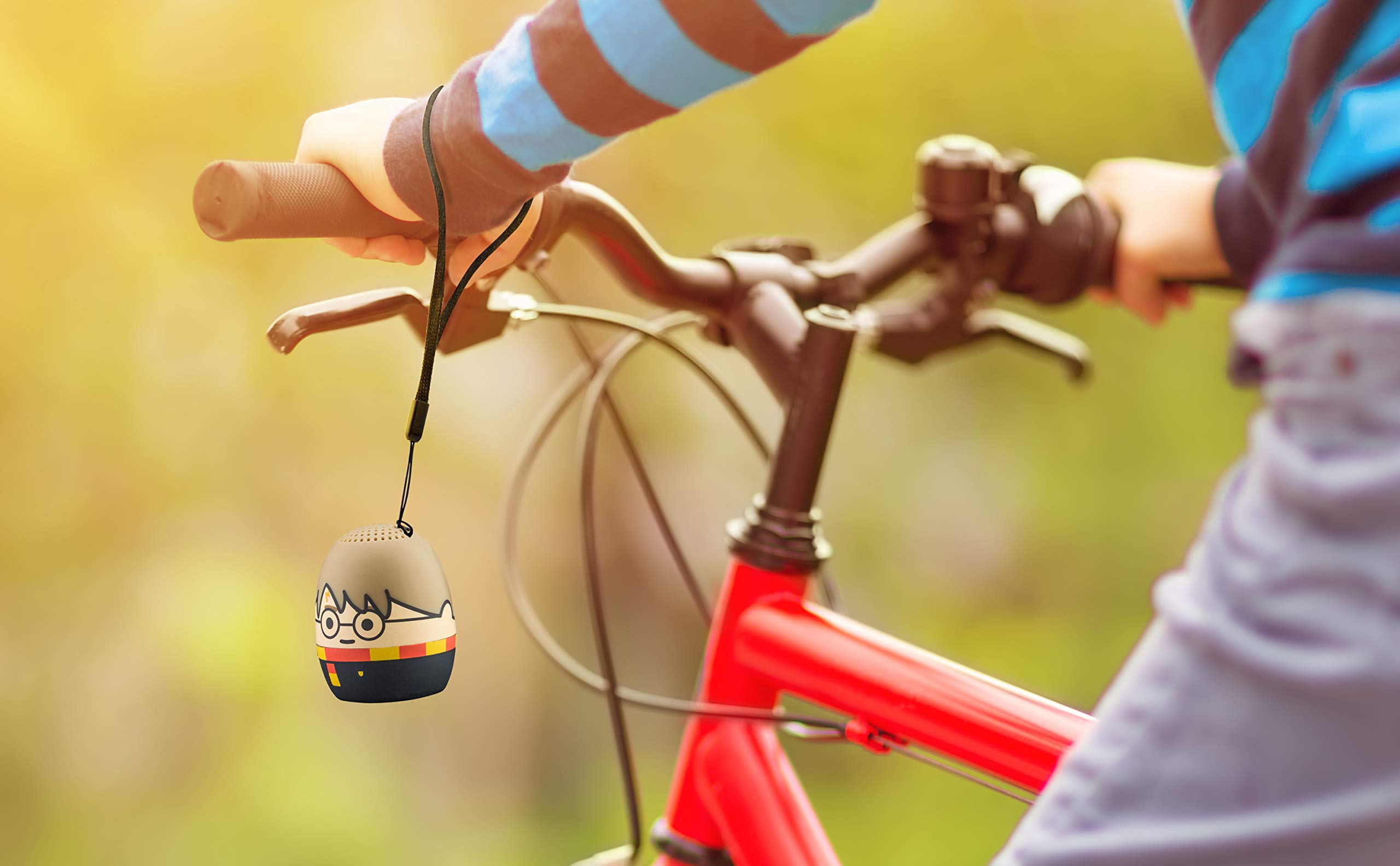
Image: The Harry Potter Bluetooth Speaker, with its wrist strap, attached to the handlebar of a bicycle, demonstrating its portability for outdoor use.
การซ่อมบำรุง
To ensure the longevity of your speaker, follow these maintenance guidelines:
- การทำความสะอาด: Wipe the speaker with a soft, dry cloth. Do not use liquid cleaners or abrasive materials.
- พื้นที่จัดเก็บ: เก็บลำโพงไว้ในที่แห้งและเย็น หลีกเลี่ยงแสงแดดโดยตรงและอุณหภูมิที่สูงหรือต่ำเกินไปเมื่อไม่ได้ใช้งานเป็นเวลานาน
- การดูแลแบตเตอรี่ For optimal battery life, avoid fully discharging the battery frequently. Charge it regularly, even if not used often.
การแก้ไขปัญหา
If you encounter issues with your speaker, refer to the following table:
| ปัญหา | สารละลาย |
|---|---|
| ลําโพงไม่เปิดขึ้น | ตรวจสอบให้แน่ใจว่าแบตเตอรี่ชาร์จเต็มแล้ว เชื่อมต่อลำโพงเข้ากับแหล่งจ่ายไฟโดยใช้สาย Micro USB |
| ไม่สามารถจับคู่กับอุปกรณ์บลูทูธได้ |
|
| ไม่มีเสียงหรือเสียงเบา |
|
| คุณภาพเสียงไม่ดี |
|
ข้อมูลจำเพาะ
| คุณสมบัติ | รายละเอียด |
|---|---|
| ยี่ห้อ | อีคิดส์ |
| ชื่อรุ่น | แฮรี่ พอตเตอร์ |
| เทคโนโลยีการเชื่อมต่อ | บลูทูธ, ยูเอสบี |
| กำลังขับสูงสุดของลำโพง | 10 วัตต์ |
| โหมดเอาต์พุตเสียง | สเตอริโอ |
| ประเภทลำโพง | พกพาได้ |
| วิธีการควบคุม | ปุ่ม |
| ขนาดลำโพง | 40 มิลลิเมตร |
| แหล่งพลังงาน | ใช้พลังงานจากแบตเตอรี่ (รวมแบตเตอรี่ลิเธียมไอออน 1 ก้อน) |
| อุปกรณ์ที่รองรับ | Personal Computer, Smartphone, Tablet, Television |
| กันน้ำได้ | เท็จ |
| ยูพีซี | 092298948775 |
| ASIN | B087NFC293 |
การรับประกันและการสนับสนุน
This product comes with a Limited Warranty. For specific warranty details, please refer to the documentation included with your purchase or contact eKids customer support.
For technical support or further assistance, please visit the eKids official webหรือติดต่อฝ่ายบริการลูกค้า เก็บใบเสร็จรับเงินไว้เพื่อใช้ในการเคลมประกัน