
1. บทนำ
This manual provides comprehensive instructions for the installation, setup, operation, and maintenance of your Sifely Digital Keyless Entry Deadbolt Smart Door Lock, model D323T. This smart lock offers multiple access methods including passcodes, key fobs, smartphone app control, and traditional physical keys, enhancing convenience and security for your property.
2. ข้อมูลด้านความปลอดภัย
- อ่านคำแนะนำทั้งหมดอย่างละเอียดก่อนการติดตั้งและใช้งาน
- ห้ามถอดประกอบหรือดัดแปลงตัวล็อคโดยเด็ดขาด การกระทำดังกล่าวอาจทำให้การรับประกันเป็นโมฆะและส่งผลกระทบต่อความปลอดภัย
- ใช้เฉพาะแบตเตอรี่ชนิดที่ระบุเท่านั้น (แบตเตอรี่อัลคาไลน์ AA 4 ก้อน) ห้ามใช้แบตเตอรี่เก่าและใหม่ปะปนกัน หรือใช้แบตเตอรี่ต่างชนิดกัน
- Keep physical keys in a secure location away from the lock.
- Avoid exposing the lock to extreme temperatures or direct water immersion. While weatherproof, it is not submersible.
- Regularly check battery levels and replace batteries promptly when indicated.
3. เนื้อหาบรรจุภัณฑ์
ตรวจสอบว่าส่วนประกอบทั้งหมดมีอยู่ก่อนเริ่มการติดตั้ง:
- Front Panel (Exterior Keypad)
- Back Panel (Interior Thumb Turn)
- แผ่นยึด
- สกรูเสริม
- ประแจอัลเลน
- สลัก
- ปะเก็นยาง
- คู่มือการติดตั้ง (เอกสารนี้)

Figure 3.1: Sifely D323T Smart Deadbolt Lock and included accessories.
4. สินค้าหมดview
The Sifely D323T Smart Lock is designed for ease of use and robust security. It features a sleek exterior keypad and an interior thumb turn for manual operation. The lock is weatherproof, ensuring reliable performance in various environmental conditions.

Figure 4.1: Key features of the Sifely D323T Smart Lock.
5. การติดตั้ง
Installation of the Sifely D323T Smart Lock is designed to be straightforward, requiring only a Philips screwdriver. No additional drilling is typically needed for standard door preparations.
5.1 เครื่องมือที่จำเป็น
- ไขควงหัวฟิลิปส์

Figure 5.1: A Philips screwdriver is the primary tool for installation.
5.2 ขั้นตอนการติดตั้ง (ทั่วไป)
- เตรียมประตู: Ensure your door has standard deadbolt preparations. Refer to the diagram for dimensions.
- ติดตั้งสลัก: ใส่กลอนเข้าไปในขอบประตูแล้วยึดด้วยสกรู
- Install the Exterior Panel: Route the cable from the exterior panel through the door and align the panel with the latch.
- ติดตั้งแผ่นยึด: Secure the mounting plate to the interior side of the door, connecting it to the exterior panel.
- Connect Cables and Install Interior Panel: Connect the cable from the exterior panel to the interior panel. Attach the interior panel, ensuring the thumb turn spindle engages correctly with the latch mechanism. Secure with screws.
- ใส่แบตเตอรี่: Install 4 AA alkaline batteries into the battery compartment of the interior panel.
- การดำเนินการทดสอบ: Manually test the deadbolt operation with the thumb turn and a physical key to ensure smooth movement.

Figure 5.2: Door preparation and lock dimensions.
6. การตั้งค่าและการกำหนดค่าเริ่มต้น
After physical installation, configure your Sifely Smart Lock using the Sifely app.
6.1 Sifely App Download and Account Creation
- Download the Sifely Smart Lock app from your smartphone's app store (available for iOS and Android).
- Create a new user account and log in.
6.2 Pairing the Lock via Bluetooth
- Ensure Bluetooth is enabled on your smartphone and you are within close proximity to the lock.
- In the Sifely app, tap the "Add Device" or "+" icon.
- Select your Sifely D323T lock from the list of discoverable devices.
- ทำตามคำแนะนำบนหน้าจอเพื่อดำเนินการจับคู่ให้เสร็จสมบูรณ์

Figure 6.1: Sifely app interface for lock management.
6.3 การสร้างรหัสเข้าใช้งาน
The Sifely app allows you to generate various types of access codes:
- Custom Codes: 4-6 digit codes that can be created for permanent access.
- Timed Codes: Codes valid only during specific dates and times.
- Recurring Codes: Codes valid on a scheduled basis (e.g., every Monday-Friday).
- รหัสครั้งเดียว: Codes that work only once.

Figure 6.2: Types of access codes available.
7. การใช้งานล็อค
7.1 Using Passcodes
- แตะแป้นพิมพ์เพื่อเปิดใช้งาน
- Enter your 4-6 digit passcode.
- Press the "#" key to confirm. The lock will unlock.
7.2 Using Key Fobs
- Present the key fob to the center of the keypad.
- The lock will emit a sound and unlock.

Figure 7.1: Unlocking with a key fob.
7.3 Using the Sifely App
- Open the Sifely app on your smartphone.
- Ensure Bluetooth is active and you are within range of the lock.
- Tap the lock icon in the app to unlock or lock the door.
7.4 Using Physical Keys
In case of battery depletion or electronic malfunction, the lock can always be opened using the provided physical keys. Insert the key into the keyhole and turn to unlock.
8. คุณสมบัติขั้นสูง
8.1 ฟังก์ชันล็อคอัตโนมัติ
The lock can be configured to automatically lock after a set period of time (e.g., 5-900 seconds) once the door is closed. This feature can be enabled and adjusted within the Sifely app settings for your specific lock.
8.2 โหมด Passage
Passage Mode allows the lock to remain unlocked for a specified duration or permanently, eliminating the need to enter a code for every entry. This is useful for high-traffic periods. Activate and deactivate this mode via the Sifely app.
8.3 Remote Control / Wi-Fi Access (Optional)
For remote control functionality, including locking/unlocking from anywhere, setting codes remotely, and checking real-time access logs, the Sifely Wi-Fi Gateway (sold separately) is required. Once connected, the lock can also integrate with smart home systems like Amazon Alexa and Google Assistant.

Figure 8.1: Remote passcode generation via Sifely app.
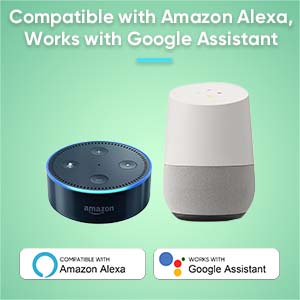
Figure 8.2: Compatibility with Amazon Alexa and Google Assistant (requires Sifely Wi-Fi Gateway).
9. การบำรุงรักษา
9.1 การเปลี่ยนแบตเตอรี่
The Sifely D323T lock is powered by 4 AA alkaline batteries, providing an average battery life of approximately one year. When battery levels are low, the lock will provide an audible or visual alert. To replace batteries:
- Remove the battery cover on the interior panel.
- ถอดแบตเตอรี่เก่าออก
- ใส่แบตเตอรี่อัลคาไลน์ AA ใหม่ 4 ก้อน โดยตรวจสอบให้แน่ใจว่าใส่ขั้วถูกต้อง
- เปลี่ยนฝาครอบแบตเตอรี่
9.2 การทำความสะอาด
ทำความสะอาดพื้นผิวด้านนอกของตัวล็อคด้วยวัสดุที่อ่อนนุ่มและแห้งamp ผ้า หลีกเลี่ยงการใช้น้ำยาทำความสะอาดที่มีฤทธิ์กัดกร่อน ตัวทำละลาย หรือสารเคมีรุนแรง เพราะอาจทำให้พื้นผิวและชิ้นส่วนอิเล็กทรอนิกส์เสียหายได้
10 การแก้ไขปัญหา
- ล็อคไม่ตอบสนอง: Check battery levels. Replace batteries if low. Ensure the keypad is activated by touching it.
- รหัสผ่านใช้งานไม่ได้: Verify the passcode is entered correctly. Check if the code is expired (for timed or one-time codes) or if the lock is in a specific mode (e.g., Lock Out Mode).
- Key fob not working: Ensure the fob is correctly registered in the app. Present the fob directly to the keypad.
- Lock not engaging fully: Check for any obstructions in the door frame or strike plate. Ensure the latch is properly aligned. A factory reset may be required if mechanical issues persist after checking alignment.
- ปัญหาการเชื่อมต่อแอป: Ensure Bluetooth is enabled on your phone and you are within range. For Wi-Fi features, verify the Sifely Wi-Fi Gateway is properly installed and connected to your network.
11. ข้อมูลจำเพาะ
| คุณสมบัติ | ข้อมูลจำเพาะ |
|---|---|
| ยี่ห้อ | Sifely |
| ชื่อรุ่น | D323T |
| ประเภทล็อค | deadbolt |
| วัสดุ | สังกะสี |
| สี | Silver (Satin Nickel Finish) |
| แหล่งพลังงาน | แบตเตอรี่ AA 4 ก้อน (อัลคาไลน์) |
| อายุการใช้งานแบตเตอรี่โดยเฉลี่ย | 1 ปี |
| การเชื่อมต่อ | บลูทูธ, Wi-Fi (พร้อมเกตเวย์เสริม) |
| วิธีการควบคุม | App, Keypad, Fob, Physical Key |
| น้ำหนักสินค้า | 2.48 ปอนด์ |
| ขนาด (กว้าง x ยาว x สูง) | ขนาด 3 x 3 x 1 นิ้ว (โดยประมาณ) |
| อุณหภูมิในการทำงาน | -4°F ถึง 140°F (-20°C ถึง 60°C) |
12. การรับประกันและการสนับสนุน
The Sifely D323T Smart Door Lock comes with a สินค้ารับประกัน 1 ปี from the date of purchase. Sifely also provides การสนับสนุนลูกค้าตลอดอายุการใช้งาน for its products. The Sifely app and associated software are free to use, with no hidden charges or long-term costs.
For technical assistance, troubleshooting, or warranty claims, please refer to the contact information provided with your product packaging or visit the official Sifely support webเว็บไซต์.