
1. คำแนะนำด้านความปลอดภัยที่สำคัญ
Please read all instructions carefully before using this fan and retain them for future reference. Failure to follow these instructions may result in electric shock, fire, or serious injury.
- ถอดปลั๊กพัดลมทุกครั้งก่อนทำความสะอาดหรือบำรุงรักษา
- ห้ามใช้พัดลมกับสายไฟหรือปลั๊กที่ชำรุด
- โปรดระวังอย่าให้มือหรือสิ่งของอื่นๆ อยู่ใกล้ใบพัดและช่องเปิดของพัดลม
- ห้ามใช้พัดลมในบริเวณที่เปียกหรืองamp สถานที่
- ตรวจสอบให้แน่ใจว่าพัดลมวางอยู่บนพื้นผิวที่มั่นคงและระดับเพื่อป้องกันการพลิกคว่ำ
- พัดลมนี้สำหรับใช้ภายในอาคารเท่านั้น
2. เนื้อหาบรรจุภัณฑ์
ตรวจสอบว่าส่วนประกอบทั้งหมดอยู่ครบก่อนประกอบ:
- Fan Head Assembly (Motor, Blades, Front and Rear Grills)
- ขาตั้งปรับระดับได้
- ฐานกลม
- รีโมทคอนโทรล
- คู่มือการใช้งาน
3. การติดตั้งและการประกอบ
Follow these steps to assemble your PELONIS Pedestal Fan:
- ยึดฐาน: Secure the adjustable stand pole to the round base. Ensure it is firmly tightened for stability.
- ปรับความสูง: Loosen the height adjustment knob on the stand pole, extend the pole to your desired height, and then tighten the knob securely.
- ติดตั้งหัวพัดลม: Attach the fan head assembly to the top of the adjustable stand pole. Ensure it clicks into place or is securely fastened according to the specific model's mechanism.
- Secure Grills: Ensure both the front and rear fan grills are properly aligned and securely fastened to prevent access to the blades during operation.

Figure 3.1: Step-by-step assembly guide for the Pelonis 16-inch Pedestal Fan.

Figure 3.2: The fan features a sturdy, weighted base for enhanced stability.
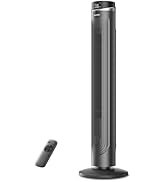
Figure 3.3: The fan's height can be adjusted to suit various needs, ranging from 3.5 feet to 4 feet.
4. คู่มือการใช้งาน
Your PELONIS Pedestal Fan offers multiple settings for personalized comfort.
4.1 เปิด/ปิดเครื่อง
- กดปุ่ม ปุ่มเปิดปิด ใช้แผงควบคุมหรือรีโมทคอนโทรลเพื่อเปิดหรือปิดพัดลม
4.2 การตั้งค่าความเร็ว
- The fan features 12 speed settings. Use the ปุ่มความเร็ว (usually '+' and '-') on the control panel or remote to adjust the airflow intensity.

Figure 4.1: The fan offers 12 customizable speed settings for varied airflow.
4.3 ฟังก์ชันการแกว่ง
- กดปุ่ม ปุ่มสั่น (often an icon with arrows) on the control panel or remote to activate or deactivate the oscillation feature. This allows the fan head to sweep from side to side, distributing air across a wider area.

Figure 4.2: The fan provides 90-degree widespread oscillation for comprehensive air circulation.
ตั้งเวลา 4.4 ตัว
- The fan includes a 12-hour timer. Press the ปุ่มตั้งเวลา to set the fan to automatically turn off after a specified duration. Each press typically increases the timer by one hour.
4.5 การควบคุมระยะไกล
- The included remote control allows convenient operation of all fan functions from a distance. Ensure the remote has working batteries.

Figure 4.3: Operate all fan functions conveniently with the included remote control.
5. การบำรุงรักษา
การทำความสะอาดเป็นประจำจะช่วยให้พัดลมของคุณทำงานได้อย่างเหมาะสมและมีอายุการใช้งานยาวนาน
5.1 การทำความสะอาดพัดลม
- ควรถอดปลั๊กพัดลมออกจากเต้ารับไฟฟ้าทุกครั้งก่อนทำความสะอาด
- ใช้แบบนุ่มๆamp ผ้าเช็ดทำความสะอาดพื้นผิวภายนอกของพัดลม ห้ามใช้น้ำยาทำความสะอาดที่มีฤทธิ์กัดกร่อนหรือตัวทำละลาย
- To clean the fan blades, carefully remove the front grill. Wipe the blades with a soft, damp cloth. Ensure the blades are completely dry before reattaching the grill.
- ห้ามจุ่มพัดลมลงในน้ำหรือปล่อยให้น้ำหยดลงในตัวเรือนมอเตอร์

Figure 5.1: The fan features an intensive fence design for safety, which can be disassembled for cleaning.
6 การแก้ไขปัญหา
หากคุณพบปัญหาเกี่ยวกับพัดลม โปรดดูปัญหาทั่วไปและวิธีแก้ไขต่อไปนี้:
- พัดลมไม่เปิด: ตรวจสอบให้แน่ใจว่าเสียบสายไฟเข้ากับเต้ารับไฟฟ้าที่ใช้งานได้แน่นดีแล้ว ตรวจสอบว่าได้กดปุ่มเปิด/ปิดเครื่องแล้วหรือไม่
- การไหลเวียนของอากาศที่อ่อนแอ: Verify that the fan speed is set to a higher level. Check for any obstructions around the fan grills.
- พัดลมมีเสียงดัง: Ensure all parts are securely assembled. Check for any loose components or debris caught in the blades.
- ระบบสั่นไม่ทำงาน: Confirm the oscillation button has been pressed. Check for any obstructions preventing the fan head from rotating.
- การควบคุมระยะไกลไม่ทำงาน: Replace the batteries in the remote control. Ensure there are no obstructions between the remote and the fan's receiver.
7. ข้อมูลจำเพาะ
| คุณสมบัติ | ข้อมูลจำเพาะ |
|---|---|
| ชื่อรุ่น | PFS40D6ABB |
| ยี่ห้อ | เปโลนิส |
| การออกแบบพัดลมไฟฟ้า | พัดลมตั้งพื้น |
| แหล่งพลังงาน | สายไฟ |
| ขนาดสินค้า | ลึก 15.75 นิ้ว x กว้าง 15.75 นิ้ว x สูง 51.18 นิ้ว |
| คุณสมบัติพิเศษ | Adjustable Height, Oscillating, Remote Control |
| ระดับเสียง | 38 เดซิเบล |
| วัดtage | 2.7 วัตต์ |
| จำนวนใบมีด | 5 |
| ความจุการไหลของอากาศ | 2520 ลูกบาศก์ฟุตต่อนาที |
| ความยาวใบมีด | 16 นิ้ว |
| เล่มที่tage | 110 โวลต์ |
| จำนวนระดับพลังงาน | 12 |
| ประเภทมอเตอร์ | DC |
| การใช้งานภายใน/ภายนอกอาคาร | ในร่ม |

Figure 7.1: Illustration of the fan's powerful and energy-efficient DC motor.
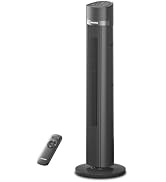
Figure 7.2: The fan operates at a low noise level of 38 dB, making it suitable for quiet environments like bedrooms.
8. การรับประกันและการสนับสนุน
PELONIS products are designed for reliability and performance. This product comes with a 1-year limited warranty from the date of purchase. For warranty claims or technical support, please contact PELONIS customer service.
- บริการลูกค้า: Refer to the contact information provided on the PELONIS official webไซต์หรือบรรจุภัณฑ์ผลิตภัณฑ์ของคุณ
- แหล่งข้อมูลออนไลน์: เยี่ยมชม ร้าน PELONIS บน Amazon สำหรับข้อมูลผลิตภัณฑ์เพิ่มเติมและการสนับสนุน