
Echelon REFLECT 50 (50-inch Touch)
Echelon Reflect Smart Connect Fitness Mirror User Manual
Model: REFLECT 50 (50-inch Touch)
1. บทนำ
This manual provides essential information for the safe and effective use of your Echelon Reflect Smart Connect Fitness Mirror. Please read this manual thoroughly before setup and operation, and retain it for future reference.
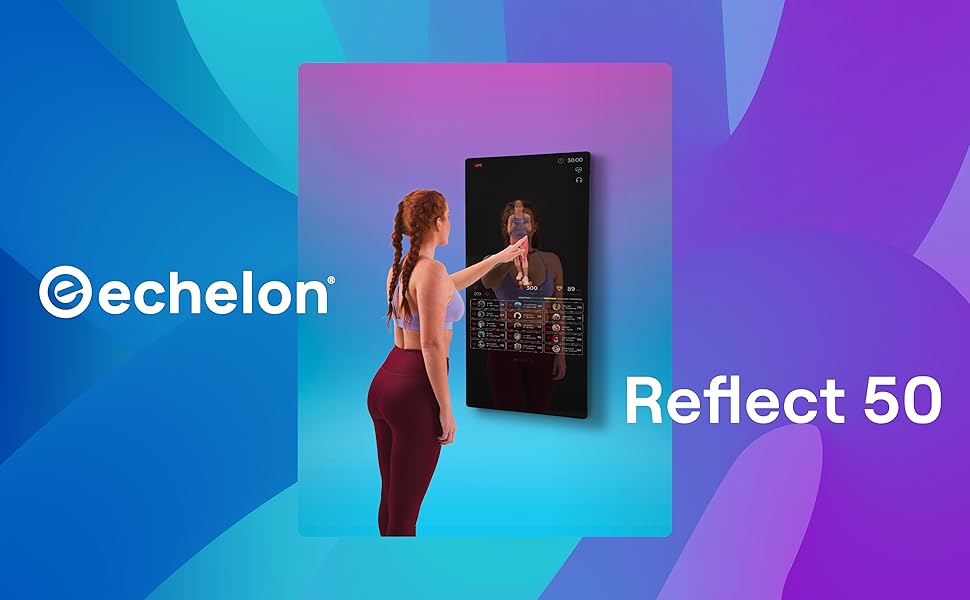
The Echelon Reflect Smart Connect Fitness Mirror is a sophisticated fitness device designed to bring a wide range of interactive workouts directly into your home. Its sleek, space-saving design integrates seamlessly into any living space while providing access to a vast library of live and on-demand fitness classes.
For a comprehensive user guide, you may also refer to the official PDF manual: Echelon Reflect User Manual (PDF)
2. ข้อมูลด้านความปลอดภัย
สำคัญ: Always ensure proper mounting to a load-bearing wall for safe and stable use of the Echelon Reflect Fitness Mirror. Failure to do so may result in injury or damage to the product.
- อ่านคำแนะนำทั้งหมดก่อนใช้เครื่องใช้ไฟฟ้า
- Keep children and pets away from the mirror during operation.
- Do not attempt to service the mirror yourself. Refer all servicing to qualified personnel.
- ตรวจสอบให้แน่ใจว่าสายไฟไม่ถูกหนีบหรือเสียหาย
- Use the mirror only for its intended purpose as described in this manual.
3. คุณสมบัติของผลิตภัณฑ์
The Echelon Reflect Smart Connect Fitness Mirror offers a range of features designed to enhance your home workout experience:
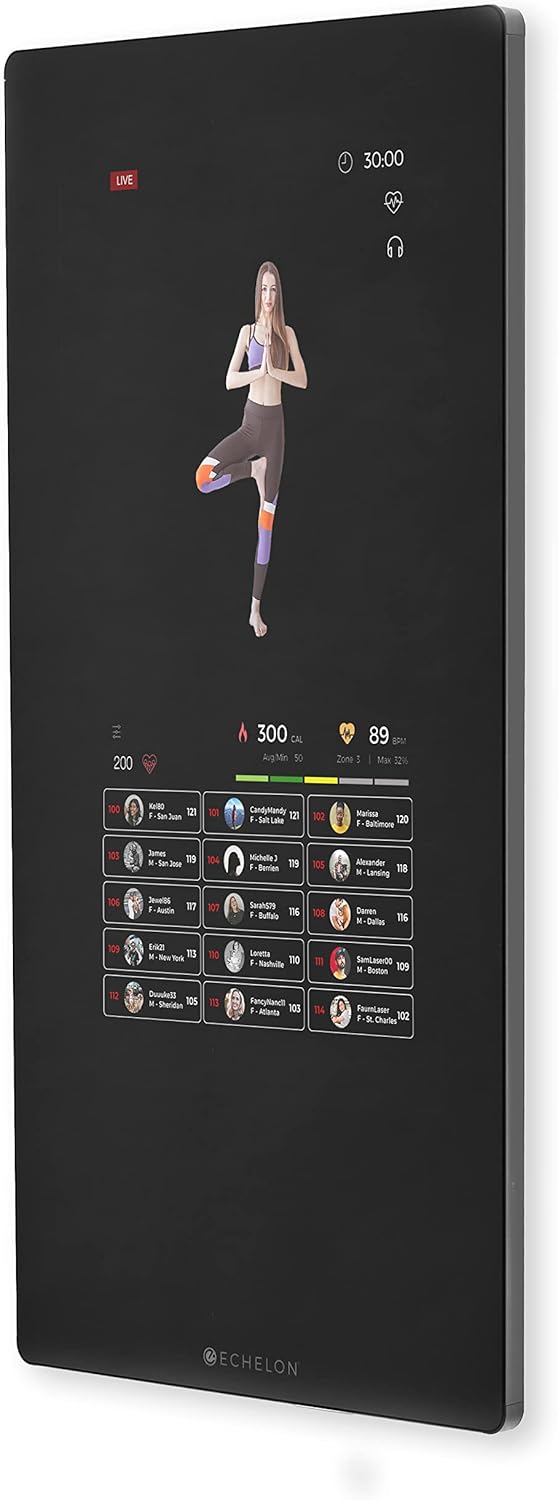
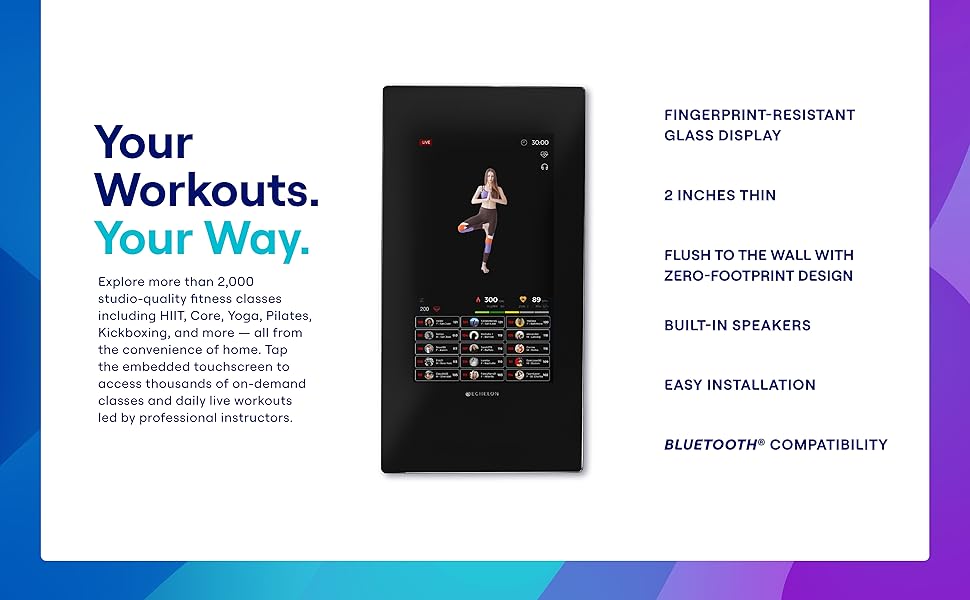
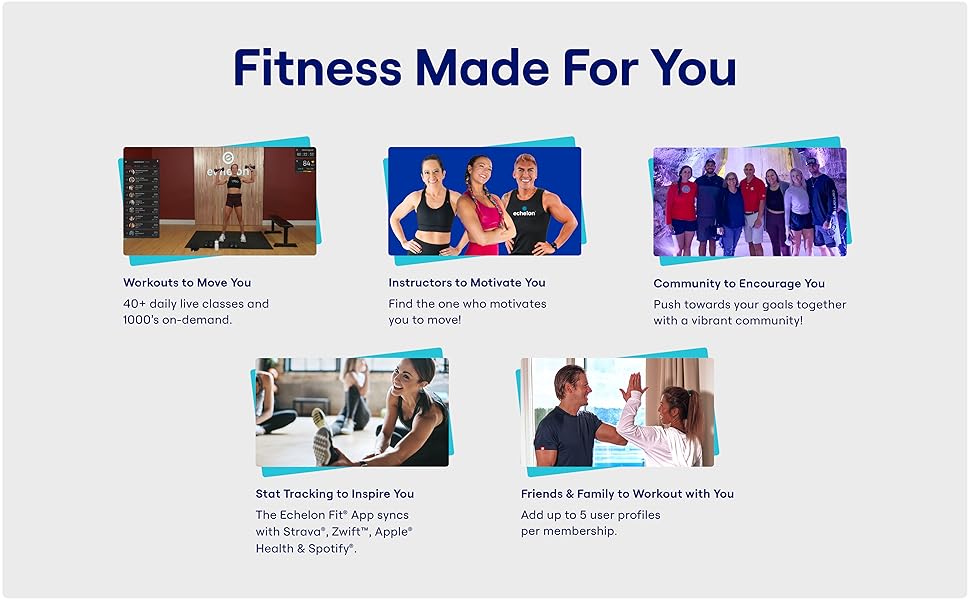
- จอแสดงผลแบบสัมผัส: Easy-to-use, sweat-proof, and WiFi-enabled for interactive class selection and real-time feedback.
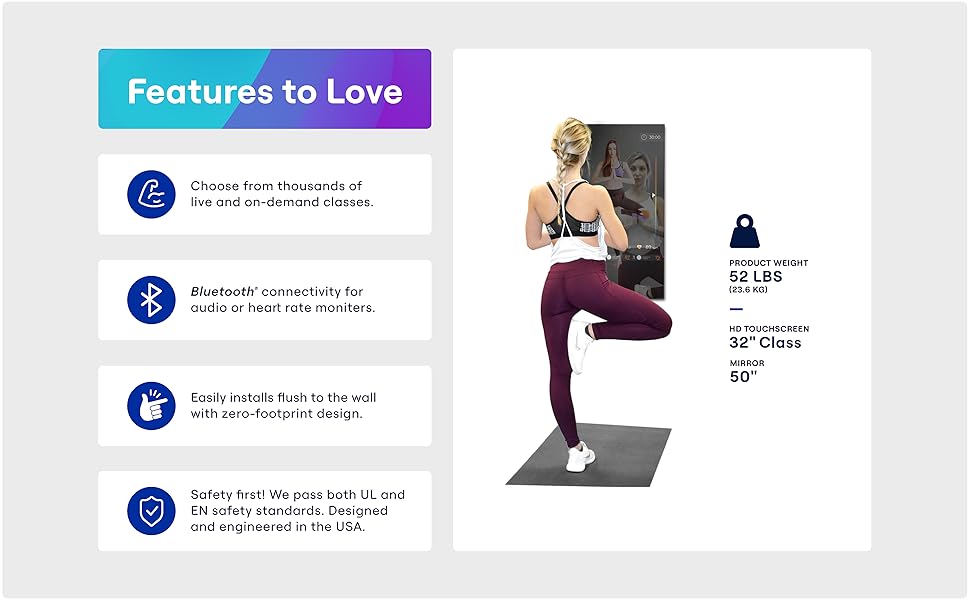
- Zero Footprint Design: A sleek, wall-mounted design that blends into your home decor, requiring minimal space.
- Live & On-Demand Classes: Access to over 3,000 live and on-demand fitness classes through the Echelon Fit App, including Cycling, Running, Kickboxing, Strength Training, Yoga, Pilates, and more.
- กล้องในตัว: Allows for live sessions and interaction with trainers.
- การติดตามประสิทธิภาพ: Real-time tracking of heart rate, calories burned, and progress.
- ความเข้ากันได้ของบลูทูธ: For audio and heart rate monitors.
- Fingerprint-Resistant Glass: รักษาความสะอาดเรียบร้อย
- ลำโพงในตัว: For immersive audio during workouts.
- ผู้ใช้หลายคน Profiles: Supports up to 5 user profiles per membership.
วิชวลโอเวอร์view
4. การตั้งค่าและการติดตั้ง
The Echelon Reflect Fitness Mirror is designed for wall mounting. Proper installation is crucial for safety and optimal performance.
4.1 การแกะกล่อง
- ถอดวัสดุบรรจุภัณฑ์ออกทั้งหมดอย่างระมัดระวัง
- Inspect the mirror for any signs of damage. If damaged, do not proceed with installation and contact customer support.
- Ensure all included components are present: 50" Mirror.
4.2 การติดตั้งบนผนัง
- Choose a suitable location on a load-bearing wall. The mirror weighs approximately 52 pounds.
- Refer to the detailed mounting instructions provided in the full user manual (PDF link above) for specific hardware and steps.
- ตรวจสอบให้แน่ใจว่าพื้นผิวติดตั้งสะอาดและแห้ง
- Securely attach the mounting bracket to the wall according to the instructions.
- Carefully lift and hang the Echelon Reflect onto the secured bracket. It is recommended to have at least two people for this step.
4.3 การเพิ่มพลังเริ่มต้น
- Once securely mounted, connect the power cable to the mirror and then to a standard electrical outlet.
- The mirror will power on and guide you through the initial setup process on the touchscreen.
- Follow the on-screen prompts to connect to your Wi-Fi network and create or log in to your Echelon account.
5. คู่มือการใช้งาน
The Echelon Reflect operates primarily through its intuitive touchscreen interface.
5.1 การนำทางอินเทอร์เฟซ
- Use touch gestures (tap, swipe) to navigate through menus and select classes.
- The main screen typically displays available classes, user profileและการตั้งค่า
5.2 การเริ่มออกกำลังกาย
- From the home screen, select your desired class category (e.g., Yoga, Strength, Cardio, Kickboxing).
- Browse through the available live or on-demand classes.
- Tap on a class to view details, then select "Play" or "Join" to begin.
- Ensure you have adequate space around the mirror for your workout.
5.3 การเชื่อมต่ออุปกรณ์เสริม
- บลูทู ธ เสียง: Pair Bluetooth headphones or speakers through the mirror's settings menu for private or enhanced audio.
- เครื่องวัดอัตราการเต้นของหัวใจ: Connect compatible Bluetooth heart rate monitors to track your heart rate during workouts. This data will be displayed on-screen.
5.4 การสาธิตวิดีโอ
Watch this official video for a visual guide on the Echelon Reflect Touch features and operation:
Official Echelon Reflect Smart Connect Fitness Mirror overview video, demonstrating various features including live and on-demand classes, heart rate tracking, and progress tracking.
6. การบำรุงรักษาและการดูแล
Regular maintenance ensures the longevity and optimal performance of your Echelon Reflect Fitness Mirror.
- การทำความสะอาดหน้าจอ: Use a soft, lint-free cloth to wipe the fingerprint-resistant glass display. For stubborn marks, slightly dampen the cloth with water or a screen-safe cleaner. Avoid abrasive cleaners or sprays directly on the screen.
- การทำความสะอาดทั่วไป: Wipe down the frame and exterior with a soft, damp ผ้า.
- พื้นที่จัดเก็บ: If storing for an extended period, ensure the mirror is powered off and unplugged. Store in a cool, dry place.
- การอัปเดตซอฟต์แวร์: The mirror will periodically receive software updates. Ensure it is connected to Wi-Fi to receive these updates, which improve performance and add new features.
7 การแก้ไขปัญหา
This section addresses common issues you might encounter with your Echelon Reflect Fitness Mirror.
| ปัญหา | สาเหตุที่เป็นไปได้ | สารละลาย |
|---|---|---|
| Mirror does not power on. | สายไฟไม่ได้เชื่อมต่อ มีปัญหากับเต้ารับไฟฟ้า | Ensure power cable is securely plugged into the mirror and a working electrical outlet. Test the outlet with another device. |
| ไม่สามารถเชื่อมต่อ Wi-Fi ได้ | Incorrect Wi-Fi password; weak signal; router issue. | Double-check Wi-Fi password. Move the mirror closer to the router or use a Wi-Fi extender. Restart your router. |
| Classes are buffering or lagging. | Slow internet connection; network congestion. | Check your internet speed. Reduce other network activity. Restart your router. |
| หน้าจอสัมผัสไม่ตอบสนอง | ซอฟต์แวร์มีปัญหาชั่วคราว | Restart the mirror by unplugging it for 30 seconds and plugging it back in. |
| อุปกรณ์บลูทูธไม่จับคู่ | อุปกรณ์ไม่อยู่ในโหมดจับคู่; มีสัญญาณรบกวน | Ensure your Bluetooth device is in pairing mode. Move closer to the mirror. Try restarting both devices. |
If the issue persists after attempting these solutions, please contact Echelon customer support.
8. ข้อมูลจำเพาะ
| คุณลักษณะ | รายละเอียด |
|---|---|
| ยี่ห้อ | เอเชลอน |
| ชื่อรุ่น | REFLECT 50 |
| สไตล์ | 50-inch Touch |
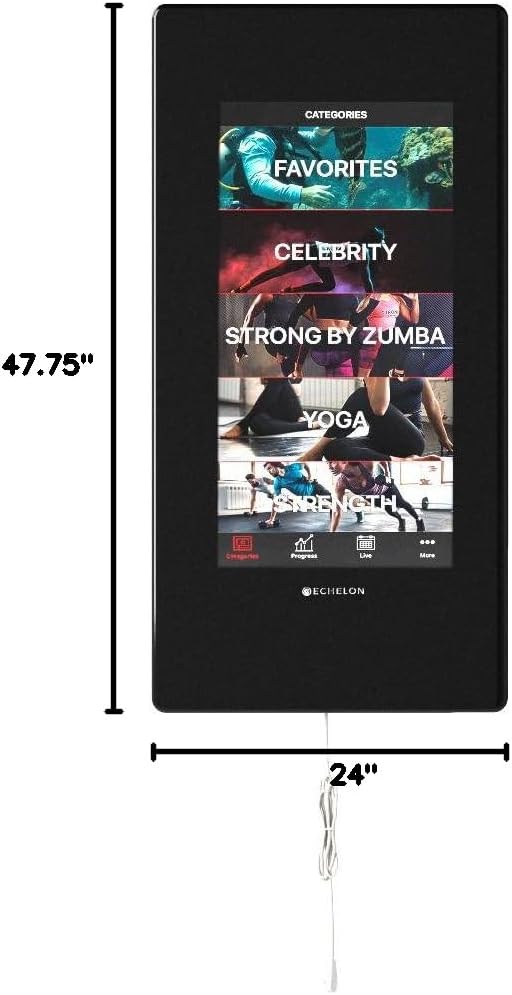
| ขนาดสินค้า (ยาว x กว้าง) | 47.75" x 24" |
| น้ำหนักสินค้า | 52 ปอนด์ (ประมาณ 23.6 กก.) |
| วัสดุ | กระจก, กรอบโลหะ |
| ประเภทการติดตั้ง | ติดผนัง |
| คุณสมบัติพิเศษ | Touch Sensor, Smart Features |
| สี | สีดำ |
| ยูพีซี | 813061024775 |
9. ข้อมูลการรับประกัน
The Echelon Reflect Smart Connect Fitness Mirror is covered by a 24-month limited parts and labor warranty. For any issues or to claim warranty service, please contact Echelon customer service.
10. การสนับสนุนลูกค้า
For technical assistance, troubleshooting beyond this manual, or warranty inquiries, please contact Echelon customer support.
- Refer to the official Echelon webเว็บไซต์สำหรับข้อมูลการติดต่อล่าสุด
- Have your product model number (REFLECT 50) and purchase details ready when contacting support.
Ask a question about this manual
Ask about setup, troubleshooting, compatibility, parts, safety, or missing instructions. Manuals+ will review the question and use this page’s manual context to help answer it.