
1. บทนำ
Thank you for choosing the EOTECH G45 5 Power Magnifier. This manual provides essential information for the proper use, setup, and maintenance of your new magnifier. The G45 Magnifier is designed to enhance your targeting capabilities by offering 5X magnification, allowing for precise long-range targeting and rapid target acquisition. Please read these instructions carefully before mounting and using your magnifier to ensure safe and optimal performance.
2. สินค้าหมดview
คุณสมบัติหลัก
- กำลังขยาย 5 เท่า: Offers enhanced 5X magnification for precise long-range targeting.
- Seamless Transition: Ability to transition between 1X and 5X magnification almost instantly.
- การปรับแต่งโดยไม่ต้องใช้เครื่องมือ: Allows for vertical and horizontal adjustments without specialized tools.
- ทุ่งกว้างของ View: นำเสนอพื้นที่กว้างขวาง view for improved situational awareness.
- ทนน้ำ: Designed to be water resistant up to 33 feet (10 meters) depth.
- โครงสร้างทนทาน: Features a robust design for reliability and longevity.
เนื้อหาแพ็คเกจ
Your EOTECH G45 Magnifier package includes:
- EOTECH G45 Magnifier (No Mount, Black Finish)
- User's Manual for G-Series Magnifiers
- บัตรลงทะเบียนผลิตภัณฑ์
- Mounting Screws (if applicable for specific variants)
รูปภาพสินค้า
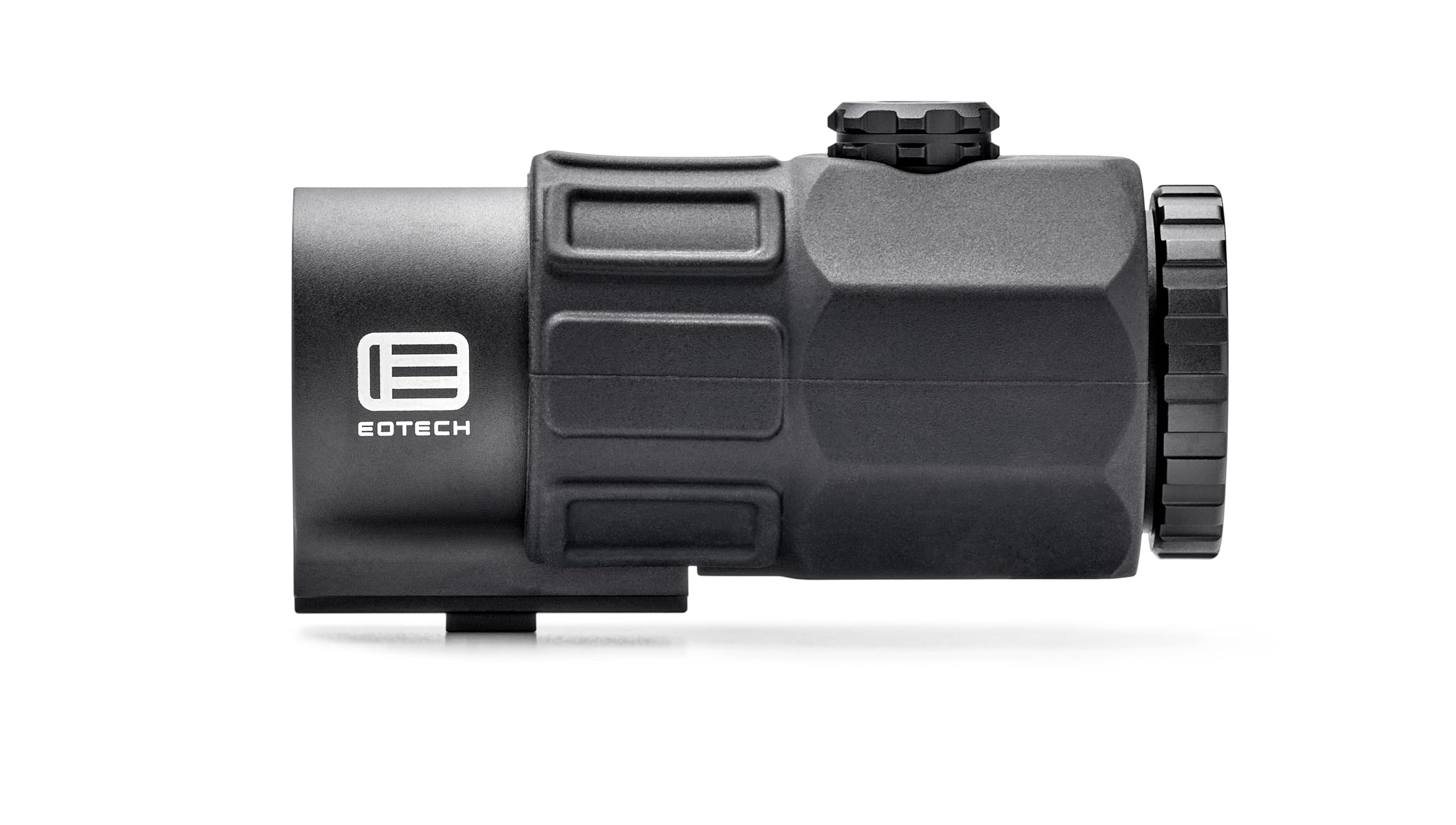
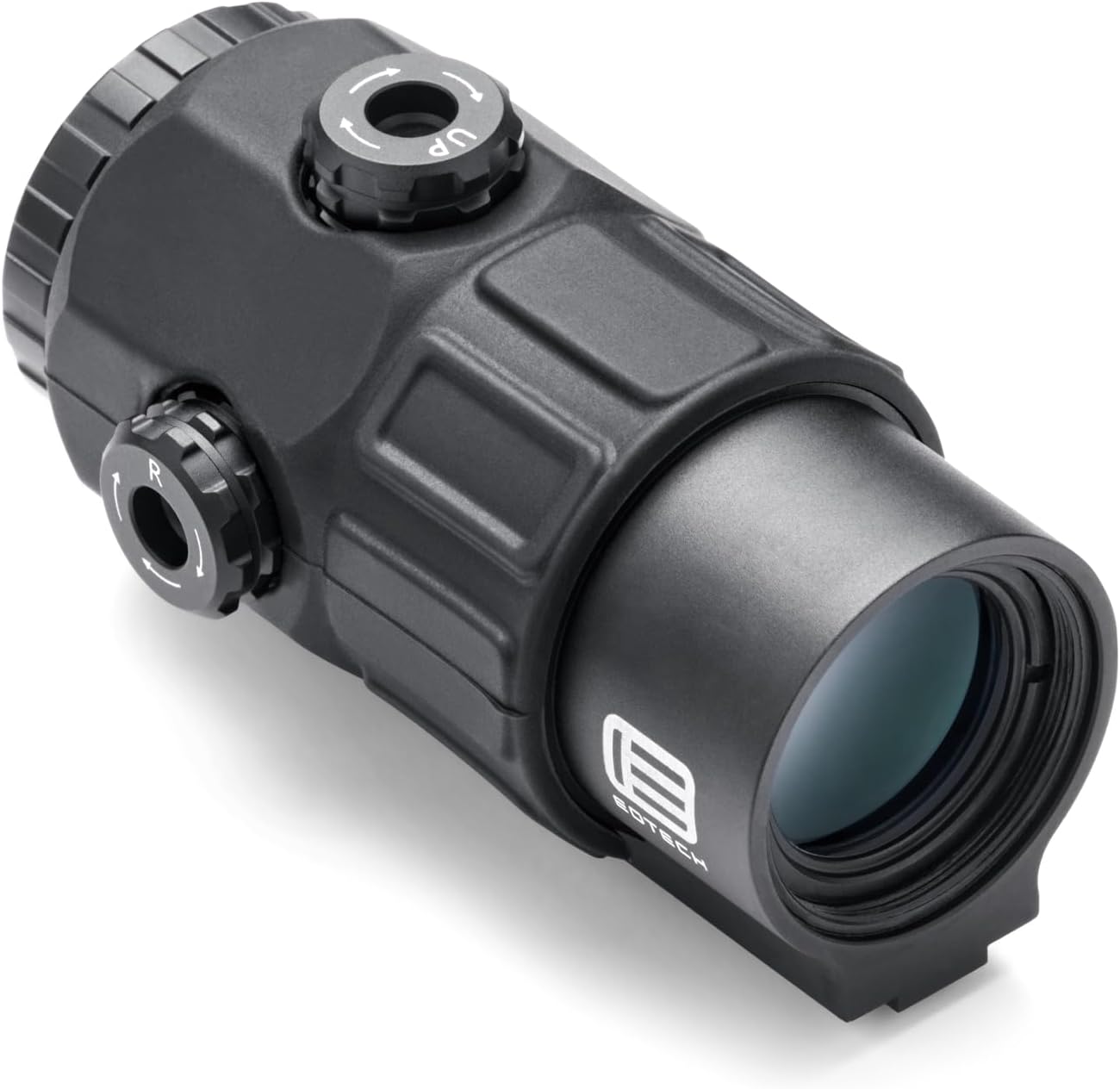
3. การตั้งค่า
Mounting the Magnifier
The EOTECH G45 Magnifier is designed to be used behind an EOTECH Holographic Weapon Sight (HWS). It is compatible with firearms featuring a 1-inch Weaver or MIL-STD-1913 rail. The magnifier does not come pre-assembled to a mount. If using an STS mount (sold separately), ensure it is properly installed.
- Attach Mount (if applicable): If your G45 came with a separate mount (e.g., STS mount), attach the magnifier to the mount using the provided screws. Ensure screws are tightened to 24 in-lbs using a torque wrench.
- Position on Rail: Place the magnifier and mount assembly onto your firearm's rail behind your HWS.
- เมาท์ที่ปลอดภัย: Engage the quick-detach lever (if applicable) or tighten mounting screws to secure the magnifier firmly to the rail.
Reticle Position Adjustments
After zeroing or re-zeroing your HWS, it may be necessary to reposition the reticle image into the center of the magnifier window. This is an aesthetic adjustment and has no effect on the sight's zero.
- Turn the horizontal and vertical adjustment dials on the top or side of the magnifier. Use a coin or a flat head screwdriver to reposition the reticle to the desired position.
การปรับไดออปเตอร์
Adjust the diopter ring at the rear of the magnifier to achieve a clear, sharp image for your individual eyesight. Rotate the ring until the reticle and target appear in sharp focus.
วิดีโอแกะกล่องและติดตั้ง
4. คู่มือการใช้งาน
Switch Operation (Flip-to-Side)
To engage the magnifier, simply push the optic to the right or left, depending on how it is mounted. To disengage and move the magnifier out of your line of sight, push the magnifier back into its original position until a hard stop is achieved. The magnifier system can be configured to switch to either the left or right based on user preference.
Magnification Transition
The G45 allows for quick transitions between 1X (unmagnified) and 5X (magnified) views, enabling rapid adaptation to changing target distances.
การตั้งค่าความสว่าง
The EXPS HWS (if paired) typically offers 20 daylight settings and 10 night vision settings for optimal visibility in various lighting conditions.
แว่นขยาย View วิดีโอสาธิต
5. การบำรุงรักษา
การทำความสะอาด
- Use a soft, lint-free cloth (such as a microfiber cloth) to clean the lenses. Avoid abrasive materials.
- สำหรับคราบฝังแน่น ให้ใช้สารทำความสะอาดเลนส์ที่ออกแบบมาสำหรับอุปกรณ์ออปติกโดยเฉพาะ
- Wipe the exterior of the magnifier with a damp ผ้าตามที่ต้องการ
พื้นที่จัดเก็บ
- Store the magnifier in a cool, dry place away from direct sunlight and extreme temperatures.
- Use the protective case or lens covers when not in use to prevent damage.
6 การแก้ไขปัญหา
If you encounter any issues with your EOTECH G45 Magnifier, please consider the following:
- ภาพเบลอ: Adjust the diopter ring at the rear of the magnifier until the image is clear.
- Reticle Not Centered: Use the vertical and horizontal adjustment dials on the magnifier to center the reticle within the magnifier's field of view.
- ความไม่เสถียรของภูเขา: Ensure all mounting screws are tightened to the recommended torque (24 in-lbs if applicable) and the quick-detach lever is fully engaged.
- No Magnification: Verify the magnifier is properly flipped into the engaged position.
หากต้องการความช่วยเหลือเพิ่มเติม โปรดดูส่วนการรับประกันและการสนับสนุน
7. ข้อมูลจำเพาะ
| คุณสมบัติ | ข้อมูลจำเพาะ |
|---|---|
| ยี่ห้อ | อีโอเทค |
| ชื่อรุ่น | G45.NM |
| สี | สีดำ |
| สไตล์ | G45 No Mount |
| การขยายภาพ | 5X |
| น้ำหนักสินค้า | 12.8 ออนซ์ |
| วัสดุ | พลาสติก |
| อุปกรณ์ที่รองรับ | Firearm (with 1" Weaver or MIL-STD-1913 rail) |
| ประเภทการติดตั้ง | No Mount (STS Mount available separately) |
| โล่งอกตา | 66 มิลลิเมตร |
| ความต้านทานต่อน้ำ | 33ft. (10 m) depth |
8. การรับประกันและการสนับสนุน
ข้อมูลการรับประกัน
The EOTECH G45 Magnifier comes with a 2-Year Manufacturer Warranty. This warranty covers defects in materials and workmanship under normal use. Please refer to the warranty card included in your package for full details and exclusions.
การลงทะเบียนผลิตภัณฑ์
To ensure you receive the full benefits of your warranty and stay informed about product updates, please register your EOTECH G45 Magnifier online at the official EOTECH website. Registration helps protect your product and ensures you are contacted in the event of any product issues.
For customer support or service inquiries, please visit the EOTECH website or contact their customer service at 1-888-368-4656.