
1. สินค้าหมดview
The TRUSTECH Evaporative Air Cooler (Model B085RBZ1P) is a versatile 2-in-1 appliance designed to provide both cooling and humidification. This portable tower fan features a bladeless design, three fan speeds, three operating modes, 90-degree oscillation, and an 8-hour timer for enhanced comfort and convenience.
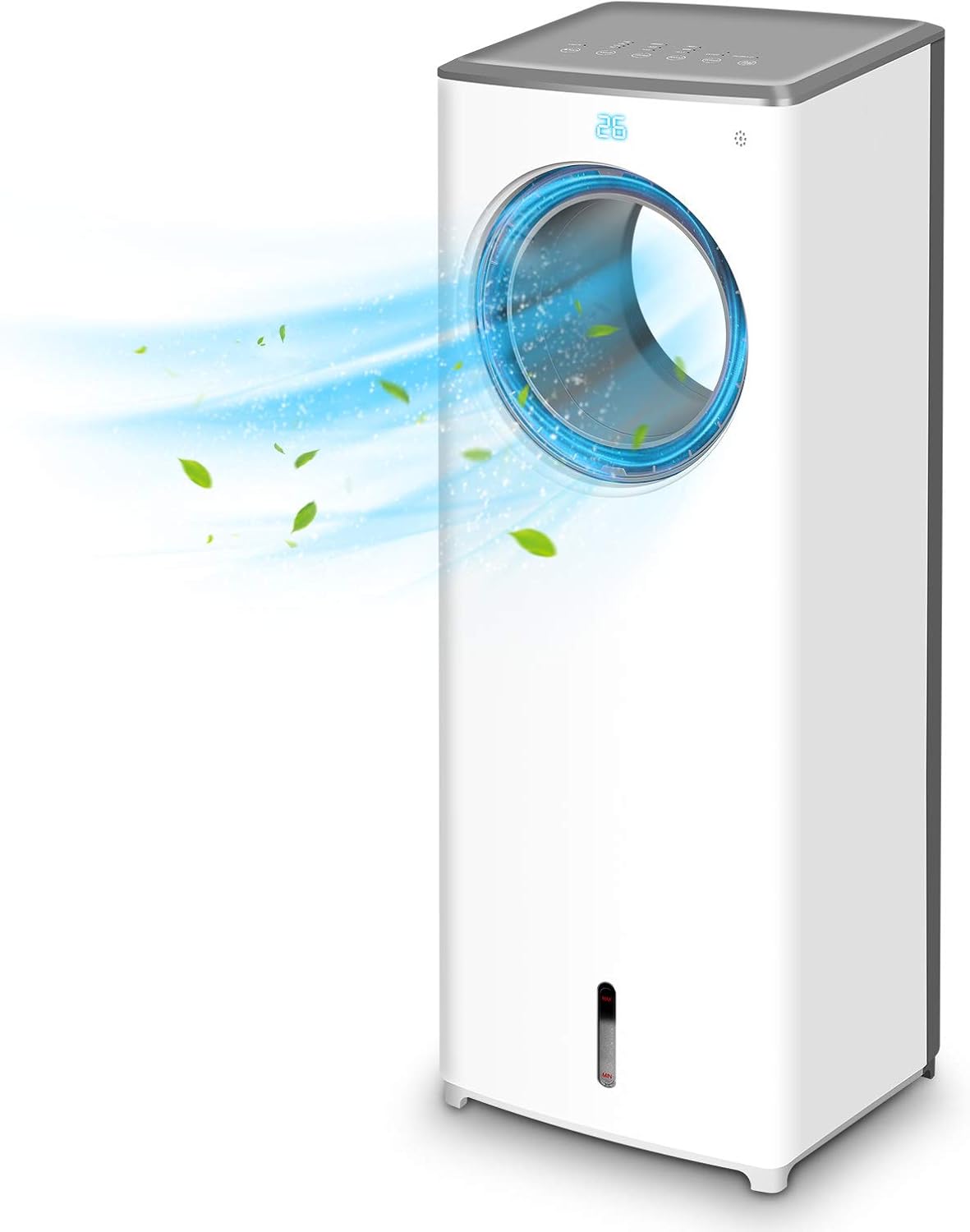
ภาพที่ 1.1: ด้านหน้า view of the TRUSTECH Evaporative Air Cooler, showcasing its sleek design and air outlet.
2. คำแนะนำด้านความปลอดภัย
- อ่านคำแนะนำทั้งหมดก่อนใช้เครื่องใช้ไฟฟ้า
- อย่าใช้งานเครื่องด้วยสายไฟหรือปลั๊กที่ชำรุด
- ตรวจสอบให้แน่ใจว่าวางเครื่องไว้บนพื้นผิวที่มั่นคงและระดับเพื่อป้องกันการพลิกคว่ำ
- ห้ามปิดกั้นช่องรับหรือช่องระบายอากาศ
- Unplug the unit before cleaning, refilling water, or performing any maintenance.
- Keep out of reach of children and pets. The bladeless design enhances safety, but supervision is always recommended.
- Do not use in excessively humid environments or near water sources to avoid electrical hazards.

Image 2.1: The bladeless design of the air cooler, highlighting its safety features for households with children and pets.
3. การติดตั้งและการประกอบ
- การแกะกล่อง: นำเครื่องทำความเย็นออกจากบรรจุภัณฑ์อย่างระมัดระวัง เก็บรักษาบรรจุภัณฑ์ไว้สำหรับการจัดเก็บหรือขนส่งในอนาคต
- การจัดวาง: Position the unit on a firm, level surface away from direct sunlight and heat sources. Ensure there is adequate space around the unit for proper airflow.
- การเติมน้ำในถัง:
- หาตำแหน่งถังเก็บน้ำที่อยู่ด้านล่างของตัวเครื่อง
- ดึงถังน้ำออกมาอย่างเบามือ
- Fill the tank with clean, cool water. Do not exceed the 'MAX' fill line.
- For enhanced cooling, place the included ice crystal boxes (after freezing) or ice cubes into the water tank.
- เลื่อนถังน้ำกลับเข้าไปในเครื่องอย่างระมัดระวังจนกระทั่งล็อคเข้าที่
- การเชื่อมต่อไฟฟ้า: เสียบสายไฟเข้ากับเต้ารับไฟฟ้ามาตรฐาน

Image 3.1: Illustration of the water tank and the process of adding ice cubes or ice crystal boxes for cooling and humidification.
4. คู่มือการใช้งาน
สามารถควบคุมเครื่องทำความเย็นอากาศได้โดยใช้แผงควบคุมที่ด้านบนของเครื่องหรือรีโมทคอนโทรลที่ให้มา
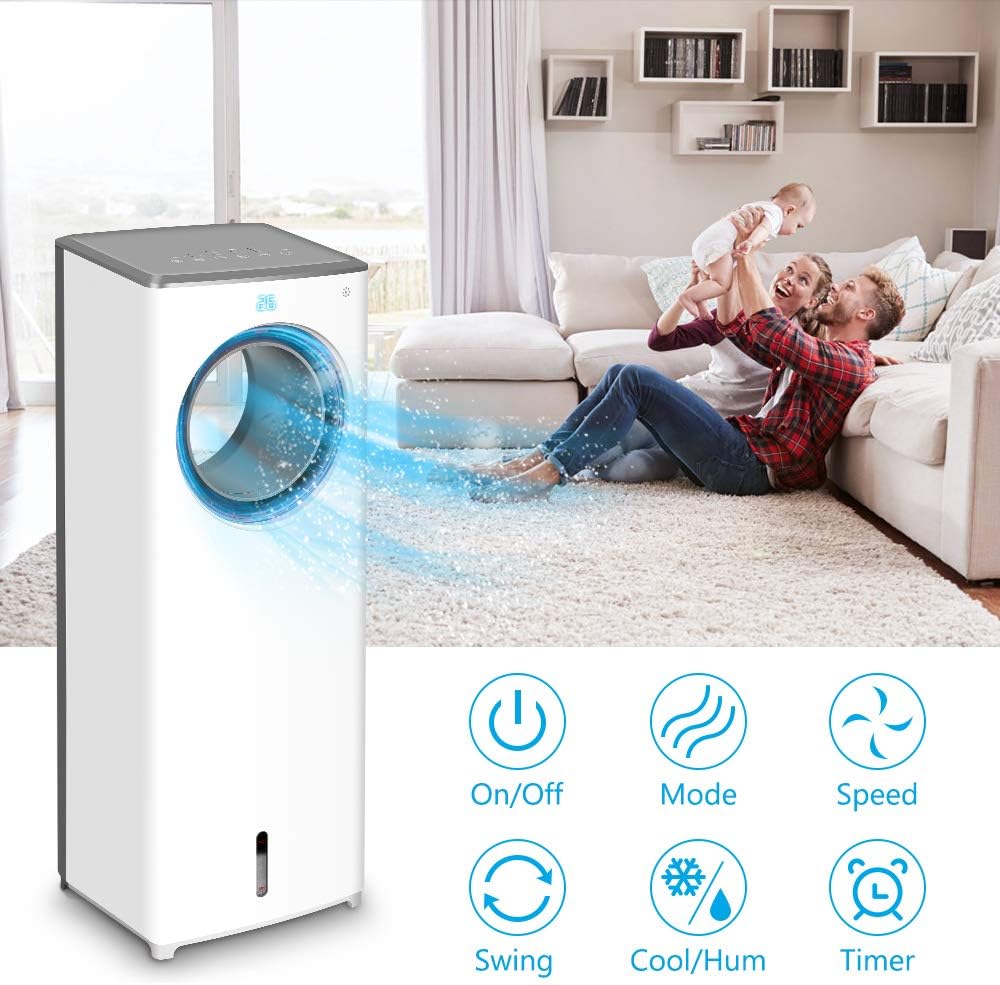
ภาพที่ 4.1: จบแล้วview of the control panel buttons and remote control functions, including On/Off, Mode, Speed, Swing, Cool/Humidify, and Timer.
- เปิด/ปิดเครื่อง: กดปุ่ม พลัง ปุ่มเพื่อเปิดหรือปิดเครื่อง
- ความเร็วพัดลม: กดปุ่ม ความเร็ว button repeatedly to cycle through Low, Mid, and High fan speeds.
- โหมดการทำงาน: กดปุ่ม โหมด button to select from three distinct airflow patterns:
- โหมดปกติ: ช่วยให้การไหลเวียนของอากาศสม่ำเสมอ
- โหมดธรรมชาติ: จำลองลมธรรมชาติด้วยความเร็วพัดลมที่หลากหลาย
- โหมดสลีป: Operates at a lower speed and noise level for quiet operation during rest.

Image 4.2: Visual representation of the three available wind modes: Normal, Nature, and Sleep, illustrating their different airflow characteristics.
- การแกว่ง (การแกว่ง): กดปุ่ม แกว่ง button to activate or deactivate the 90-degree oscillation feature, distributing air across a wider area.

Image 4.3: The air cooler demonstrating its 90-degree oscillation feature for comprehensive air distribution.
- Cool/Humidify Function: กดปุ่ม ทำความเย็น/เพิ่มความชื้น button to activate the evaporative cooling and humidification function. Ensure the water tank is filled for this feature to operate effectively.
- ตัวจับเวลา: กดปุ่ม ตัวจับเวลา button to set the automatic shut-off timer for up to 8 hours. Each press increases the timer setting.

Image 4.4: The 8-hour adjustable timer feature, promoting energy efficiency and convenience for extended use.
5. การบำรุงรักษา
การทำความสะอาดและบำรุงรักษาอย่างสม่ำเสมอจะช่วยให้เครื่องปรับอากาศของคุณทำงานได้อย่างมีประสิทธิภาพสูงสุดและมีอายุการใช้งานยาวนานขึ้น
- ก่อนการทำความสะอาด: ควรดึงปลั๊กเครื่องออกจากเต้าเสียบไฟทุกครั้งก่อนทำความสะอาดหรือบำรุงรักษา
- การทำความสะอาดถังเก็บน้ำ:
- ถอดถังน้ำออกจากเครื่อง
- เทน้ำที่เหลือออกให้หมด
- Clean the tank with a mild detergent and warm water. Rinse thoroughly to remove all soap residue.
- It is recommended to clean the water tank every 3 days to prevent odor and bacterial growth.
- Cleaning the Cooling Pad/Filter:
- Refer to the product diagram to locate and carefully remove the cooling pad/filter from the rear of the unit.
- Rinse the cooling pad/filter under running water to remove dust and debris. Do not use harsh chemicals.
- Allow the cooling pad/filter to air dry completely before reinserting it into the unit.
- การทำความสะอาดภายนอก: เช็ดพื้นผิวภายนอกของเครื่องด้วยผ้านุ่มๆamp ผ้า ห้ามใช้สารทำความสะอาดที่มีฤทธิ์กัดกร่อนหรือตัวทำละลาย
- พื้นที่จัดเก็บ: If storing the unit for an extended period, ensure the water tank and cooling pad are clean and dry. Store the unit in a cool, dry place.
6 การแก้ไขปัญหา
| ปัญหา | สาเหตุที่เป็นไปได้ | สารละลาย |
|---|---|---|
| เครื่องไม่เปิด | ไม่มีแหล่งจ่ายไฟ; สายไฟเสียบไม่แน่น | Check power outlet and ensure the power cord is firmly connected. |
| No cool air or humidification. | Water tank is empty; cooling pad is dry; Cool/Humidify function not activated. | Fill the water tank; ensure the cooling pad is moist; activate the Cool/Humidify function. |
| มีกลิ่นไม่พึงประสงค์ออกมาจากตัวเครื่อง | Stagnant water or dirty cooling pad/water tank. | Clean the water tank and cooling pad thoroughly. Replace water regularly. |
| น้ำรั่ว. | Water tank not properly seated; obstruction in water tank (e.g., packaging material). | Ensure the water tank is correctly inserted. Check for and remove any foreign objects from the tank. |
| รีโมทคอนโทรลไม่ทำงาน | Batteries are dead or incorrectly inserted; remote not pointed at receiver. | Replace batteries with new ones, ensuring correct polarity. Point the remote directly at the unit's receiver. |
7. ข้อมูลจำเพาะ
| คุณสมบัติ | รายละเอียด |
|---|---|
| แบบอย่าง | B085RBZ1P |
| ยี่ห้อ | ทรัสเทค |
| น้ำหนักสินค้า | 14.17 ปอนด์ |
| ขนาดสินค้า | ลึก 10.2 นิ้ว x กว้าง 8.7 นิ้ว x สูง 28.7 นิ้ว |
| แหล่งพลังงาน | สายไฟ |
| ประเภทการติดตั้ง | พกพาได้ |
| คุณสมบัติพิเศษ | Bladeless, Portable, Humidifier |
| จำนวนความเร็ว | 3 |
| การสั่น | 90 องศา |
| ตัวจับเวลา | ปรับเวลาได้ 1-8 ชั่วโมง |
8. การรับประกันและการสนับสนุน
For information regarding product warranty, technical support, or service inquiries, please refer to the warranty card included with your product packaging or visit the official TRUSTECH website. Contact details for customer support are typically provided in these resources.