
DinoFire Q78-CS-US
DinoFire Wireless Controller for Switch/Switch Lite User Manual
Model: Q78-CS-US
การแนะนำ
This manual provides comprehensive instructions for the DinoFire Wireless Controller, designed for use with Nintendo Switch and Switch Lite consoles. Please read this manual carefully before using the product to ensure proper operation and longevity.

รูปที่ 1 : ด้านหน้า view of the DinoFire Wireless Controller. This image displays the controller's layout, including joysticks, D-pad, action buttons (A, B, X, Y), shoulder buttons, and central function buttons.
การตั้งค่า
ความเข้ากันได้
The DinoFire Wireless Controller is compatible with Nintendo Switch and Nintendo Switch Lite consoles. It is not compatible with Android/iOS devices, Gear VR Oculus, Super Mario Party, or Just Dance games.
การจับคู่เบื้องต้น
To pair the controller with your Nintendo Switch/Switch Lite console:
- โปรดตรวจสอบให้แน่ใจว่าเครื่อง Nintendo Switch ของคุณเปิดอยู่และอัปเดตเป็นเวอร์ชันระบบล่าสุดแล้ว
- จากเมนู HOME เลือก ตัวควบคุม, แล้ว เปลี่ยนกริป/สั่งซื้อ.
- Press and hold the SYNC button on the top of the controller for a few seconds until the player LEDs begin to flash.
- เมื่อจับคู่เสร็จแล้ว ไฟ LED แสดงสถานะผู้เล่นบนคอนโทรลเลอร์จะสว่างขึ้นอย่างต่อเนื่อง
Note: This controller cannot wake up your Switch Console from sleep mode.

Figure 2: Illustration of the wireless connection capability of the controller, showing ease of connection to Nintendo Switch/Switch Lite via Bluetooth.
คำแนะนำการใช้งาน
การปรับการสั่นสะเทือน
The controller features three levels of vibration feedback: strong, medium, and weak. To adjust the vibration intensity:
- กดปุ่ม L, ZL, R, และ ZR buttons simultaneously until the controller vibrates. Each simultaneous press will cycle through the vibration levels.
To turn off vibration on the Switch console:
- นำทางไปที่ การตั้งค่าระบบ > ตัวควบคุมและเซ็นเซอร์ > Controller Vibration Off.

Figure 3: Visual representation of the three vibration feedback levels (strong, medium, weak) provided by the built-in dual motors, enhancing gaming immersion.
ฟังก์ชันเทอร์โบ
The Turbo function allows for rapid, continuous input of a button press. There are three Turbo speeds: 4 shoots/s, 8 shoots/s, and 16 shoots/s.
การเปิดใช้งานเทอร์โบ:
- กดปุ่ม เทอร์โบ button and any of the ก/ข/ค/ย buttons simultaneously to enable the Turbo function for that specific button. Repeat the action to disable.
การปรับความเร็วเทอร์โบ:
- To increase speed: Press the เทอร์โบ ปุ่มและ Up direction button simultaneously.
- To decelerate speed: Press the เทอร์โบ ปุ่มและ ลง direction button simultaneously.

Figure 4: Diagram illustrating the three available Turbo speeds (4, 8, 16 shoots/s) and how to activate the Turbo function by pressing the Turbo button with an action button.
การควบคุมการเคลื่อนไหว
The controller incorporates a built-in 6-Axis Gyro, enabling sensitive motion control for an immersive gaming experience. This allows for precise and quick responses to movement, direction control, and vision adjustment within compatible games.
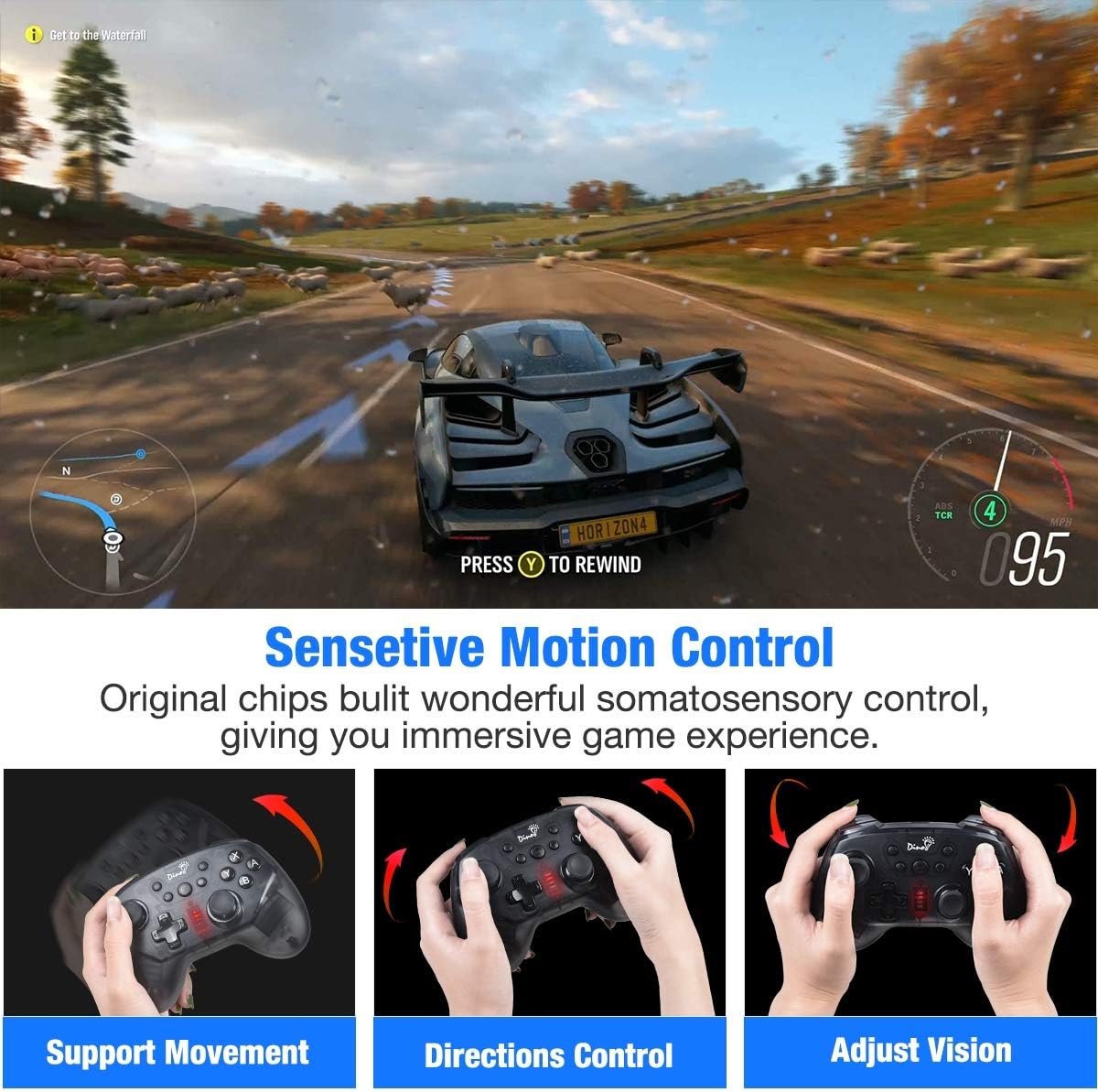
รูปที่ 5: อดีตamples of sensitive motion control in action, demonstrating support for movement, direction control, and vision adjustment within a game environment.
Joystick and Trigger Functionality
The controller features 360-degree rotatable dual joysticks for precise and smooth movement, and responsive triggers designed for faster input, which can be crucial in fast-paced games.
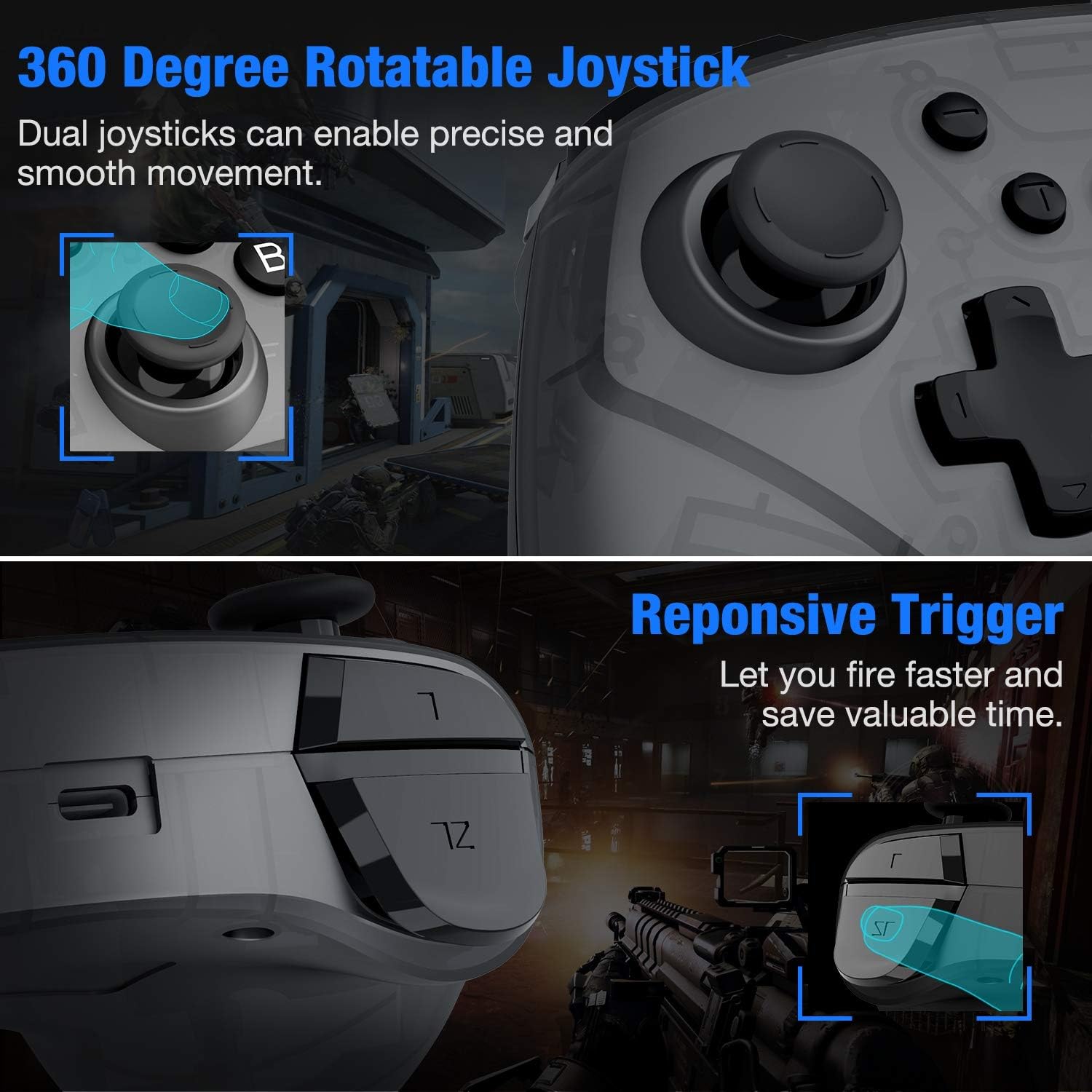
รูปที่ 6: ระยะใกล้ view highlighting the 360-degree rotatable joysticks for precise control and the responsive triggers for quick action in games.
แบตเตอรี่และการชาร์จ
The controller is equipped with a built-in 600mAh rechargeable battery, providing approximately 15-18 hours of continuous gameplay on a full charge. Charging time is typically 2-3 hours.
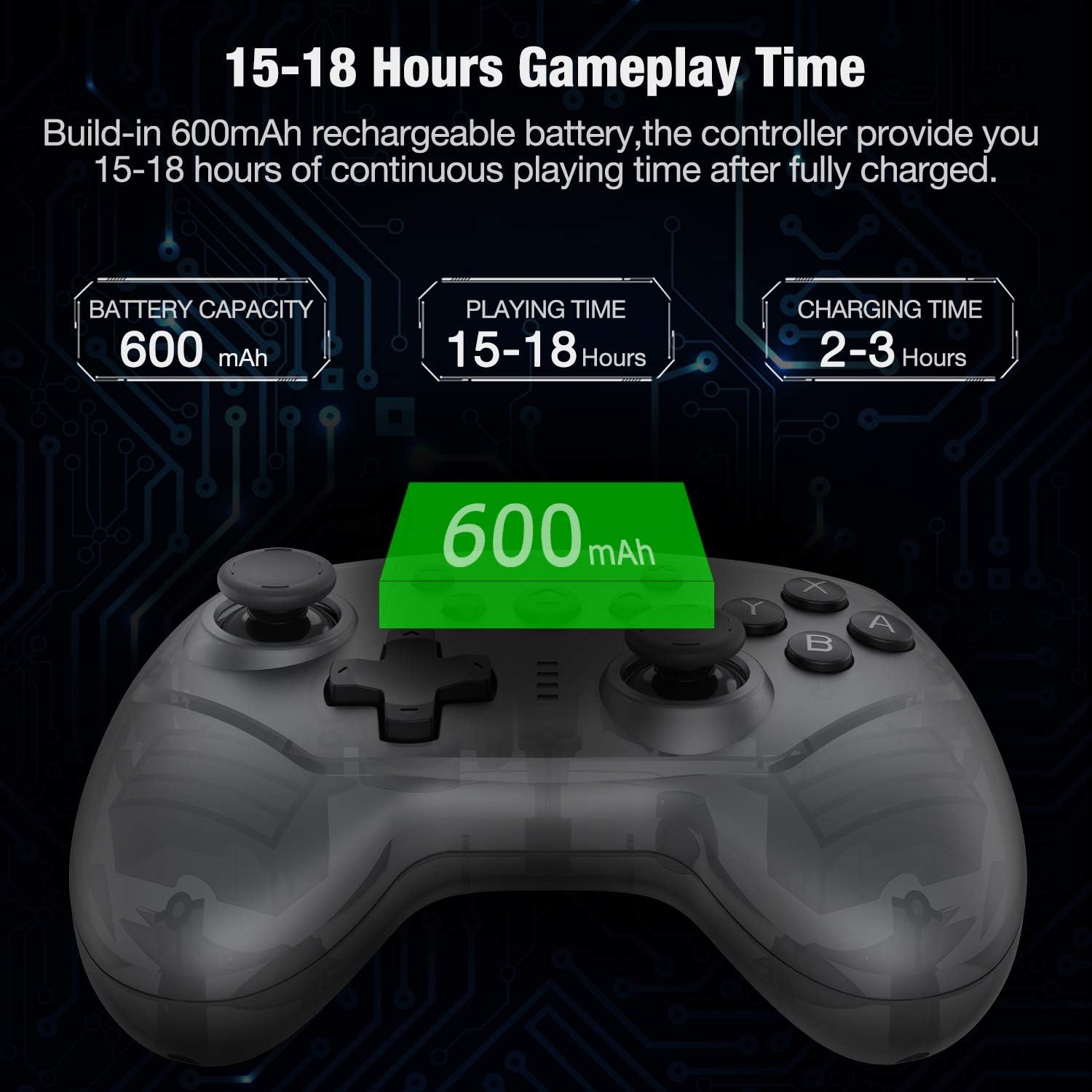
Figure 7: Information graphic detailing the 600mAh battery capacity, 15-18 hours of playing time, and 2-3 hours of charging time for the controller.
การซ่อมบำรุง
- Do not drop the controller from a height.
- Please keep the controller in a dry place to prevent damage from moisture.
- ควรหลีกเลี่ยงการวางตัวควบคุมไว้ในที่ที่มีอุณหภูมิสูงหรือต่ำเกินไป
- ทำความสะอาดคอนโทรลเลอร์ด้วยผ้านุ่มและแห้ง ห้ามใช้สารเคมีรุนแรงหรือวัสดุที่มีฤทธิ์กัดกร่อน
การแก้ไขปัญหา
- Problem: Controller not pairing with the newest Switch console version.
สารละลาย: If the controller cannot pair with the newest version of the Switch console, please visit the official website to obtain the latest upgrade firmware. The official webเว็บไซต์นี้เป็น www.beboncool.com/upgrade.
- Problem: Controller not working with certain games or devices.
สารละลาย: This controller is specifically designed for Nintendo Switch and Switch Lite. It is not compatible with Android/iOS devices, Gear VR Oculus, Super Mario Party, or Just Dance games. Please ensure you are using it with a compatible system and game.
- Problem: Controller cannot wake up the Switch console.
สารละลาย: This controller does not support the "wake up console" function. You will need to manually wake up your Switch console before connecting the controller.
ข้อมูลจำเพาะ
| ยี่ห้อ | ไดโนไฟร์ |
| หมายเลขรุ่น | Q78-CS-US |
| ASIN | B085L98SZC |
| ความเข้ากันได้ | นินเทนโดสวิตช์, นินเทนโดสวิตช์ไลต์ |
| ช่วงสาย | ภายในระยะ 10 เมตร |
| ความจุของแบตเตอรี่ | 600mAh |
| เวลาเล่น | 15-18 ชั่วโมง (โดยประมาณ) |
| เวลาในการชาร์จ | 2-3 ชั่วโมง (โดยประมาณ) |
| ขนาด | 25.5 x 16 x 6.71 ซม. |
| น้ำหนัก | 308 กรัม |
สนับสนุน
For any problems encountered while using the product, please seek assistance through Amazon mail or refer to the email address provided on the support card included with your purchase.
For the latest firmware upgrades, please visit the official webเว็บไซต์: www.beboncool.com/upgrade.
Ask a question about this manual
Ask about setup, troubleshooting, compatibility, parts, safety, or missing instructions. Manuals+ will review the question and use this page’s manual context to help answer it.