
1. บทนำ
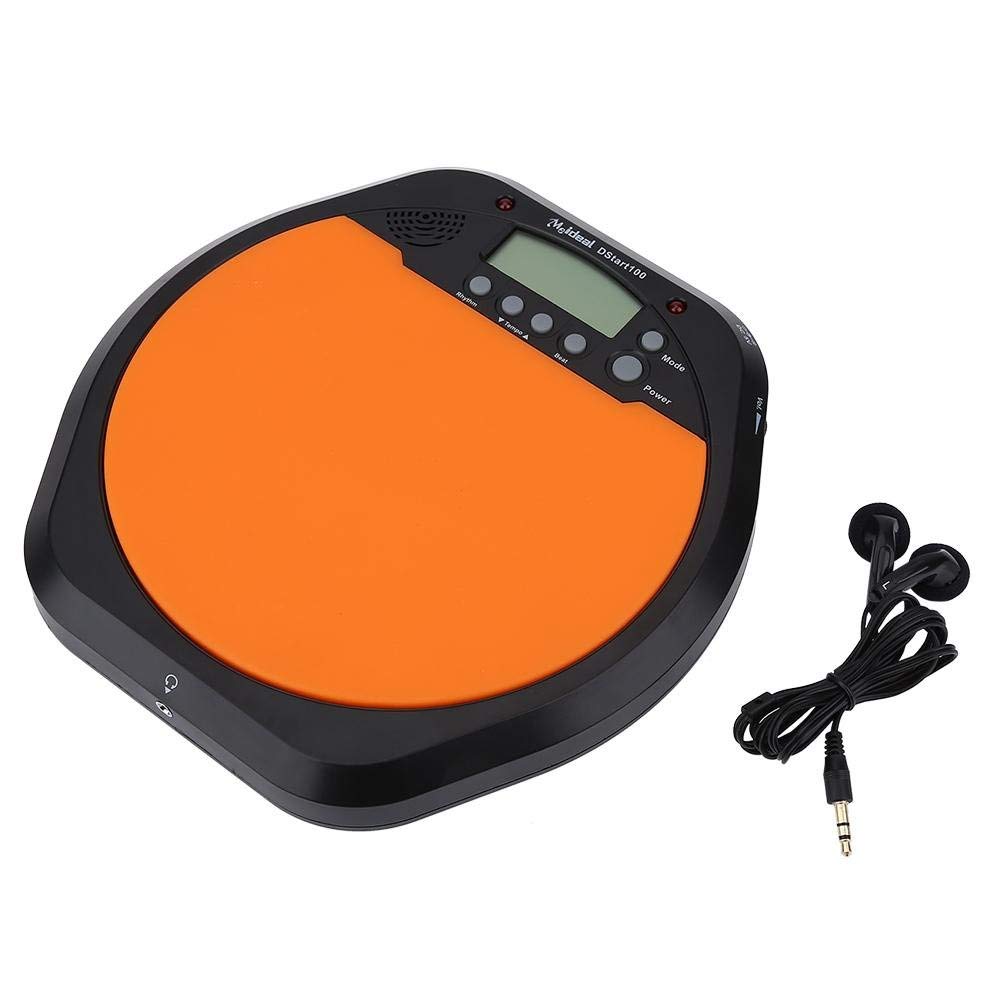
Thank you for choosing the Alomejor Digital Drum Metronome Practice Pad. This device is designed to assist drummers and musicians in developing precise rhythm and tempo. It features a digital LCD screen, multiple practice modes, and an earphone jack for private practice sessions. Please read this manual thoroughly before using the product to ensure proper operation and longevity.
เนื้อหาแพ็คเกจ:
- 1 x Digital Drum Metronome Practice Pad
- 1 x หูฟัง
- (2 x AAA batteries not included)
2. คุณสมบัติของผลิตภัณฑ์
- การออกแบบแบบหลายฟังก์ชั่น: Offers various modes for comprehensive rhythm training.
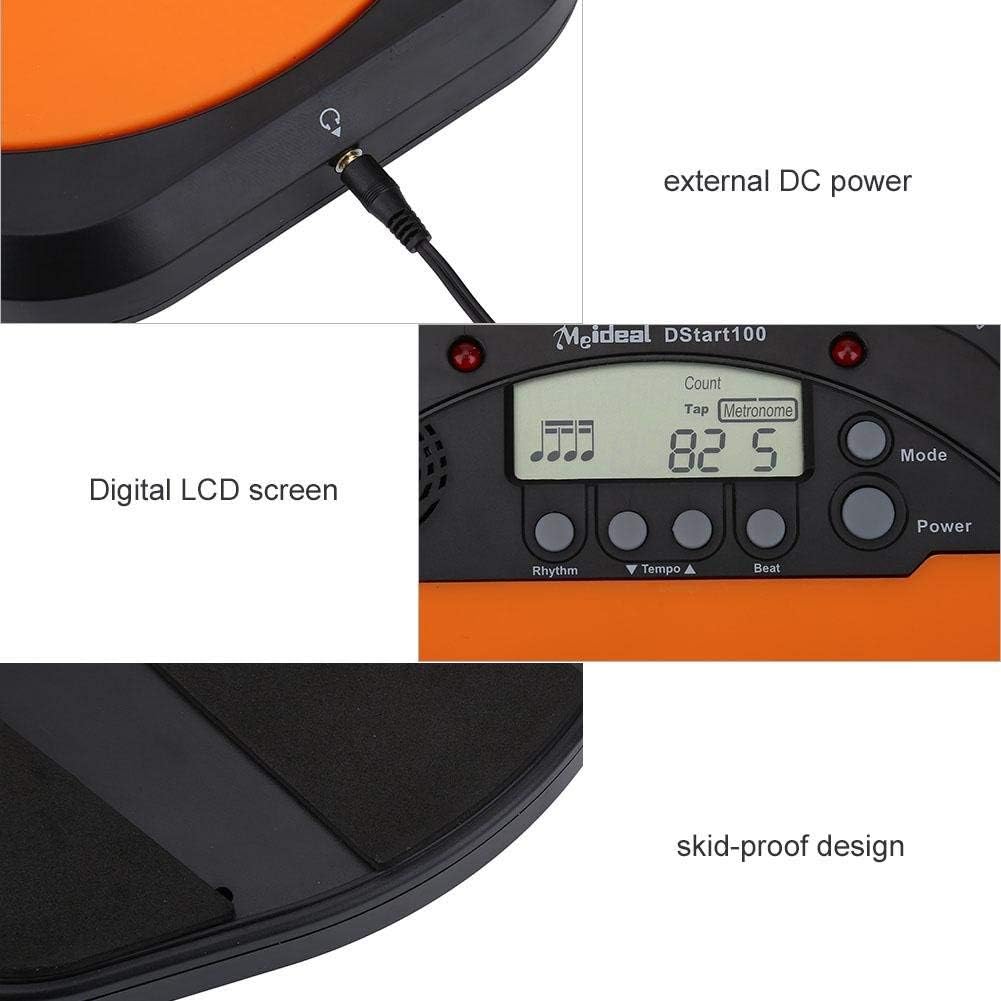
- หน้าจอ LCD ดิจิตอล: Provides clear visual feedback for tempo, rhythm, and count.
- แตะฟังก์ชัน: Allows users to test and set their ideal tempo or match a song's tempo.
- Realistic Drum Feel: Engineered to provide a responsive surface similar to a real drum.
- แจ็คหูฟัง: Enables silent practice, ideal for use in various environments without disturbing others.
- External DC Power Option: Supports external power supply for extended use (adapter not included).
- โครงสร้างทนทาน: Features anti-shock and anti-slip design for stability and longevity.


3. การตั้งค่า
3.1 การติดตั้งแบตเตอรี่
- Locate the battery compartment on the underside of the practice pad.
- เปิดฝาช่องใส่แบตเตอรี่
- ใส่แบตเตอรี่ AAA สอง (2) ก้อน โดยตรวจสอบให้แน่ใจว่าขั้วถูกต้อง (+/-)
- ปิดฝาช่องใส่แบตเตอรี่ให้แน่น

3.2 การเชื่อมต่อสายไฟ
- พลังงานแบตเตอรี่: เมื่อติดตั้งแบตเตอรี่แล้ว อุปกรณ์ก็พร้อมใช้งานได้ทันที
- External DC Power (Optional): For continuous use, connect a compatible DC power adapter (not included) to the external DC power port located on the side of the unit.

3.3 ช่องเสียบหูฟัง
To practice silently, plug the included earphone into the 3.5mm headphone jack located on the side of the practice pad.

4. คู่มือการใช้งาน
4.1 เปิด/ปิดเครื่อง
- กดปุ่ม พลัง ปุ่มเพื่อเปิดเครื่อง
- กดปุ่มค้างไว้ พลัง ปุ่มเพื่อปิดเครื่อง
การเลือกโหมด 4.2
กดปุ่ม โหมด button to cycle through the available practice modes:
- โหมดเมโทรโนม: Provides a steady click for tempo practice.
- Tapping Mode: Allows you to tap a rhythm, and the device will display the calculated tempo.
- โหมดการนับ: Helps in practicing specific counts or measures.

4.3 Adjusting Tempo and Rhythm
- ใช้ Tempo ▲ และ Tempo ▼ buttons to increase or decrease the metronome's tempo (BPM).
- ใช้ จังหวะ button to change the rhythm pattern.
- ใช้ ตี button to adjust the beat subdivision.
The LCD screen will display the current tempo, rhythm, and beat settings.
5. การบำรุงรักษา
- การทำความสะอาด: Wipe the surface of the practice pad with a soft, dry cloth. Do not use abrasive cleaners or solvents.
- พื้นที่จัดเก็บ: เก็บอุปกรณ์ไว้ในที่แห้งและเย็น หลีกเลี่ยงแสงแดดโดยตรงและอุณหภูมิที่สูงหรือต่ำเกินไป
- การดูแลแบตเตอรี่ ถอดแบตเตอรี่ออกหากจะไม่ได้ใช้งานอุปกรณ์เป็นเวลานานเพื่อป้องกันการรั่วไหล
- หลีกเลี่ยงผลกระทบ: While designed to be shockproof, avoid dropping the device or subjecting it to strong impacts.
6 การแก้ไขปัญหา
| ปัญหา | สาเหตุที่เป็นไปได้ | สารละลาย |
|---|---|---|
| อุปกรณ์ไม่เปิดเครื่อง |
|
|
| ไม่มีเสียงออกจากลำโพง/หูฟัง |
|
|
| Tap function is inaccurate. |
|
|
7. ข้อมูลจำเพาะ
| ยี่ห้อ | อาโลเมฮอร์ |
| หมายเลขรุ่น | Alomejorrxzdnhs6e2 |
| สี | สีดำ/สีส้ม |
| วัสดุ | พลาสติก |
| ขนาด (โดยประมาณ) | 207 x 206 x 29 มม. (8.15 x 8.11 x 1.14 นิ้ว) |
| น้ำหนัก (โดยประมาณ) | 496 กรัม (1.1 ปอนด์) |
| Tempo Range | 30-280 บีพีเอ็ม |
| แหล่งจ่ายไฟ | 2 x AAA batteries (not included) or external DC power (adapter not included) |
8. การรับประกันและการสนับสนุน
Alomejor products are designed for quality and performance. While specific warranty details are not provided in this manual, please refer to your purchase documentation or contact the retailer for information regarding warranty coverage and customer support.
For any issues or inquiries, please contact Alomejor customer service through the platform where you purchased the product.