
1. บทนำ
Hygiena UltraSnap is a user-friendly, all-in-one ATP sampling test designed for use with Hygiena luminometers. This pen-sized sample collection device is engineered for ease of use, compact size, and environmental responsibility. UltraSnap utilizes a unique liquid-stable reagent, which provides superior accuracy, extended signal strength, and highly reproducible results for biological contamination testing. UltraSnap Swabs are manufactured in the United States.
2. คุณสมบัติของผลิตภัณฑ์
- Scientific Cleaning Verification: This UltraSnap ATP surface test is a core component of the cleaning verification solution, working in conjunction with the EnSURE Monitoring System to deliver enhanced repeatability, linearity, and accuracy compared to other ATP systems.
- ความสะดวกในการใช้งาน: The performance of the ATP test device begins with efficient sample collection. Pre-moistened swabs assist in breaking down biofilms and improving sample collection. The three-step process for collecting a sample, activating the device, and mixing the sample is straightforward and accessible for all users.
- Snap-Valve Technology: Patented Snap-Valve technology ensures that the collected sample remains securely on the swab during activation. This design prevents sample loss, which can occur with competitor swabs where the sample surface must break through foil to reach the chemistry.
- กำจัดง่าย: The devices are constructed from recyclable plastic, allowing for appropriate disposal. This contributes to reducing landfill waste. UltraSnap is widely used in various sectors including bakeries, fruit and vegetable processors, restaurants, fast food chains, cruise ships, dairy product facilities, caterers, hotels, and cleaning companies.
- การออกแบบที่เหมาะสมที่สุด: Competitor swabs typically have twice as many parts as Hygiena swabs. Fewer components in the device lead to reduced potential for error and lower raw material costs. This allergen test kit has broad application in bakeries, restaurants, supermarkets, and more.
3 ส่วนประกอบ
Each box contains 25 Hygiena UltraSnap Surface ATP Test Devices.


4. การตั้งค่า
4.1 การเตรียมตัว
- Ensure you have a compatible Hygiena luminometer (e.g., EnSURE Monitoring System) ready for use.
- Remove an UltraSnap device from its packaging just prior to testing.
- Ensure the test surface or sample area is accessible and prepared for swabbing.
5. คู่มือการใช้งาน
5.1 วินาทีampเลอ คอลเลคชั่น
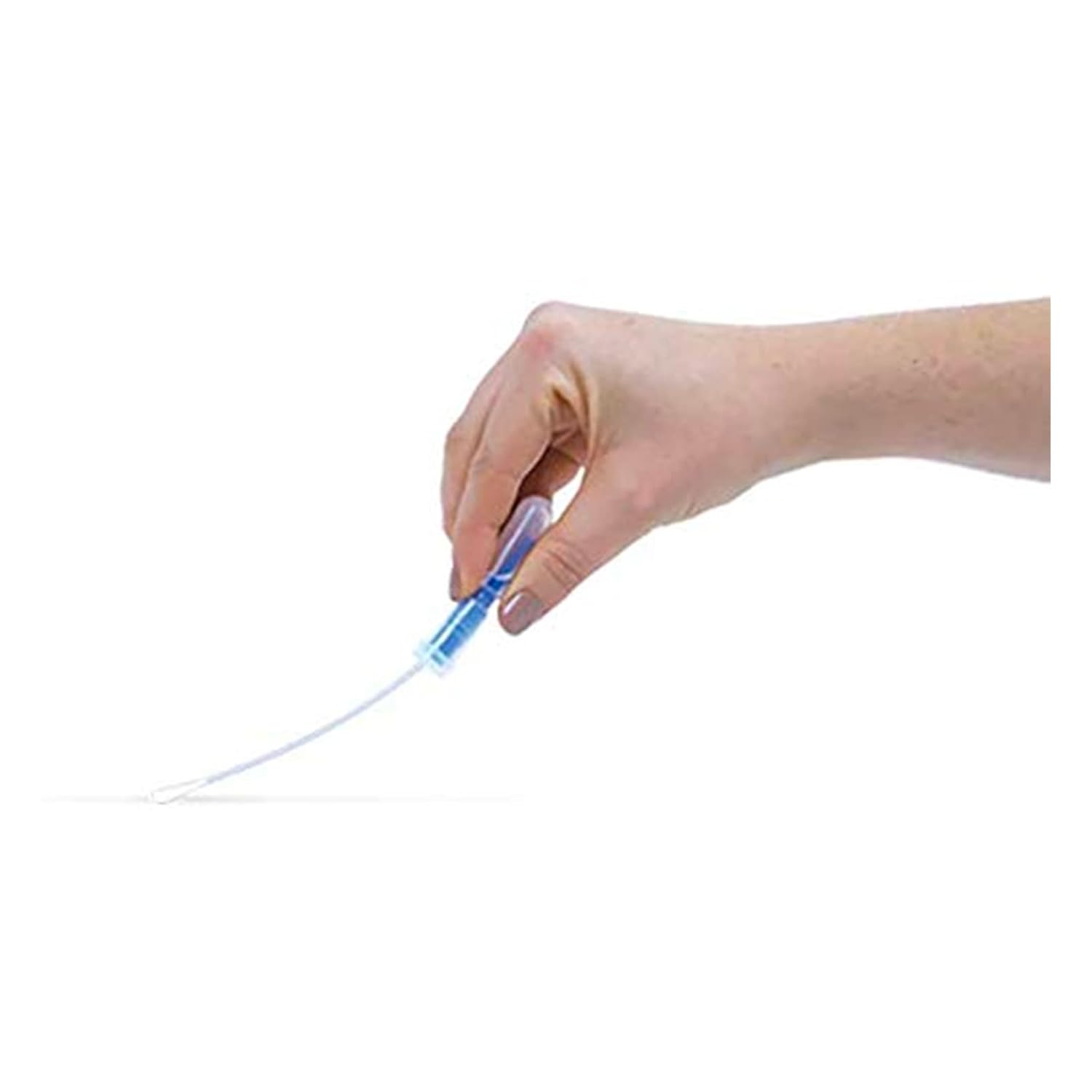
Hold the UltraSnap device by the cap. Bend the tube to break the Snap-Valve and allow the pre-moistened swab to extend. Swab the desired surface area thoroughly. For best results, swab a 10x10 cm (4x4 inch) area. For irregular surfaces, ensure adequate contact with the swab.

5.2 การเปิดใช้งานอุปกรณ์
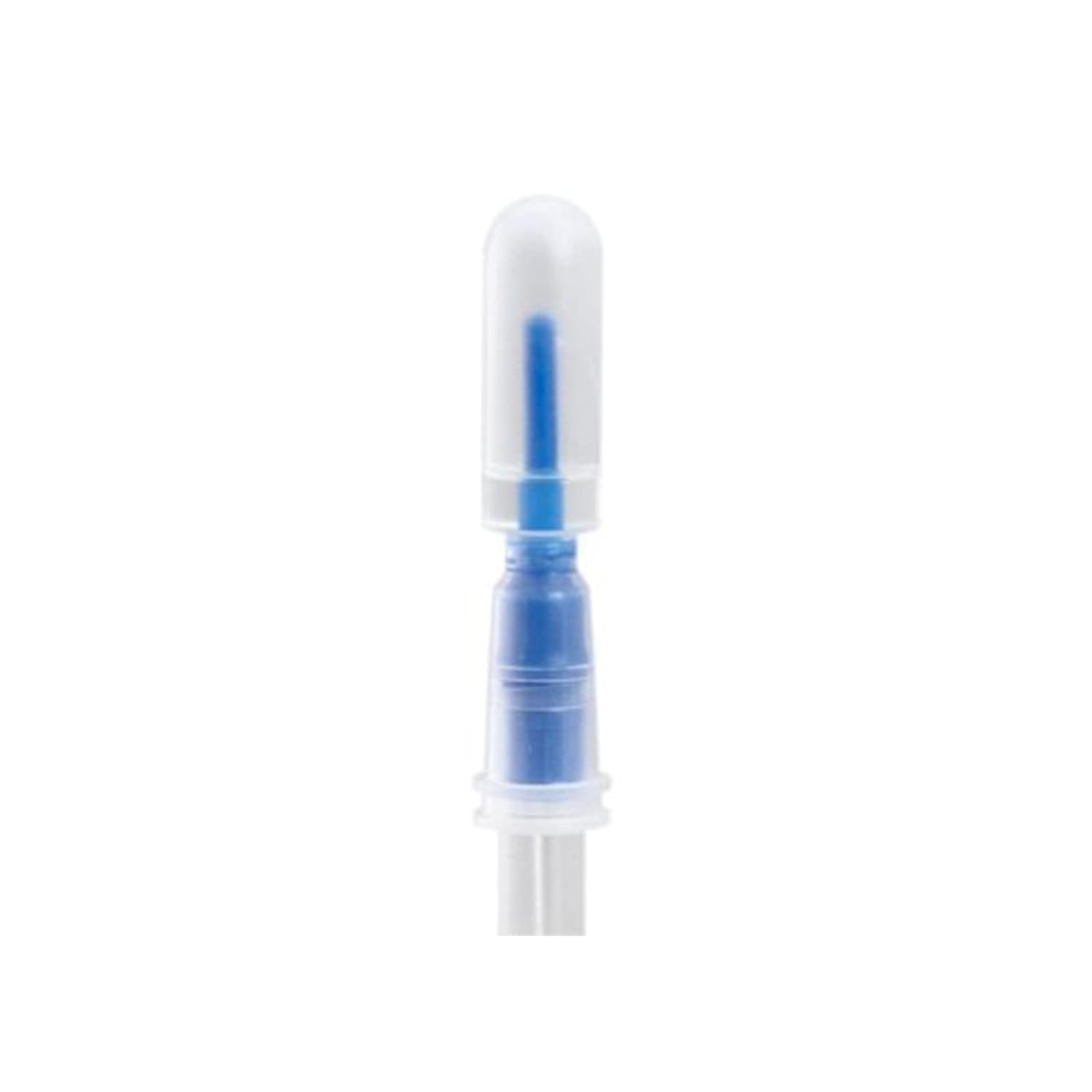
After swabbing, return the swab to the tube. Hold the device upright and firmly push the top of the swab down until the Snap-Valve breaks, releasing the liquid reagent into the swab chamber. Squeeze the bulb at the bottom of the device to mix the sample with the reagent. Shake the device gently for 5 seconds to ensure complete mixing.
5.3 ผลการอ่าน
Immediately insert the activated UltraSnap device into your Hygiena luminometer. Follow the luminometer's instructions to initiate the test and obtain the ATP reading. Refer to your luminometer's manual for interpretation of results and action limits.
6. การบำรุงรักษา
The UltraSnap devices are single-use and require no maintenance. Ensure your Hygiena luminometer is regularly calibrated and maintained according to its specific user manual to ensure accurate readings.
7. การจัดเก็บและการจัดการ
- Store UltraSnap devices in their original packaging at the recommended temperature (typically 2-8°C or 36-46°F, refer to product packaging for exact range).
- Protect from light and moisture.
- Do not use devices past their expiration date.
- Allow devices to reach room temperature before use for optimal performance.
8. การกำจัด
Used UltraSnap devices are made of recyclable plastic and should be discarded according to local regulations for laboratory waste. Consult your facility's waste management protocols for proper disposal procedures.
9 การแก้ไขปัญหา
This section addresses common issues that may arise during the use of UltraSnap devices. For issues related to your luminometer, please consult its specific user manual.
| ปัญหา | สาเหตุที่เป็นไปได้ | สารละลาย |
|---|---|---|
| Low or inconsistent readings | Insufficient swabbing technique; expired or improperly stored device; luminometer calibration issue. | Ensure thorough swabbing of the target area; check device expiration date and storage conditions; calibrate luminometer as per its manual. |
| No reading or error message on luminometer | Device not properly activated; luminometer malfunction; device not inserted correctly. | Ensure Snap-Valve is fully broken and reagent is mixed; refer to luminometer manual for error codes; re-insert device firmly. |
| Swab appears dry or discolored | Device expired or compromised packaging. | Do not use; discard and use a new device. |
10. ข้อมูลจำเพาะ
| คุณลักษณะ | รายละเอียด |
|---|---|
| หมายเลขรุ่นสินค้า | US2020-25PK |
| ยี่ห้อ | สุขอนามัย |
| ประเภทสินค้า | Surface ATP Test Devices |
| จำนวนต่อกล่อง | 25 |
| ความเข้ากันได้ | Hygiena Luminometers (e.g., EnSURE Monitoring System) |
| เทคโนโลยีที่สำคัญ | Liquid-stable reagent, Snap-Valve technology |
| สถานที่ผลิต | สหรัฐอเมริกา |
11. วิดีโอผลิตภัณฑ์อย่างเป็นทางการ
Watch this official video from Bio Shield Tech for an overview of their products, including Hygiena ATP testing solutions.
12. การรับประกันและการสนับสนุน
For information regarding product warranty, technical support, or further assistance, please contact Hygiena customer service or refer to the official Hygiena website. Contact details are typically available on the product packaging or the manufacturer's official online resources.