
1. บทนำ
Thank you for choosing the ZACO V5x Robot Vacuum Cleaner and Mop. This intelligent 2-in-1 cleaning robot is designed to simplify your daily cleaning tasks, providing efficient vacuuming and mopping for hard floors and tiles. Please read this manual thoroughly before using the device to ensure proper operation, maintenance, and to maximize its lifespan.
The ZACO V5x features automatic charging, app control (ZACO Home), voice control compatibility with Alexa and Google Assistant, and multiple cleaning modes. Its slim design allows it to clean under furniture, and its infrared sensors help navigate around obstacles.
2. สินค้าหมดview
2.1 เนื้อหาบรรจุภัณฑ์
ตรวจสอบให้แน่ใจว่าสิ่งของทั้งหมดครบถ้วนและอยู่ในสภาพดี:
- ZACO V5x Robot Vacuum Cleaner
- แท่นชาร์จ
- อะแดปเตอร์แปลงไฟ
- รีโมทคอนโทรล (รวมแบตเตอรี่)
- Dustbin (300ml, pre-installed)
- ถังเก็บน้ำ (300มล.)
- Microfiber Mop Cloths (2)
- แปรงด้านข้าง (2 คู่)
- ตัวกรองประสิทธิภาพสูง
- เครื่องมือทำความสะอาด
- คู่มือการใช้งาน

Image: The ZACO V5x robot vacuum cleaner with all its included accessories laid out, such as the charging station, remote control, water tank, mop cloths, and cleaning tools.
2.2 ส่วนประกอบของหุ่นยนต์
Familiarize yourself with the main parts of your ZACO V5x:
- แผงด้านบน: Features the "CLEAN" button, Wi-Fi indicator, and dustbin release.
- กันชนหน้า: Equipped with anti-collision sensors.
- แปรงด้านข้าง: Two rotating brushes for sweeping debris into the suction path.
- Main Wheel: Drives the robot.
- หน้าสัมผัสการชาร์จ: Located on the bottom, for docking with the charging station.
- ถังขยะ/ถังน้ำ: Interchangeable modules for vacuuming or mopping.
- เซ็นเซอร์อินฟราเรด: Detect obstacles and stairs.

ภาพ: รายละเอียด view of the ZACO V5x robot vacuum cleaner from above, showcasing its sleek design, along with its remote control, water tank, and a smartphone displaying the ZACO Home app interface.
3. การตั้งค่า
3.1 การวางตำแหน่งแท่นชาร์จ
Place the charging dock against a wall in an open, uncluttered area. Ensure there is at least 1 meter (3 feet) of clear space on both sides and 2 meters (6 feet) in front of the dock for optimal navigation and docking.
- เชื่อมต่ออะแดปเตอร์ไฟฟ้าเข้ากับแท่นชาร์จและเสียบเข้ากับเต้ารับที่ผนัง
- Ensure the power indicator on the dock is lit.

Image: The ZACO V5x robot vacuum cleaner is shown automatically docking with its charging station, highlighting its self-charging capability.
3.2 ค่าบริการเริ่มต้น
Before first use, fully charge the robot. You can place the robot directly on the charging dock, ensuring the charging contacts align. The indicator lights on the robot will show charging status.
- การชาร์จเต็มจะใช้เวลาประมาณ 4-5 ชั่วโมง
- Once fully charged, the indicator lights will turn solid.

Image: The ZACO V5x robot vacuum cleaner is shown charging at its dock, with an overlay indicating its 120-minute operating time and power specifications (22W, 2400mAh).
3.3 การติดตั้งแปรงด้านข้าง
Attach the side brushes by pressing them onto the square posts on the bottom of the robot until they click into place. Ensure the L and R markings on the brushes match the corresponding markings on the robot.
3.4 การเชื่อมต่อแอป (ไม่บังคับ แต่แนะนำ)
Download the "ZACO Home" app from your smartphone's app store. Follow the in-app instructions to connect your ZACO V5x to your home Wi-Fi network. This enables advanced features like scheduling, cleaning mode selection, and remote control.

Image: A smartphone screen showing the ZACO Home app's scheduling interface, with icons for Alexa and Google Assistant, indicating smart home compatibility.
4. คู่มือการใช้งาน
4.1 การเริ่มรอบการทำความสะอาด
คุณสามารถเริ่มรอบการทำความสะอาดได้หลายวิธี:
- บนหุ่นยนต์: Press the "CLEAN" button on the top of the robot.
- รีโมทคอนโทรล: กดปุ่ม "CLEAN" บนรีโมทคอนโทรล
- ZACO Home App: Use the app to initiate cleaning.
The robot will automatically return to its charging dock when the battery is low or when the cleaning cycle is complete.
โหมดทำความสะอาด 4.2 โหมด
The ZACO V5x offers four unique cleaning modes:
- ทำความสะอาดอัตโนมัติ: The robot cleans automatically, adjusting its path based on the environment.
- การทำความสะอาดเฉพาะจุด: เน้นทำความสะอาดบริเวณที่สกปรกเฉพาะจุดโดยทำความสะอาดแบบเป็นเกลียว
- การทำความสะอาดขอบ: ทำความสะอาดตามผนังและขอบเฟอร์นิเจอร์
- การทำความสะอาดตามกำหนดเวลา: Set a specific time for the robot to start cleaning daily via the app or remote.

Image: A visual representation demonstrating the ZACO V5x's dual functionality, transitioning from vacuuming (Saugfunktion) to mopping (Wischfunktion) by swapping modules.
4.3 ฟังก์ชันถูพื้น
การใช้งานฟังก์ชันถูพื้น:
- Remove the dustbin and install the water tank.
- Fill the water tank with clean water. Do not use cleaning solutions that may clog the nozzles.
- Attach a clean microfiber mop cloth to the water tank.
- Start a cleaning cycle. The robot will automatically switch to mopping mode.
The ZACO V5x has three levels of water flow for mopping. Adjust this setting via the ZACO Home app.
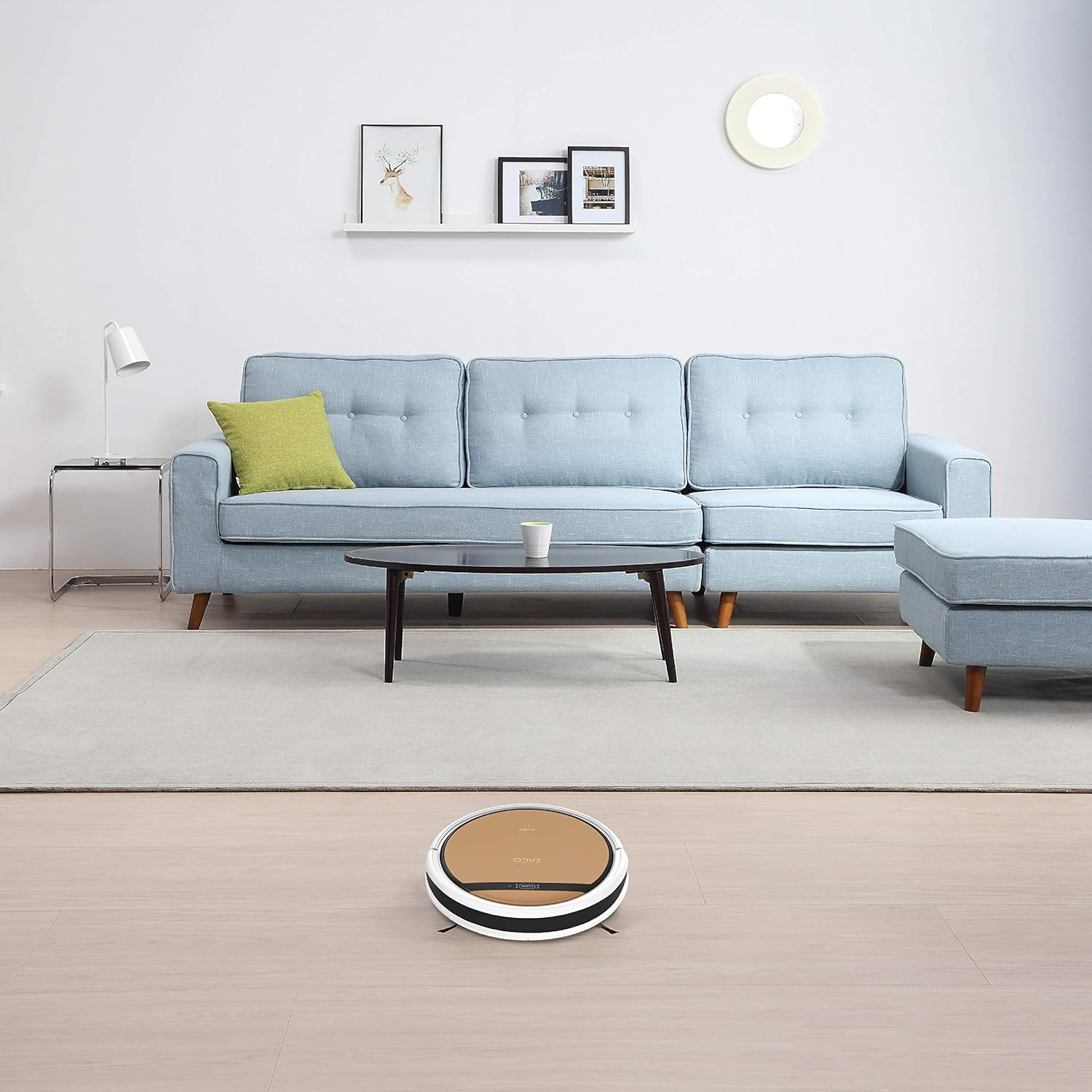
Image: The ZACO V5x robot vacuum cleaner is shown actively cleaning a light-colored hard floor in a modern living room setting, demonstrating its ability to navigate open spaces.
5. การบำรุงรักษา
Regular maintenance ensures optimal performance and extends the life of your ZACO V5x.
5.1 การล้างถังขยะ
Empty the dustbin after each cleaning cycle or when full. Press the "PUSH" button on the top panel to release the dustbin.

Image: A person is shown easily removing and emptying the dustbin from the ZACO V5x robot vacuum cleaner into a waste bin, illustrating simple maintenance.
5.2 การทำความสะอาดตัวกรอง
Tap off excess dirt from the high-efficiency filter after each use. Replace the filter every 1-3 months, depending on usage.
5.3 การทำความสะอาดแปรงด้านข้าง
Check and clean the side brushes regularly. Remove any tangled hair or debris. Replace brushes if they are worn or damaged (typically every 3-6 months).
5.4 การทำความสะอาดถังเก็บน้ำและผ้าถูพื้น
After mopping, empty any remaining water from the tank and rinse it thoroughly. Wash the microfiber mop cloth by hand or machine and let it air dry.
5.5 การทำความสะอาดเซ็นเซอร์และหน้าสัมผัสการชาร์จ
Wipe the infrared sensors and charging contacts on both the robot and the charging dock with a clean, dry cloth periodically to ensure proper function.
6 การแก้ไขปัญหา
| ปัญหา | สาเหตุที่เป็นไปได้ | สารละลาย |
|---|---|---|
| หุ่นยนต์ไม่เปิด | แบตเตอรี่ต่ำ สวิตช์ไฟปิด | ชาร์จหุ่นยนต์ ตรวจสอบให้แน่ใจว่าสวิตช์ไฟเปิดอยู่ |
| หุ่นยนต์ไม่สามารถค้นหาแท่นชาร์จได้ | Dock is obstructed; Dock is unplugged. | Clear area around dock; Plug in the dock. |
| ประสิทธิภาพการทำความสะอาดไม่ดี | ถังเก็บฝุ่นเต็ม; ตัวกรองอุดตัน; แปรงสึกหรอ | เทถังฝุ่น; ทำความสะอาด/เปลี่ยนแผ่นกรอง; ทำความสะอาด/เปลี่ยนแปรงปัดฝุ่น |
| หุ่นยนต์ติดขัดบ่อยครั้ง | มีสิ่งกีดขวางมากเกินไป เซ็นเซอร์สกปรก | Clear floor area; Clean sensors. |
| ฟังก์ชั่นถูพื้นไม่ทำงาน | Empty water tank; Clogged water nozzles. | Fill water tank; Clean water nozzles. |
7. ข้อมูลจำเพาะ
| คุณสมบัติ | รายละเอียด |
|---|---|
| แบบอย่าง | เวอร์ชัน 5x |
| ยี่ห้อ | ซาโก้ |
| ขนาด (กว้าง x ยาว x สูง) | 33 x 33 x 8.1 ซม. (13 x 13 x 3.2 นิ้ว) |
| น้ำหนัก | 2.5 กก. (5.5 ปอนด์) |
| ความจุของถังขยะ | 300 มล. |
| ความจุถังน้ำ | 300 มล. |
| ประเภทแบตเตอรี่ | ลิเธียมไออน |
| อายุการใช้งานแบตเตอรี่ (รันไทม์) | สูงสุด 120 นาที |
| เวลาในการชาร์จ | ประมาณ 4-5 ชั่วโมง |
| ระดับเสียง | 65 เดซิเบล |
| พลัง | 22 วัตต์ |
| เล่มที่tage | 14.4 โวลต์ |
| การเชื่อมต่อ | Wi-Fi, App Control (ZACO Home), Alexa, Google Assistant |
| คุณสมบัติพิเศษ | Automatic Docking, Anti-drop, Anti-collision, Programmable, Pet Hair Pickup, Cordless, Bagless |
8. การรับประกันและการสนับสนุน
The ZACO V5x comes with a standard manufacturer's warranty. Please refer to your purchase documentation for specific warranty terms and duration. Spare parts availability is stated as 2 years.
For technical support, troubleshooting assistance, or warranty claims, please contact ZACO customer service through their official webไซต์หรือข้อมูลการติดต่อที่ให้ไว้ในบรรจุภัณฑ์ผลิตภัณฑ์ของคุณ
แหล่งข้อมูลออนไลน์:
- Official ZACO Webเว็บไซต์: www.zaco.eu (อดีตamp(ลิงก์ต้นฉบับอาจแตกต่างกันไป)
- ZACO Home App Support: Check your app store for updates and support sections.