
SVS SB-2000PRO-PIANOGLOSS
คู่มือผู้ใช้ซับวูฟเฟอร์แบบปิด SVS SB-2000 Pro ควบคุมด้วย DSP ขนาด 12 นิ้ว
Model: SB-2000PRO-PIANOGLOSS | Brand: SVS
การแนะนำ

Image: The SVS SB-2000 Pro subwoofer, showcasing its sleek Piano Gloss Black finish and front-firing 12-inch driver.
The SVS SB-2000 Pro DSP Controlled 12" Sealed Subwoofer is engineered to deliver reference-level deep bass extension and powerful output with exceptional musicality. This model features a Sledge STA-550D DSP amplifier and a newly designed 12-inch high-excursion SVS driver, all housed within an optimized sealed cabinet. It is designed to integrate seamlessly into both audiophile music systems and home theater surround sound setups, providing precise and impactful low-frequency performance.
This manual provides essential information for setting up, operating, maintaining, and troubleshooting your SB-2000 Pro subwoofer. Please read it thoroughly before use to ensure optimal performance and longevity of your product.
การตั้งค่า
1. การแกะกล่อง
Carefully remove the subwoofer from its packaging. Inspect the unit for any signs of damage during transit. Retain the original packaging for future transport or service needs.
2 การวาง
The SVS SB-2000 Pro is designed as a floor-standing subwoofer. Optimal placement can significantly impact bass performance. Consider the following:
- ตำแหน่งมุม: โดยทั่วไปแล้วจะให้ผลลัพธ์ที่ดีที่สุด แต่บางครั้งอาจทำให้เสียงเบสบวมเกินไป
- ตำแหน่งจัดวางด้านหน้าห้อง: Near the front speakers, often results in the best blend with the main speakers.
- การติดตั้งบริเวณกลางผนัง: สามารถให้ผลลัพธ์ที่สมดุลระหว่างปริมาณงานและความแม่นยำได้ดี
- ซับวูฟเฟอร์หลายตัว: If using more than one subwoofer, strategic placement can smooth out bass response across the listening area.
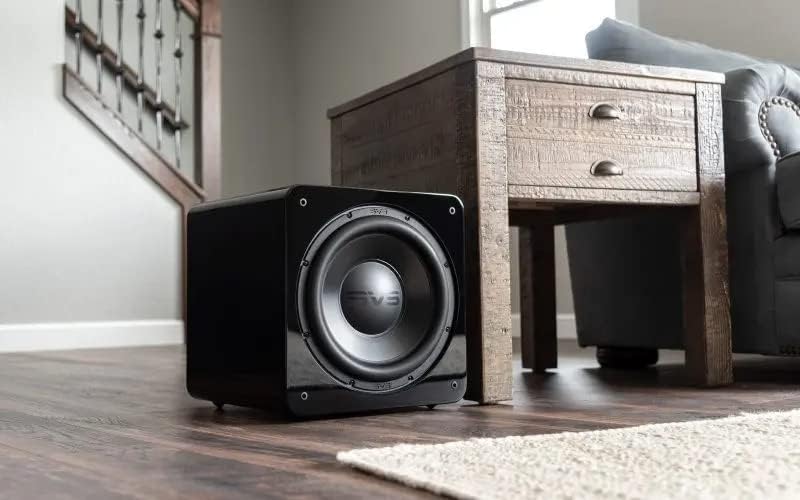
Image: The SVS SB-2000 Pro subwoofer positioned in a typical home environment, demonstrating its compact size and aesthetic integration.
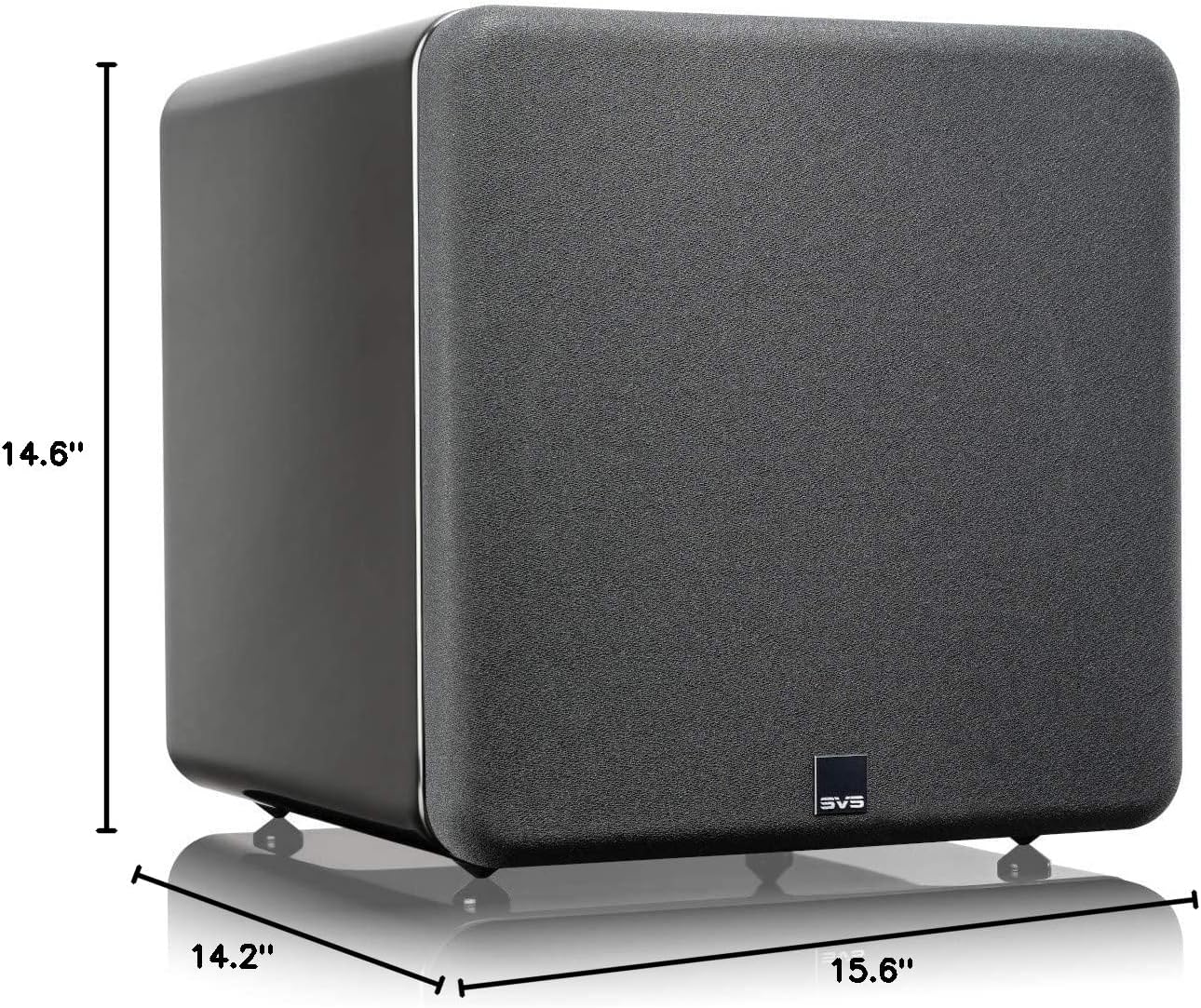
Image: Detailed dimensions of the SVS SB-2000 Pro subwoofer, indicating its compact form factor suitable for various room placements.
3. การเชื่อมต่อ
The SB-2000 Pro connects to your audio system via wired RCA connections. Ensure your receiver or pre-processor has a dedicated Subwoofer/LFE output.
- Power Off All Equipment: Before making any connections, ensure your receiver/amplifier and the subwoofer are powered off.
- Connect LFE Cable: Connect a single RCA cable from the LFE output of your AV receiver/pre-processor to the LFE input on the SB-2000 Pro. For stereo systems, use both left and right RCA inputs.
- สายไฟ: Connect the provided power cable to the subwoofer's power inlet and then to a grounded AC outlet.

Image: The rear panel of the SVS SB-2000 Pro, highlighting the RCA input/output ports, power switch, and various control options for connectivity.
4. เปิดเครื่องครั้งแรก
Once all connections are secure, switch on the power to your AV receiver/pre-processor first, then turn on the SVS SB-2000 Pro subwoofer using the power switch on the rear panel. The subwoofer will enter standby mode if no audio signal is detected for a period.
การดำเนินงาน
1. SVS Subwoofer DSP Smartphone App
The SVS SB-2000 Pro features advanced control via the SVS subwoofer DSP smartphone app, available for Apple, Android, and Amazon devices. This app connects via Bluetooth and offers comprehensive control over your subwoofer's settings.
- การควบคุมระดับเสียง: Adjust the output level of the subwoofer.
- กรองผ่านต่ำ: ตั้งค่าความถี่ครอสโอเวอร์เพื่อให้เสียงซับวูฟเฟอร์ผสมผสานกับลำโพงหลักของคุณ
- การควบคุมเฟส: Adjust the phase to ensure bass waves from the subwoofer align with those from your main speakers.
- ขั้ว: Invert the electrical polarity of the subwoofer's output.
- อีควอไลเซอร์แบบพาราเมตริก (PEQ): ปรับแต่งการตอบสนองความถี่อย่างละเอียดเพื่อชดเชยเสียงสะท้อนภายในห้อง
- ค่าชดเชยกำไรจากห้องพัก: ปรับระดับเสียงเบสที่ดังเกินไปในห้องขนาดเล็ก
- ผู้ใช้ที่ตั้งไว้ล่วงหน้า: Save custom settings for different listening modes (e.g., Music, Movies, Gaming).
- การตั้งค่าระบบ: Access auto standby, factory reset, and other system configurations.
Download the SVS app from your device's app store and follow the in-app instructions to connect to your SB-2000 Pro.
2. การทำงานพื้นฐาน
After initial setup and configuration via the app, the subwoofer will typically operate automatically. It will power on when an audio signal is detected and enter standby when no signal is present for a period. You can manually power the unit on or off using the rear panel switch if desired.
การซ่อมบำรุง
1. การทำความสะอาด
To clean the cabinet of your SVS SB-2000 Pro, use a soft, lint-free cloth. For piano gloss finishes, a microfiber cloth is recommended to avoid scratches. Do not use abrasive cleaners, solvents, or harsh chemicals, as these can damage the finish.
2. การดูแลและการจัดการ
- ควรหลีกเลี่ยงการวางซับวูฟเฟอร์ไว้ในที่ที่มีแสงแดดส่องโดยตรง หรือใกล้แหล่งความร้อน
- จัดให้มีการระบายอากาศโดยรอบอย่างเพียงพอ ampแผ่นลิเนียร์
- Do not place objects on top of the subwoofer that could block ventilation or scratch the finish.
- If moving the subwoofer, lift it carefully and avoid dragging it to prevent damage to the feet or cabinet.
การแก้ไขปัญหา
| ปัญหา | สาเหตุที่เป็นไปได้ | สารละลาย |
|---|---|---|
| ไม่มีเสียงจากซับวูฟเฟอร์ |
|
|
| เสียงเบสผิดเพี้ยนหรือดังเกินไป |
|
|
| Subwoofer Not Responding to App |
|
|
For more detailed troubleshooting or persistent issues, please refer to the SVS webเข้าชมเว็บไซต์หรือติดต่อฝ่ายบริการลูกค้าของ SVS
ข้อมูลจำเพาะ
| คุณสมบัติ | รายละเอียด |
|---|---|
| ชื่อรุ่น | SB-2000 โปร |
| ประเภทลำโพง | ซับวูฟเฟอร์ |
| ประเภทการติดตั้ง | ชั้นยืน |
| เส้นผ่านศูนย์กลางซับวูฟเฟอร์ | 12 นิ้ว |
| Continuous (RMS) Power | 550 วัตต์ |
| พลังสูงสุด | 1500 วัตต์ |
| การตอบสนองความถี่ | 19Hz ถึง 240Hz (±3dB) |
| ขนาดสินค้า (ลึก x กว้าง x สูง) | 14.2" x 15.6" x 14.6" |
| น้ำหนักสินค้า | 47.1 ปอนด์ |
| ประเภทตัวควบคุม | การควบคุมแอพ |
| เทคโนโลยีการเชื่อมต่อ | Wired (RCA), Bluetooth, Wi-Fi |
| สี | Piano Gloss Black |
| ผู้ผลิต | SVS |
| หมายเลขรุ่นสินค้า | SB-2000PRO-PIANOGLOSS |
| ยูพีซี | 856677007732 |
ข้อมูลการรับประกัน
The SVS SB-2000 Pro subwoofer comes with a standard manufacturer's warranty. For specific details regarding the warranty period, coverage, and terms and conditions, please refer to the official SVS webหรือบัตรรับประกันที่ให้มาพร้อมกับผลิตภัณฑ์ของคุณ โปรดเก็บหลักฐานการซื้อไว้เพื่อใช้ในการเรียกร้องการรับประกัน
สนับสนุน
For additional support, frequently asked questions (FAQs), product registration, or to contact customer service, please visit the official SVS webเว็บไซต์:
SVS is dedicated to providing excellent customer service and technical assistance to ensure you get the best experience from your subwoofer.
Ask a question about this manual
Ask about setup, troubleshooting, compatibility, parts, safety, or missing instructions. Manuals+ will review the question and use this page’s manual context to help answer it.