
การแนะนำ
This manual provides detailed instructions for the Dr Trust 505 Smart Fitness Body Fat Composition Analyzer Weighing Scale. This device is designed to accurately measure body weight and various body composition metrics, syncing data with a mobile application for comprehensive fitness tracking and health management. Please read this manual thoroughly before using the device.

Image: Dr Trust 505 Smart Fitness Body Fat Composition Analyzer Weighing Scale, showcasinด้วยการออกแบบที่เพรียวบางและจอแสดงผลแบบดิจิทัล
เนื้อหาแพ็คเกจ
ตรวจสอบว่ามีรายการทั้งหมดอยู่ในแพ็คเกจ:
- 1 x Dr Trust 505 Rechargeable Smart Scale
- 1 x USB Charging Cable (Micro USB)
- 1 x คู่มือผู้ใช้

Image: Contents of the Dr Trust 505 Smart Scale package, including the scale, USB cable, and user manual.
การตั้งค่า
1. การชาร์จครั้งแรก
The Dr Trust 505 scale is equipped with a rechargeable battery. Before first use, ensure the scale is fully charged.
- Locate the Micro USB charging port on the side of the scale.
- Connect the provided USB charging cable to the scale and to any standard USB power source (e.g., mobile charger, power bank, computer USB port).
- Allow the scale to charge until the battery indicator on the display shows full. A full charge can last for months under standard home use.
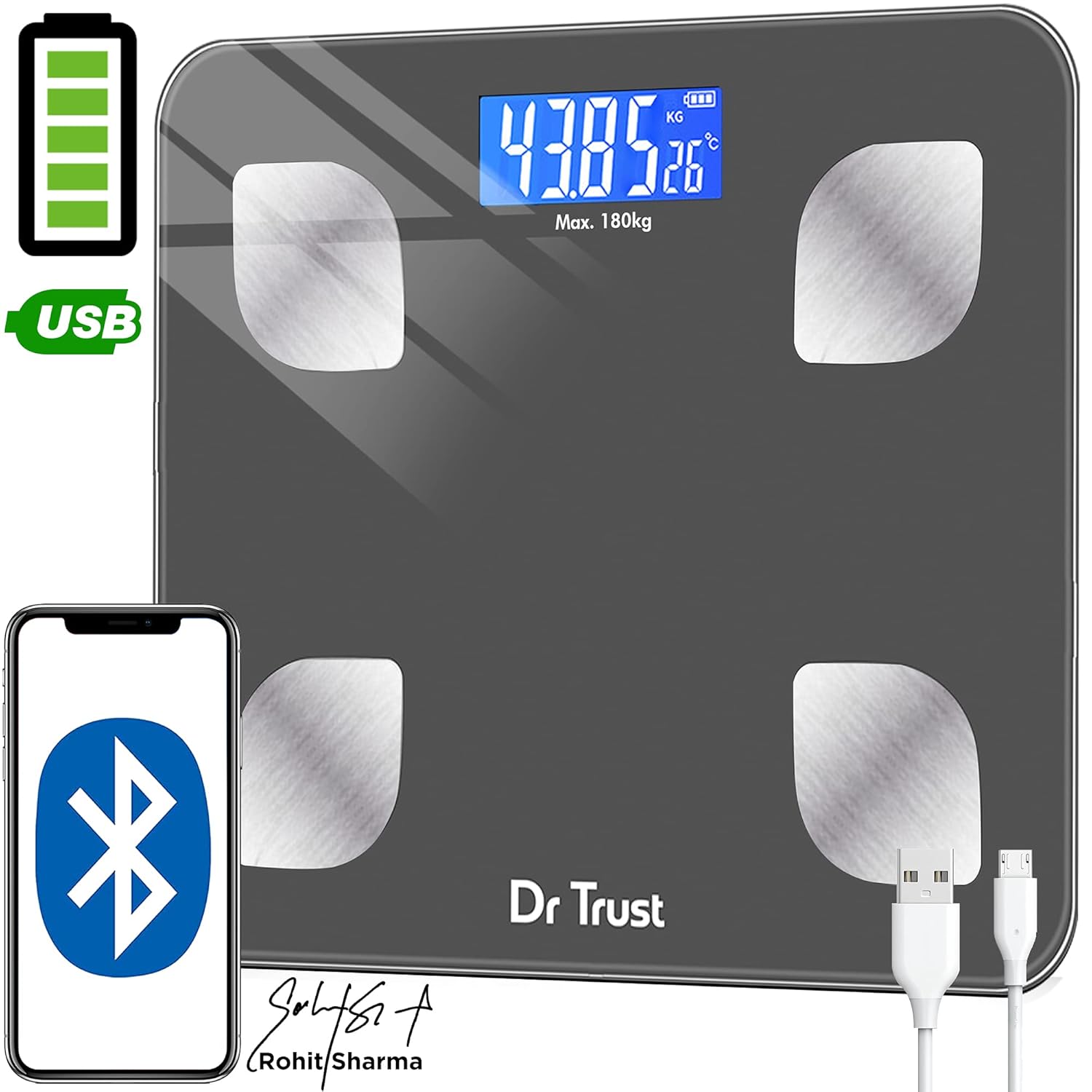
Image: Dr Trust 505 Smart Scale connected via USB cable for charging, highlighting its rechargeable feature.
2. การติดตั้งและการจับคู่แอป
To utilize the full features of the Dr Trust 505 scale, including body composition analysis and data tracking, download the companion mobile application.
- ดาวน์โหลด Dr Trust 360 แอปจาก ร้านค้า Google Play (สำหรับอุปกรณ์ Android) หรือ แอปสโตร์ของแอปเปิล (สำหรับอุปกรณ์ iOS)
- ตรวจสอบให้แน่ใจว่าได้เปิดใช้งาน Bluetooth บนสมาร์ทโฟนของคุณแล้ว
- Open the Dr Trust 360 app and create your user profile.
- ขึ้นไปยืนบนเครื่องชั่งเพื่อเปิดใช้งาน หน้าจอจะแสดงน้ำหนักของคุณ
- Follow the in-app instructions to pair your scale with the application via Bluetooth. The app will automatically detect the scale.
- Once paired, your measurements will sync automatically to your profile in the app. The app also supports integration with Apple Health and Google Fit.

Image: Screenshot of the Dr Trust 360 app interface, showing connectivity options with Google Play, Apple App Store, Apple Health, and Google Fit.
คำแนะนำการใช้งาน
1. การวัดผล
- วางเครื่องชั่งบนพื้นผิวที่แข็งและเรียบ หลีกเลี่ยงพรมหรือพื้นไม่เรียบเพื่อให้ได้ค่าที่อ่านได้แม่นยำ
- Step onto the scale barefoot. Ensure your feet are placed on the four metal electrodes for body composition analysis.
- The scale will automatically power on and display your weight. Remain still until the reading stabilizes.
- If connected to the Dr Trust 360 app, your weight and other body composition metrics will automatically sync to your profile.
2. Understanding Body Composition Metrics
The Dr Trust 505 scale, in conjunction with the Dr Trust 360 app, measures up to 16 essential body metrics:
- น้ำหนักตัว
- ดัชนีมวลกาย (BMI)
- เปอร์เซ็นต์ไขมันในร่างกายtage
- มวลกล้ามเนื้อ
- มวลกระดูก
- เปอร์เซ็นต์น้ำในร่างกายtage
- ไขมันในช่องท้อง
- ไขมันใต้ผิวหนัง
- อัตราโปรตีน
- BMR (อัตราการเผาผลาญพื้นฐาน)
- BFR (Body Fat Rate)
- น้ำหนักปราศจากไขมัน
- กล้ามเนื้อโครงร่าง
- อายุร่างกาย
- อายุการเผาผลาญ
- ระดับความอ้วน

Image: Visual representation of the 16 essential body metrics measured by the Dr Trust 505 Smart Scale and tracked in the app.
3. Multiple User Support
The Dr Trust 360 app supports up to 8 user profiles, allowing multiple family members or individuals to track their data separately on the same scale.
- Each user creates their own profile ภายในแอป
- The app intelligently recognizes users based on their weight and previous measurements.
- Data is synced to the respective user's profile, ensuring personalized tracking.

Image: Illustration showing how one Dr Trust 505 Smart Scale can be used by multiple users, with data shared via the app.
4. Changing Measurement Units
The scale allows you to switch between different weight units (e.g., kilograms, pounds). Look for a "Unit" button, usually on the underside or side of the scale, to toggle between units.

ภาพ: ระยะใกล้ view of the Dr Trust 505 Smart Scale showing the unit button, micro USB charging port, and display indicators.
การซ่อมบำรุง
1. การทำความสะอาดคราบตะกรัน
- เช็ดพื้นผิวของเกล็ดด้วยผ้าเนื้อนุ่มและแห้งamp ผ้า.
- ห้ามใช้น้ำยาทำความสะอาดที่มีฤทธิ์กัดกร่อน สารเคมีรุนแรง หรือแช่คราบตะกรันในน้ำ
- ตรวจสอบให้แน่ใจว่าเครื่องชั่งแห้งสนิทก่อนจัดเก็บหรือใช้งานครั้งต่อไป
2. การจัดเก็บ
- เก็บเครื่องชั่งไว้ในที่แห้งและเย็น
- หลีกเลี่ยงอุณหภูมิที่สูงหรือแสงแดดโดยตรง
- อย่าวางสิ่งของหนักๆ บนเครื่องชั่งเมื่อไม่ได้ใช้งาน
การแก้ไขปัญหา
| ปัญหา | สาเหตุที่เป็นไปได้ | สารละลาย |
|---|---|---|
| "Lo" ปรากฏบนหน้าจอ | แบตเตอรี่อ่อน | Recharge the scale using the provided USB cable. |
| "Err" ปรากฏบนหน้าจอ | เกิดการโอเวอร์โหลดหรือเกิดข้อผิดพลาดในการวัด | The weight exceeds the maximum capacity (180 kg). Step off the scale. If the error persists, ensure the scale is on a flat, stable surface. |
| ค่าที่วัดได้ไม่แม่นยำหรือผันผวน |
|
|
| Scale does not connect to app |
|
|
ข้อมูลจำเพาะ
- แบบอย่าง: 505 (IHJ00004)
- ยี่ห้อ: ดร.ทรัสต์
- ขนาดสินค้า : 32 x 28 x 4 ซม.
- น้ำหนักสินค้า: 1.5 กก. (1500 กรัม)
- วัสดุ: กระจกนิรภัย
- ประเภทจอภาพ: จอแอลซีดี
- ความจุน้ำหนัก: Maximum 180 Kilograms
- ความแม่นยำในการอ่านข้อมูล: 0.01 กก.
- แหล่งพลังงาน: Rechargeable Battery (USB Micro-B)
- การเชื่อมต่อ: บลูทูธ
- เซ็นเซอร์: 4 High Precision Sensors
- ประเทศต้นกำเนิด: อินเดีย
การรับประกันและการสนับสนุน
For warranty information, technical support, or service inquiries, please contact the manufacturer directly.
- ผู้ผลิต: นูเรก้า จำกัด
- ที่อยู่: B2-166, Time Square, 7th and 8th Floor, CTS No 349 and 349-1, Western Express Highway, Andheri East, Mumbai, Mumbai City, Maharashtra, 400069, India
- เบอร์ติดต่อ : 7527013265
โปรดเก็บใบเสร็จรับเงินไว้เป็นหลักฐานการซื้อสำหรับกรณีที่มีการเรียกร้องการรับประกัน