
การแนะนำ
Thank you for choosing the QCY A1 Bluetooth 5.0 Headset. This manual will guide you through the setup, operation, and maintenance of your new wireless headset. Please read these instructions carefully before use to ensure optimal performance and longevity of your device.
สินค้าเกินview
เนื้อหาแพ็คเกจ
- QCY A1 Bluetooth Headset
- แผ่นรองหูฟัง
- สายชาร์จ
- คู่มือการใช้งาน
แผนภาพชุดหูฟัง

Image: The QCY A1 Bluetooth Headset, showing the earbud, ear hook, and main body with control buttons.
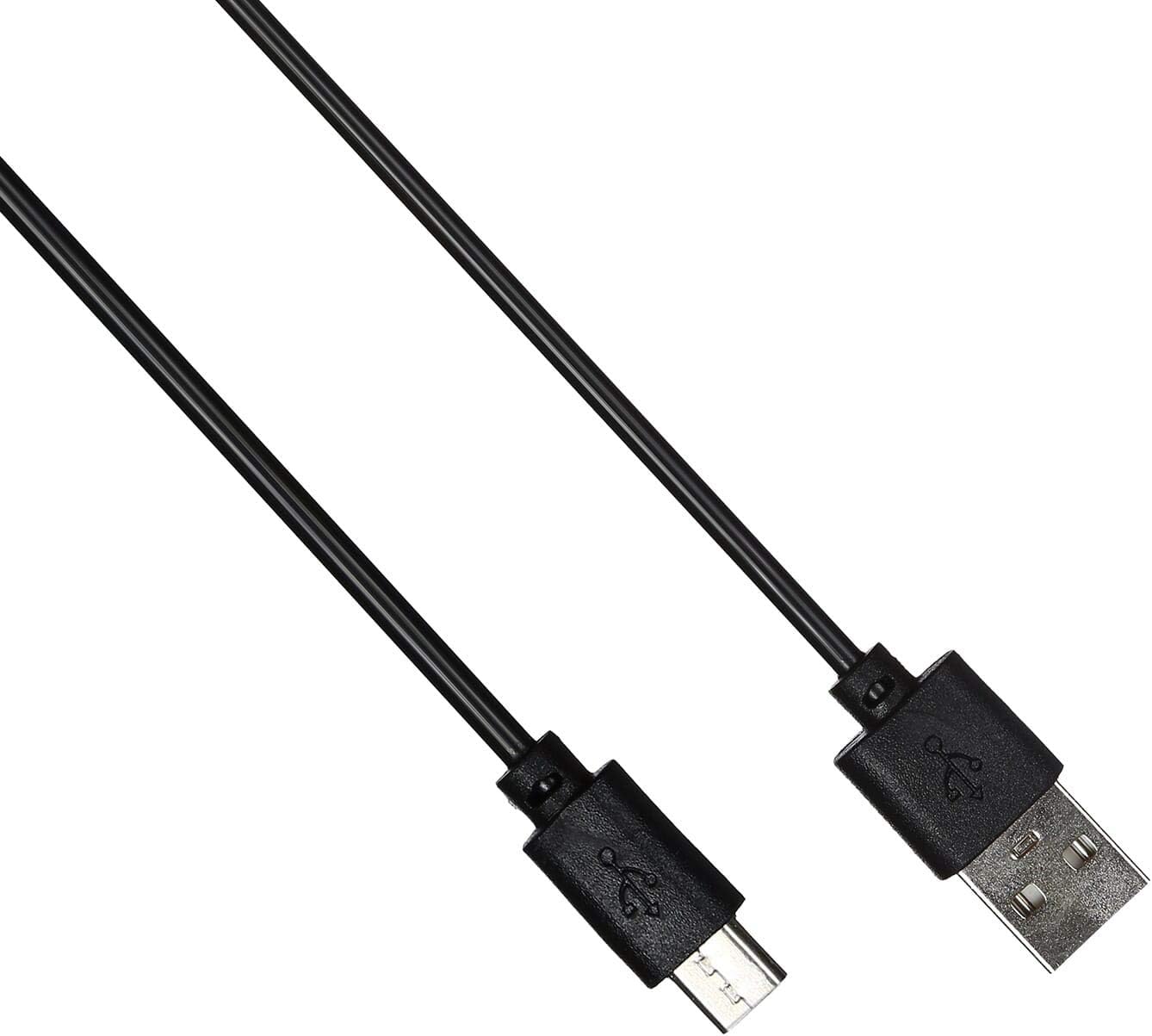
Image: The USB charging cable for the QCY A1 headset.
การตั้งค่า
1. การชาร์จชุดหูฟัง
- เสียบสายชาร์จเข้ากับพอร์ตชาร์จของหูฟัง
- เสียบปลายอีกด้านของสายเคเบิลเข้ากับแหล่งจ่ายไฟ USB (เช่น คอมพิวเตอร์ อะแดปเตอร์ติดผนัง)
- The indicator light will show charging status. A full charge typically takes approximately 1-2 hours.
- เมื่อชาร์จเต็มแล้ว ให้ถอดสายชาร์จออก
2. การจับคู่กับอุปกรณ์
- ตรวจสอบให้แน่ใจว่าชุดหูฟังปิดอยู่
- Press and hold the Multi-function button until the indicator light flashes red and blue alternately, indicating pairing mode.
- บนโทรศัพท์มือถือหรืออุปกรณ์ที่รองรับบลูทูธ ให้เปิดใช้งานบลูทูธและค้นหาอุปกรณ์ที่ใช้งานได้
- Select "QCY A1" from the list of found devices.
- Once connected, the indicator light will flash blue slowly, and you will hear a confirmation tone.
- If pairing fails, turn off the headset and repeat the steps.
คำแนะนำการใช้งาน
เปิด/ปิดเครื่อง
- เปิดเครื่อง: Press and hold the Multi-function button for 3 seconds. The blue indicator light will flash.
- หมดแรง: Press and hold the Multi-function button for 5 seconds. The red indicator light will flash briefly before turning off.
การจัดการการโทร
- รับสาย: กดปุ่มมัลติฟังก์ชั่นสั้นๆ
- วางสาย: กดปุ่มมัลติฟังก์ชันสั้นๆ ระหว่างการโทร
- ปฏิเสธสาย: กดปุ่มมัลติฟังก์ชั่นค้างไว้ 2 วินาที
- โทรซ้ำหมายเลขล่าสุด: กดปุ่มมัลติฟังก์ชั่นสองครั้งเมื่อไม่ได้อยู่ในระหว่างการสนทนา
การเล่นเพลง
- เล่น/หยุดชั่วคราว: กดปุ่มมัลติฟังก์ชั่นสั้นๆ
- เพลงถัดไป: กดปุ่มเพิ่มระดับเสียงค้างไว้
- แทร็กก่อนหน้า: กดปุ่มลดระดับเสียงค้างไว้
- ปรับระดับเสียงขึ้น: กดปุ่มเพิ่มระดับเสียงสั้นๆ
- ลดเสียงลง: กดปุ่มลดระดับเสียงสั้นๆ
ผู้ช่วยเสียง
- เปิดใช้งาน Voice Assistant: Triple-press the Multi-function button (functionality depends on your connected device).
การซ่อมบำรุง
- ทำความสะอาดชุดหูฟังเป็นประจำด้วยผ้าแห้งนุ่ม
- หลีกเลี่ยงการใช้สารเคมีรุนแรงหรือวัสดุที่มีฤทธิ์กัดกร่อน
- เก็บหูฟังไว้ในที่แห้งและเย็น หลีกเลี่ยงแสงแดดโดยตรงและอุณหภูมิที่สูงหรือต่ำเกินไป
- ห้ามจุ่มหูฟังลงในน้ำหรือให้สัมผัสกับความชื้นมากเกินไป
- เก็บให้พ้นจากมือเด็ก
การแก้ไขปัญหา
| ปัญหา | สารละลาย |
|---|---|
| หูฟังไม่สามารถเปิดเครื่องได้ | ตรวจสอบให้แน่ใจว่าชุดหูฟังชาร์จเต็มแล้ว |
| ไม่สามารถจับคู่กับอุปกรณ์ได้ | Ensure the headset is in pairing mode (red and blue lights flashing). Turn off and on your device's Bluetooth. Try pairing again. |
| ไม่มีเสียงหรือคุณภาพเสียงไม่ดี | Check the volume levels on both the headset and your connected device. Ensure the headset is within the 10-meter operating range of your device. |
| ชุดหูฟังหลุดการเชื่อมต่อบ่อยครั้ง | Ensure there are no obstacles between the headset and your device. Move closer to your device. |
ข้อมูลจำเพาะ
| คุณสมบัติ | รายละเอียด |
|---|---|
| แบบอย่าง | A1 |
| ยี่ห้อ | คิวซีวาย |
| เทคโนโลยีการเชื่อมต่อ | ไร้สาย (บลูทูธ 5.0) |
| บลูทูธ โปรfileรองรับ | HFP, A2DP, HSP |
| ช่วงสาย | สูงสุด 10 เมตร |
| วิธีการควบคุม | สัมผัส/ปุ่ม |
| ปัจจัยรูปแบบหูฟัง | ในหู |
| อุปกรณ์ที่รองรับ | โทรศัพท์มือถือ |
| สี | สีขาว |
| น้ำหนักสินค้า | 80 กรัม |
| ส่วนประกอบที่รวมอยู่ | แผ่นรองหูฟัง |
ข้อมูลด้านความปลอดภัย
- ห้ามถอดประกอบหรือดัดแปลงชุดหูฟัง
- หลีกเลี่ยงการให้ชุดหูฟังสัมผัสกับอุณหภูมิหรือความชื้นที่สูงเกินไป
- ใช้เฉพาะสายชาร์จที่ให้มาหรือที่เทียบเท่าที่ได้รับการรับรองเท่านั้น
- อย่าใช้หูฟังในระดับเสียงสูงเป็นเวลานานเพื่อป้องกันความเสียหายต่อการได้ยิน
- Be aware of your surroundings when using the headset, especially in traffic or other potentially dangerous situations.