
การแนะนำ
The UNITEK Y3035 Storage Drive Enclosure provides a convenient solution for connecting 2.5-inch or 3.5-inch SATA I/II/III Hard Disk Drives (HDDs) or Solid State Drives (SSDs) to your computer via a high-speed USB 3.0 interface. This enclosure allows you to utilize old hard drives as external storage, facilitating data recovery, backup, or expansion of your system's storage capacity.
คุณสมบัติผลิตภัณฑ์
- เข้ากันได้สากล: Supports 2.5-inch and 3.5-inch SATA I/II/III HDDs and SSDs.
- การถ่ายโอนข้อมูลความเร็วสูง: USB 3.0 (USB 3.1 Gen 1) interface offers data transfer rates up to 5Gbps. Backwards compatible with USB 2.0 and USB 1.1.
- การสนับสนุน UASP: Implements USB Attached SCSI Protocol for enhanced read and write speeds, improving performance by up to 30% compared to traditional USB 3.0.
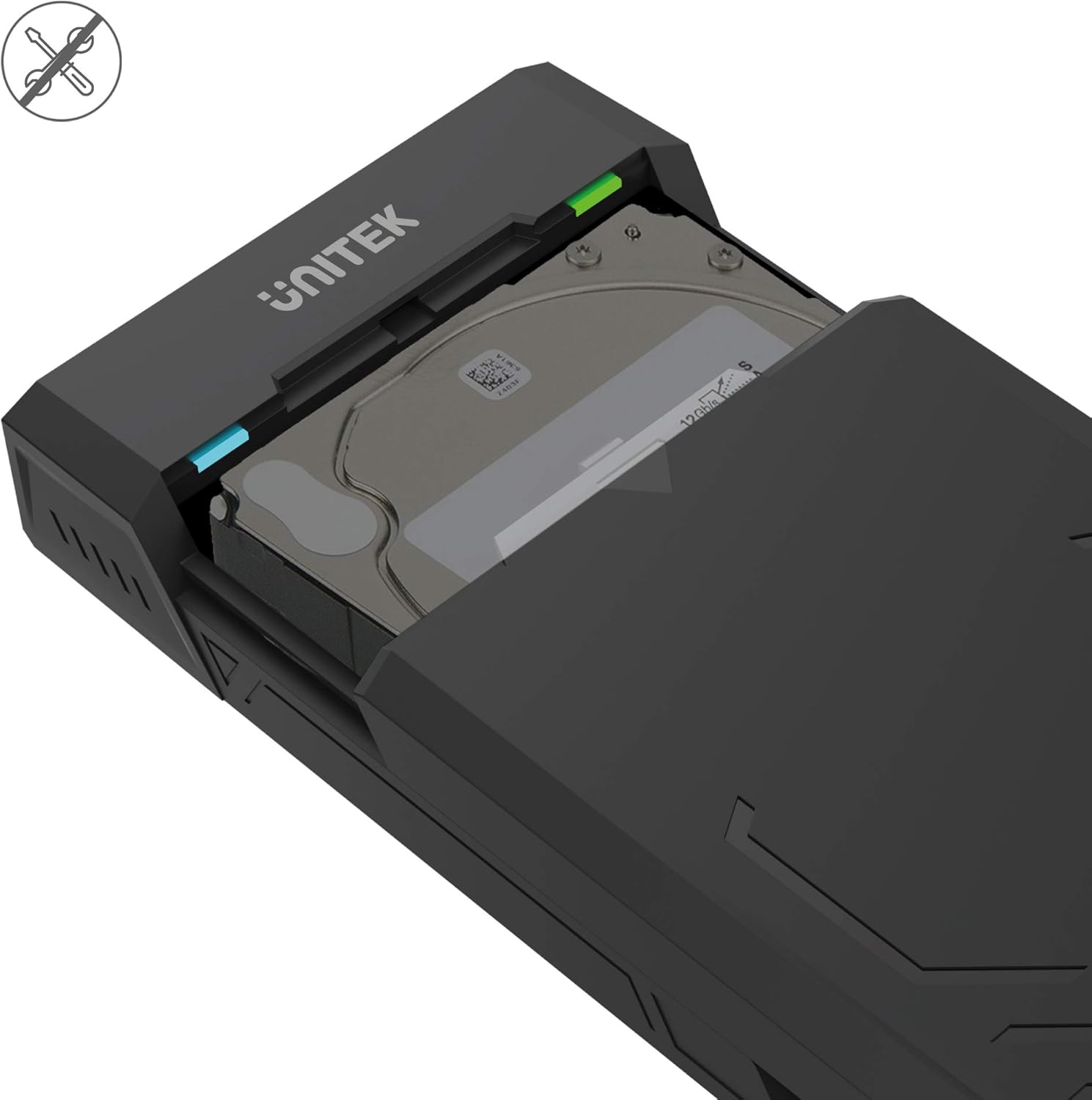
- ออกแบบโดยไม่ต้องใช้เครื่องมือ: Allows for quick and easy installation and removal of hard drives without the need for tools.
- โหมดสลีปอัตโนมัติ: เข้าสู่โหมดประหยัดพลังงานหลังจากไม่มีการใช้งาน 30 นาที เพื่อประหยัดพลังงานและยืดอายุการใช้งานของฮาร์ดไดรฟ์
- การกระจายความร้อนที่มีประสิทธิภาพ: Designed with ventilation openings to facilitate heat dissipation and maintain optimal operating temperatures.
- ปลั๊กแอนด์เพลย์: No additional drivers are required for operation on most modern operating systems.

เนื้อหาแพ็คเกจ
โปรดตรวจสอบว่าสินค้าทั้งหมดมีอยู่ในแพ็คเกจของคุณ:
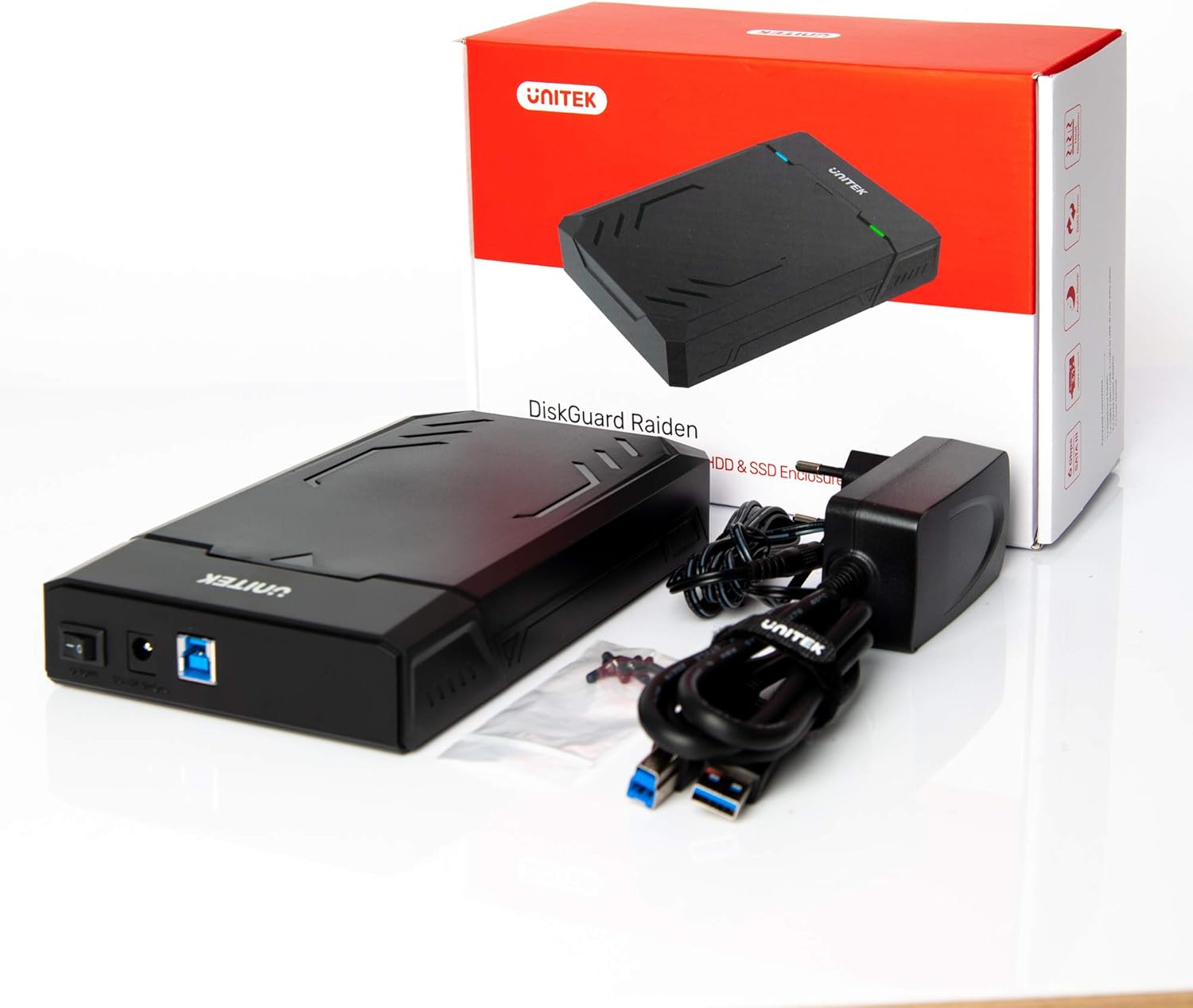
- UNITEK Y3035 Hard Drive Enclosure
- สายข้อมูล USB 3.0
- Power Adapter (for 3.5-inch HDDs or drives requiring external power)
คำแนะนำการตั้งค่า
Follow these steps to install your hard drive into the enclosure:
- เปิดสิ่งที่แนบมา: Gently slide open the top cover of the UNITEK Y3035 enclosure.
- ใส่ฮาร์ดไดรฟ์: Align your 2.5-inch or 3.5-inch SATA HDD/SSD with the SATA connector inside the enclosure. Carefully push the drive into the connector until it is firmly seated.
- ปิดสิ่งที่แนบมา: เลื่อนฝาครอบด้านบนกลับเข้าที่จนกระทั่งได้ยินเสียงคลิกและแน่นสนิท
- เชื่อมต่อสาย USB: Connect one end of the provided USB 3.0 data cable to the enclosure's USB port and the other end to an available USB 3.0 port on your computer.
- Connect Power Adapter (if necessary): For 3.5-inch hard drives, or if your 2.5-inch drive requires additional power, connect the provided power adapter to the enclosure's power input and then to a wall outlet. 2.5-inch drives may be bus-powered by the USB port alone.
คำแนะนำการใช้งาน
Once connected, the UNITEK Y3035 enclosure operates as a standard external storage device.
- การตรวจจับอัตโนมัติ: Your operating system should automatically detect the connected drive. If it's a new drive, you may need to initialize and format it through Disk Management (Windows) or Disk Utility (macOS) before use.
- การเข้าถึงข้อมูล: The drive will appear as a removable storage device in 'My Computer' or 'Finder'. You can drag and drop files, or use it for backups and other storage tasks.
- การกำจัดอย่างปลอดภัย: Always safely eject the drive from your operating system before disconnecting the USB cable or power adapter to prevent data corruption.
- โหมดสลีป: The enclosure will automatically enter sleep mode after approximately 30 minutes of inactivity. The drive will spin down, and the indicator light may change or turn off. It will resume operation when accessed again.


การซ่อมบำรุง
To ensure the longevity and optimal performance of your UNITEK Y3035 enclosure:
- การทำความสะอาด: ใช้ผ้าแห้งเนื้อนุ่มเช็ดทำความสะอาดภายนอกของตัวเครื่อง หลีกเลี่ยงการใช้น้ำยาทำความสะอาดหรือสารละลาย
- สิ่งแวดล้อม: Keep the enclosure in a cool, dry place, away from direct sunlight, extreme temperatures, and high humidity.
- การจัดการ: Handle the enclosure with care to prevent physical damage. Avoid dropping or subjecting it to strong impacts.
- การระบายอากาศ : ตรวจสอบให้แน่ใจว่าช่องระบายอากาศไม่มีสิ่งกีดขวาง เพื่อให้ความร้อนระบายออกได้อย่างเหมาะสม
การแก้ไขปัญหา
If you encounter issues with your UNITEK Y3035 enclosure, refer to the following common solutions:
- ไม่พบไดรฟ์:
- ตรวจสอบให้แน่ใจว่าฮาร์ดไดรฟ์เสียบเข้ากับขั้วต่อ SATA ของเคสอย่างถูกต้องแล้ว
- ตรวจสอบให้แน่ใจว่าสาย USB เชื่อมต่อกับตัวเคสและคอมพิวเตอร์ของคุณอย่างแน่นหนาแล้ว
- If using a 3.5-inch HDD, confirm the power adapter is connected and receiving power.
- ลองเสียบเคสเข้ากับพอร์ต USB อื่นบนคอมพิวเตอร์ของคุณดู
- Test the enclosure with a different hard drive, or test the hard drive in another enclosure/system to isolate the issue.
- Check Disk Management (Windows) or Disk Utility (macOS) to see if the drive is recognized but uninitialized or unformatted.
- ความเร็วในการถ่ายโอนข้อมูลช้า:
- Ensure the enclosure is connected to a USB 3.0 port on your computer. USB 2.0 ports will result in slower speeds.
- ตรวจสอบให้แน่ใจว่าระบบปฏิบัติการและไดรเวอร์ของคุณรองรับ USB 3.0 และ UASP
- The actual transfer speed can be affected by the performance of the installed hard drive.
- ตัวเครื่องตัดการเชื่อมต่อโดยไม่ทราบสาเหตุ:
- Ensure the power adapter is providing stable power, especially for 3.5-inch drives.
- ตรวจสอบว่าสาย USB หลวมหรือไม่
- Avoid connecting the enclosure through unpowered USB hubs.
ข้อมูลจำเพาะ
| แบบอย่าง | Y3035 |
| ยี่ห้อ | ยูนิเทค |
| ประเภทไดรฟ์ที่เข้ากันได้ | ฮาร์ดดิสก์/SSD SATA I/II/III ขนาด 2.5 นิ้ว / 3.5 นิ้ว |
| ฮาร์ดแวร์อินเตอร์เฟซ | SATA 6.0 Gb/s, USB 3.0 (USB 3.1 Gen 1), USB 2.0, USB 1.1 |
| อัตราการถ่ายโอนข้อมูล | สูงสุด 5 กิกะบิตต่อวินาที (USB 3.0) |
| Supported Devices Quantity | 1 |
| วัสดุของตู้หุ้ม | พลาสติก |
| สี | สีดำ |
| น้ำหนักสินค้า | 270 กรัม |
| อุปกรณ์ที่รองรับ | แล็ปท็อป, คอมพิวเตอร์ตั้งโต๊ะ |
| ผู้ผลิต | อาหารหุ่นยนต์ Allterco |

การรับประกันและการสนับสนุน
For warranty information, technical support, or further inquiries regarding your UNITEK Y3035 enclosure, please visit the official Unitek webตรวจสอบข้อมูลเพิ่มเติมได้ที่เว็บไซต์หรือติดต่อฝ่ายบริการลูกค้า โดยทั่วไปรายละเอียดต่างๆ สามารถพบได้บนบรรจุภัณฑ์ของผลิตภัณฑ์หรือเว็บไซต์ของผู้ผลิต webเว็บไซต์.