
การแนะนำ
This manual provides detailed instructions for the installation, operation, maintenance, and troubleshooting of your Walfront LCD Battery Monitor. Please read this manual thoroughly before using the product to ensure proper function and safety.
ข้อมูลด้านความปลอดภัย
- ตรวจสอบแหล่งจ่ายไฟ voltage is within the specified range (DC 8V-100V) to prevent damage to the device.
- อย่าวางอุปกรณ์ไว้ในที่ที่มีอุณหภูมิสูง ความชื้นสูง หรือสภาพแวดล้อมที่มีฤทธิ์กัดกร่อน
- หลีกเลี่ยงการกระแทกทางกายภาพหรือทำอุปกรณ์หล่น
- ตัดการเชื่อมต่อไฟฟ้าก่อนทำการเชื่อมต่อหรือตัดการเชื่อมต่อใดๆ
- Do not attempt to disassemble or modify the device. Refer to qualified personnel for repairs.
- เก็บให้พ้นจากมือเด็ก
สินค้าเกินview
The Walfront LCD Battery Monitor is a versatile digital capacity tester and voltmeter designed for various battery types, including lead-acid, lithium-ion, lithium iron phosphate, and metal hydride batteries. It features a clear LCD display for real-time voltage และ percentagการอ่าน

รูปที่ 1 : ด้านหน้า view of the Walfront LCD Battery Monitor with its connecting wires.

Figure 2: Comparison showing the blue display (top) and white display (bottom) variants of the battery monitor, highlighting their voltage measurement range (DC8V-100V), working current (<15MA), and LCD screen display mode.
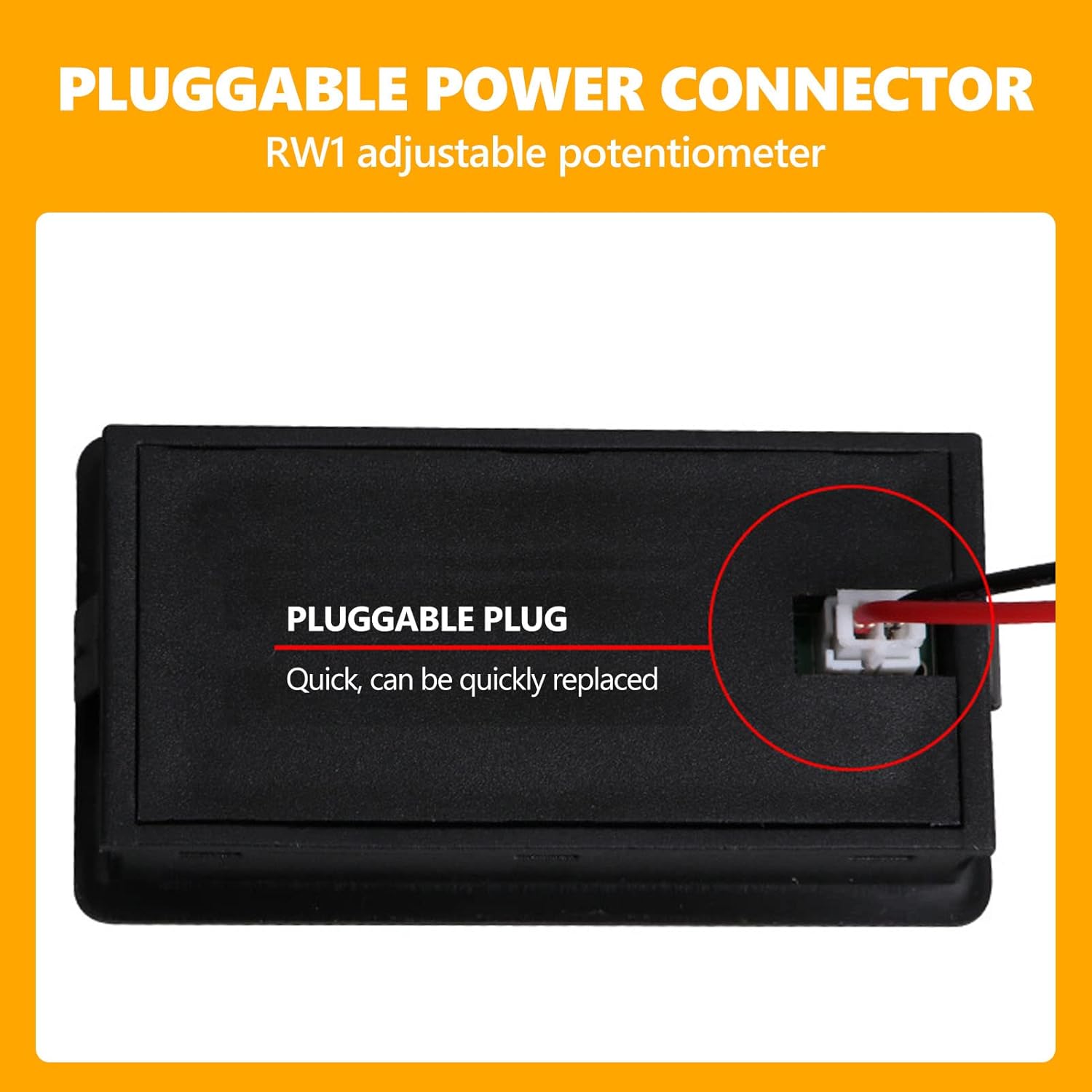
Figure 3: Detail of the pluggable power connector on the back of the unit, indicating quick and replaceable connection. An adjustable potentiometer (RW1) is also noted.
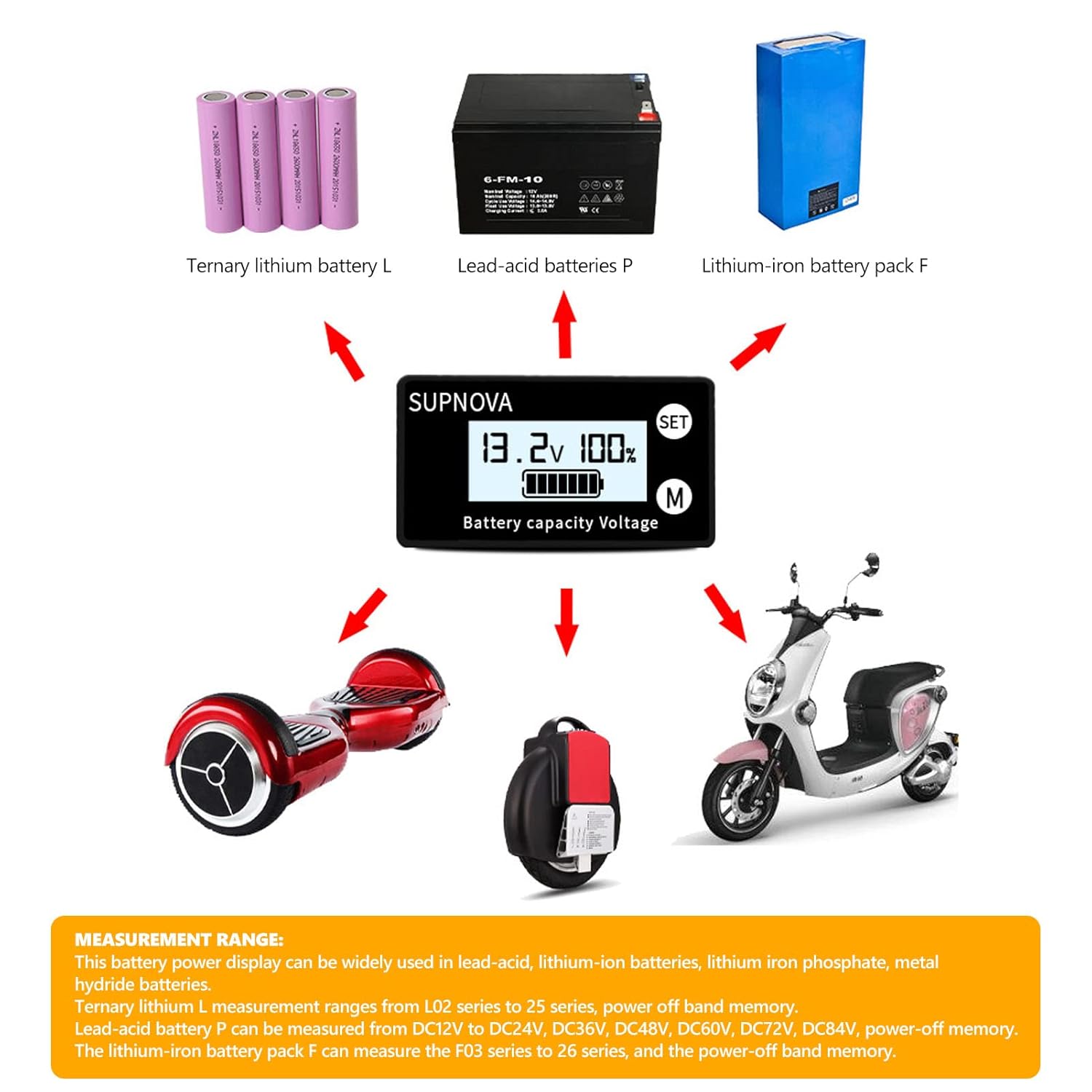
Figure 4: Illustrates the broad measurement range and applications of the battery monitor, including ternary lithium (L), lead-acid (P), and lithium-iron (F) battery packs, and their use in devices like hoverboards and scooters.

Figure 5: Detailed dimensional drawing of the battery monitor, showing its length, width, height, and installation cutout dimensions in millimeters.
Video 1: A short demonstration of the battery monitor's display functionality, showing it submerged in water, indicating potential water resistance or durability in certain conditions.
การตั้งค่า
Follow these steps for proper installation and connection of your battery monitor:
- เตรียมสถานที่ติดตั้ง: Ensure there is adequate space for the monitor (refer to dimensions in Figure 5) and that the surface is clean and dry.
- Connect the Supporting Terminal Wire: Insert the provided terminal wire into the product's socket. Pay close attention to the orientation and direction of the buckle to ensure a secure fit.
- เชื่อมต่อกับแบตเตอรี่:
- เชื่อมต่อ สายสีแดง ไปที่ positive (+) electrode of your battery.
- เชื่อมต่อ สายสีดำ ไปที่ negative (-) electrode of your battery.
- If your model includes a temperature sensor (optional), place it close to the surface of the battery for accurate readings.
- เปิดเครื่อง: Once connected, the battery power percentagอีและเล่มtage จะแสดงบนหน้าจอ LCD

Figure 6: Wiring diagram illustrating the connection of the red and black wires from the display unit to the positive and negative terminals of a battery.
คำแนะนำการใช้งาน
The Walfront LCD Battery Monitor is designed for straightforward operation:
- โหมดการแสดงผล: The LCD screen simultaneously displays the battery's percentage capacity and its current voltage.
- Switching Display (if applicable): If your model supports temperature display, press the button on the unit to switch between voltage/เปอร์เซ็นต์tage and temperature readings.
- โหมดสลีป: The product is designed to enter a sleep state after approximately 10 seconds of inactivity to conserve power.
- ตื่นนอน: To wake the device from sleep mode, simply press any button on the unit.
- ฟังก์ชั่นปลุก: This specific model includes an alarm function. Refer to the product's detailed specifications for alarm thresholds and indicators.
การซ่อมบำรุง
To ensure the longevity and optimal performance of your battery monitor, follow these maintenance guidelines:
- การทำความสะอาด: ใช้ผ้าแห้งนุ่มๆ เช็ดทำความสะอาดหน้าจอและasing. Do not use abrasive cleaners, solvents, or immerse the device in water (unless specifically designed for such conditions, as shown in the video, but general cleaning should be dry).
- พื้นที่จัดเก็บ: เมื่อไม่ได้ใช้งานเป็นเวลานาน ควรเก็บจอภาพไว้ในที่แห้งและเย็น หลีกเลี่ยงแสงแดดโดยตรงและอุณหภูมิที่สูงหรือต่ำเกินไป
- ตรวจสอบการเชื่อมต่อ: Periodically inspect the wiring and connections for any signs of wear, corrosion, or looseness. Ensure the pluggable connector is securely seated.
การแก้ไขปัญหา
If you encounter issues with your Walfront LCD Battery Monitor, refer to the following common problems and solutions:
| ปัญหา | สาเหตุที่เป็นไปได้ | สารละลาย |
|---|---|---|
| ไม่มีภาพแสดง/อุปกรณ์ไม่เปิดใช้งาน | Incorrect wiring; No power to the battery; Loose connection; Battery voltage outside range. | Check red and black wire connections to the battery. Ensure battery has charge. Verify connections are secure. Confirm battery voltage อยู่ในช่วงแรงดันไฟฟ้ากระแสตรง 8V-100V |
| การอ่านที่ไม่ถูกต้อง | Incorrect battery type setting (if adjustable); Faulty connection; Device malfunction. | Ensure the monitor is compatible with your battery type. Re-check all connections. If issues persist, contact support. |
| หน้าจอแสดงผลกระพริบหรือไม่เสถียร | Unstable power supply; Loose connection; Electromagnetic interference. | Check the stability of the power source. Secure all connections. Relocate the device away from strong electromagnetic fields. |
| Device enters sleep mode too quickly | Normal operation (10-second inactivity timer). | This is a power-saving feature. Press any button to wake the device. |
ข้อมูลจำเพาะ
| คุณสมบัติ | รายละเอียด |
|---|---|
| เล่มที่tage ช่วงการวัด | กระแสตรง 8V-100V |
| กระแสไฟฟ้าทำงาน | <15มิลลิแอมป์ |
| โหมดการแสดงผล | หน้าจอ LCD |
| สีจอแสดงผล | สีฟ้า (สำหรับรุ่นนี้) |
| ความแม่นยำในการวัด | 1% ± 1 Word |
| ความเร็วในการวัด | ประมาณ 2 ครั้งต่อวินาที |
| อุณหภูมิในการทำงาน | -10°C ถึง +70°C |
| ความชื้นในการทำงาน | 10-80% (ไม่มีการควบแน่น) |
| แรงดันการทำงาน | 80-106กิโลปาสคาล |
| ขนาด | Approx. 61x33x14.5mm (2.4x1.3x0.6in) |
| ขนาดการติดตั้ง | 58.5x28.5mm (2.3x1.1in) |
| น้ำหนัก | 0.02 กิโลกรัม |
| แหล่งพลังงาน | ใช้พลังงานจากแบตเตอรี่ |
| ฟังก์ชั่นปลุก | Included (for this model) |
การรับประกันและการสนับสนุน
Walfront products are manufactured to high-quality standards. For specific warranty details, please refer to the warranty card included with your product or contact your point of purchase. General warranty terms typically cover manufacturing defects for a limited period from the date of purchase.
For technical support, troubleshooting assistance beyond this manual, or warranty claims, please contact Walfront customer service through their official website or the retailer where you purchased the product. Please have your product model number (B07ZXFQ4VK) and purchase details ready when contacting support.
You can visit the Walfront Store for more information: Walfront Official Store