
1. บทนำ
This manual provides essential information for the safe and efficient operation of your iBall Thunder 2.1 Channel Bluetooth Multimedia Speaker. Please read this manual thoroughly before using the product and retain it for future reference.

Figure 1: iBall Thunder 2.1 Channel Bluetooth Multimedia Speaker system.
2. เนื้อหาบรรจุภัณฑ์
ตรวจสอบว่ารายการทั้งหมดที่ระบุไว้ด้านล่างนี้รวมอยู่ในแพ็คเกจของคุณ:
- Subwoofer Speaker - 1 unit
- Satellite Speaker - 2 units
- Audio Cable - 1 unit
- รีโมตคอนโทรล - 1 ชิ้น
- User Manual - 1 unit
3. การตั้งค่า
Follow these steps to set up your iBall Thunder 2.1 speaker system:
- การจัดวาง: Position the subwoofer on a stable, flat surface. Place the two satellite speakers on either side of the subwoofer for optimal stereo sound.
- เชื่อมต่อลำโพงดาวเทียม: Connect the satellite speakers to the "OUTPUT" ports on the rear of the subwoofer using the provided cables. Ensure a secure connection.
- เชื่อมต่อแหล่งเสียง:
- For wired connection, use the audio cable to connect your device (e.g., smartphone, tablet, computer) to the "INPUT" ports on the rear of the subwoofer.
- For wireless Bluetooth connection, refer to the "Operating Instructions" section.
- การเชื่อมต่อไฟฟ้า: Plug the power cable into a standard AC power outlet.
- เปิดเครื่อง: Flip the power switch on the rear of the subwoofer to the "ON" position.
Figure 2: Rear panel connections of the subwoofer.
4. คู่มือการใช้งาน
4.1 เปิด/ปิดเครื่อง
To power on or off the speaker system, use the power switch located on the rear panel of the subwoofer.
การเลือกโหมด 4.2
The speaker system supports multiple playback options. Use the "Mode" button on the remote control or the control panel on the subwoofer to switch between Bluetooth (BT), USB, SD/MMC, AUX, and FM radio modes.
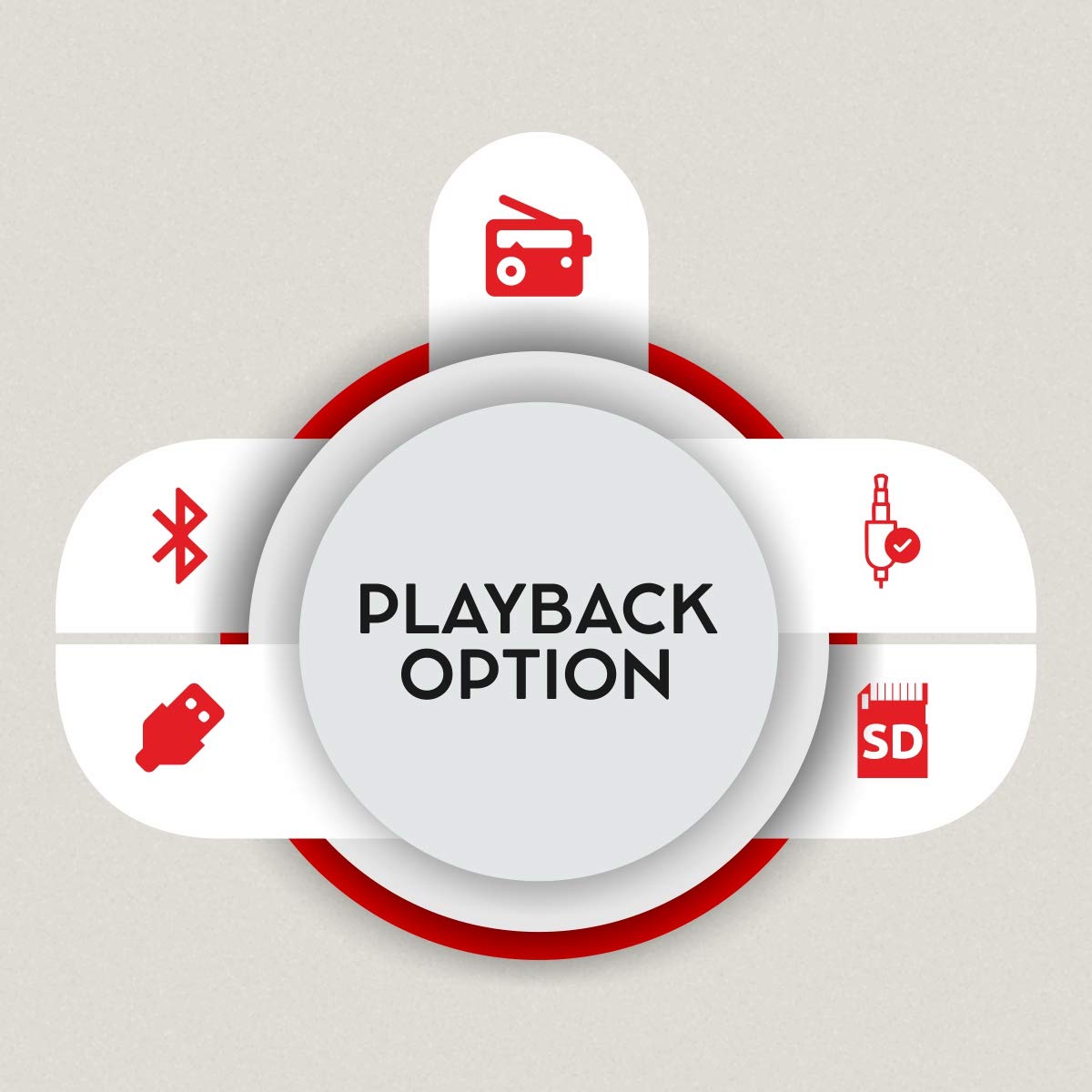
Figure 3: Available playback options.
4.3 การจับคู่บลูทูธ
- Switch the speaker system to Bluetooth mode. The display will show "BT" and the indicator light will flash, indicating it's ready for pairing.
- บนอุปกรณ์ของคุณ (สมาร์ทโฟน, แท็บเล็ต) เปิดใช้งานบลูทูธและค้นหาอุปกรณ์ที่ใช้งานได้
- Select "iBall Thunder" from the list of devices.
- Once paired, the indicator light will stop flashing, and you will hear a confirmation tone.
4.4 USB/SD/MMC Playback
Insert a USB drive or SD/MMC card containing audio files into the respective slot on the subwoofer. The system will automatically switch to USB/SD/MMC mode and begin playback. Use the remote or control panel to navigate tracks.
4.5 วิทยุ FM
In FM mode, the system will automatically scan and save available radio stations. Use the remote control to change stations.
5. การเชื่อมต่อ
The iBall Thunder 2.1 speaker system offers versatile connectivity options:
- บลูทูธ: Wireless connection for smartphones, tablets, and other Bluetooth-enabled devices.
- ยูเอสบี: Play audio directly from USB flash drives.
- การ์ด SD/MMC: Play audio directly from SD or MMC memory cards.
- AUX (Auxiliary Input): Wired connection for devices via a 3.5mm audio jack.
- วิทยุ FM: มีจูนเนอร์วิทยุ FM ในตัวสำหรับรับฟังรายการวิทยุ
6. การควบคุม
The speaker system can be controlled via the integrated control panel on the subwoofer or the included remote control.
6.1 Subwoofer Control Panel
- ปุ่มปรับระดับเสียง: ปรับระดับเสียงหลัก
- เล่น/หยุดชั่วคราว: เริ่มหรือหยุดเล่นชั่วคราว
- ก่อนหน้าถัดไป: ข้ามไปยังแทร็ก/สถานีถัดไปหรือแทร็กก่อนหน้า
- โหมด: Switches between input sources (BT, USB, SD/MMC, AUX, FM).
6.2 การควบคุมระยะไกล
The remote control provides full functionality for convenient operation:
- เปิด/ปิดเครื่อง
- การเลือกโหมด
- เพิ่ม/ลดระดับเสียง
- เล่น/หยุดชั่วคราว
- เพลงก่อนหน้า/ถัดไป
- การควบคุมเสียงเบส
- การควบคุมเสียงแหลม
- ปิดเสียง
- Numeric Keypad for direct track/station selection

Figure 4: Remote control for iBall Thunder 2.1 Speaker.
7. ข้อมูลจำเพาะ
| คุณสมบัติ | คำอธิบาย |
|---|---|
| ชื่อรุ่น | iBall Thunder |
| หมายเลขรุ่น | IBALL_THUNDER_2.1 |
| ประเภทลำโพง | 2.1 Channel Multimedia Speaker System (Subwoofer with 2 Satellite Speakers) |
| โหมดเอาต์พุตเสียง | สเตอริโอ |
| โททอล ออดิโอ วัตtagอี (RMS) | 40 Watts (Subwoofer: 20W, Satellites: 10W x 2) |
| การตอบสนองความถี่ | 55 เฮิร์ต ~ 20 กิโลเฮิร์ตซ์ |
| อัตราส่วนสัญญาณต่อเสียงรบกวน (S/N) | >= 70 เดซิเบล |
| เทคโนโลยีการเชื่อมต่อ | Bluetooth, USB, SD/MMC, Auxiliary (AUX), FM Radio |
| ประเภทไร้สาย | บลูทูธ |
| วิธีการควบคุม | Remote Control, Integrated Control Panel |
| คุณสมบัติพิเศษ | RGB LED Illuminated Subwoofer, Bass and Treble Controls |
| อุปกรณ์ที่รองรับ | Smartphone, Tablet, PC, MP3 Player |
| แหล่งพลังงาน | ไฟฟ้ากระแสสลับ (230 โวลต์) |
| ขนาดสินค้า (ซับวูฟเฟอร์) | 15D x 26.5W x 26H เซนติเมตร |
| น้ำหนักสินค้า | 4.17 กก. |
| สี | สีดำ |
| ประเทศต้นกำเนิด | จีน |
8. การบำรุงรักษา
เพื่อให้ระบบลำโพงของคุณมีอายุการใช้งานยาวนานและทำงานได้อย่างมีประสิทธิภาพสูงสุด โปรดปฏิบัติตามคำแนะนำในการบำรุงรักษาดังต่อไปนี้:
- การทำความสะอาด: Use a soft, dry cloth to clean the surfaces of the speakers. Do not use liquid cleaners or abrasive materials.
- การระบายอากาศ : Ensure adequate ventilation around the subwoofer to prevent overheating. Do not block the ventilation ports.
- พื้นที่จัดเก็บ: เมื่อไม่ได้ใช้งานเป็นเวลานาน ควรเก็บลำโพงไว้ในที่แห้งและเย็น หลีกเลี่ยงแสงแดดโดยตรงและอุณหภูมิที่สูงหรือต่ำเกินไป
- หมดแรง: Always power off the system and unplug it from the power outlet before cleaning or performing any maintenance.
9 การแก้ไขปัญหา
If you encounter issues with your iBall Thunder 2.1 speaker system, refer to the following common problems and solutions:
| ปัญหา | สาเหตุที่เป็นไปได้ | สารละลาย |
|---|---|---|
| ไม่มีไฟฟ้า | ไม่ได้เสียบสายไฟ; สวิตช์ไฟปิดอยู่ | Ensure power cable is securely plugged in; Turn the power switch to "ON". |
| ไม่มีเสียง | Volume too low; Incorrect input mode; Loose audio cables; Device not playing audio | Increase volume; Select correct input mode (BT, AUX, USB, SD, FM); Check all cable connections; Ensure audio is playing on the connected device. |
| การจับคู่บลูทูธล้มเหลว | ลำโพงไม่ได้อยู่ในโหมดจับคู่; บลูทูธของอุปกรณ์ปิดอยู่; อยู่ห่างจากลำโพงมากเกินไป | Ensure speaker is in BT mode and flashing; Enable Bluetooth on your device; Move device closer to the speaker (within 10 meters). |
| การรับสัญญาณ FM ไม่ดี | สัญญาณอ่อน; เสาอากาศไม่ได้ยืดออก | Adjust the position of the FM antenna; Try repositioning the speaker for better signal. |
| รีโมตคอนโทรลไม่ทำงาน | Batteries drained; Obstruction between remote and speaker; Remote sensor blocked | Replace remote control batteries; Remove any obstructions; Ensure the remote sensor on the speaker is clear. |
10. การรับประกันและการสนับสนุน
การรับประกัน: A 1-year warranty is provided by the manufacturer from the date of purchase. Please retain your purchase receipt for warranty claims.
การสนับสนุนลูกค้า: For any product-related complaints, feedback, or assistance, please contact iBall customer care. You can find contact details on the product packaging or the official iBall webเว็บไซต์.
Manufacturer: iBall, 87, Mistry Industrial Complex, MIDC Cross Road "A" Andheri (E), Mumbai 400 093. Maharashtra India.
Toll-free No. 18002666409
อีเมล: feedback@iball.co.in