
1. สินค้าหมดview
The OIVO PS4 Controller Charging Station is designed to efficiently charge two PlayStation 4, PS4 Slim, or PS4 Pro controllers simultaneously. It features LED indicators to display charging status and incorporates intelligent protection mechanisms to ensure safe and reliable operation.
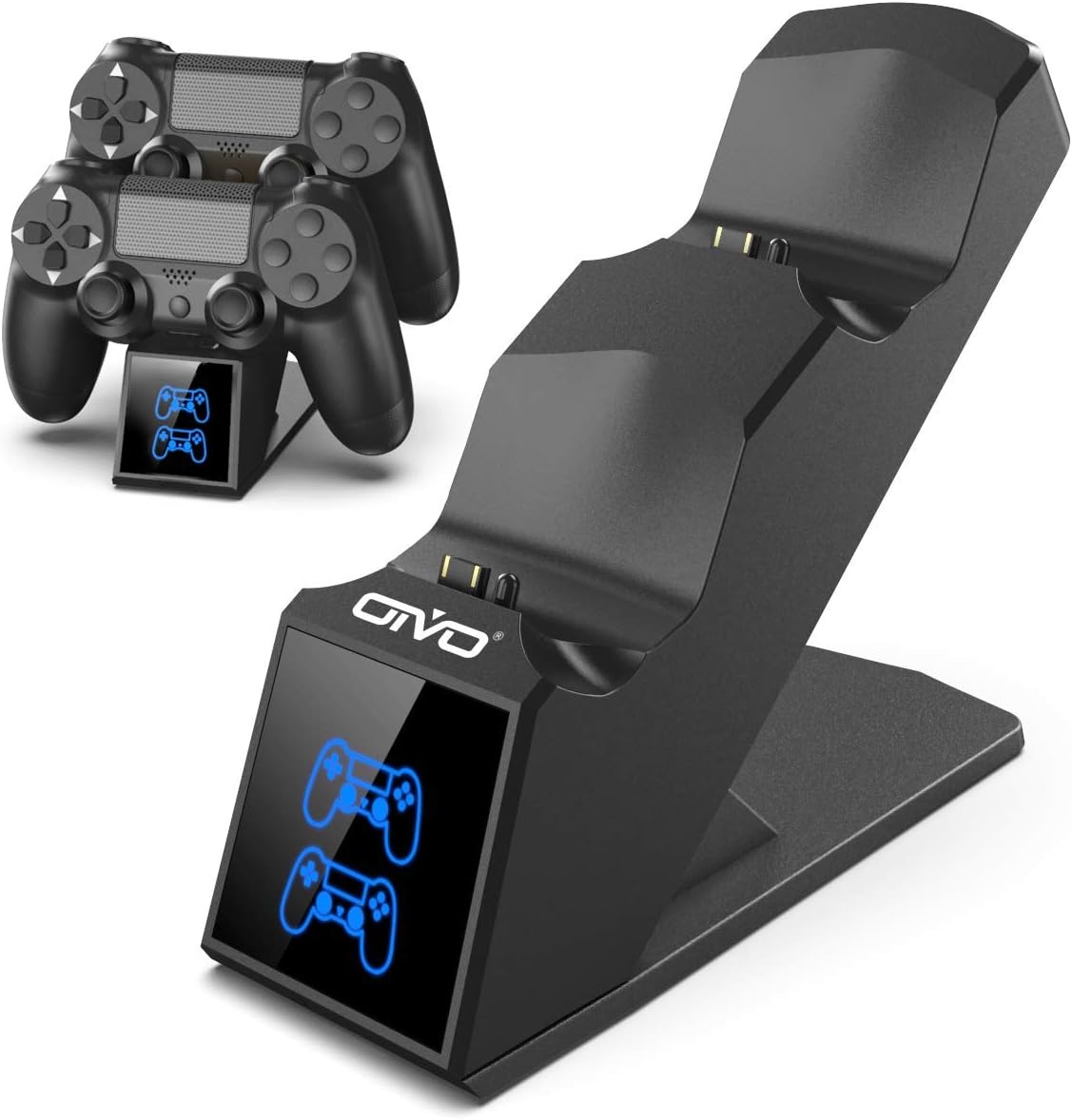
Image 1.1: The OIVO PS4 Controller Charging Station, capable of charging two controllers simultaneously.
2. เนื้อหาบรรจุภัณฑ์
โปรดตรวจสอบว่ารายการทั้งหมดที่ระบุไว้ด้านล่างมีอยู่ในแพ็คเกจของคุณหรือไม่:
- 1 x OIVO PS4 Controller Charging Station
- 1 x สายชาร์จ (ไมโคร USB)
- 1 x คู่มือผู้ใช้ (เอกสารนี้)
3. คำแนะนำในการตั้งค่า
- เชื่อมต่อแท่นชาร์จ: Insert the provided charging cable into the Micro USB port on the back of the charging station. Connect the other end of the cable to a compatible 5V/1A power source. Compatible sources include a computer USB port, PS4/Slim/Pro console USB port, wall adapter (not included), or a power bank.
- Place Controllers for Charging: Align the charging port on your PS4 controller with the connector pins on the charging station. Gently push the controller down until it securely docks. The LED indicator on the station will change color to show the charging status.

Image 3.1: Illustration of compatible power sources and how to correctly place a PS4 controller onto the charging station.
4. คู่มือการใช้งาน
4.1 ตัวควบคุมการชาร์จ
Once controllers are docked, the charging process begins automatically. The station is designed to charge two controllers simultaneously in approximately 1.8 hours.
- ไฟแสดงสถานะ LED: The front panel features LED indicators for each charging slot.
- ไฟแดง: Indicates that the PS4 controller is currently charging.
- แสงสีฟ้า: Indicates that the PS4 controller is fully charged or the station is in standby mode (no controller or fully charged controller).

Image 4.1: The LED indicators on the charging station display red when charging and blue when fully charged or in standby.
4.2 ความสามารถในการชาร์จเร็ว
The charging station is equipped with an upgraded copper chip, enabling fast charging for both controllers. This allows for a full charge of two controllers in approximately 1.8 hours.

Image 4.2: Visual representation of the 1.8-hour fast charging cycle for two controllers.
5. คุณสมบัติด้านความปลอดภัย
The OIVO PS4 Controller Charging Station integrates smart chips and high-quality components to provide comprehensive protection for your controllers and the charging station itself. These protections include:
- การป้องกันความร้อนสูงเกินไป: ป้องกันความร้อนสูงเกินไปขณะชาร์จ
- การป้องกันการลัดวงจร: มาตรการป้องกันไฟฟ้าลัดวงจร
- การป้องกันมากกว่าปัจจุบัน: ป้องกันกระแสไฟฟ้าไหลเกิน
- เกินVoltagการป้องกันอี: Shields against voltagอีแหลม

Image 5.1: Visual representation of the intelligent protection features built into the charging station.
6. การบำรุงรักษา
- การทำความสะอาด: Disconnect the charging station from the power source before cleaning. Use a soft, dry cloth to wipe the surface. Do not use liquid cleaners or abrasive materials.
- พื้นที่จัดเก็บ: เมื่อไม่ได้ใช้งาน ให้เก็บสถานีชาร์จไว้ในที่แห้งและเย็น หลีกเลี่ยงแสงแดดโดยตรงและอุณหภูมิที่สูงหรือต่ำเกินไป
- การจัดการ: หลีกเลี่ยงการทำตกหรือการกระแทกอุปกรณ์อย่างรุนแรง ห้ามพยายามถอดประกอบหรือซ่อมแซมอุปกรณ์ด้วยตนเอง
7 การแก้ไขปัญหา
| ปัญหา | สารละลาย |
|---|---|
| Controller not charging (no LED light) |
|
| การชาร์จช้า |
|
| LED light is blue but controller is not fully charged |
|
8. ข้อมูลจำเพาะ
| คุณสมบัติ | รายละเอียด |
|---|---|
| ยี่ห้อ | โอไอวีโอ |
| หมายเลขรุ่น | 12359687031 |
| สี | สีฟ้า |
| ประเภทขั้วต่อ | ยูเอสบี |
| อุปกรณ์ที่รองรับ | Game Console (PS4, PS4 Slim, PS4 Pro controllers) |
| คุณสมบัติพิเศษ | ชาร์จเร็ว |
| พอร์ต USB รวม | 2 (for charging controllers) |
| อินพุต Voltage | 5 โวลต์ |
| Ampอีเรจ | 1 ก |
| ส่วนประกอบที่รวมอยู่ | สาย USB |
| ผู้ผลิต | โอไอวีโอ |
| ประเทศต้นกำเนิด | จีน |
9. การรับประกันและการสนับสนุน
This OIVO product comes with a การรับประกันจากผู้ผลิต 2 ปี ตั้งแต่วันที่ซื้อ การรับประกันนี้ครอบคลุมถึงข้อบกพร่องในวัสดุและฝีมือการผลิตภายใต้การใช้งานปกติ
The warranty does not cover damage caused by accident, misuse, abuse, neglect, unauthorized modification or repair, or damage from external causes such as power surges.
For warranty claims or technical support, please contact OIVO customer service through the retailer where the product was purchased or visit the official OIVO webเว็บไซต์สำหรับข้อมูลการติดต่อ