
การแนะนำ
This manual provides instructions for the Speedlink PIAVO Wireless Ergonomic Vertical Mouse (Model SL-630019-BK-01). This ergonomic mouse is designed to promote a natural, relaxed wrist posture, reducing strain on the hand, arm, shoulder, and neck during extended computer use. It features 5 buttons, adjustable DPI settings, and wireless 2.4 GHz connectivity.

รูปที่ 1: Speedlink PIAVO Wireless Ergonomic Vertical Mouse, front view. This image shows the overall ergonomic design of the mouse.
เนื้อหาแพ็คเกจ
โปรดตรวจสอบว่าสินค้าทั้งหมดมีอยู่ในแพ็คเกจ:
- Speedlink PIAVO Wireless Ergonomic Vertical Mouse
- ตัวรับสัญญาณ USB-A
- Battery (pre-installed or included separately)
- คู่มือการใช้งาน (เอกสารนี้)

รูปที่ 2: Packaging of the Speedlink PIAVO Wireless Ergonomic Vertical Mouse. The box indicates "Wireless Vertical Mouse" and "10m Range".
การตั้งค่า
- ใส่แบตเตอรี่: If the battery is not pre-installed, open the battery compartment on the underside of the mouse and insert the included battery, ensuring correct polarity.
- เชื่อมต่อตัวรับสัญญาณ USB: Locate an available USB-A port on your computer or laptop. Insert the USB-A receiver into the port.
- เมาส์เปิดเครื่อง: หาปุ่มเปิด/ปิดที่อยู่ด้านล่างของเมาส์ เลื่อนปุ่มไปที่ตำแหน่ง "เปิด"
- การติดตั้งไดร์เวอร์: The mouse is designed for plug-and-play operation. Your operating system (e.g., Windows) should automatically detect and install the necessary drivers. This process typically takes a few seconds.
- การทดสอบ: Once installed, move the mouse to test cursor movement. If the cursor does not respond, ensure the mouse is powered on and the USB receiver is securely connected.

รูปที่ 3: Underside of the mouse, illustrating the battery compartment and the On/Off switch. Ensure the switch is in the 'On' position for operation.
คำแนะนำการใช้งาน
The Speedlink PIAVO mouse features 5 buttons and adjustable DPI settings for optimal control.
- ปุ่มคลิกซ้าย: ฟังก์ชั่นคลิกหลักมาตรฐาน
- ปุ่มคลิกขวา: ฟังก์ชั่นคลิกรองมาตรฐาน
- ล้อเลื่อน: สำหรับการเลื่อนดูเอกสารและ web pages. Can also be pressed for a middle-click function.
- ปุ่มสลับ DPI: Located near the scroll wheel. Press this button to cycle through the available DPI settings (800, 1200, 1600 DPI). This adjusts the cursor speed and sensitivity.
- ปุ่มเดินหน้า/ถอยหลัง: Located on the side of the mouse, typically used for navigation in web เบราว์เซอร์หรือ file นักสำรวจ
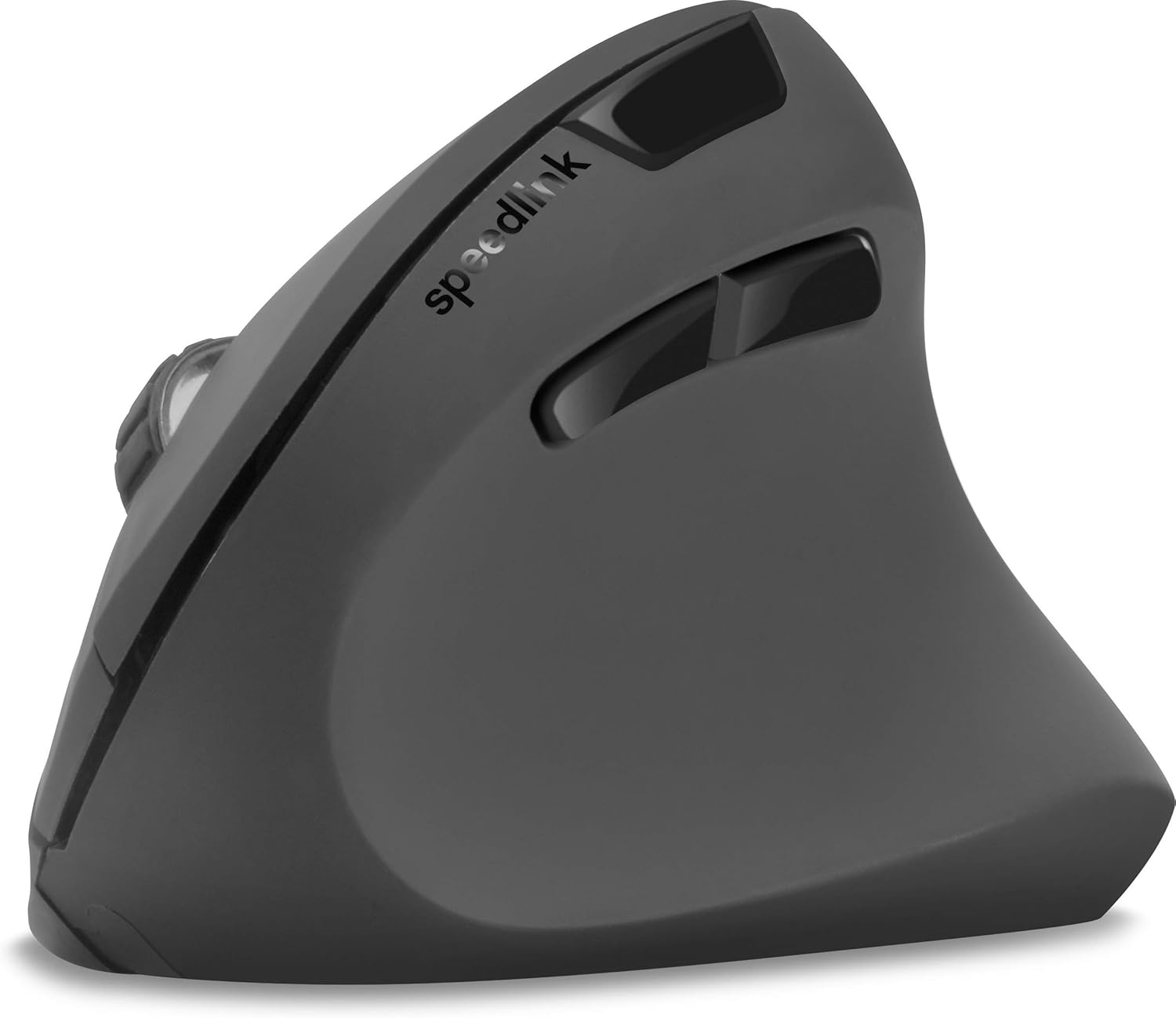
รูปที่ 4: จากบนลงล่าง view of the mouse, highlighting the left/right click buttons, scroll wheel, and DPI switch button.

รูปที่ 5: ด้านข้าง view of the mouse, illustrating the ergonomic grip and the forward/backward navigation buttons.
โหมดประหยัดพลังงาน
The mouse features an energy-saving mode to conserve battery life. If the mouse is inactive for a period, it will enter a sleep state. To wake it up, simply move the mouse or press any button.
การซ่อมบำรุง
To ensure the longevity and optimal performance of your Speedlink PIAVO mouse, follow these maintenance guidelines:
- การทำความสะอาด: ใช้ผ้าแห้งนุ่มเช็ดทำความสะอาดภายนอกของเมาส์ สำหรับคราบสกปรกที่ติดแน่น ให้ใช้ผ้าชุบน้ำหมาดๆ เช็ดทำความสะอาดamp cloth can be used, but ensure no moisture enters the mouse. Avoid using harsh chemicals or abrasive cleaners.
- การทำความสะอาดเซ็นเซอร์: Occasionally, dust or debris may accumulate around the optical sensor on the underside of the mouse. Use a soft brush or compressed air to gently clean the sensor area.
- การเปลี่ยนแบตเตอรี่: When the mouse performance degrades or it stops responding, it may be time to replace the battery. Open the battery compartment, remove the old battery, and insert a new one of the same type, observing polarity.
- พื้นที่จัดเก็บ: When not in use for extended periods, it is recommended to switch off the mouse using the On/Off switch to conserve battery life. Store the mouse and USB receiver in a dry, dust-free environment.
การแก้ไขปัญหา
| ปัญหา | สาเหตุที่เป็นไปได้ | สารละลาย |
|---|---|---|
| เมาส์ไม่ตอบสนอง / เคอร์เซอร์ไม่ขยับ |
|
|
| เคอร์เซอร์เคลื่อนที่ผิดปกติ |
|
|
| DPI setting resets after sleep/reboot. | This is a known characteristic for some mice; the DPI setting may revert to default. | Press the DPI switch button to select your preferred sensitivity after waking the mouse or restarting the computer. |
ข้อมูลจำเพาะ
| หมายเลขรุ่น | SL-630019-BK-01 |
| การเชื่อมต่อ | Wireless 2.4 GHz via USB-A Receiver |
| การตรวจจับการเคลื่อนไหว | ออฟติคอล |
| จำนวนปุ่ม | 5 |
| การตั้งค่า DPI | 800, 1200, 1600 DPI (ปรับได้) |
| การวางแนวมือ | ถนัดขวา |
| ช่วงสาย | สูงสุด 10 เมตร |
| แหล่งพลังงาน | Battery-powered (Battery included) |
| ระบบปฏิบัติการที่รองรับ | หน้าต่าง |
| น้ำหนัก | 106 กรัม |
| สี | สีดำ |
การรับประกันและการสนับสนุน
ข้อมูลเกี่ยวกับเงื่อนไขการรับประกันโดยละเอียดและรายละเอียดการติดต่อฝ่ายบริการลูกค้าไม่มีอยู่ในข้อมูลผลิตภัณฑ์ที่ให้มา โปรดดูที่บรรจุภัณฑ์ของผลิตภัณฑ์หรือเอกสารอย่างเป็นทางการของผู้ผลิต webเว็บไซต์สำหรับข้อมูลการรับประกันและตัวเลือกการสนับสนุนล่าสุด
หากต้องการความช่วยเหลือเพิ่มเติม คุณสามารถไปที่ Speedlink official webเว็บไซต์.