
1. บทนำ
The Unitek Y-3036 is a tool-free external enclosure designed for 2.5-inch SATA I/II/III Hard Disk Drives (HDDs) and Solid State Drives (SSDs). It provides a convenient solution for connecting your 2.5-inch drives to a computer via USB 3.0, offering fast data transfer speeds and easy portability. This manual provides detailed instructions for the proper installation, operation, and maintenance of your Unitek Y-3036 enclosure.
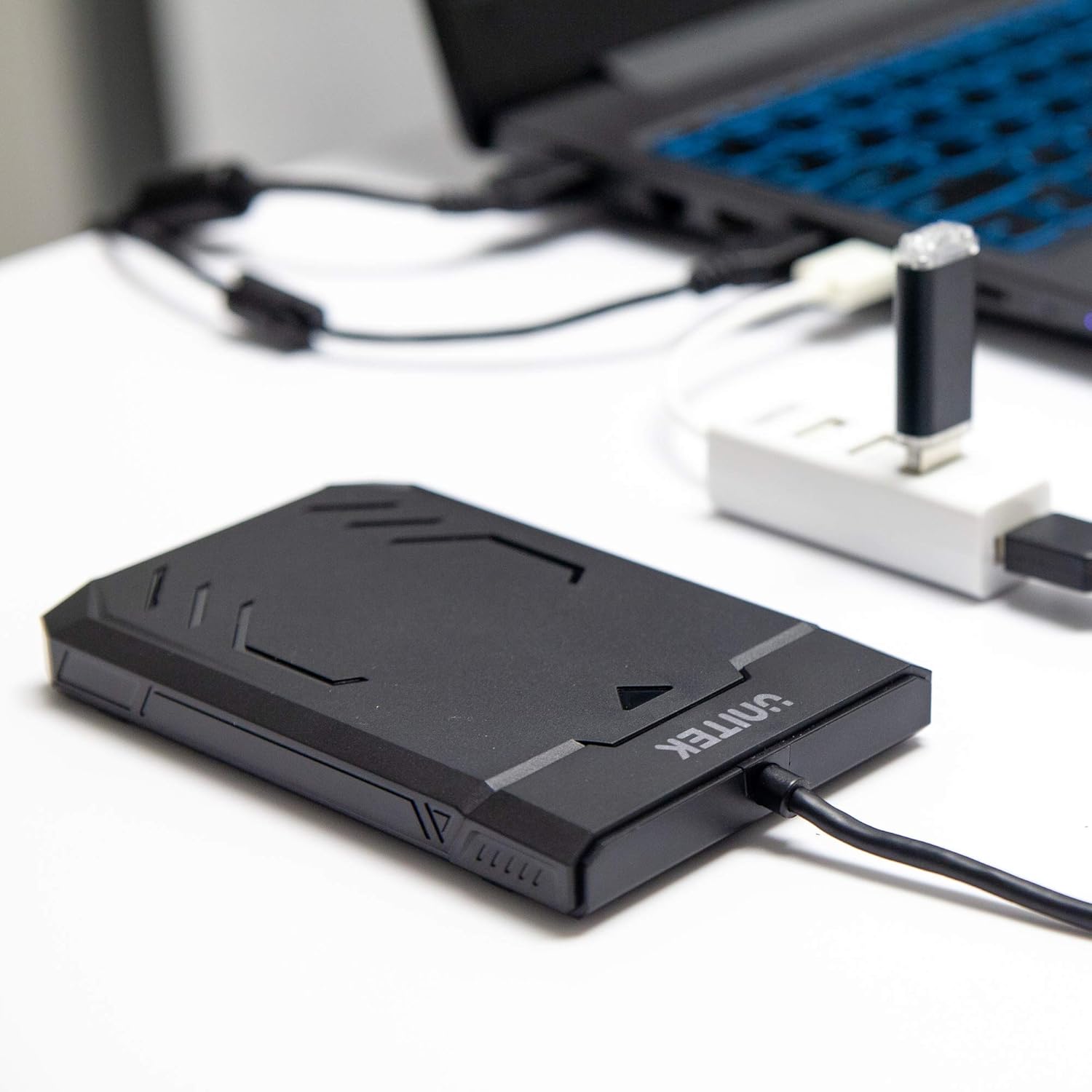
Image 1.1: Unitek Y-3036 enclosure connected to a laptop.
2. เนื้อหาบรรจุภัณฑ์
โปรดตรวจสอบว่าสินค้าทั้งหมดมีอยู่ในแพ็คเกจของคุณ:
- Unitek Y-3036 2.5-inch Hard Drive Enclosure with integrated USB 3.0 cable
- Foam pad for drive stability
- คู่มือการใช้งาน (เอกสารนี้)

Image 2.1: Enclosure with integrated cable and foam pad.
3. ข้อมูลจำเพาะ
| แบบอย่าง | ยูนิตเทค Y-3036 |
| ประเภทไดรฟ์ที่เข้ากันได้ | 2.5-inch SATA I/II/III HDD/SSD (up to 9.5mm thickness) |
| อินเทอร์เฟซ | USB 3.0 (เข้ากันได้กับ USB 2.0 ย้อนหลัง) |
| อัตราการถ่ายโอนข้อมูล | Up to 6Gbps (SATA III), supports UASP |
| ขนาด (กว้าง x ยาว x สูง) | 130mm x 85mm x 15mm (5.12 "x 3.27" x "0.59) |
| วัสดุ | พลาสติก |
| คุณสมบัติ | Tool-free assembly, Plug & Play, LED indicator, Sleep function, Built-in USB cable |

ภาพที่ 3.1: ขนาดของผลิตภัณฑ์
4. การตั้งค่าและการติดตั้ง
The Unitek Y-3036 enclosure features a tool-free design for easy installation of your 2.5-inch HDD or SSD.
- เปิดสิ่งที่แนบมา: ค่อยๆ เลื่อนฝาครอบด้านบนของกล่องเพื่อเปิดออก
- ใส่ไดรฟ์: Align your 2.5-inch SATA HDD or SSD with the SATA connector inside the enclosure. Carefully push the drive into the connector until it is firmly seated. Ensure the drive is oriented correctly.
- Add Foam Pad (Optional): If your drive is thinner than 9.5mm, you may use the included foam pad to secure it snugly within the enclosure and prevent movement. Place the foam pad on top of the drive before closing the cover.
- ปิดสิ่งที่แนบมา: เลื่อนฝาครอบด้านบนกลับเข้าที่จนกระทั่งได้ยินเสียงคลิกและแน่นสนิท

Image 4.1: Enclosure open with a 2.5-inch HDD inserted.

ภาพที่ 4.2: รายละเอียด view of drive insertion.
5. คู่มือการใช้งาน
Once your drive is installed in the enclosure, follow these steps to use it with your computer:
- เชื่อมต่อกับคอมพิวเตอร์: Plug the integrated USB 3.0 cable from the enclosure into an available USB port on your computer. For optimal performance, use a USB 3.0 port.
- ไฟแสดงสถานะ LED: The enclosure features an LED indicator. When connected, the LED will illuminate, indicating power. It will flash during data transfer activity.
- การตรวจจับไดรฟ์: Your operating system should automatically detect the new drive. If it's a new drive, you may need to initialize and format it through your operating system's disk management utility before it appears in 'My Computer' or 'Finder'.
- การกำจัดอย่างปลอดภัย: ควรทำการถอดอุปกรณ์จัดเก็บข้อมูลออกจากระบบปฏิบัติการอย่างปลอดภัยทุกครั้งก่อนถอดสาย USB เพื่อป้องกันข้อมูลเสียหาย
6. การบำรุงรักษา
To ensure the longevity and optimal performance of your Unitek Y-3036 enclosure:
- การทำความสะอาด: ใช้ผ้านุ่มและแห้งเช็ดทำความสะอาดภายนอกตัวเครื่อง หลีกเลี่ยงการใช้น้ำยาทำความสะอาดหรือตัวทำละลาย
- พื้นที่จัดเก็บ: เมื่อไม่ได้ใช้งาน ให้เก็บกล่องไว้ในที่แห้งและเย็น หลีกเลี่ยงแสงแดดโดยตรงและอุณหภูมิที่สูงหรือต่ำเกินไป
- การจัดการ: Handle the enclosure with care to avoid drops or impacts, which could damage the internal drive or the enclosure itself.
7 การแก้ไขปัญหา
If you encounter issues with your Unitek Y-3036 enclosure, refer to the following common problems and solutions:
- ไม่พบไดรฟ์:
- ตรวจสอบให้แน่ใจว่าได้เสียบสาย USB เข้ากับตัวเคสและคอมพิวเตอร์อย่างแน่นหนาแล้ว
- ลองเชื่อมต่อกับพอร์ต USB อื่นบนคอมพิวเตอร์ของคุณ
- Verify that the 2.5-inch HDD/SSD is properly seated in the enclosure's SATA connector.
- ตรวจสอบโปรแกรมจัดการดิสก์ (สำหรับ Windows) หรือโปรแกรมยูทิลิตี้ดิสก์ (สำหรับ macOS) ในคอมพิวเตอร์ของคุณ เพื่อดูว่าไดรฟ์นั้นถูกตรวจพบแล้วแต่ยังไม่ได้เริ่มต้นใช้งานหรือยังไม่ได้ฟอร์แมตหรือไม่
- Test the enclosure with a different 2.5-inch SATA drive, or test your drive directly with another enclosure/adapter if available.
- ความเร็วในการถ่ายโอนข้อมูลช้า:
- โปรดตรวจสอบให้แน่ใจว่าคุณได้เชื่อมต่อคอมพิวเตอร์เข้ากับพอร์ต USB 3.0 แล้ว พอร์ต USB 2.0 จะทำงานด้วยความเร็วที่ช้ากว่า
- ตรวจสอบว่าระบบปฏิบัติการและไดรเวอร์ของคุณเป็นเวอร์ชันล่าสุด
- The actual speed depends on the performance of the installed HDD/SSD.
- ไฟแสดงสถานะ LED ไม่ติดสว่าง:
- Confirm the USB cable is fully plugged into a powered USB port.
- ลองใช้พอร์ต USB อื่น
8. ข้อมูลด้านความปลอดภัย
โปรดปฏิบัติตามแนวทางความปลอดภัยดังต่อไปนี้:
- อย่าให้ตู้หรือกล่องสัมผัสกับน้ำ ความชื้น หรืออุณหภูมิที่สูงหรือต่ำเกินไป
- Avoid dropping or subjecting the enclosure to severe impacts.
- Do not attempt to open or modify the enclosure beyond the intended drive installation. This may void any warranty and could cause damage.
- เก็บให้พ้นจากมือเด็ก
9. การรับประกันและการสนับสนุน
Unitek products are designed for reliability and performance. For warranty information or technical support, please refer to the official Unitek webหรือติดต่อตัวแทนจำหน่ายในพื้นที่ของคุณ เก็บใบเสร็จรับเงินไว้เป็นหลักฐานการซื้อสำหรับการเรียกร้องการรับประกัน