
1. บทนำ
ขอบคุณสำหรับการซื้อasing the ELECTROPRIME Digital Voice Recorder. This device is designed for high-quality audio recording and playback, functioning as both a dictaphone and an MP3 music player. Please read this manual carefully to ensure proper use and optimal performance.
เนื้อหาแพ็คเกจ:
- ELECTROPRIME Digital Voice Recorder (Model: ASHA20BEBUBEB16153)
- สาย USB
- คู่มือการใช้งาน
2. สินค้าหมดview
ทำความคุ้นเคยกับส่วนประกอบและปุ่มควบคุมของอุปกรณ์
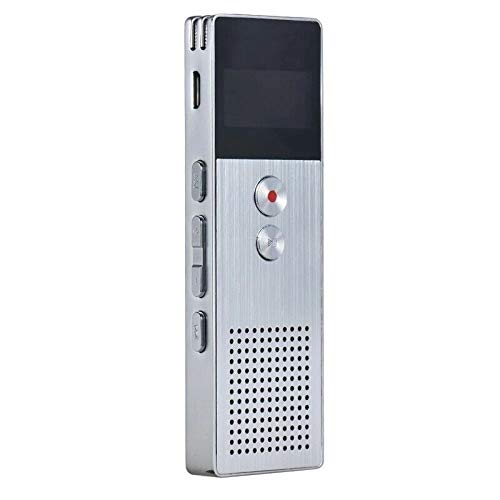
ภาพที่ 2.1: ด้านหน้า view of the ELECTROPRIME Digital Voice Recorder. This image displays the device's screen, the prominent red record button, and other control buttons on the front panel, along with the speaker grille at the bottom.
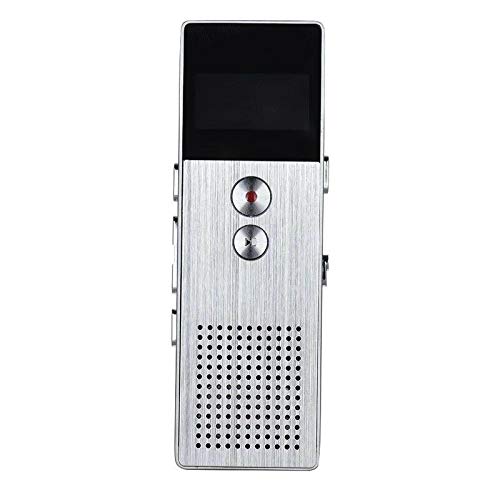
ภาพที่ 2.2: ด้านข้าง view of the ELECTROPRIME Digital Voice Recorder. This image highlights the side controls, including the power switch, volume buttons, and the USB charging/data transfer port. The device's compact design is visible.
ส่วนประกอบอุปกรณ์:
- หน้าจอแสดงผล: Shows recording status, time, battery level, and menu options.
- ปุ่มบันทึก: Initiates and stops audio recording.
- ปุ่มเล่น/หยุดชั่วคราว: Starts and pauses playback of audio files.
- ปุ่มปรับระดับเสียง (+/-): ปรับระดับเสียงการเล่น
- ปุ่มเมนู/โหมด: Navigates through menus and switches operating modes.
- พอร์ต USB: สำหรับชาร์จแบตเตอรี่และถ่ายโอนข้อมูลไปยังคอมพิวเตอร์
- ไมโครโฟน: Built-in stereo microphone for audio input.
- ผู้บรรยาย: สำหรับการเล่นเสียงโดยตรง
- แจ็คหูฟัง: สำหรับการฟังส่วนตัว
- สวิตช์ไฟ: เปิดหรือปิดอุปกรณ์
3. การตั้งค่า
3.1 การชาร์จอุปกรณ์
Before first use, fully charge the device. Connect the recorder to a computer's USB port or a USB wall adapter (not included) using the provided USB cable. The battery indicator on the screen will show charging status. A full charge typically takes 2-3 hours.
3.2 เปิด/ปิดเครื่อง
- ในการเปิดเครื่อง ให้เลื่อน... สวิตซ์ไฟฟ้า ไปที่ตำแหน่ง ON
- หากต้องการปิดเครื่อง ให้เลื่อน... สวิตซ์ไฟฟ้า ไปที่ตำแหน่งปิด
3.3 การตั้งค่าเริ่มต้น
Upon first power-on or after a reset, you may need to set the date, time, and language. Use the navigation buttons to select options and confirm with the Play/Pause button.
4. คู่มือการใช้งาน
4.1 การบันทึกเสียง
The device supports high-quality stereo recording in .WAV format, offering up to 23 hours of continuous recording with its 8GB internal memory.
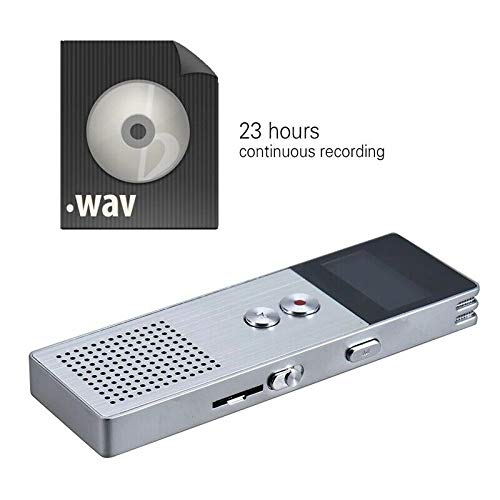
ภาพที่ 4.1: The recorder's capability to record in .WAV format and its impressive 23-hour continuous recording capacity are highlighted in this image, alongside the device itself.
- ตรวจสอบให้แน่ใจว่าอุปกรณ์เปิดอยู่
- กดปุ่ม ปุ่มบันทึก (red circle) to start recording. The screen will display a recording indicator and elapsed time.
- หากต้องการหยุดการบันทึกชั่วคราว ให้กดปุ่ม ปุ่มเล่น/หยุดชั่วคราว. กดอีกครั้งเพื่อดำเนินการต่อ
- เพื่อหยุดการบันทึกและบันทึก file, กดปุ่ม ปุ่มบันทึก อีกครั้ง. file จะถูกบันทึกโดยอัตโนมัติ
เคล็ดลับ: For best recording quality, ensure the microphone is not obstructed and the device is placed on a stable surface.
4.2 การเล่นซ้ำ
- In the main menu, navigate to the "Recordings" or "Music" folder using the navigation buttons.
- เลือกสิ่งที่คุณต้องการ file และกดปุ่ม ปุ่มเล่น/หยุดชั่วคราว เพื่อเริ่มการเล่น
- ระหว่างการเล่น ให้ใช้ปุ่ม ปุ่มปรับระดับเสียง (+/-) เพื่อปรับระดับเสียง
- กดปุ่ม ปุ่มเล่น/หยุดชั่วคราว to pause playback, and again to resume.
- หากต้องการหยุดเล่นให้กดปุ่ม ปุ่มหยุด (if available, otherwise navigate out of playback mode).
4.3 MP3 Music Player Functionality
The device can also function as an MP3 player. Transfer MP3 files to the device via USB connection to your computer.
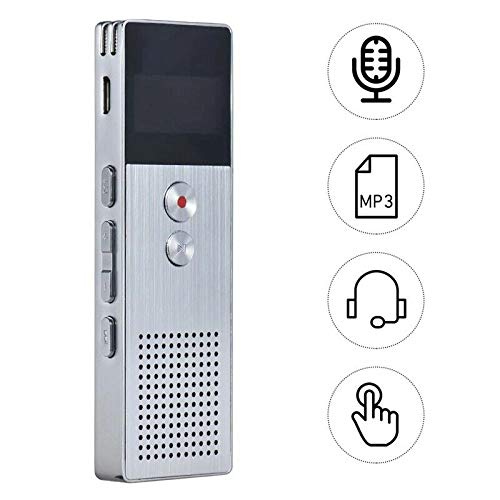
ภาพที่ 4.2: This image illustrates the multi-functional capabilities of the device, including its use as a voice recorder (microphone icon), an MP3 player (MP3 icon), and its compatibility with headphones (headphone icon). The touch icon suggests ease of interaction.
- เชื่อมต่ออุปกรณ์กับคอมพิวเตอร์ของคุณโดยใช้สาย USB
- The device will appear as a removable disk. Copy your MP3 files into the "Music" folder on the device.
- ดีดอุปกรณ์ออกจากคอมพิวเตอร์ของคุณอย่างปลอดภัย
- On the recorder, navigate to the "Music" menu and select your desired MP3 file สำหรับการเล่น
4.4 File Management (Connecting to PC)
To transfer, delete, or organize files, connect the recorder to your computer using the USB cable. The device will be recognized as a mass storage device. You can then drag and drop files as you would with any USB drive.
5. การบำรุงรักษา
- ควรเก็บอุปกรณ์ให้แห้ง ความชื้นอาจทำให้วงจรภายในเสียหายได้
- หลีกเลี่ยงอุณหภูมิที่สูงหรือต่ำเกินไป
- อย่าทำอุปกรณ์หล่นหรือกระแทกอย่างรุนแรง
- ทำความสะอาดอุปกรณ์ด้วยผ้านุ่มและแห้ง ห้ามใช้สารเคมีรุนแรงหรือผงซักฟอก
- Regularly back up important recordings to your computer.
6 การแก้ไขปัญหา
อุปกรณ์ไม่เปิดเครื่อง:
- ตรวจสอบให้แน่ใจว่าแบตเตอรี่ชาร์จเต็มแล้ว เสียบปลั๊กเข้ากับแหล่งจ่ายไฟแล้วลองอีกครั้ง
- ตรวจสอบว่าสวิตช์เปิดปิดอยู่ในตำแหน่งเปิดหรือไม่
ไม่สามารถบันทึกได้:
- Check available memory. If full, transfer files to a computer and delete them from the device.
- ตรวจสอบให้แน่ใจว่าไม่มีสิ่งใดมาปิดบังไมโครโฟน
- Verify the device is in recording mode.
ไม่มีเสียงระหว่างการเล่น:
- Adjust the volume using the Volume Buttons.
- Ensure headphones are properly connected if using them.
- ตรวจสอบว่าเสียง file ได้รับความเสียหาย
อุปกรณ์ไม่ได้รับการรู้จักโดยคอมพิวเตอร์:
- ลองใช้พอร์ต USB อื่น หรือสาย USB อื่นดู
- โปรดตรวจสอบให้แน่ใจว่าอุปกรณ์เปิดอยู่ขณะเชื่อมต่อ
- รีสตาร์ทเครื่องคอมพิวเตอร์ของคุณ
7. ข้อมูลจำเพาะ
| ยี่ห้อ | อิเล็คโตรไพรม์ |
| หมายเลขรุ่น | ASHA20BEBUBEB16153 |
| การเก็บข้อมูลความทรงจำ | 8GB |
| รูปแบบการบันทึก | วาฟ |
| รูปแบบการเล่น | MP3, WAV |
| ไมโครโฟน | สเตอริโอ |
| การบันทึกต่อเนื่อง | นานถึง 23 ชั่วโมง |
| การเชื่อมต่อ | ยูเอสบี |
8. การรับประกันและการสนับสนุน
For warranty information or technical support, please refer to the product packaging or contact ELECTROPRIME customer service through their official website or the retailer where the product was purchased. Please have your model number (ASHA20BEBUBEB16153) and purchase details ready.