
การแนะนำ
This manual provides essential information for setting up, operating, maintaining, and troubleshooting your vivo V30 5G smartphone. Please read this guide thoroughly to ensure proper use and to maximize the device's capabilities. The vivo V30 5G features a powerful Qualcomm Snapdragon 7 Gen 3 processor, a vibrant 6.78-inch FHD+ AMOLED display, advanced dual 50MP rear cameras, and a long-lasting 5000 mAh battery with 80W fast charging.
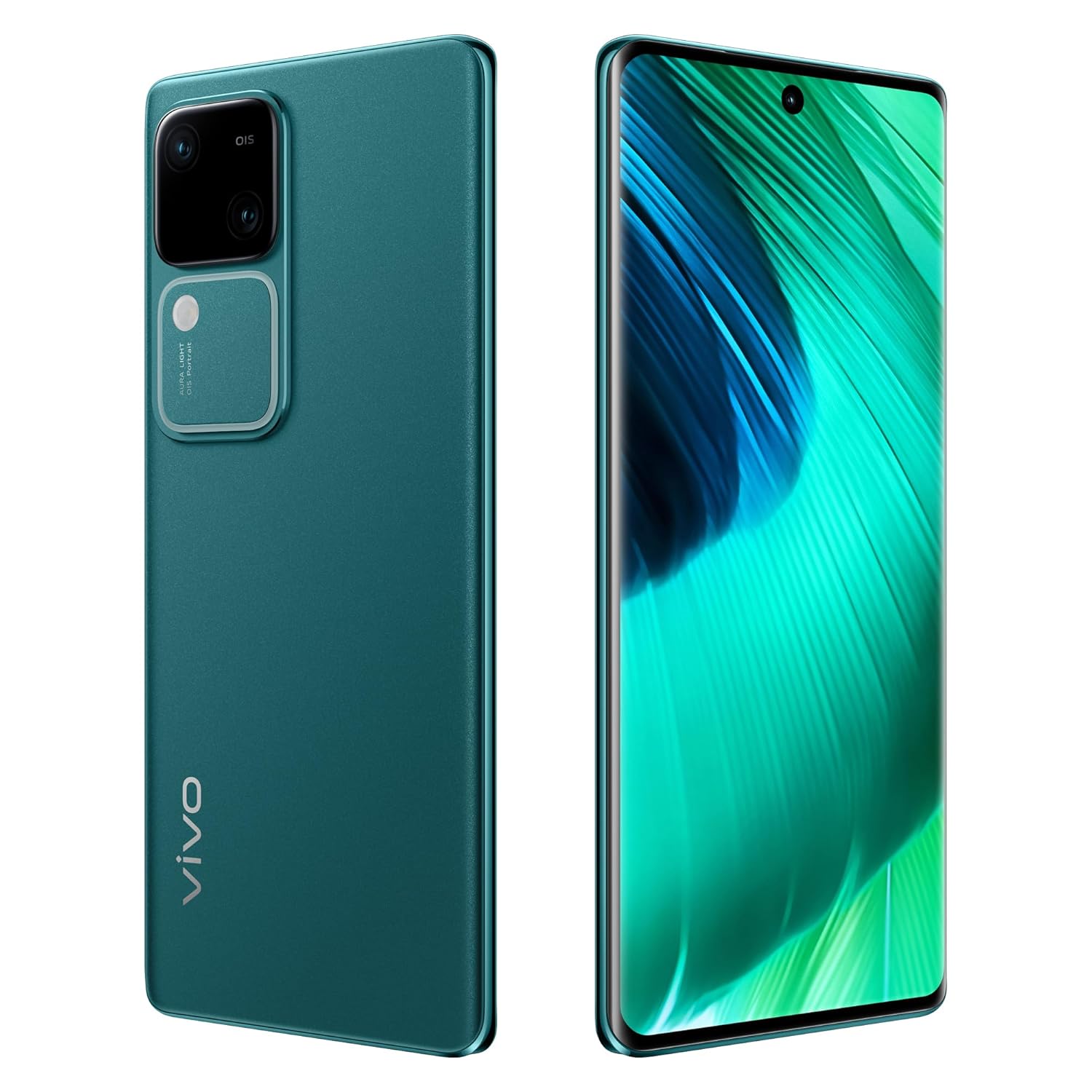
Image: The vivo V30 5G smartphone in Peacock Green, showcasing its sleek design, large display, and the prominent dual camera system on the rear.
คู่มือการติดตั้ง
1. การแกะกล่องและการตรวจสอบเบื้องต้น
นำสิ่งของทั้งหมดออกจากบรรจุภัณฑ์อย่างระมัดระวัง ตรวจสอบว่ามีส่วนประกอบต่อไปนี้อยู่:
- vivo V30 5G Smartphone
- อะแดปเตอร์
- สาย USB (ประเภท-C)
- เคสโทรศัพท์
- ฟิล์มกันรอยหน้าจอ (ติดมาแล้วหรืออยู่ในกล่อง)
- ตัวดันถาดซิม
2. การติดตั้งซิมการ์ด
- ค้นหาถาดใส่การ์ด SIM ที่ด้านข้างอุปกรณ์ของคุณ
- ใส่เครื่องมือถอดถาดซิมเข้าไปในรูเล็ก ๆ ข้างถาดแล้วกดเบา ๆ จนกว่าถาดจะดีดออกมา
- ใส่ซิมการ์ดนาโนลงในช่องที่กำหนดบนถาด อุปกรณ์นี้รองรับการใช้งานสองซิม
- ใส่ถาดซิมกลับเข้าไปในโทรศัพท์อย่างระมัดระวังจนกระทั่งล็อคเข้าที่
3. การเปิดเครื่องครั้งแรกและการตั้งค่า
- Press and hold the Power button on the side of the phone until the vivo logo appears.
- Follow the on-screen instructions to complete the initial setup, including language selection, Wi-Fi connection, Google account setup, and Funtouch OS 14 preferences.
4. การชาร์จอุปกรณ์
Connect the USB Type-C cable to the phone's charging port and the adapter. Plug the adapter into a power outlet. The vivo V30 5G supports 80W fast charging. It is recommended to fully charge the device before first use.
การใช้งานอุปกรณ์ของคุณ
1. การนำทางพื้นฐาน
- ท่าทางการสัมผัสหน้าจอ: Swipe, tap, pinch-to-zoom, and long-press are standard gestures for navigating the Funtouch OS 14 interface.
- ปุ่มเปิด/ปิด: Press to wake/sleep the screen. Long-press to power off or restart.
- ปุ่มปรับระดับเสียง: ปรับระดับเสียงสื่อ ระดับเสียงการโทร และระดับเสียงการแจ้งเตือน
2. การใช้กล้อง
The vivo V30 5G features a versatile camera system:
- กล้องหลัง: Dual 50MP + 50MP sensors for high-resolution photos and videos. Optical Image Stabilization (OIS) enhances clarity.
- กล้องหน้า: เซ็นเซอร์ 50MP เพื่อการเซลฟี่และวิดีโอคอลที่คมชัด
- แสงออร่า: Utilize the integrated Aura Light for improved portrait photography in low-light conditions.
- โหมดการถ่ายภาพ: Access various modes like Portrait, Night, Panorama, and Pro mode through the camera application.
3. การเชื่อมต่อ
- ไวไฟ : เชื่อมต่อกับเครือข่ายไร้สายผ่าน การตั้งค่า > เครือข่ายและอินเทอร์เน็ต > Wi-Fi
- บลูทูธ: Pair with Bluetooth devices like headphones or speakers via Settings > Connected devices > Bluetooth.
- ข้อมูลมือถือ: Enable or disable cellular data via Quick Settings or Settings > Network & internet > SIMs.
- USB Type-C: Use the USB-C port for charging, data transfer, and connecting accessories.
4. คุณสมบัติด้านความปลอดภัย
The device includes Face Recognition for secure unlocking. Set it up via Settings > Security > Face.
การบำรุงรักษาและการดูแล
1. การทำความสะอาดอุปกรณ์ของคุณ
ใช้ผ้าเนื้อนุ่มที่ไม่เป็นขุยเช็ดทำความสะอาดหน้าจอและตัวเครื่องโทรศัพท์ หลีกเลี่ยงการใช้สารเคมีรุนแรงหรือวัสดุที่มีฤทธิ์กัดกร่อน และอย่าให้เครื่องโดนความชื้นมากเกินไป
2. การอัปเดตซอฟต์แวร์
Regularly check for and install software updates to ensure optimal performance, security, and access to new features. Go to Settings > System > System update.
3. การดูแลแบตเตอรี่
- หลีกเลี่ยงอุณหภูมิที่สูงเกินไป เพราะอาจทำให้แบตเตอรี่มีอายุการใช้งานลดลง
- Use only the original vivo charger and cable for optimal charging and safety.
- อย่าชาร์จโทรศัพท์ทิ้งไว้เป็นเวลานานหลังจากแบตเตอรี่ถึง 100%
การแก้ไขปัญหา
If you encounter issues with your vivo V30 5G, try the following solutions:
- อุปกรณ์ไม่เปิด: ตรวจสอบให้แน่ใจว่าแบตเตอรี่ชาร์จเต็มแล้ว เสียบที่ชาร์จและรอสักครู่ก่อนลองเปิดเครื่องอีกครั้ง
- หน้าจอไม่ตอบสนอง: Try restarting the device by holding the Power button for approximately 10-15 seconds.
- แอปขัดข้อง: ล้างแคชของแอปที่มีปัญหา (การตั้งค่า > แอป > [ชื่อแอป] > พื้นที่จัดเก็บและแคช > ล้างแคช) หากปัญหายังคงอยู่ ให้ลองติดตั้งแอปใหม่อีกครั้ง
- สัญญาณเครือข่ายไม่ดี: Check your SIM card installation. Try restarting the phone or toggling Airplane Mode on and off. Ensure you are in an area with network coverage.
- ปัญหาการชาร์จ: Verify that the charging cable and adapter are securely connected and undamaged. Try a different power outlet.
สำหรับปัญหาที่ซับซ้อนกว่านี้ โปรดติดต่อฝ่ายสนับสนุนอย่างเป็นทางการของ vivo webเว็บไซต์หรือติดต่อฝ่ายบริการลูกค้า
ข้อมูลจำเพาะทางเทคนิค
| คุณสมบัติ | ข้อมูลจำเพาะ |
|---|---|
| ยี่ห้อ | ร่างกาย |
| แบบอย่าง | V30 5จี |
| ระบบปฏิบัติการ | Funtouch OS 14 Global (Based on Android 14) |
| โปรเซสเซอร์ | วอลคอมม์ สแนปดราก้อน 7 เจเนอเรชั่น 3 |
| ความเร็วซีพียู | 2.2 กิกะเฮิรตซ์ |
| แรม | 8GB |
| การจัดเก็บข้อมูลภายใน | 128GB |
| ขนาดจอแสดงผล | 17.22 ซม. (6.78 นิ้ว) |
| ประเภทจอภาพ | FHD + AMOLED |
| ความละเอียดการแสดงผล | 2800 x 1260 พิกเซล |
| กล้องหลัง | Dual 50MP + 50MP (with OIS) |
| กล้องหน้า | 50 MP |
| ความจุของแบตเตอรี่ | 5000 มิลลิแอมป์ |
| การชาร์จไฟ | ชาร์จเร็ว 80W |
| ช่องใส่ซิมการ์ด | ซิมคู่ |
| ประเภทขั้วต่อ | USB ประเภท C |
| การรักษาความปลอดภัยด้วยไบโอเมตริกซ์ | การจดจำใบหน้า |
| ขนาด (กว้าง x ยาว x สูง) | 16.4 x 7.5 x 0.7 เซนติเมตร |
| น้ำหนัก | 186 กรัม |
| รุ่นปี | 2024 |
ข้อมูลการรับประกัน
The vivo V30 5G comes with a รับประกันจากผู้ผลิต 1 ปี from the date of purchase. This warranty covers manufacturing defects. Please retain your proof of purchase for warranty claims. For detailed terms and conditions, refer to the warranty card included in your product packaging or visit the official vivo webเว็บไซต์.
การสนับสนุนลูกค้า
For technical assistance, service, or further inquiries, please contact vivo customer support using the following information:
ผู้ผลิต: บริษัท วีโว โมบายล์ อินเดีย จำกัด
ที่อยู่: Tech-1 and Tech-2, World Trade Centre, Plot no-TZ-13A, Techzone (I.T. Park), Greater Noida, Uttar Pradesh, India. Pin - 201308
Please visit the official vivo website for the most up-to-date contact details, service center locations, and online support resources.