
1. บทนำ
This manual provides essential instructions for the installation, operation, maintenance, and troubleshooting of your VIVOTEK CC9381-HV 5MP Dome Camera. Please read this manual thoroughly before using the product to ensure proper setup and functionality. The CC9381-HV is a high-performance surveillance camera designed for reliable monitoring with a 180-degree field of view and advanced imaging capabilities.
2. ข้อมูลด้านความปลอดภัย
ปฏิบัติตามข้อควรระวังด้านความปลอดภัยต่อไปนี้เพื่อป้องกันความเสียหายต่อผลิตภัณฑ์และเพื่อความปลอดภัยของผู้ใช้:
- Ensure the power source matches the camera's requirements (AC/DC, 220V).
- Do not expose the camera to extreme temperatures outside its operating range (Upper Temperature Rating: 50 Degrees Celsius).
- Avoid direct exposure to water or moisture unless the product's IP rating specifically allows it (International Protection Rating: IP21).
- อย่าพยายามถอดประกอบหรือดัดแปลงกล้อง โปรดติดต่อช่างผู้ชำนาญเพื่อขอรับบริการทั้งหมด
- Mount the camera securely using appropriate hardware to prevent it from falling.
3. เนื้อหาบรรจุภัณฑ์
ตรวจสอบว่าสินค้าทั้งหมดอยู่ในบรรจุภัณฑ์ครบถ้วน หากมีสินค้าใดขาดหายหรือเสียหาย โปรดติดต่อผู้ขายทันที
- VIVOTEK CC9381-HV Dome Camera
- ขายึดและฮาร์ดแวร์
- คู่มือการติดตั้ง
- Accessory Kit (e.g., screws, anchors)
4. การตั้งค่า
4.1 การติดตั้งทางกายภาพ
The VIVOTEK CC9381-HV camera is designed for bracket mounting. Choose a suitable location that provides the desired field of view and is within reach of power and network connections. The camera dimensions are approximately 8.5 x 7 x 3.5 inches.
- Mark the drilling points on the mounting surface using the provided template or bracket.
- เจาะรูนำและใส่พุกยึดผนังหากจำเป็น
- ยึดขายึดเข้ากับพื้นผิวโดยใช้สกรูที่ให้มา
- Attach the camera to the mounting bracket, ensuring it is firmly locked in place.
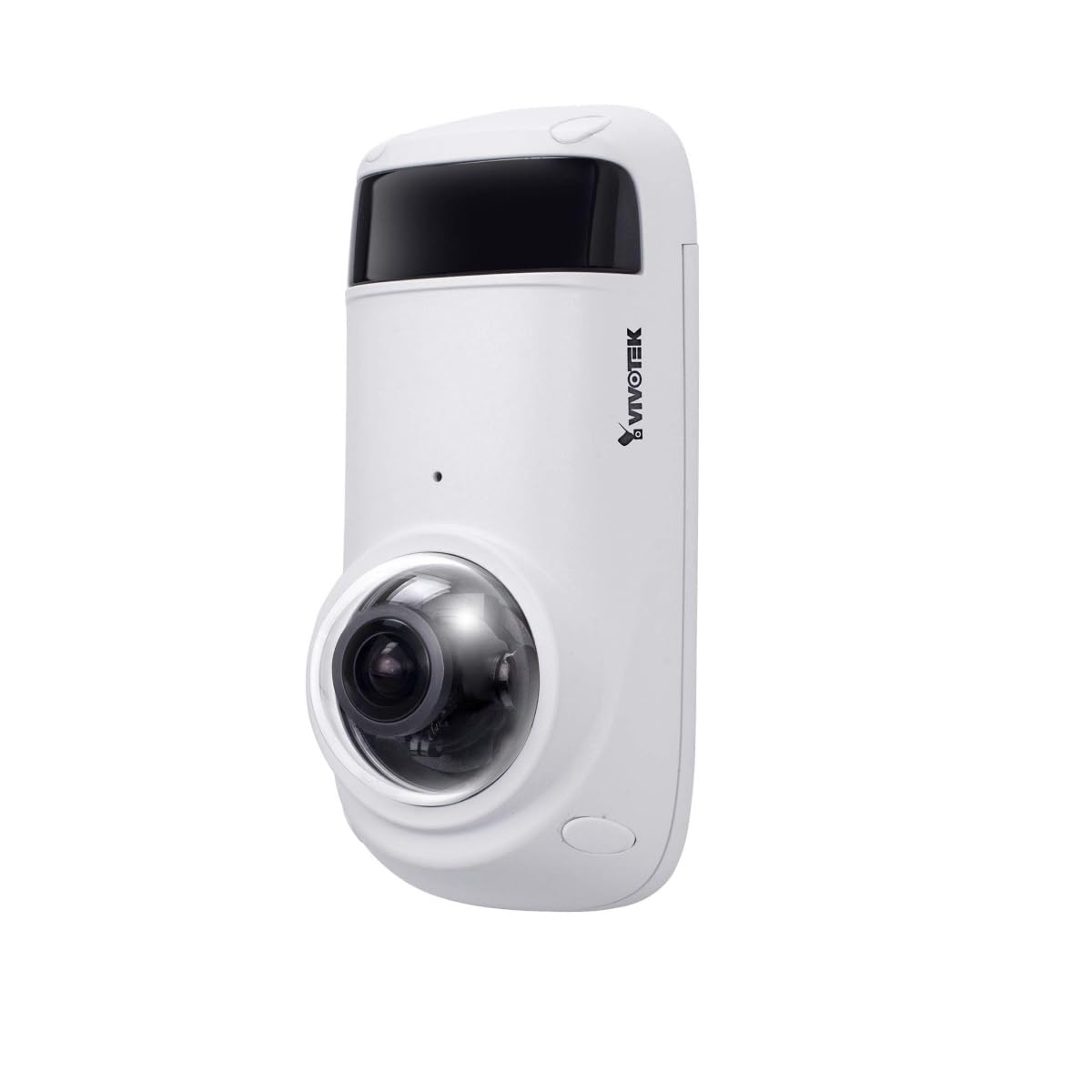
Figure 1: VIVOTEK CC9381-HV Dome Camera. This image shows the compact dome design of the surveillance camera, suitable for various indoor and outdoor installations.
4.2 การเชื่อมต่อสายไฟ
Connect the camera to a suitable AC/DC power source. Ensure the voltage (220V) และ wattage (3600W) requirements are met to prevent damage.
4.3 การเชื่อมต่อเครือข่าย
The CC9381-HV supports both wired and Wi-Fi connectivity. For wired connection, connect an Ethernet cable from your network router or switch to the camera's network port. For Wi-Fi setup, refer to the camera's web interface for wireless configuration after initial wired setup.
5. คู่มือการใช้งาน
5.1 การเข้าถึงและการกำหนดค่าเบื้องต้น
After connecting power and network, access the camera's web interface using its IP address. You may need to use a VIVOTEK utility to discover the camera's IP address on your network. Follow the on-screen prompts to set up a strong password and configure basic network settings.
5.2 สด View และการบันทึก
The camera provides a 180-degree field of view with a maximum webcam image resolution of 5 MP and a frame rate of 30 fps. You can view อยู่ footage and configure recording settings through the web interface or compatible VIVOTEK software.
- รูปแบบการจับภาพวิดีโอ: Supports MJPEG and MP4 formats.
- เทคโนโลยีแสงน้อย: Features Night Color technology for enhanced visibility in low-light conditions.
- ประเภทการแจ้งเตือน: Configurable for Motion Only alerts.
5.3 การควบคุมระยะไกล
The camera supports remote control, allowing you to manage settings and view ฟูtage from a distance using compatible software or mobile applications. The controller type is Iris.
6. การบำรุงรักษา
การบำรุงรักษาตามปกติจะช่วยให้กล้องของคุณมีประสิทธิภาพสูงสุดและมีอายุการใช้งานยาวนาน
- การทำความสะอาด: เช็ดเลนส์กล้องและตัวกล้องเบาๆ ด้วยผ้าแห้งเนื้อนุ่ม ห้ามใช้สารเคมีรุนแรงหรือน้ำยาทำความสะอาดที่มีฤทธิ์กัดกร่อน
- อัพเดตเฟิร์มแวร์: Periodically check the VIVOTEK webเว็บไซต์สำหรับอัพเดตเฟิร์มแวร์เพื่อให้แน่ใจว่ากล้องของคุณมีคุณสมบัติล่าสุดและการปรับปรุงด้านความปลอดภัย
- การตรวจสอบสิ่งแวดล้อม: Ensure the camera's environment remains within specified temperature and humidity ranges.
7 การแก้ไขปัญหา
If you encounter issues with your VIVOTEK CC9381-HV camera, refer to the following common problems and solutions:
| ปัญหา | สาเหตุที่เป็นไปได้ | สารละลาย |
|---|---|---|
| ไม่มีไฟแสดงสถานะ | Power cable disconnected; faulty power adapter | Check power connections; test with a known good power adapter. |
| ไม่สามารถเข้าถึงกล้องผ่านเครือข่ายได้ | Incorrect IP address; network cable issue; Wi-Fi not configured | Verify IP address; check network cable; ensure Wi-Fi settings are correct. |
| คุณภาพของภาพไม่ดี | Dirty lens; insufficient lighting; incorrect settings | Clean the lens; ensure adequate lighting or enable Night Color; adjust image settings. |
| การตรวจจับการเคลื่อนไหวไม่ทำงาน | Motion detection disabled; incorrect sensitivity settings | Enable motion detection in settings; adjust sensitivity levels. |
If the problem persists, contact VIVOTEK technical support for further assistance.
8. ข้อมูลจำเพาะ
Detailed technical specifications for the VIVOTEK CC9381-HV Dome Camera:
| คุณสมบัติ | ข้อมูลจำเพาะ |
|---|---|
| หมายเลขรุ่น | CC9381-เอชวี |
| สูงสุด Webความละเอียดของภาพลูกเบี้ยว | 5 MP |
| ความละเอียดในการจับภาพวิดีโอ | 720p (ความละเอียดวิดีโอที่ใช้งานได้จริง: 1920) |
| อัตราเฟรม | 30 เฟรมต่อวินาที |
| ที่ดินของ View | 180 องศา |
| เทคโนโลยีแสงน้อย | สีกลางคืน |
| เทคโนโลยีการเชื่อมต่อ | แบบมีสาย, Wi-Fi |
| โปรโตคอลการเชื่อมต่อ | ไวไฟ |
| แหล่งพลังงาน | AC DC |
| เล่มที่tage | 220 |
| วัดtage | 3600 |
| ประเภทการติดตั้ง | ขายึด |
| ขนาดสินค้า | 8.5 x 7 x 3.5 นิ้ว |
| น้ำหนักสินค้า | 2.42 ปอนด์ (1.1 กิโลกรัม) |
| คะแนนอุณหภูมิบน | 50 องศาเซลเซียส |
| การให้คะแนนการคุ้มครองระหว่างประเทศ | IP21 |
| รูปแบบการจับภาพวิดีโอ | MJPEG, MP4 |
| ประเภทการแจ้งเตือน | การเคลื่อนไหวเท่านั้น |
| วิธีการควบคุม | ระยะไกล |
| ประเภทตัวควบคุม | ไอริส |
| เทคโนโลยีโฟโต้เซนเซอร์ | ซีมอส |
| ขนาดหน่วยความจำแฟลชที่ติดตั้ง | 128GB |
| ซูมออปติคอล | 3 เท่า |
| การใช้ที่แนะนำ | Security, Surveillance |
9. การรับประกันและการสนับสนุน
VIVOTEK products are covered by a limited warranty. For specific warranty terms and conditions, please refer to the warranty card included with your product or visit the official VIVOTEK website. For technical support, product registration, or service inquiries, please contact VIVOTEK customer service or your authorized dealer.
VIVOTEK อย่างเป็นทางการ Webเว็บไซต์: www.vivotek.com