
การแนะนำ
Thank you for choosing the Conceptronic REGAS01B Optical Desktop Mouse. This manual provides essential information for setting up, operating, and maintaining your new mouse. Please read these instructions carefully before use to ensure proper functionality and longevity of your device.
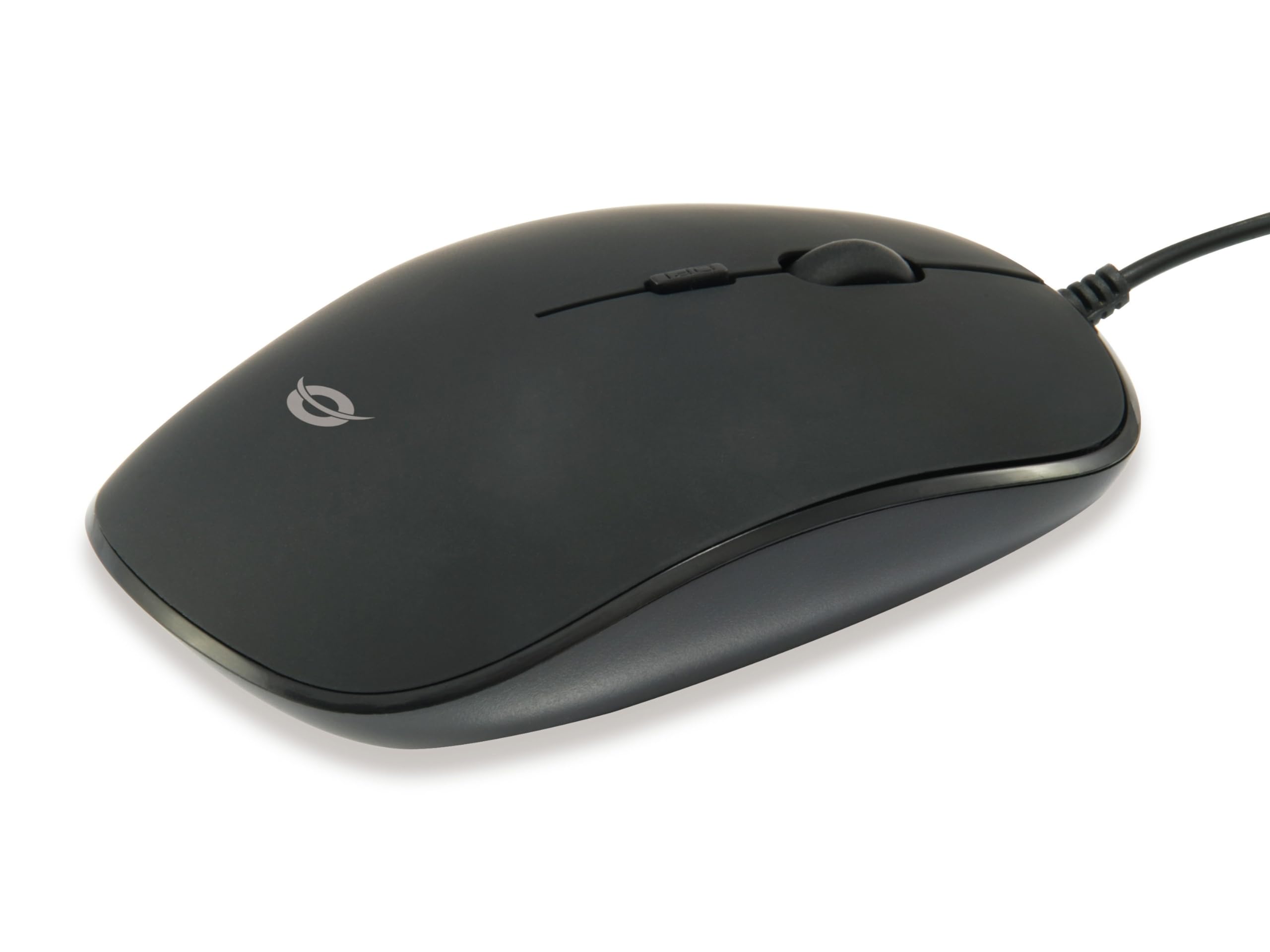
ภาพ: ด้านบน view of the Conceptronic REGAS01B Optical Desktop Mouse, showcasing its ergonomic black design.
เนื้อหาแพ็คเกจ
ตรวจสอบให้แน่ใจว่ามีรายการทั้งหมดอยู่ในบรรจุภัณฑ์:
- Conceptronic REGAS01B Optical Desktop Mouse
- คู่มือการใช้งาน (เอกสารนี้)
- Note: This is a wired USB mouse and does not require external batteries for operation, despite some generic product data indicating otherwise.
คุณสมบัติ
- สวิตช์ DPI: Adjustable sensitivity (800/1000/1200 DPI) for precise control.
- ปลั๊กแอนด์เพลย์: Easy installation without the need for additional drivers.
- การออกแบบตีสองหน้า: Comfortable for both left and right-handed users.
- Rubberized Surface: Provides enhanced grip and comfort during extended use.
- การติดตามด้วยแสง: Reliable and accurate cursor movement.
- การเชื่อมต่อ USB: Standard wired connection for stable performance.
การตั้งค่า
- เชื่อมต่อเมาส์: Locate an available USB port on your computer. Insert the USB connector of the Conceptronic REGAS01B mouse into the USB port.
- การติดตั้งอัตโนมัติ: Your operating system (Windows, Linux, etc.) will automatically detect and install the necessary drivers. This process typically takes a few seconds.
- พร้อมใช้งาน: Once the installation is complete, the mouse is ready for immediate use. No additional software is required.

ภาพ: ระยะใกล้ view of the mouse's scroll wheel and the DPI switch button, located behind the scroll wheel.
คำแนะนำการใช้งาน
ฟังก์ชั่นพื้นฐาน
- คลิกซ้าย: กดปุ่มซ้ายเพื่อเลือกรายการ เปิด fileหรือเปิดใช้งานฟังก์ชันต่างๆ
- คลิกขวา: กดปุ่มขวาเพื่อเปิดเมนูบริบทหรือเข้าถึงตัวเลือกเพิ่มเติม
- ล้อเลื่อน: หมุนวงล้อเลื่อนขึ้นหรือลงเพื่อเลื่อนดูเอกสารต่างๆ และ web pages. The scroll wheel can also be pressed for a middle-click function, depending on software configuration.
การปรับความไว DPI
The Conceptronic REGAS01B mouse features a DPI switch to adjust cursor sensitivity on the fly. This allows you to quickly change between different tracking speeds for various tasks, such as precise editing or fast-paced gaming.
- ปุ่มสลับ DPI: Located behind the scroll wheel.
- ระดับความไว: Press the DPI switch button to cycle through 800, 1000, and 1200 DPI settings.
- การเลือก: Each press will change the sensitivity, allowing you to find the optimal speed for your current activity.
การซ่อมบำรุง
- การทำความสะอาด: ใช้ผ้านุ่มและแห้งเช็ดทำความสะอาดพื้นผิวของเมาส์ สำหรับคราบสกปรกฝังแน่น ให้เช็ดเบาๆampชุบผ้าด้วยน้ำหรือน้ำยาทำความสะอาดอ่อนๆ หลีกเลี่ยงสารเคมีรุนแรงหรือสารกัดกร่อน
- ออปติคัลเซนเซอร์: รักษาเซ็นเซอร์ออปติคัลที่อยู่ใต้เมาส์ให้สะอาดและปราศจากฝุ่นหรือเศษต่างๆ เพื่อให้การติดตามแม่นยำ
- พื้นที่จัดเก็บ: เมื่อไม่ใช้งาน ควรเก็บเมาส์ไว้ในที่สะอาดและแห้ง
- หลีกเลี่ยงของเหลว: อย่าให้เมาส์สัมผัสกับความชื้นมากเกินไป หรือจุ่มลงในของเหลว
การแก้ไขปัญหา
เมาส์ไม่ตอบสนอง
- ตรวจสอบการเชื่อมต่อ USB: ตรวจสอบให้แน่ใจว่าเสียบสาย USB เข้ากับพอร์ต USB ที่ใช้งานได้บนคอมพิวเตอร์ของคุณอย่างแน่นหนา ลองใช้พอร์ต USB อื่น
- รีสตาร์ทคอมพิวเตอร์: บางครั้งการรีสตาร์ทคอมพิวเตอร์ง่ายๆ ก็สามารถแก้ไขปัญหาการเชื่อมต่อได้
- ทดสอบบนคอมพิวเตอร์เครื่องอื่น: ถ้าเป็นไปได้ ให้ลองทดสอบเมาส์กับคอมพิวเตอร์เครื่องอื่นเพื่อตรวจสอบว่าปัญหาเกิดจากเมาส์หรือการตั้งค่าคอมพิวเตอร์ของคุณ
Inaccurate Cursor Movement
- เซ็นเซอร์ออปติคัลที่สะอาด: ตรวจสอบให้แน่ใจว่าเซ็นเซอร์ออปติคัลที่ด้านล่างของเมาส์สะอาดและไม่มีฝุ่นหรือเศษต่างๆ
- แผ่นรองเมาส์/พื้นผิวสำหรับวางเมาส์: ใช้เมาส์บนพื้นผิวที่สะอาด ไม่สะท้อนแสง และสม่ำเสมอ หลีกเลี่ยงพื้นผิวที่สะท้อนแสงสูงหรือโปร่งใส
- ปรับ DPI: Experiment with the DPI switch to find a sensitivity setting that provides accurate tracking for your needs.
ข้อมูลจำเพาะ
| คุณสมบัติ | รายละเอียด |
|---|---|
| ยี่ห้อ | คอนเซ็ปโทรนิค |
| ชื่อรุ่น | รีกัส01บี |
| สี | สีดำ |
| เทคโนโลยีการเชื่อมต่อ | USB (แบบมีสาย) |
| เทคโนโลยีตรวจจับการเคลื่อนไหว | ออฟติคอล |
| การตั้งค่า DPI | 800 / 1000 / 1200 DPI (ปรับได้) |
| จำนวนปุ่ม | 3 (Left, Right, Scroll Wheel/Middle Click) + DPI Switch |
| การวางแนวมือ | ถนัดทั้งสองมือ |
| อุปกรณ์ที่รองรับ | เครื่องคอมพิวเตอร์ส่วนบุคคล |
| ความเข้ากันได้ของระบบปฏิบัติการ | ลินุกซ์, วินโดวส์ 7, วินโดวส์ XP (และเวอร์ชันที่ใหม่กว่า) |
| น้ำหนักสินค้า | 61 กรัม |
| คุณสมบัติพิเศษ | Ergonomic Design, Rubberized Surface, Plug & Play |
| หมายเลขชิ้นส่วนของผู้ผลิต | รีกัส01บี |
| จีทีอิน (UPC) | 04015867208526 |
การรับประกันและการสนับสนุน
สำหรับข้อมูลการรับประกันและการสนับสนุนทางเทคนิค โปรดดูที่เว็บไซต์อย่างเป็นทางการของ Conceptronic webหรือติดต่อตัวแทนจำหน่ายในพื้นที่ของคุณ เก็บหลักฐานการซื้อไว้เพื่อใช้ในการเคลมประกัน
- การสนับสนุนทางออนไลน์: เยี่ยม www.conceptronic.net (หมายเหตุ: นี่เป็นเพียงตัวอย่างชั่วคราว URL, please replace with the actual support URL หากมี)
- ติดต่อ: Refer to the contact information provided on the product packaging or the Conceptronic webเว็บไซต์สำหรับการบริการลูกค้า