
1. บทนำ
The Glorious Model O- (Minus) is a compact, wired gaming mouse designed for speed, control, and comfort. Featuring a superlight honeycomb design, customizable RGB lighting, a high-precision Pixart 3360 sensor, and durable Omron switches, it is engineered for competitive gaming. Its ambidextrous shape is ideal for users with medium and small hands.
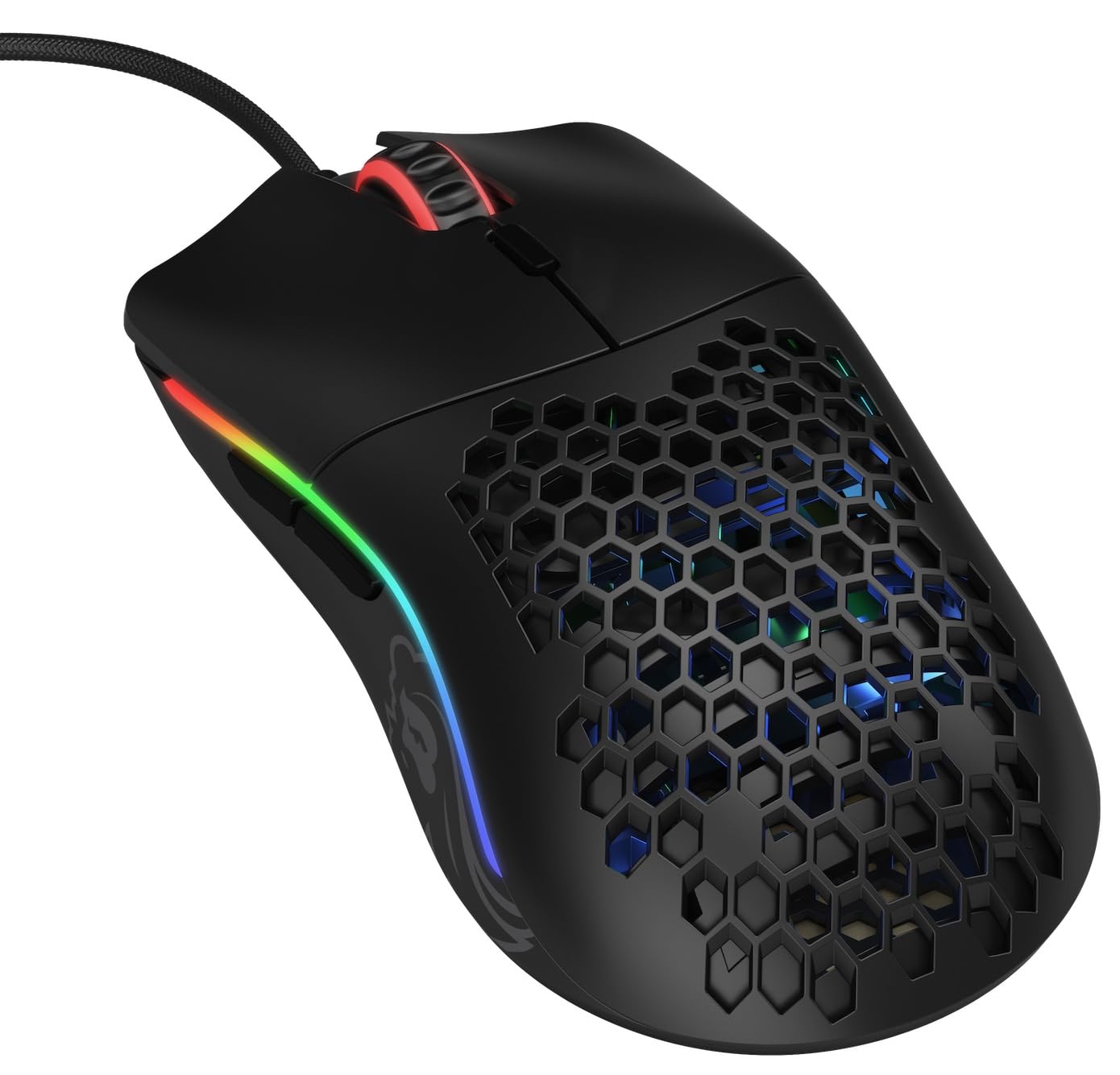
ภาพ: จากบนลงล่าง view of the Glorious Model O- (Minus) mouse, showcasing its honeycomb shell and RGB lighting.
2. การตั้งค่า
- แกะกล่องเมาส์: Carefully remove the Glorious Model O- (Minus) mouse and its Ascended Cord from the packaging.
- เชื่อมต่อกับคอมพิวเตอร์: Plug the USB connector of the mouse's Ascended Cord into an available USB port on your computer.
- การติดตั้งไดร์เวอร์: Your operating system (Windows, macOS, Linux) should automatically detect and install the necessary drivers. Allow a few moments for this process to complete.
- การติดตั้งซอฟต์แวร์ (ทางเลือก): For advanced customization of DPI settings, RGB lighting, and button macros, download and install the official Glorious Core software from the GLORIOUS webเว็บไซต์.

Image: The Glorious Model O- (Minus) mouse connected via its lightweight, flexible Ascended Cord.
3. คู่มือการใช้งาน
- ฟังก์ชันพื้นฐาน: Once connected, the mouse will function immediately for basic navigation and clicking.
- การปรับ DPI: Use the dedicated DPI button located on the top of the mouse, behind the scroll wheel, to cycle through preset DPI levels. The RGB lighting will change to indicate the current DPI setting.
- ปุ่มด้านข้าง: The mouse features two side buttons, typically used for forward and backward navigation in web browsers or customizable functions in games.
- การปรับแต่ง RGB: Utilize the Glorious Core software to personalize the RGB lighting effects, colors, and brightness.
- การรองรับมาโคร: The software also allows for programming the 6 buttons with custom macros for enhanced productivity or gaming performance.
วิดีโอ: สั้นเกินไปview of the Glorious Model O mouse, highlighting its design and features.
4. คุณสมบัติหลัก
- Superlight Honeycomb Design: Weighing only 58 grams, the mouse's honeycomb shell reduces weight without compromising durability, allowing for swift and precise movements. This design also aids in ventilation, keeping your hand cool during extended use.
- Ascended Paracord Cable: The ultra-flexible, braided cable is designed to minimize drag, providing a near-wireless feel and unrestricted mouse movement.
- G-Skates Premium Mouse Feet: Made from 100% pure Virgin PTFE, these mouse feet ensure an incredibly smooth glide across any surface, offering superior control.
- Pixart 3360 Sensor: Experience pixel-perfect tracking with zero mouse acceleration and no spinouts. The sensor supports up to 12000 DPI and a 1000 Hz polling rate, with a lift-off distance of less than 0.7mm.
- Omron Switches: Equipped with state-of-the-art Omron switches, rated for 20 million clicks, ensuring long-lasting responsiveness and durability.
- การออกแบบตีสองหน้า: The symmetrical shape of the mouse is comfortable for both left and right-handed users, catering to various grip styles.
Video: A brief promotional video by Glorious PC Gaming showcasing the Model O mouse.
5. ข้อมูลจำเพาะ
| ยี่ห้อ | รุ่งโรจน์ |
| ชื่อรุ่น | Glorious Model O Minus |
| หมายเลขรุ่น | GOM-BLACK |
| เทคโนโลยีการเชื่อมต่อ | ยูเอสบี |
| เทคโนโลยีตรวจจับการเคลื่อนไหว | เซ็นเซอร์ออปติคอล (Pixart 3360) |
| ความไวสูงสุด | 12000 จุดต่อนิ้ว |
| อัตราการสำรวจความคิดเห็น | 1000 เฮิรตซ์ |
| ระยะยกออก | น้อยกว่า 0.7มม. |
| จำนวนปุ่ม | 6 (ตั้งโปรแกรมได้) |
| ประเภทสวิตซ์ | Omron (rated for 20M clicks) |
| การวางแนวมือ | ถนัดทั้งสองมือ |
| น้ำหนักสินค้า | 58 กรัม |
| ขนาดสินค้า (กว้าง x ยาว) | ยาว 4.72 นิ้ว x กว้าง 2.48 นิ้ว |
| ประเภทสายเคเบิล | Ascended Paracord |
| Mouse Feet Material | 100% Pure Virgin PTFE (G-Skates) |

Image: Diagram showing the dimensions of the Glorious Model O- (Minus) mouse.
6. การบำรุงรักษา
- การทำความสะอาด: Regularly clean the mouse surface with a soft, dry cloth. For the honeycomb areas, use compressed air to remove dust and debris. Avoid using harsh chemicals or abrasive materials.
- การดูแลเซ็นเซอร์: Keep the optical sensor on the underside of the mouse clean and free from obstructions to ensure optimal tracking performance.
- การจัดการสายเคเบิล: While the Ascended Cord is flexible, avoid sharp bends or excessive pulling to prolong its lifespan. Consider using a mouse bungee to prevent cable drag and wear.
- พื้นที่จัดเก็บ: เมื่อไม่ได้ใช้งาน ให้เก็บเมาส์ไว้ในสภาพแวดล้อมที่สะอาดและแห้ง ห่างจากอุณหภูมิที่สูงหรือต่ำเกินไป
7 การแก้ไขปัญหา
- เมาส์ไม่ตอบสนอง:
- ตรวจสอบให้แน่ใจว่าเสียบสาย USB เข้ากับคอมพิวเตอร์อย่างแน่นหนาแล้ว
- ลองเสียบเมาส์เข้ากับพอร์ต USB อื่น
- รีสตาร์ทเครื่องคอมพิวเตอร์ของคุณ
- การติดตามปัญหา:
- ทำความสะอาดเซ็นเซอร์ออปติคัลที่อยู่ใต้เมาส์
- ตรวจสอบให้แน่ใจว่าคุณใช้เมาส์บนพื้นผิวที่สะอาดและสม่ำเสมอหรือแผ่นรองเมาส์คุณภาพสูง
- Check DPI settings via the mouse button or Glorious Core software.
- ไฟ RGB ไม่ทำงาน/ไม่ถูกต้อง:
- Verify that the Glorious Core software is installed and running.
- Check RGB settings within the software.
- ตรวจสอบให้แน่ใจว่าเฟิร์มแวร์ของเมาส์เป็นเวอร์ชันล่าสุด
- ปุ่มใช้งานไม่ได้:
- Check for any software conflicts or re-map buttons using the Glorious Core software.
- ตรวจสอบให้แน่ใจว่าเฟิร์มแวร์ของเมาส์เป็นเวอร์ชันล่าสุด
8. การรับประกันและการสนับสนุน
The Glorious Model O- (Minus) Compact Wired Gaming Mouse comes with a รับประกันจากผู้ผลิต 2 ปี. For technical support, warranty claims, or further assistance, please visit the official GLORIOUS webหรือติดต่อฝ่ายสนับสนุนลูกค้าโดยตรง โปรดเก็บหลักฐานการซื้อไว้เพื่อใช้ยืนยันการรับประกัน
สำหรับข้อมูลและแหล่งข้อมูลเพิ่มเติม โปรดเยี่ยมชม GLORIOUS Store on Amazon.