
การแนะนำ
Thank you for choosing the TESLA 4000 mAh Lithium-Polymer Power Bank. This compact and portable external battery is designed to provide reliable power for your mobile devices, such as smartphones and tablets, while you are on the go. This manual provides essential information for the safe and efficient use of your power bank. Please read it thoroughly before use and retain it for future reference.
สินค้าเกินview
The TESLA 4000 mAh Power Bank features a high-quality lithium-polymer battery and integrated charging cables for convenience. It includes connectors for MicroUSB, Lightning, and USB-C devices, eliminating the need to carry extra cables.
เนื้อหาแพ็คเกจ:
- 1 x TESLA 4000 mAh Lithium-Polymer Power Bank
แผนภาพผลิตภัณฑ์:
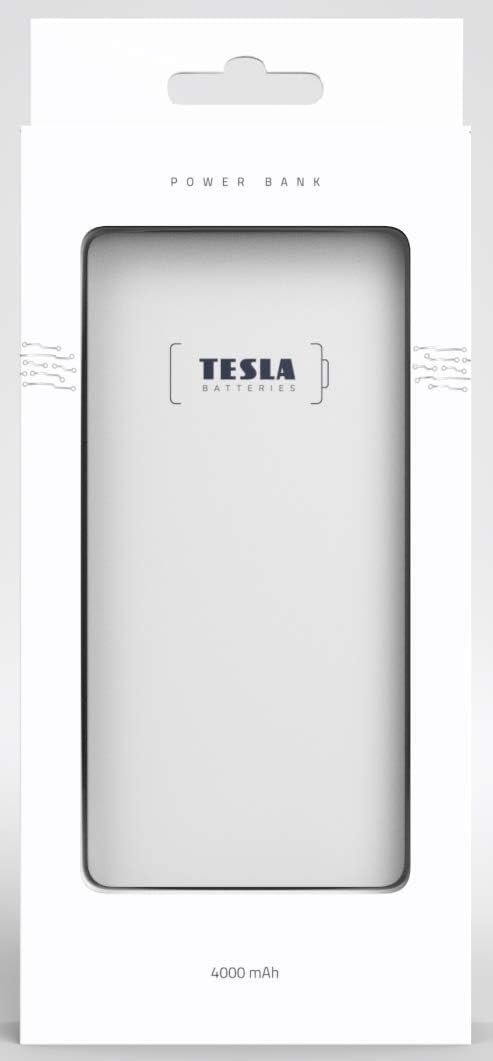
ภาพ: ด้านหน้า view of the TESLA 4000 mAh Power Bank. The device is white with the TESLA logo on the front. Four small LED indicator dots are visible at the bottom, indicating battery status.

ภาพ: ด้านข้าง view of the TESLA 4000 mAh Power Bank. This view shows the integrated cables (MicroUSB, Lightning, USB-C) neatly tucked into the side, along with a standard USB-A output port and a MicroUSB input port for recharging the power bank.
การตั้งค่า
การชาร์จพาวเวอร์แบงค์ครั้งแรก:
- Before first use, fully charge your TESLA Power Bank.
- Connect the power bank to a USB power adapter (not included) using the integrated MicroUSB input cable or a standard MicroUSB cable.
- ไฟ LED บนพาวเวอร์แบงค์จะสว่างขึ้นเพื่อแสดงความคืบหน้าในการชาร์จ โดยไฟ LED ทั้งสี่ดวงจะติดสว่างเมื่อชาร์จเต็มแล้ว
การตรวจสอบระดับแบตเตอรี่:
Briefly press the power button (if present, or connect a device) to see the current battery level indicated by the LEDs:
- ไฟ LED 4 ดวง: 75-100% เรียกเก็บ
- ไฟ LED 3 ดวง: 50-75% เรียกเก็บ
- ไฟ LED 2 ดวง: 25-50% เรียกเก็บ
- 1 นำ: ชาร์จ 0-25% (ชาร์จเร็ว ๆ นี้)
คำแนะนำการใช้งาน
การชาร์จอุปกรณ์ของคุณ:
- Identify the correct integrated cable for your device (MicroUSB, Lightning, or USB-C).
- Pull out the appropriate integrated cable from the power bank.
- เสียบสายเคเบิลเข้ากับพอร์ตชาร์จของอุปกรณ์ของคุณ
- พาวเวอร์แบงค์จะเริ่มชาร์จอุปกรณ์ของคุณโดยอัตโนมัติ ไฟ LED จะแสดงปริมาณแบตเตอรี่ที่เหลืออยู่ของพาวเวอร์แบงค์
- เมื่ออุปกรณ์ของคุณชาร์จเต็มแล้ว ให้ถอดอุปกรณ์ออกจากพาวเวอร์แบงค์
- Return the integrated cable to its storage slot on the power bank.
- บันทึก: If your device uses a different connector, you can use your device's original USB charging cable by plugging it into the standard USB-A output port on the power bank.
การชาร์จแบตสำรอง:
- When the power bank's battery level is low (indicated by one flashing LED), it's time to recharge.
- Connect the power bank to a USB power source (e.g., wall adapter, computer USB port) using the integrated MicroUSB input cable or a standard MicroUSB cable plugged into the MicroUSB input port.
- The LED indicators will flash during charging and become solid when fully charged.
ข้อมูลด้านความปลอดภัย
To ensure safe operation and prolong the life of your power bank, please observe the following safety guidelines:
- ห้ามให้พาวเวอร์แบงค์โดนอุณหภูมิที่สูงหรือต่ำเกินไป (ร้อนหรือเย็นเกินไป) แสงแดดโดยตรง หรือความชื้นสูง
- Avoid dropping, hitting, or disassembling the power bank.
- เก็บพาวเวอร์แบงค์ให้ห่างจากน้ำและของเหลวอื่นๆ
- ห้ามใช้พาวเวอร์แบงค์หากชำรุด บวม หรือรั่วซึม
- เก็บให้พ้นจากมือเด็ก
- Dispose of the power bank responsibly according to local regulations for lithium-polymer batteries.
- Do not attempt to modify or repair the power bank yourself. Contact qualified service personnel if needed.
การซ่อมบำรุง
- การทำความสะอาด: ใช้ผ้านุ่มและแห้งเช็ดทำความสะอาดพาวเวอร์แบงค์ ห้ามใช้สารเคมีรุนแรงหรือวัสดุที่มีฤทธิ์กัดกร่อน
- พื้นที่จัดเก็บ: Store the power bank in a cool, dry place when not in use. For long-term storage, it is recommended to keep the power bank charged to about 50-75% to preserve battery health. Recharge every 3-6 months if stored for extended periods.
การแก้ไขปัญหา
พาวเวอร์แบงค์ไม่ชาร์จ:
- ตรวจสอบให้แน่ใจว่าสายชาร์จเชื่อมต่อกับพาวเวอร์แบงค์และแหล่งจ่ายไฟอย่างแน่นหนาแล้ว
- ลองใช้อะแดปเตอร์ไฟ USB หรือพอร์ต USB อื่น
- Check if the MicroUSB input port on the power bank is clean and free of debris.
อุปกรณ์ไม่ชาร์จจากพาวเวอร์แบงค์:
- Verify that the integrated cable is fully inserted into your device's charging port.
- ตรวจสอบให้แน่ใจว่าพาวเวอร์แบงค์มีประจุเพียงพอ (ตรวจสอบไฟ LED)
- Try using a different integrated cable or the standard USB-A output port with your device's original cable.
- Confirm your device is compatible with the power bank's output voltagอี (5V)
การชาร์จช้า:
- Ensure you are using a suitable power adapter for recharging the power bank (e.g., 5V/2A for faster charging).
- Check if the cables are in good condition.
- Some devices may charge slower if they are being used heavily while charging.
ข้อมูลจำเพาะ
| หมายเลขรุ่น | 1099137252 |
| ประเภทแบตเตอรี่ | ลิเธียมโพลิเมอร์ |
| ความจุ | 4000 มิลลิแอมป์ |
| อินพุต Voltage | 5 โวลต์ |
| ปริมาณการส่งออกtage | 5 โวลต์ |
| ขนาด (กว้าง x ยาว x สูง) | 12.9 x 6.78 x 0.88 ซม. (5.08 x 2.67 x 0.35 นิ้ว) |
| น้ำหนัก | 142.7 กรัม (5.03 ออนซ์) |
| อุปกรณ์ที่รองรับ | สมาร์ทโฟนแท็บเล็ต |
| ตัวเชื่อมต่อแบบรวม | MicroUSB, สายฟ้า, USB-C |
การรับประกันและการสนับสนุน
The TESLA 4000 mAh Lithium-Polymer Power Bank is covered by a รับประกันจากผู้ผลิต 2 ปี ตั้งแต่วันที่ซื้อ การรับประกันนี้ครอบคลุมถึงข้อบกพร่องในวัสดุและฝีมือการผลิตภายใต้การใช้งานปกติ
For warranty claims or technical support, please contact your retailer or the manufacturer directly with your proof of purchase and product model number.