
ข้อมูลด้านความปลอดภัยที่สำคัญ
คำเตือน: อันตรายจากการสำลัก - ชิ้นส่วนเล็กๆ ไม่เหมาะสำหรับเด็กอายุต่ำกว่า 3 ปี
Please read this manual thoroughly before operating the SGILE RC Stunt Car. Keep these instructions for future reference.
สินค้าเกินview
The SGILE RC Stunt Car is a 4-wheel drive remote control vehicle designed for dynamic play. It features 360-degree rotation, 180-degree double-sided flips, and robust construction for various terrains.

Image: The SGILE RC Stunt Car in red, shown with its black remote control. The car is designed for stunts and off-road movement.

Image: The SGILE RC Stunt Car positioned next to a standard soda can, illustrating its compact size.
เนื้อหาแพ็คเกจ
- 1 x SGILE RC Stunt Car (Model 149RE)
- รีโมทคอนโทรล 1 x 2.4GHz
- สายชาร์จ USB 1 เส้น
- 1 x Rechargeable 3.7V 680mAh Lithium-ion Battery (pre-installed in car)
- คู่มือการใช้งาน (เอกสารนี้)
การตั้งค่า
1. การชาร์จแบตเตอรี่รถยนต์
- Ensure the car's power switch is in the "OFF" position.
- เสียบสายชาร์จ USB เข้ากับพอร์ตชาร์จของรถยนต์
- Plug the other end of the USB charging cable into a standard USB power adapter (not included) or a computer's USB port.
- The charging indicator light on the cable will illuminate during charging. Charging typically takes 1 to 1.5 hours.
- Once fully charged, the indicator light may change color or turn off (refer to specific cable behavior). Disconnect the cable.
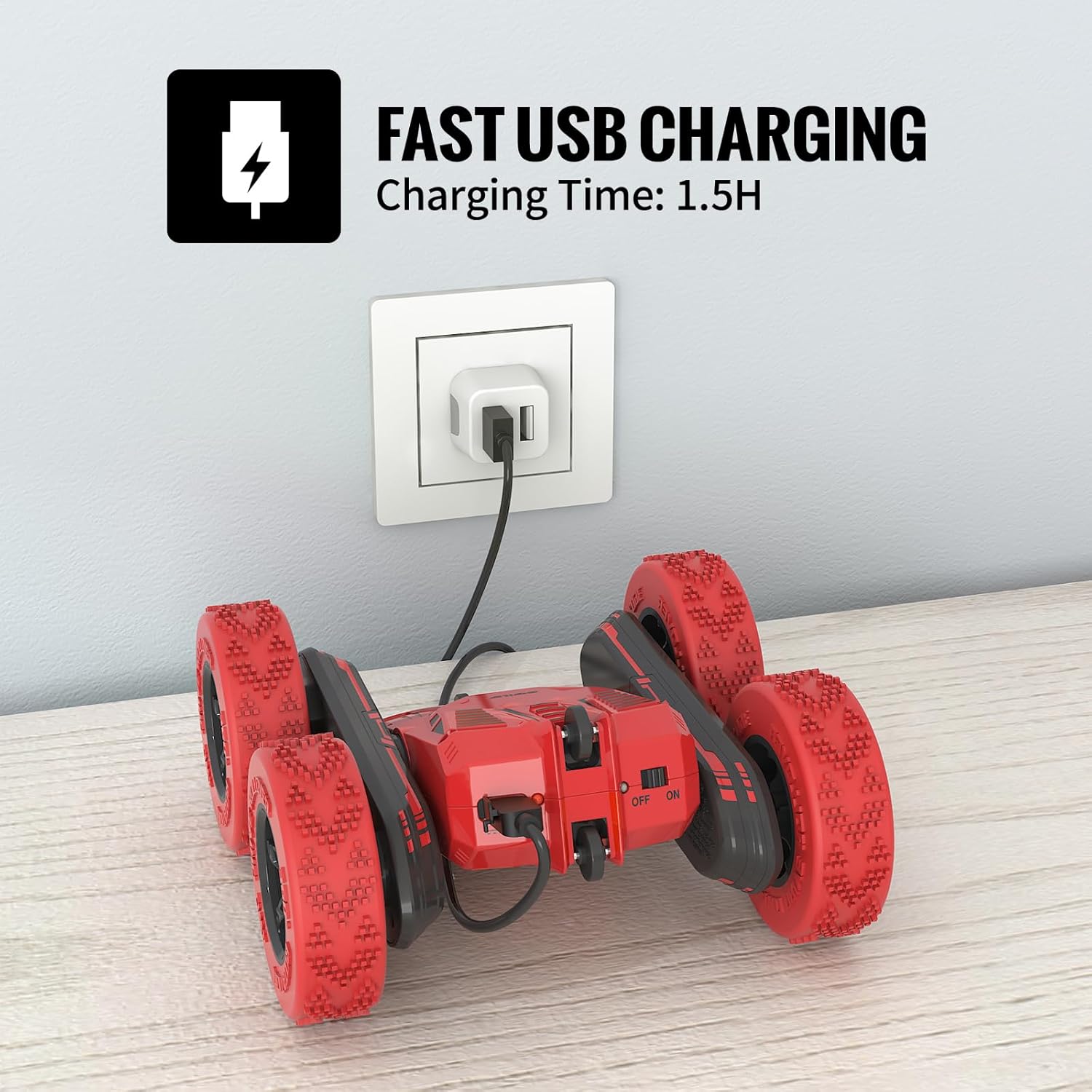
Image: The SGILE RC Stunt Car connected via its USB charging cable to a wall adapter. The car's power switch is visible.
2. การติดตั้งแบตเตอรี่รีโมทคอนโทรล
- ค้นหาช่องใส่แบตเตอรี่ที่ด้านหลังของรีโมทคอนโทรล
- Open the battery compartment cover (a small screwdriver may be required).
- ใส่แบตเตอรี่ AA 2 ก้อน (ไม่รวม) โดยให้แน่ใจว่าขั้วถูกต้อง (+/-)
- Close the battery compartment cover and secure it.
3. Pairing the Car and Remote Control
- Turn on the RC Stunt Car using its power switch.
- เปิดรีโมทคอนโทรล
- The remote control's indicator light will flash, then become solid once paired. This indicates a successful connection.
- หากการจับคู่ล้มเหลว ให้ปิดอุปกรณ์ทั้งสองเครื่องแล้วทำตามขั้นตอนซ้ำอีกครั้ง
คำแนะนำการใช้งาน
The SGILE RC Stunt Car is designed for intuitive control and exciting maneuvers. The 2.4GHz frequency allows multiple cars to operate simultaneously without interference.
การควบคุมพื้นฐาน

Image: A sequence of images showing the SGILE RC Stunt Car performing 360-degree tumbling flips and double-sided maneuvers.

Image: Diagram illustrating remote control joystick movements for Forward, Backward, Spin Left, and Spin Right commands.
- ส่งต่อ: ดันจอยสติ๊กทั้งสองข้างไปข้างหน้า
- ย้อนกลับ: ดึงจอยสติ๊กทั้งสองข้างไปด้านหลัง
- เลี้ยวซ้าย: Push the right joystick forward and the left joystick backward (or vice versa for sharper turns).
- เลี้ยวขวา: Push the left joystick forward and the right joystick backward (or vice versa for sharper turns).
- การหมุน 360 องศา: ดันจอยสติ๊กข้างหนึ่งไปข้างหน้า และอีกข้างหนึ่งไปข้างหลังพร้อมกัน
- 180-Degree Double-Sided Flips: The car's design allows it to continue driving even when flipped upside down.
Playing Environment
The stunt car is suitable for both indoor and outdoor use, offering strong grip and shock absorption on various surfaces.

Image: A collage showing the SGILE RC Stunt Car performing on different surfaces: carpet, wooden floor, grass, and a concrete slope, demonstrating its versatility.
- ในร่ม: Operate on carpets, wooden floors, or tiles.
- กลางแจ้ง: Suitable for parks, grass, and gentle slopes. Avoid wet or excessively rough terrain.
The remote control has an effective range of approximately 50 meters.
การซ่อมบำรุง
- การทำความสะอาด: Use a soft, dry cloth to wipe the car and remote control. Do not use water or chemical cleaners.
- พื้นที่จัดเก็บ: Store the car and remote in a cool, dry place away from direct sunlight when not in use. Remove batteries from the remote control if storing for extended periods.
- การดูแลแบตเตอรี่ Fully charge the car's battery before storage to prolong its lifespan. Avoid over-discharging the battery.
- การตรวจสอบ: Regularly check for loose parts, damaged wires, or worn tires.
การแก้ไขปัญหา
| ปัญหา | สาเหตุที่เป็นไปได้ | สารละลาย |
|---|---|---|
| รถไม่ตอบสนองต่อรีโมท |
|
|
| ระยะเวลาการทำงานสั้น |
|
|
| การรบกวนระหว่างการทำงาน |
|
|
ข้อมูลจำเพาะ
| คุณสมบัติ | รายละเอียด |
|---|---|
| หมายเลขรุ่น | 149RE |
| ขนาดสินค้า | 6.3 x 6.1 x 2.76 นิ้ว |
| น้ำหนักสินค้า | 1.1 ปอนด์ |
| แบตเตอรี่รถยนต์ | 3.7V 680mAh Lithium-ion (Built-in) |
| แบตเตอรี่รีโมทคอนโทรล | แบตเตอรี่ AA 2 ก้อน (ไม่รวม) |
| เวลาในการชาร์จ | 1 - 1.5 ชั่วโมง |
| เวลาดำเนินการ | สูงสุด 30 นาที |
| ความถี่ควบคุม | 2.4กิกะเฮิรตซ์ |
| ช่วงการควบคุม | ประมาณ 50 เมตร |
| อายุที่แนะนำ | 8 - 12 ปี |
| วัสดุ | High-quality ABS materials |
การรับประกันและการสนับสนุน
SGILE products are manufactured with quality and safety in mind. For any questions, concerns, or support needs regarding your SGILE RC Stunt Car, please contact SGILE customer service.
โปรดเก็บหลักฐานการซื้อของคุณไว้เพื่อเรียกร้องการรับประกัน
For further assistance, visit the official SGILE webเว็บไซต์หรือติดต่อช่องทางสนับสนุนลูกค้าของพวกเขา