
1. บทนำ
This manual provides detailed instructions for the proper use and maintenance of your Walfront TL88 Portable Fish Finder. Please read this manual thoroughly before operating the device to ensure optimal performance and longevity. This device is designed to detect water depth, approximate fish location, and underwater contour in various fishing environments.
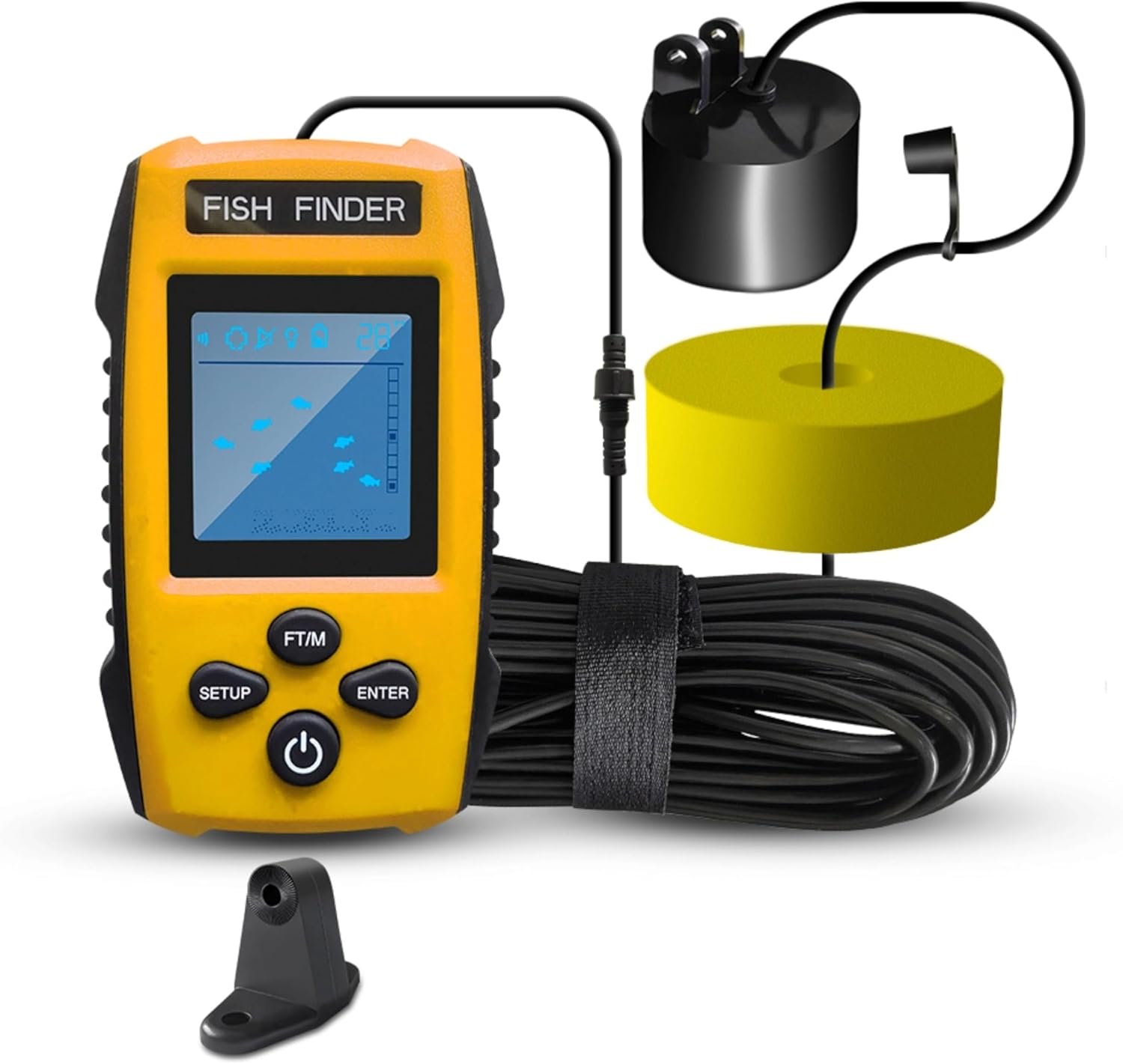
Image: The Walfront TL88 Portable Fish Finder, showing the main display unit, the wired sonar transducer, its float, and the connecting cable.
2. เนื้อหาบรรจุภัณฑ์
ตรวจสอบว่ารายการทั้งหมดที่ระบุไว้ด้านล่างนี้รวมอยู่ในแพ็คเกจของคุณ:
- 1 x Fish Finder Display Unit
- 1 x Sonar Transducer with Cable
- 1 x Removable Transducer Float
- 1 x สายคล้องคอ
- 1 x สกรูยึด
- 1 x Fixing Frame
- 1 x คู่มือการใช้งาน (เอกสารนี้)
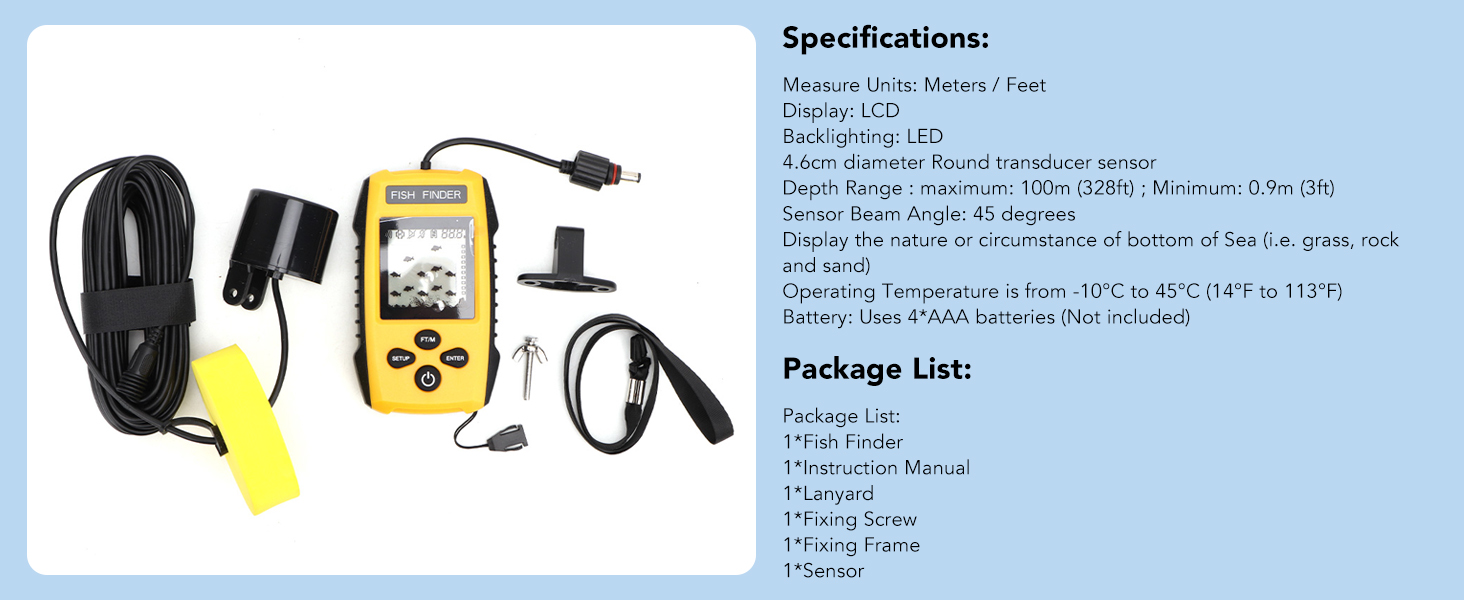
Image: An illustration detailing the complete set of product components, including the handheld unit, cable, rope (lanyard), float, and fix bolt (fixing screw/frame).
3. Product Components & Display Overview
Familiarize yourself with the main components and display indicators of your fish finder:

Image: A detailed diagram labeling the various parts of the fish finder's display and control buttons, including battery indicator, sensitivity indicator, water depth display, backlight ON/OFF, fish depth indicator, fish size display, depth unit change, function set up key, function affirmation key, and turn on/off button.
ตัวบ่งชี้การแสดงผล:
- ไฟแสดงสถานะแบตเตอรี่: แสดงอายุการใช้งานแบตเตอรี่ที่เหลืออยู่
- ตัวบ่งชี้ความไว: Displays the current sensitivity level.
- Water Depth Display: Shows the current water depth.
- เปิด/ปิดแบ็คไลท์: แสดงสถานะของไฟแบ็คไลท์
- Fish Depth Indicator: Shows the approximate depth of detected fish.
- Fish Size Display: Represents detected fish with small, medium, or large icons.
ปุ่มควบคุม:
- ติดตั้ง: เข้าสู่เมนูการตั้งค่า
- FT/M: Toggles depth unit between feet and meters.
- เข้า: ยืนยันการเลือกในเมนู
- ปุ่มเปิด/ปิด: เปิด/ปิดอุปกรณ์
4. การติดตั้ง & ตั้งค่า
4.1 การติดตั้งแบตเตอรี่
- Open the battery compartment cover on the back of the display unit.
- ใส่แบตเตอรี่ AAA จำนวนสี่ (4) ก้อน โดยตรวจสอบให้แน่ใจว่าขั้วถูกต้อง (+/-)
- ปิดฝาช่องใส่แบตเตอรี่ให้แน่น
4.2 Transducer Deployment Methods
The sonar transducer must be submerged in water to function correctly. Ensure there are no air bubbles between the transducer and the water. The transducer can be deployed in several ways:
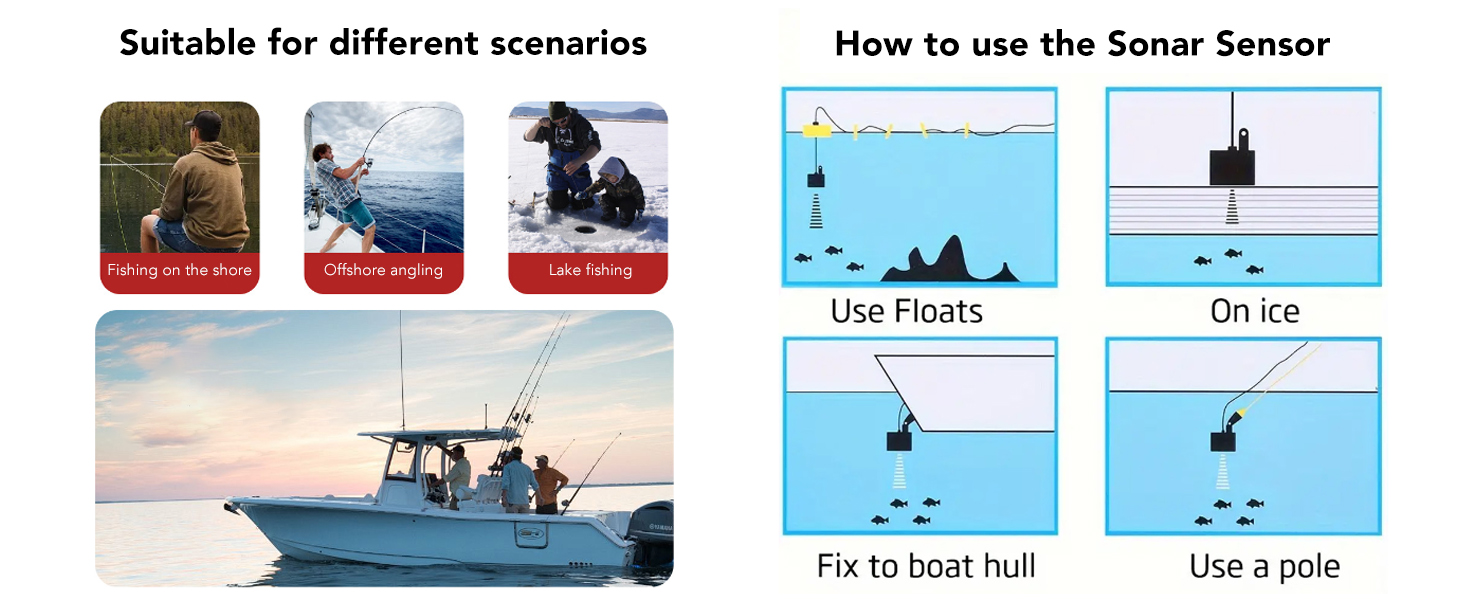
Image: Visual guide demonstrating various methods for deploying the sonar sensor, including using the float, ice fishing setup, mounting to a boat hull, and attaching to a pole.
- Using the Float: Attach the transducer to the provided float and cast it into the water. Ensure the transducer is fully submerged and hangs vertically.
- การตกปลาบนน้ำแข็ง: Place the transducer directly on the ice surface if the ice is clear and smooth, or submerge it into a hole drilled in the ice. Ensure good contact with the water.
- Fixing to a Boat Hull: Use the fixing frame to mount the transducer to the boat hull. Ensure the transducer is below the waterline and free from obstructions.
- Using a Pole: Attach the transducer to a pole and submerge it into the water from the side of a boat or dock.
The transducer cable is 25 feet (approximately 7.6 meters) long, allowing for flexible deployment.
5. การทำงานพื้นฐาน
5.1 การเปิด/ปิดเครื่อง
- ในการเปิดเครื่อง ให้กด ปุ่มเปิดปิด.
- หากต้องการปิดเครื่อง ให้กดปุ่มค้างไว้ ปุ่มเปิดปิด for a few seconds until the display shuts down.
5.2 การปรับความไว
Sensitivity controls how detailed the sonar readings are. Higher sensitivity detects smaller objects and more clutter, while lower sensitivity filters out noise. There are 5 user-selectable sensitivity levels.
- กดปุ่ม การตั้งค่า ปุ่มเพื่อเข้าสู่เมนูการตั้งค่า
- Navigate to the Sensitivity option.
- Use the arrow buttons (often integrated with FT/M or SETUP for navigation) to adjust the level.
- กด เข้า เพื่อยืนยัน.
5.3 Changing Units (FT/M)
To switch between feet (FT) and meters (M) for depth readings:
- กดปุ่ม ฟุต/เอ็ม button. The display will update immediately.
5.4 Fish Alarm Settings
The fish alarm alerts you when fish are detected.

Image: The fish finder display showing various fish sizes (small, middle, large) and an alarm icon, indicating that an alarm will sound when fish are detected according to user settings.
- กดปุ่ม การตั้งค่า ปุ่มเพื่อเข้าสู่เมนูการตั้งค่า
- Navigate to the Fish Alarm option.
- เลือกเปิดหรือปิด
- กด เข้า เพื่อยืนยัน.
การควบคุมแบ็คไลท์ 5.5
Adjust the backlight for better visibility in different lighting conditions.
- กดปุ่ม การตั้งค่า ปุ่มเพื่อเข้าสู่เมนูการตั้งค่า
- Navigate to the Backlight option.
- เลือกเปิดหรือปิด
- กด เข้า เพื่อยืนยัน.
5.6 Battery Save Mode
Enable battery save mode to extend battery life.
- กดปุ่ม การตั้งค่า ปุ่มเพื่อเข้าสู่เมนูการตั้งค่า
- Navigate to the Battery Save option.
- เลือกเปิดหรือปิด
- กด เข้า เพื่อยืนยัน.
6. ทำความเข้าใจเกี่ยวกับการแสดงผล
The LCD display provides visual information about the underwater environment:

Image: The fish finder display showing water depth, a status bar, fish size/depth indicators, and the underwater contour, with the sonar transducer submerged in water.
- ความลึกของน้ำ: The numerical value at the top of the screen indicates the current water depth from the sonar sensor.
- Fish Icons: Fish are represented by icons of varying sizes (small, medium, large) to indicate their approximate size. Their position on the screen relative to the depth scale indicates their depth.
- Underwater Contour: The bottom portion of the display shows the contour of the seabed, including indications of short & tall weeds, sand, and rocks.
- แถบสถานะ: Provides additional information such as sensitivity level, battery status, and alarm status.
7. การบำรุงรักษา
Proper maintenance ensures the longevity and reliability of your fish finder.
- การทำความสะอาด: After each use, especially in saltwater, rinse the transducer and cable with fresh water. Wipe the display unit with a soft, dry cloth. Do not use abrasive cleaners or solvents.
- พื้นที่จัดเก็บ: Store the fish finder in a dry, cool place away from direct sunlight. Remove batteries if the device will not be used for an extended period.
- การดูแลสายเคเบิล: Avoid kinking or sharply bending the transducer cable. Coil it loosely for storage.
8 การแก้ไขปัญหา
If you encounter issues with your Walfront TL88 Fish Finder, refer to the following common problems and solutions:
| ปัญหา | สาเหตุที่เป็นไปได้ | สารละลาย |
|---|---|---|
| ไม่มีจอแสดงผล/อุปกรณ์จะไม่เปิด | แบตเตอรี่อ่อนหรือหมด; การติดตั้งแบตเตอรี่ไม่ถูกต้อง | เปลี่ยนแบตเตอรี่ ตรวจสอบขั้วแบตเตอรี่ด้วย |
| ไม่มีการอ่านค่าเชิงลึกหรือการอ่านค่าที่ผิดปกติ | Transducer not fully submerged; air bubbles on transducer; transducer cable damaged; water too shallow/deep | Ensure transducer is fully in water and free of bubbles; check cable for damage; verify depth is within 0.9m-100m range. |
| No fish detected | Low sensitivity setting; no fish present; fish alarm off | Increase sensitivity; ensure fish alarm is enabled. |
| จอภาพมืดหรืออ่านยาก | Backlight off; low battery | Turn on backlight; replace batteries. |
9. ข้อมูลจำเพาะ
Technical specifications for the Walfront TL88 Portable Fish Finder:
Image: A graphic displaying the product specifications and package list for the Walfront TL88 Fish Finder.
- แสดง: จอแอลซีดี
- แสงไฟด้านหลัง: นำ
- หน่วยวัด: เมตร / ฟุต
- Sonar Sensor Beam Angle: 45 องศา
- ช่วงความลึก: Maximum 100m (328ft); Minimum 0.9m (3ft)
- แหล่งพลังงาน: 4 x แบตเตอรี่ AAA (ไม่รวม)
- อุณหภูมิในการทำงาน: -10°C ถึง 45°C (14°F ถึง 113°F)
- ขนาดหน้าจอ: 4.6 เซนติเมตร
- น้ำหนักสินค้า: ประมาณ 0.55 กิโลกรัม
10. การรับประกันและการสนับสนุน
For warranty information or technical support, please refer to the contact details provided with your purchase or visit the official Walfront webไซต์ โปรดเก็บใบเสร็จรับเงินของคุณไว้เป็นหลักฐานการซื้อสำหรับการเรียกร้องการรับประกันใดๆ