
การแนะนำ
This manual provides detailed instructions for the setup, operation, maintenance, and troubleshooting of your SANAG X9 Portable Bluetooth Speaker with Alarm Clock. Please read this manual thoroughly before using the product to ensure proper function and longevity.

Image: The SANAG X9 Bluetooth Speaker, highlighting its Red Dot Design Award.
เนื้อหาแพ็คเกจ
ตรวจสอบว่ามีรายการทั้งหมดอยู่ในแพ็คเกจ:
- SANAG X9 Bluetooth Speaker
- รีโมทคอนโทรล
- สายชาร์จ USB
- สายสัญญาณเสียง AUX 3.5 มม.
- คู่มือการใช้งาน
การตั้งค่า
1. ชาร์จลำโพง
Before first use, fully charge the speaker. Connect the provided USB charging cable to the speaker's charging port and to a USB power adapter (not included) or a computer's USB port. The display will indicate charging status.
2. การเปิด/ปิดเครื่อง
Press and hold the power button on the speaker or the remote control to turn the speaker on or off.
3. การจับคู่บลูทู ธ
- Turn on the SANAG X9 speaker. It will automatically enter Bluetooth pairing mode, indicated by a flashing Bluetooth icon on the display.
- เปิดใช้งานบลูทูธบนอุปกรณ์ของคุณ (สมาร์ทโฟน แท็บเล็ต คอมพิวเตอร์)
- ค้นหา "SANAG X9" in your device's Bluetooth settings and select it to pair.
- Once paired, the Bluetooth icon on the speaker's display will stop flashing and remain solid. The speaker will automatically connect to the last paired device upon startup.
4. การเชื่อมต่อ AUX
Connect one end of the 3.5mm AUX audio cable to the AUX port on the speaker and the other end to the audio output jack of your external device (e.g., computer, MP3 player). The speaker will automatically switch to AUX mode.
5. การเล่นการ์ด TF
Insert a Micro SD (TF) card into the designated slot on the speaker. The speaker will automatically detect the card and begin playing audio fileที่เก็บไว้บนนั้น
6. Setting the Alarm Clock
Use the remote control or the touch panel to access the clock settings. Follow the on-screen prompts to set the time and alarm. The speaker supports dual alarms.

Image: The SANAG X9 speaker display indicating time, temperature, and remaining power.
การดำเนินการ
1. Basic Controls (Touch Panel)
The top panel features a touch interface for common functions:
- การควบคุมระดับเสียง: Rotate your finger clockwise on the volume area for volume up, counter-clockwise for volume down.
- เล่น/หยุดชั่วคราว: แตะไอคอนเล่น/หยุดชั่วคราว
- การสลับโหมด: Tap the mode icon to cycle through Bluetooth, AUX, and TF card modes.
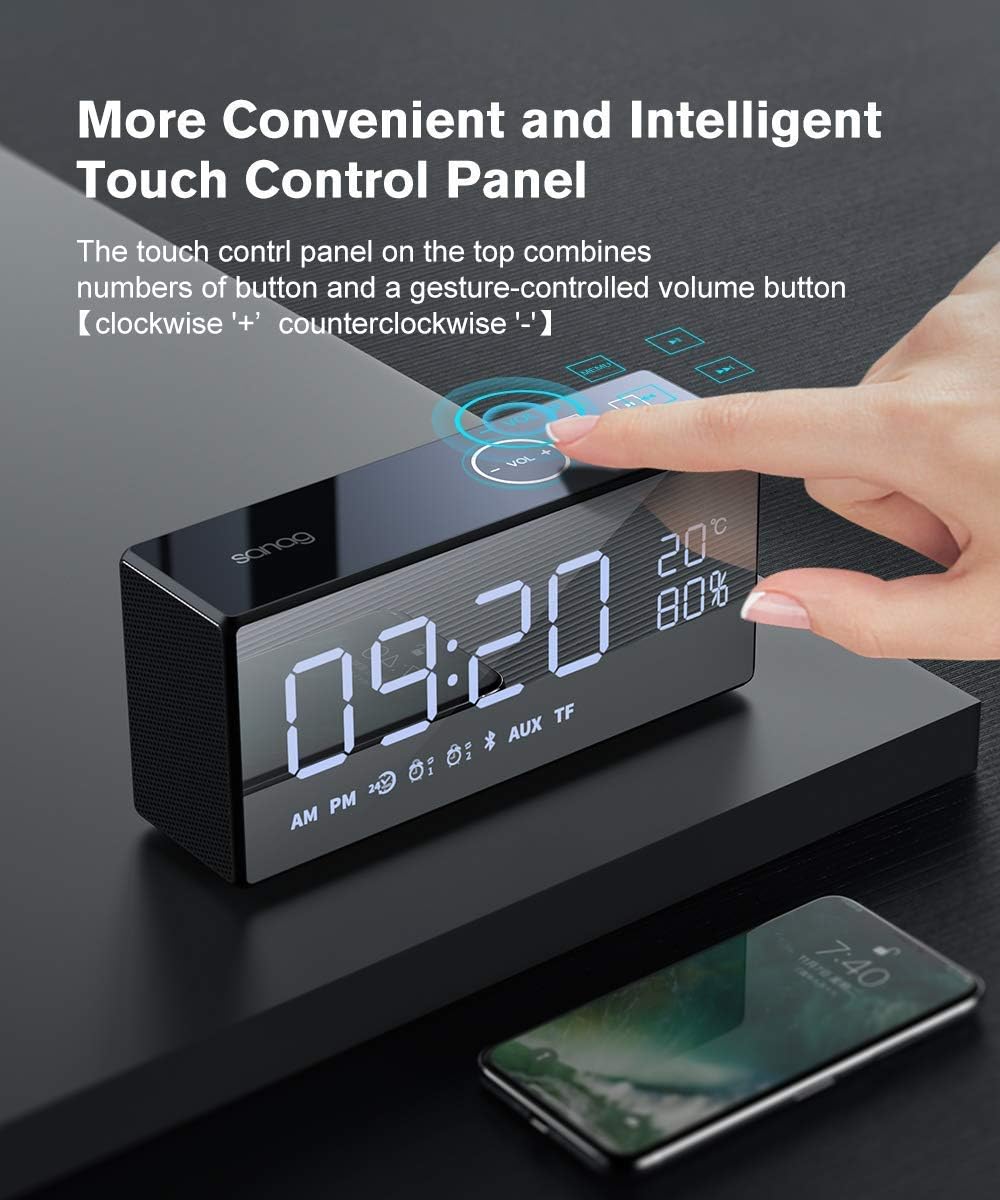
Image: A hand demonstrating interaction with the touch control panel on the SANAG X9 speaker.
2. ฟังก์ชั่นการควบคุมระยะไกล
The included remote control provides full functionality:

Image: Detailed diagram of the SANAG X9 remote control, showing button functions.
- ปุ่มเปิด/ปิด: เปิด/ปิดลำโพง
- ปิดเสียง: ปิดเสียงหรือเปิดเสียง
- การสลับโหมด: Cycles through input modes (Bluetooth, AUX, TF).
- เล่น/หยุดชั่วคราว: เริ่มหรือหยุดเล่นชั่วคราว
- Volume Up/Down (VOL+/VOL-): ปรับระดับเสียง
- เพลงก่อนหน้า/ถัดไป: ข้ามไปยังเพลงก่อนหน้าหรือเพลงถัดไป
- Brightness Setting, Screen On/Off: Adjusts display brightness or turns the screen off.
- การตั้งค่านาฬิกา: Enters clock adjustment mode.
- Clock Adjust: Used to set time and alarm.
3. การปรับความสว่างของจอแสดงผล
The LCD panel offers three levels of brightness. Use the dedicated button on the remote control or the touch panel to cycle through brightness settings or turn the screen off completely. Music playback continues even with the screen off.

Image: The SANAG X9 speaker demonstrating its three adjustable display brightness levels.
4. Alarm Clock Functions
Once an alarm is set, it will sound at the designated time. To snooze or turn off the alarm, refer to the remote control or touch panel instructions. The internal button batteries (2032) ensure time settings are retained even if the main power is off or the battery is depleted.
คุณสมบัติเสียง
The SANAG X9 speaker is designed for high-fidelity audio performance. It features a 2.1 channel system with two 6W drivers and a passive radiator for enhanced bass, delivering a total output of 12W. This configuration provides immersive stereo sound.
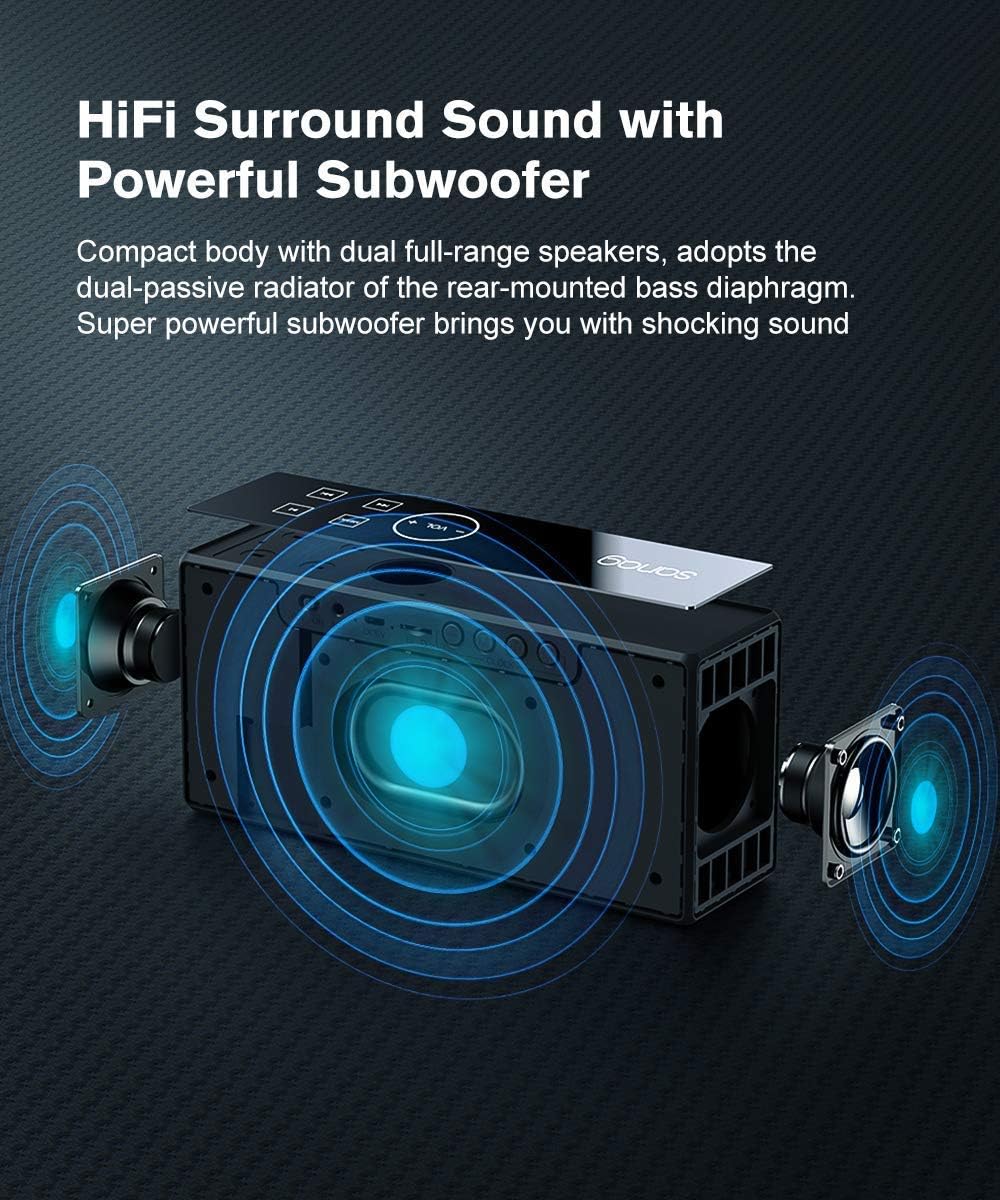
ภาพ: ภายใน view of the SANAG X9 speaker, illustrating its dual full-range speakers and powerful subwoofer.
การซ่อมบำรุง
- การทำความสะอาด: ใช้ผ้าแห้งเนื้อนุ่มเช็ดทำความสะอาดพื้นผิวลำโพง ห้ามใช้สารทำความสะอาดที่มีฤทธิ์กัดกร่อน แอลกอฮอล์ หรือสารเคมีอื่นๆ เพราะอาจทำให้พื้นผิวเสียหายได้
- พื้นที่จัดเก็บ: เก็บลำโพงไว้ในที่แห้งและเย็น หลีกเลี่ยงแสงแดดโดยตรงและอุณหภูมิที่สูงหรือต่ำเกินไป
- การดูแลแบตเตอรี่ To prolong battery life, avoid fully discharging the speaker frequently. If storing for an extended period, charge the battery to approximately 50% every few months.
- ความต้านทานน้ำ: ลำโพงนี้ไม่กันน้ำ หลีกเลี่ยงการสัมผัสกับน้ำหรือความชื้นสูง
การแก้ไขปัญหา
| ปัญหา | สาเหตุที่เป็นไปได้ | สารละลาย |
|---|---|---|
| ลำโพงไม่เปิดเครื่อง | แบตเตอรี่หมด | Connect the speaker to a power source using the USB charging cable and allow it to charge. |
| ไม่มีเสียง. | ระดับเสียงเบาเกินไปหรือปิดเสียงอยู่ โหมดอินพุตไม่ถูกต้อง | Increase volume using the speaker's touch panel or remote. Check if the speaker is muted. Ensure the correct input mode (Bluetooth, AUX, TF) is selected. |
| ไม่สามารถจับคู่บลูทูธได้ | ลำโพงไม่ได้อยู่ในโหมดจับคู่ อุปกรณ์อยู่ไกลเกินไป มีสัญญาณรบกวน | Ensure the speaker is in Bluetooth pairing mode (flashing Bluetooth icon). Move the device closer to the speaker. Turn off other Bluetooth devices nearby. Try unpairing and re-pairing. |
| สัญญาณเตือนภัยไม่ดัง | Alarm not set correctly. Alarm volume too low. | Verify alarm settings using the remote control. Ensure alarm volume is audible. |
ข้อมูลจำเพาะ
| แบบอย่าง | SANAG X9 |
| ประเภทลำโพง | ระบบเสียงรอบทิศทาง พกพาสะดวก |
| เทคโนโลยีการเชื่อมต่อ | Bluetooth, USB, Wireless, AUX (3.5mm), TF Card |
| เวอร์ชันบลูทูธ | วี4.2 |
| กำลังขับสูงสุด | 12 วัตต์ (ไดร์เวอร์ 6 วัตต์ 2 ตัว) |
| วิธีการควบคุม | รีโมทคอนโทรล, แผงสัมผัส |
| แหล่งพลังงาน | DC (Internal Rechargeable Battery) |
| ประเภทแบตเตอรี่ | ลิเธียมโพลีเมอร์ |
| อายุการใช้งานแบตเตอรี่โดยเฉลี่ย | 12-16 ชั่วโมง |
| วัสดุ | Aluminum Alloy, Resin, Rubber, Tempered Glass |
| ขนาด (กว้าง x ยาว x สูง) | 20.07 x 9.14 x 5.99 ซม. (7.9 x 3.6 x 2.36 นิ้ว) |
| น้ำหนัก | 680.39 กรัม (1.5 ปอนด์) |
| คุณสมบัติพิเศษ | Bluetooth, Wireless, Portable, Alarm Clock, LCD Display, Built-in Mic |
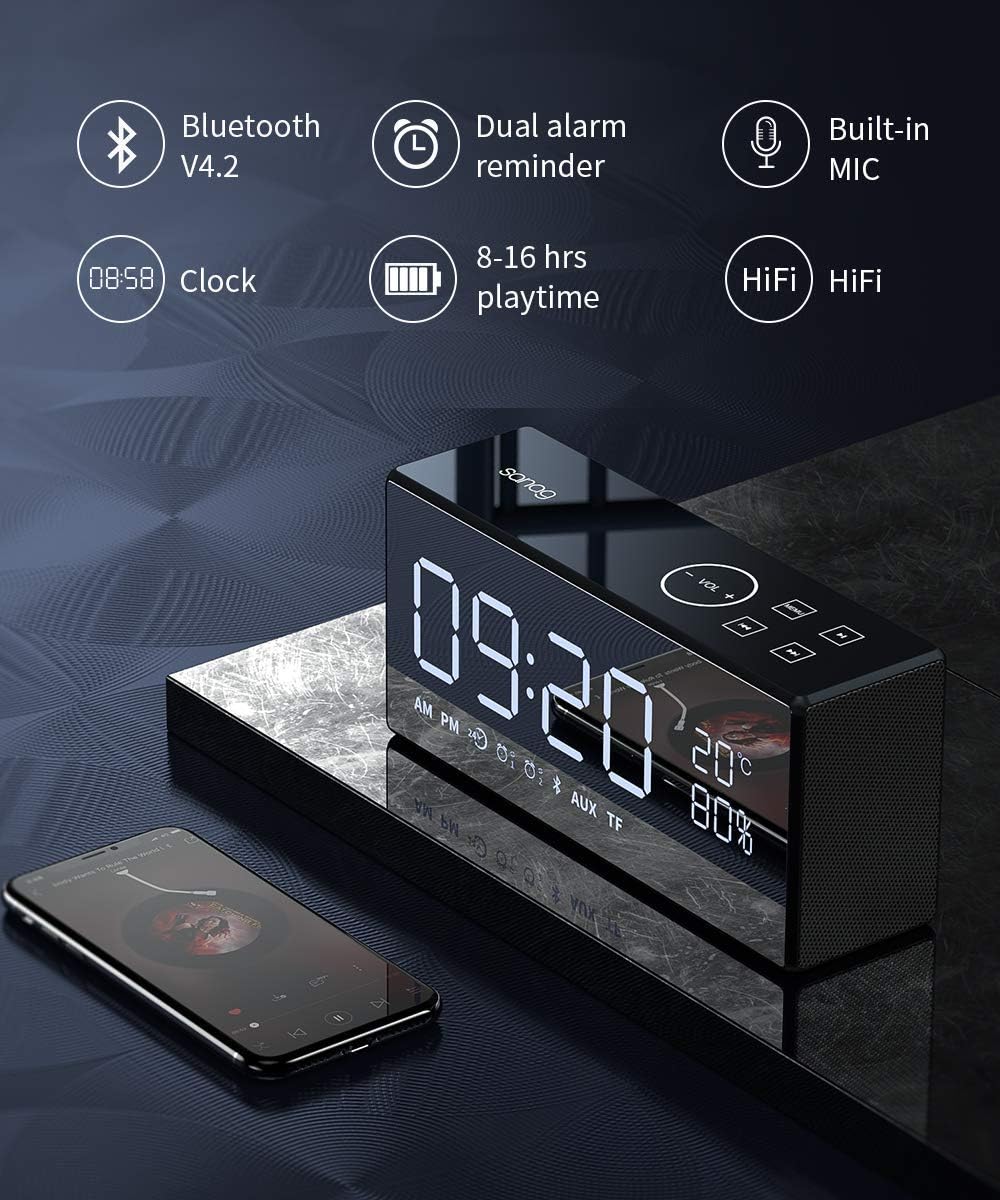
Image: Infographic summarizing key features like Bluetooth version, dual alarm, built-in microphone, clock, playtime, and HiFi sound.
การรับประกันและการสนับสนุน
ข้อมูลการรับประกัน
The SANAG X9 speaker comes with a รับประกัน 12 เดือน from the date of purchase. This warranty covers any quality issues inherent to the speaker itself. During this period, free exchange or maintenance services are provided.
การสนับสนุนลูกค้า
Should you encounter any questions or require assistance during the use of your SANAG X9 speaker, please contact our professional customer service team. We aim to address your inquiries within 1-12 hours.