
AUTOWIKI L: LX2592106; R: LX2593106
AUTOWIKI Fog Lights Lampคู่มือการใช้งาน
Model: L: LX2592106; R: LX2593106 | Brand: AUTOWIKI
1. บทนำ

Figure 1: AUTOWIKI Fog Lights Lamps (Pair).
This manual provides detailed instructions for the installation, operation, and maintenance of your new AUTOWIKI Fog Lights Lamps. Designed as a direct OEM replacement, these fog lights enhance visibility and safety during adverse weather conditions.
1.1. ความเข้ากันได้
These fog lights are specifically designed for the following vehicle models:
- 2006-2010 Lexus IS250
- 2006-2010 Lexus IS350
The package includes a pair of fog lights: one for the left (driver side) and one for the right (passenger side).

Figure 2: Applicable Models - AUTOWIKI Fog Lights installed on a Lexus IS sedan, highlighting compatibility.
2. คุณสมบัติหลัก
- ✔Exact OEM Fit: Direct fitment for fog lights OEM lenses with no complex modifications.
- ✔คุณภาพเยี่ยม: Fully sealed, waterproof, dust, and corrosion resistant construction prevents moisture and dust from entering the housing, ensuring long-lasting performance.
- ✔การให้แสงสว่างที่สดใส: Includes one pair of 9006 12V 51W light bulbs (pre-installed) for enhanced visibility in foggy conditions.
- ✔ติดตั้งง่าย: Designed for quick and straightforward installation.
- ✔DOT/SAE Compliance: Thoroughly tested to meet federal and international standards, making the fog lamps fully street legal.
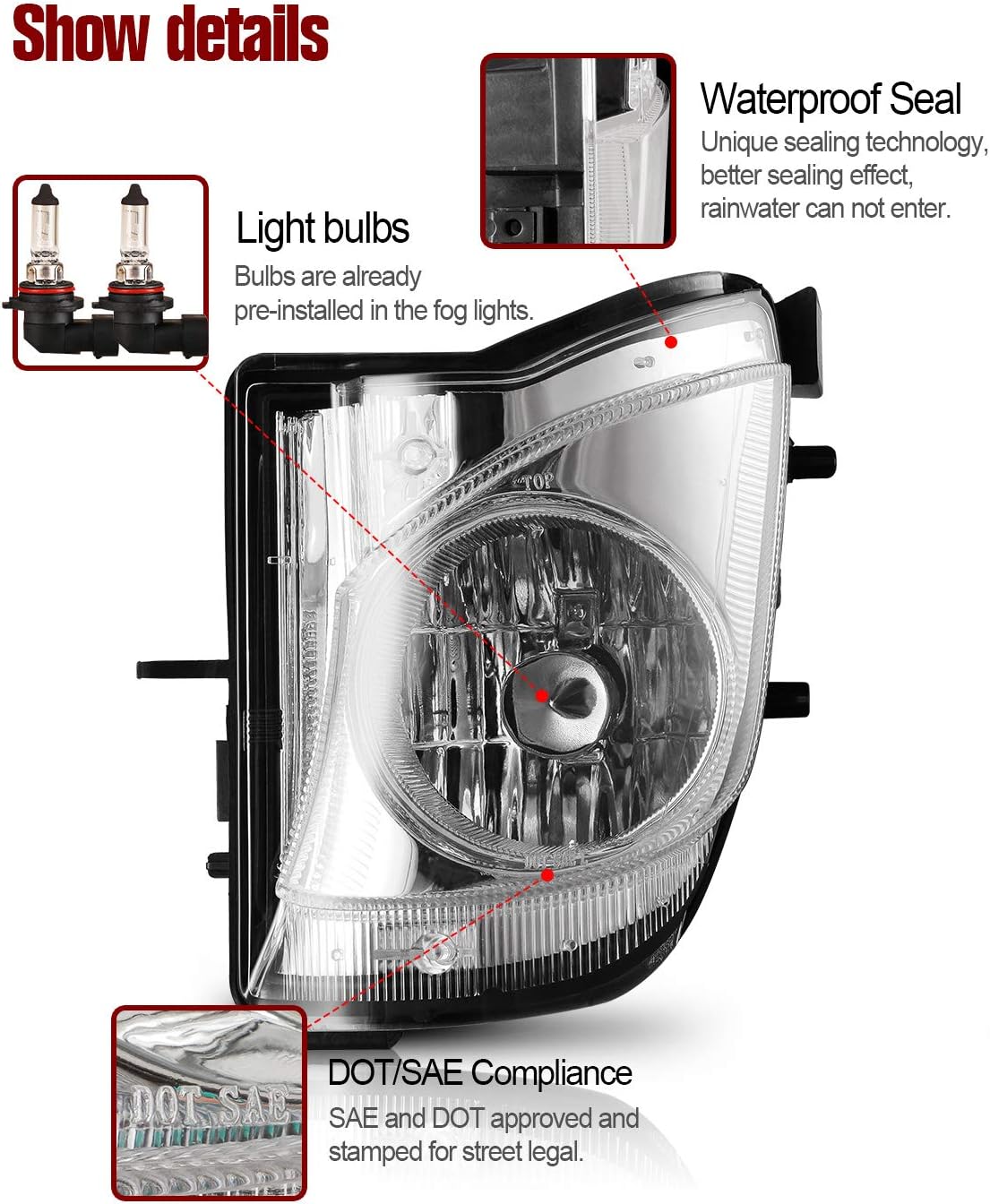
รูปที่ 3: รายละเอียด view of the fog light highlighting pre-installed bulbs, waterproof sealing, and DOT/SAE compliance.
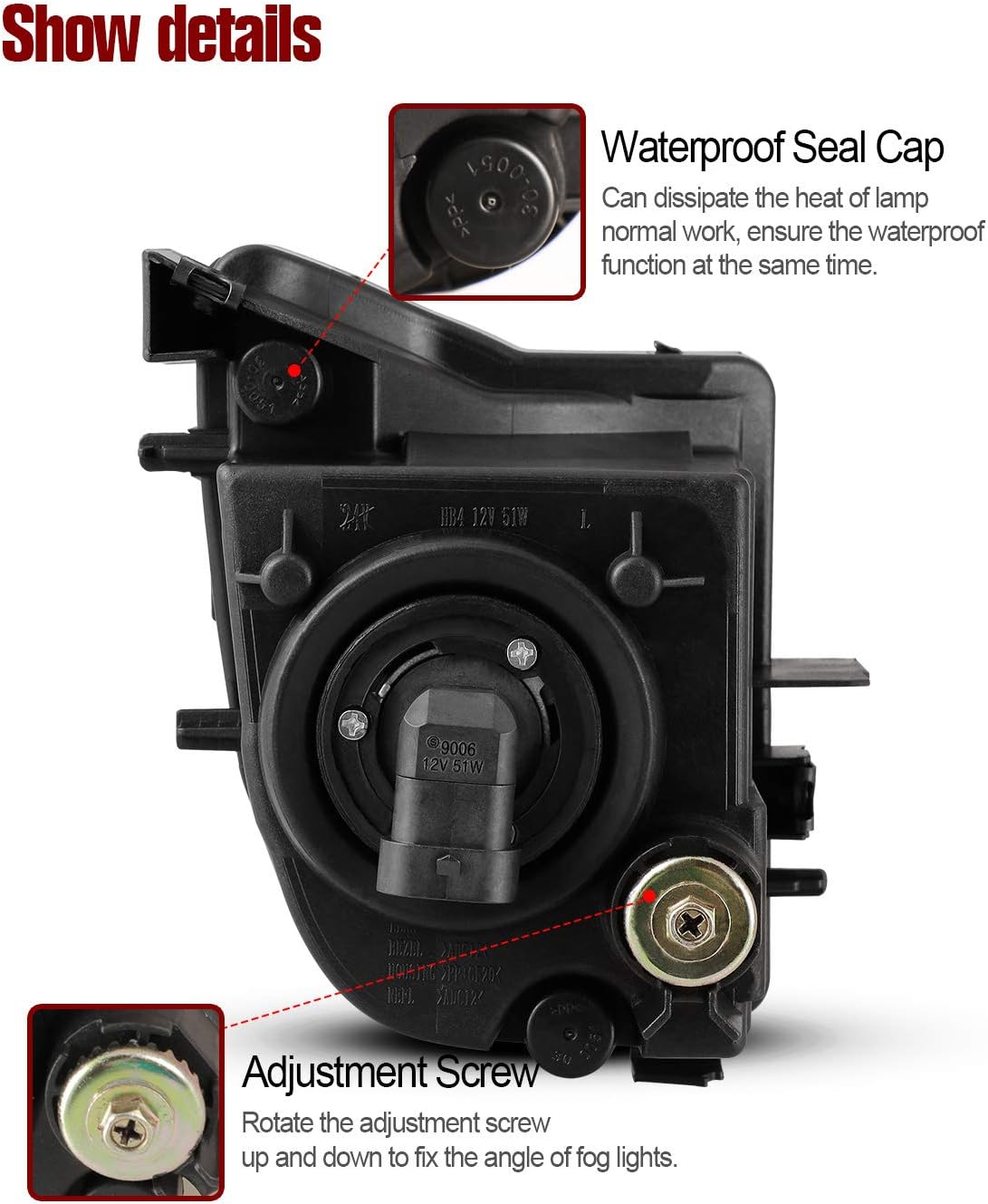
รูปที่ 4: ด้านหลัง view of the fog light, illustrating the waterproof seal cap and the adjustment screw for beam alignment.

Figure 5: The fog light's waterproof sealing, designed to prevent moisture and dust ingress.
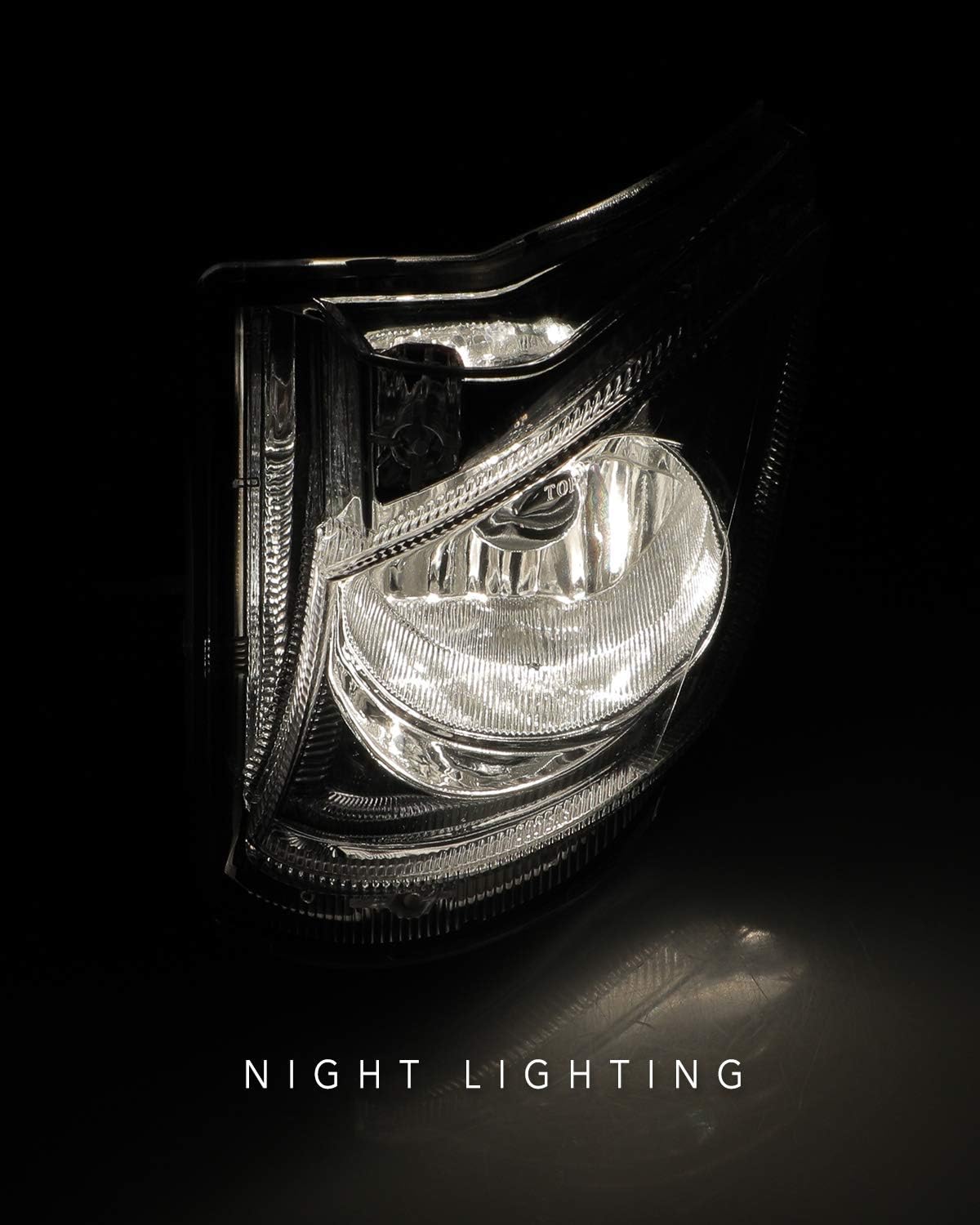
Figure 6: Night lighting performance of the AUTOWIKI Fog Light.
3. คู่มือการติดตั้ง
The AUTOWIKI Fog Lights are designed for easy installation. Please follow these steps carefully. It is recommended to have basic automotive knowledge or seek professional assistance if unsure.
3.1. เครื่องมือที่จำเป็น
- ไขควง (แนะนำหัวแฉก)
- Gloves (optional, for handling)
3.2. ขั้นตอนการติดตั้ง
- แกะกล่องและเตรียมพร้อม: Carefully unpack the fog lights assembly and gather the necessary tools. Ensure the vehicle's engine is off and cool before beginning.
- Remove Existing Fog Light (if applicable): Depending on your vehicle model, you may need to access the fog light housing from the front bumper or wheel well. Remove any screws or clips securing the old fog light. Disconnect the electrical connector.
- Install New Fog Light: Position the new AUTOWIKI fog light into the designated opening. Align the mounting points.
- สกรูยึดที่ยึดแน่น: Use the provided screws (or original screws if compatible) to firmly secure the fog light in place. Tighten them with a screwdriver.
- การเชื่อมต่อสายไฟ: Connect the fog light's electrical connector to the vehicle's wiring harness. Ensure a secure connection.
- ทดสอบฟังก์ชันการทำงาน: Before reassembling any removed parts, turn on your vehicle's fog lights to ensure they illuminate correctly.
- ปรับลำแสง (ถ้าจำเป็น): If the fog light beam needs adjustment, locate the adjustment screw on the back of the fog light housing (refer to Figure 4). Rotate the screw with a screwdriver to adjust the light beam vertically.
- ประกอบกลับเข้าที่: Reinstall any bumper covers or other components that were removed during the installation process.
3.3. วิดีโอการติดตั้ง
Video 1: Official AUTOWIKI Fog Lights Installation Guide for 2006-2010 Lexus IS250/IS350. This video demonstrates the unpacking, mounting, and adjustment of the fog lights.
4. คู่มือการใช้งาน
Once installed, operating your AUTOWIKI Fog Lights is straightforward and typically controlled via your vehicle's existing light switch or stalk.
- Turn On Fog Lights: Locate your vehicle's fog light switch, usually found on the headlight stalk or dashboard. Activate the switch to turn on the fog lights. A corresponding indicator light on your dashboard may illuminate.
- Turn Off Fog Lights: Deactivate the fog light switch to turn them off.
บันทึก: Fog lights are designed for use in conditions of reduced visibility, such as fog, heavy rain, or snow. They should be turned off when visibility improves to avoid dazzling oncoming drivers.
5. การบำรุงรักษาและการดูแล
To ensure the longevity and optimal performance of your AUTOWIKI Fog Lights, follow these maintenance guidelines:
- การทำความสะอาดปกติ: Clean the fog light lenses regularly with a soft cloth and mild automotive cleaning solution to remove dirt, dust, and road grime. Avoid abrasive cleaners that could scratch the lens.
- ตรวจสอบความเสียหาย: Periodically inspect the fog lights for any signs of damage, such as cracks in the lens, loose connections, or corrosion. Address any issues promptly.
- การเปลี่ยนหลอดไฟ: While the included bulbs are durable, they may eventually require replacement. If a bulb burns out, replace it with a compatible 9006 12V 51W bulb. Refer to your vehicle's service manual for specific bulb replacement procedures if needed.
- การตรวจสอบสายไฟ: ตรวจสอบให้แน่ใจว่าการเชื่อมต่อสายไฟทั้งหมดแน่นหนาและปราศจากสนิม
6 การแก้ไขปัญหา
If you encounter issues with your AUTOWIKI Fog Lights, refer to the table below for common problems and their solutions.
| ปัญหา | สาเหตุที่เป็นไปได้ | สารละลาย |
|---|---|---|
| ไฟตัดหมอกไม่ติด |
|
|
| ไฟตัดหมอกดวงหนึ่งไม่ทำงาน |
|
|
| ไฟหรี่หรือไฟกะพริบ |
|
|
| ความชื้นภายในเลนส์ |
|
|
7. ข้อมูลจำเพาะผลิตภัณฑ์
| คุณลักษณะ | รายละเอียด |
|---|---|
| ยี่ห้อ | ออโตวิกิ |
| หมายเลขรุ่น | L: LX2592106; R: LX2593106 |
| ประเภทบริการยานพาหนะ | 2006-2010 Lexus IS250, 2006-2010 Lexus IS350 |
| การใช้งานเฉพาะของผลิตภัณฑ์ | ไฟตัดหมอก |
| วัดtage | 51 วัตต์ (ต่อหลอด) |
| ประเภทหลอดไฟ | 9006 12V 51W (pre-installed) |
| สีเลนส์ | ชัดเจน |
| วัสดุเลนส์ | พลาสติก |
| คุณสมบัติพิเศษ | กันน้ำ |
| ระดับความปลอดภัย | DOT Certified, SAE Compliance |
| น้ำหนักสินค้า | 1.08 ปอนด์ (รวมแพ็คเกจ) |
| ขนาดแพ็คเกจ | 12.88 x 7.84 x 7.31 นิ้ว |
| ยูพีซี | 681013044672 |

Figure 7: Product dimensions for the AUTOWIKI Fog Light.
8. การรับประกันและการสนับสนุน
AUTOWIKI products are manufactured to high-quality standards. For specific warranty information or technical support, please refer to the warranty card included with your product or visit the official AUTOWIKI webเว็บไซต์.
คุณยังสามารถเยี่ยมชม AUTOWIKI Store on Amazon สำหรับข้อมูลเพิ่มเติมและช่องทางการติดต่อ
Ask a question about this manual
Ask about setup, troubleshooting, compatibility, parts, safety, or missing instructions. Manuals+ will review the question and use this page’s manual context to help answer it.