
ดีลิงค์ DCS-8515LH
D-Link Mydlink HD Pan & Tilt Wi-Fi Camera (DCS-8515LH) User Manual
Model: DCS-8515LH
การแนะนำ
This manual provides comprehensive instructions for the setup, operation, and maintenance of your D-Link Mydlink HD Pan & Tilt Wi-Fi Camera (DCS-8515LH). This camera offers 360° viewing capabilities, automatic motion tracking, and integration with smart home assistants, providing enhanced monitoring for your indoor spaces.
เนื้อหาแพ็คเกจ
ตรวจสอบว่ารายการทั้งหมดที่ระบุไว้ด้านล่างนี้รวมอยู่ในแพ็คเกจของคุณ:
- DCS-8515LH Camera
- อะแดปเตอร์แปลงไฟ
- ตัวยึด
- คู่มือการติดตั้งแบบด่วน

Figure 1: D-Link DCS-8515LH Camera Components
This image displays the D-Link DCS-8515LH camera from multiple angles, highlighting its key components. Labels indicate the location of the IR LEDs, light sensor, built-in microphone, microSD card slot, speaker, and power connector at the base.
สินค้าเกินview
The D-Link DCS-8515LH is an HD Pan & Tilt Wi-Fi Camera designed for indoor surveillance. It features a 120° angle lens with a 340° pan range and 105° tilt capability, allowing for extensive coverage of your room. Key functionalities include:
- คุณภาพวิดีโอระดับ HD: Captures clear 720p HD video.
- การมองเห็นตอนกลางคืน: Built-in infrared LEDs provide visibility up to 5 meters in darkness.
- การตรวจจับการเคลื่อนไหวและเสียง: Alerts you to activity with snapshots and contact options.
- เสียงสองทาง: ช่วยให้สามารถสื่อสารแบบเรียลไทม์ผ่านกล้องได้
- การจัดเก็บที่ยืดหยุ่น: Supports cloud recording and local microSD card storage.
- การรวมระบบบ้านอัจฉริยะ: เข้ากันได้กับ Amazon Alexa และ Google Assistant

Figure 2: D-Link DCS-8515LH Camera
This image shows the D-Link DCS-8515LH camera, a white and black dome-shaped device with a visible camera lens, designed for indoor use.
คำแนะนำการตั้งค่า
Follow these steps to set up your D-Link DCS-8515LH camera:
- ดาวน์โหลดแอป mydlink: ค้นหา "mydlink" in your device's app store (iOS or Android) and install the application.
- เปิดกล้อง: Connect the provided power adapter to the camera and plug it into a power outlet. Wait for the camera's LED indicator to blink orange, indicating it's ready for setup.
- เพิ่มอุปกรณ์ในแอป: Open the mydlink app, sign in or create a new account. Tap the menu icon, then select "Add a Device." Scan the QR code located on the camera or its Quick Installation Guide.
- ทำตามคำแนะนำบนหน้าจอ: The app will guide you through connecting the camera to your Wi-Fi network and configuring initial settings. Ensure your mobile device is connected to the 2.4 GHz Wi-Fi network you intend to use for the camera.
- การจัดวาง: Position the camera in your desired indoor location. The included mounting bracket can be used for wall or ceiling installation if needed.
Video 1: D-Link Product Overview และการตั้งค่า
วิดีโอนี้ให้ข้อมูลทั่วไปเกี่ยวกับview of a D-Link camera and demonstrates basic setup steps, including connecting power and using the mydlink app for initial configuration. While it features a different model, the setup process is similar for the DCS-8515LH.

Figure 3: mydlink App Interface for Camera Control
This image illustrates the mydlink app on a smartphone, showing the interface for controlling the camera's view, including a panorama view angle selection feature that allows users to tap to jump to a specific area.
คำแนะนำการใช้งาน
การควบคุมแพนและเอียง
From the mydlink app, you can remotely control the camera's pan (horizontal) and tilt (vertical) movements to view different areas of your room. Use the on-screen controls to adjust the camera's direction.
- 360° View: The camera offers a comprehensive 360° coverage when combining its 120° lens with its pan and tilt capabilities.
- ภาพพาโนรามา View Angle Selection: Tap on a specific area in the panoramic view within the app to quickly direct the camera to that point.

Figure 4: Pan & Tilt Live Video in mydlink App
This image shows a hand holding a smartphone displaying the mydlink app. The app is showing a live video feed from the camera, demonstrating the pan and tilt functionality to view a wide area of a room.
Auto Motion Tracking
When enabled, the camera will automatically pan and tilt to follow moving objects within its field of viewเพื่อให้มั่นใจว่าภาพยังคงอยู่ในเฟรม
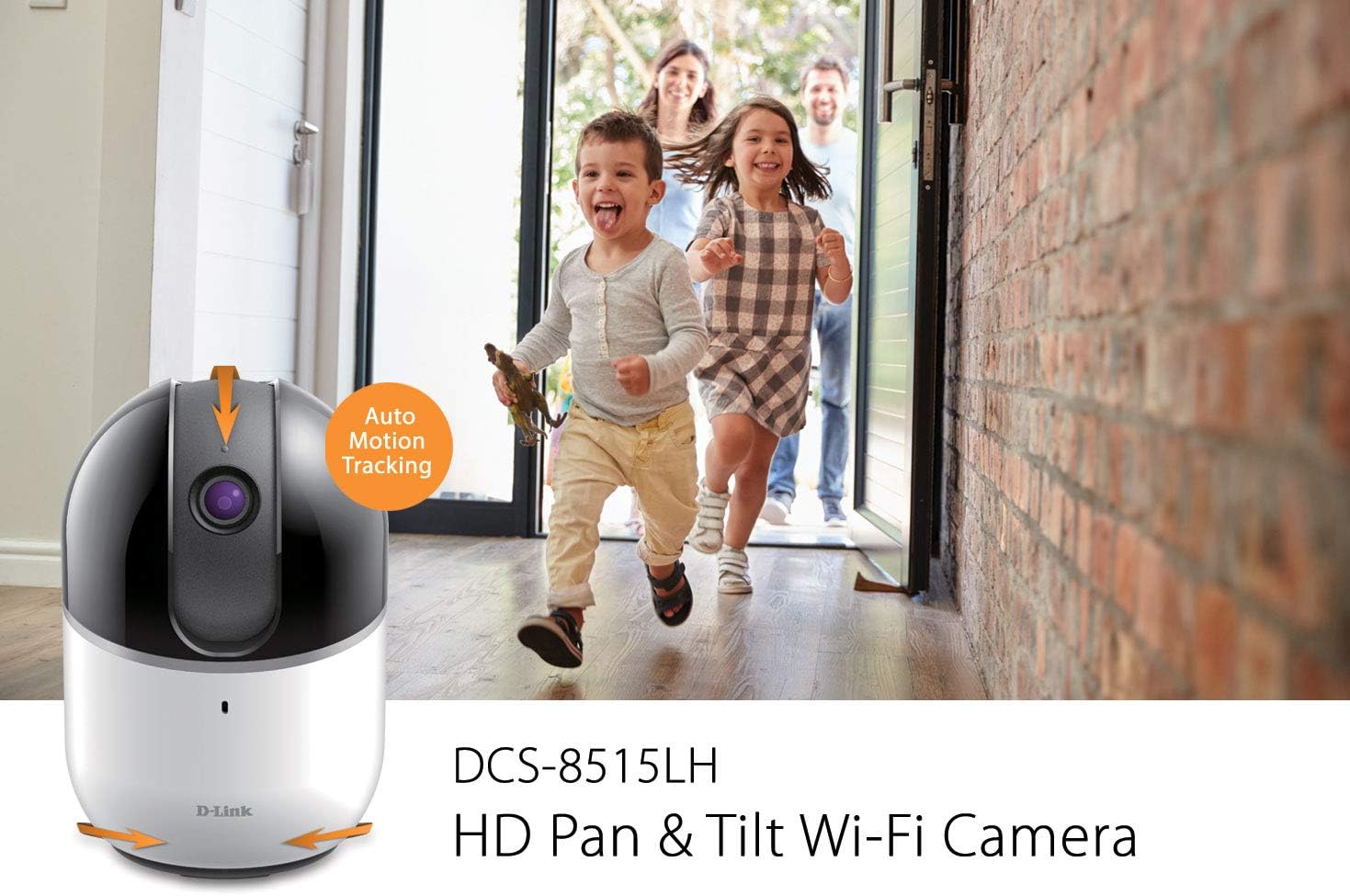
Figure 5: Auto Motion Tracking Feature
This image illustrates the camera's auto motion tracking feature. The D-Link DCS-8515LH camera is shown with an overlay indicating "Auto Motion Tracking," while children are depicted running in the background, demonstrating the camera's ability to follow movement.
การมองเห็นตอนกลางคืน
The camera is equipped with infrared LEDs for night vision, allowing it to capture clear video in low-light or complete darkness up to 5 meters.
การตรวจจับการเคลื่อนไหวและเสียง
Configure the mydlink app to receive instant notifications on your mobile device when motion or sound is detected. These alerts can include snapshots and options to call a designated contact.

Figure 6: Rich Notifications from mydlink App
This image displays a smartphone screen with a notification from the mydlink app, indicating that motion has been detected by the DCS-8515LH camera. The notification provides options to view อยู่ footage or call a designated contact.
ระบบเสียงสองทาง
Utilize the built-in microphone and speaker to engage in two-way conversations through the camera, allowing you to communicate with individuals in the camera's vicinity.
ตัวเลือกการบันทึก
กล้องรองรับวิธีการบันทึกหลายแบบ:
- การบันทึกบนคลาวด์: Store video recordings securely in the mydlink cloud. Free and paid plans are available.
- Local MicroSD Card: Insert a microSD card (up to 256 GB, as per latest firmware) into the camera for local storage of recordings.
โหมดความเป็นส่วนตัว
Activate Privacy Mode via the mydlink app to physically cover the camera lens, ensuring complete privacy when needed.
การบูรณาการบ้านอัจฉริยะ
The DCS-8515LH camera is compatible with Amazon Alexa and Google Assistant, allowing for voice control and integration into your smart home ecosystem. You can stream live video to compatible devices like Fire TV, Echo Spot, or Google Chromecast.

รูปที่ 7: การบูรณาการระบบบ้านอัจฉริยะ
This image demonstrates the D-Link camera's compatibility with smart home platforms. It shows the camera integrated with Amazon Alexa (displaying a baby monitor feed on an Echo Show) and Google Assistant (displaying a live camera feed on a television).
การซ่อมบำรุง
เพื่อให้กล้องของคุณทำงานได้อย่างมีประสิทธิภาพสูงสุดและใช้งานได้ยาวนาน:
- การทำความสะอาด: เช็ดเลนส์และตัวกล้องเบาๆ ด้วยผ้านุ่มและแห้ง หลีกเลี่ยงการใช้สารเคมีรุนแรงหรือน้ำยาทำความสะอาดที่มีฤทธิ์กัดกร่อน
- อัพเดตเฟิร์มแวร์: Regularly check for and install firmware updates through the mydlink app to ensure your camera has the latest features and security enhancements.
- การจัดวาง: Ensure the camera is placed in a stable, dry indoor environment, away from direct sunlight, heat sources, and excessive moisture.
การแก้ไขปัญหา
If you encounter issues with your D-Link DCS-8515LH camera, consider the following:
- ปัญหาการเชื่อมต่อ:
- Ensure your Wi-Fi network is active and the camera is within range of your router.
- Verify that your Wi-Fi password is entered correctly in the mydlink app.
- Restart your camera and Wi-Fi router.
- คุณภาพวิดีโอไม่ดี:
- Check your internet connection speed. A stable and fast connection is crucial for HD streaming.
- ทำความสะอาดเลนส์กล้องเพื่อกำจัดฝุ่นหรือคราบสกปรกต่างๆ
- ระบบตรวจจับการเคลื่อนไหว/เสียงไม่ทำงาน:
- Ensure motion and sound detection settings are enabled in the mydlink app.
- Adjust sensitivity levels to suit your environment.
- ปัญหาเกี่ยวกับแอป:
- Ensure your mydlink app is updated to the latest version.
- Try force-closing and reopening the app, or reinstalling it if problems persist.
- รีเซ็ตเป็นค่าเริ่มต้นจากโรงงาน: If all else fails, perform a factory reset (refer to the Quick Installation Guide for specific steps) and re-add the camera to the mydlink app.
ข้อมูลจำเพาะ
| คุณสมบัติ | รายละเอียด |
|---|---|
| ชื่อรุ่น | DCS-8515LH |
| ความละเอียดในการจับภาพวิดีโอ | ความคมชัดระดับ HD 720p |
| ช่วงแพน | 340° |
| ช่วงความเอียง | 105° |
| View Angle (Lens) | 120° |
| ระยะการมองเห็นกลางคืน | สูงสุด 5 เมตร |
| โปรโตคอลการเชื่อมต่อ | ไวไฟ |
| เทคโนโลยีการสื่อสารไร้สาย | ไวไฟ |
| ตัวเลือกการจัดเก็บข้อมูล | Cloud, Local MicroSD Card (up to 256GB) |
| เสียง | ระบบเสียงสองทาง |
| ประเภทการแจ้งเตือน | เสียงและการเคลื่อนไหว |
| อุปกรณ์ที่รองรับ | สมาร์ทโฟน, แท็บเล็ต |
| ประเภทตัวควบคุม | Amazon Alexa, Google Assistant |
| แหล่งพลังงาน | สายไฟ |
| ขนาดสินค้า (กว้าง x ยาว x สูง) | 3.3 x 3.3 x 4.9 นิ้ว |
| น้ำหนักสินค้า | 12.6 ออนซ์ |
การรับประกันและการสนับสนุน
For detailed warranty information, please refer to the warranty card included with your product or visit the official D-Link website. Technical support and additional resources can be found on the D-Link support pages.
คุณยังสามารถเยี่ยมชม D-Link Store on Amazon สำหรับข้อมูลผลิตภัณฑ์และการบริการลูกค้า
Ask a question about this manual
Ask about setup, troubleshooting, compatibility, parts, safety, or missing instructions. Manuals+ will review the question and use this page’s manual context to help answer it.