
PELONIS FZ10-19JR
PELONIS FZ10-19JR Quiet Oscillating Tower Fan User Manual
Model: FZ10-19JR | Brand: PELONIS
การแนะนำ
The PELONIS 3-speed oscillating Tower fan with timer and remote provides maximum comfort in a minimum space. With a tall, narrow profile, this fan is ideal for smaller rooms or areas with limited floor space. It features three speeds, multiple modes, and a timer for automatic shutoff. A convenient remote control allows for easy operation from a distance.
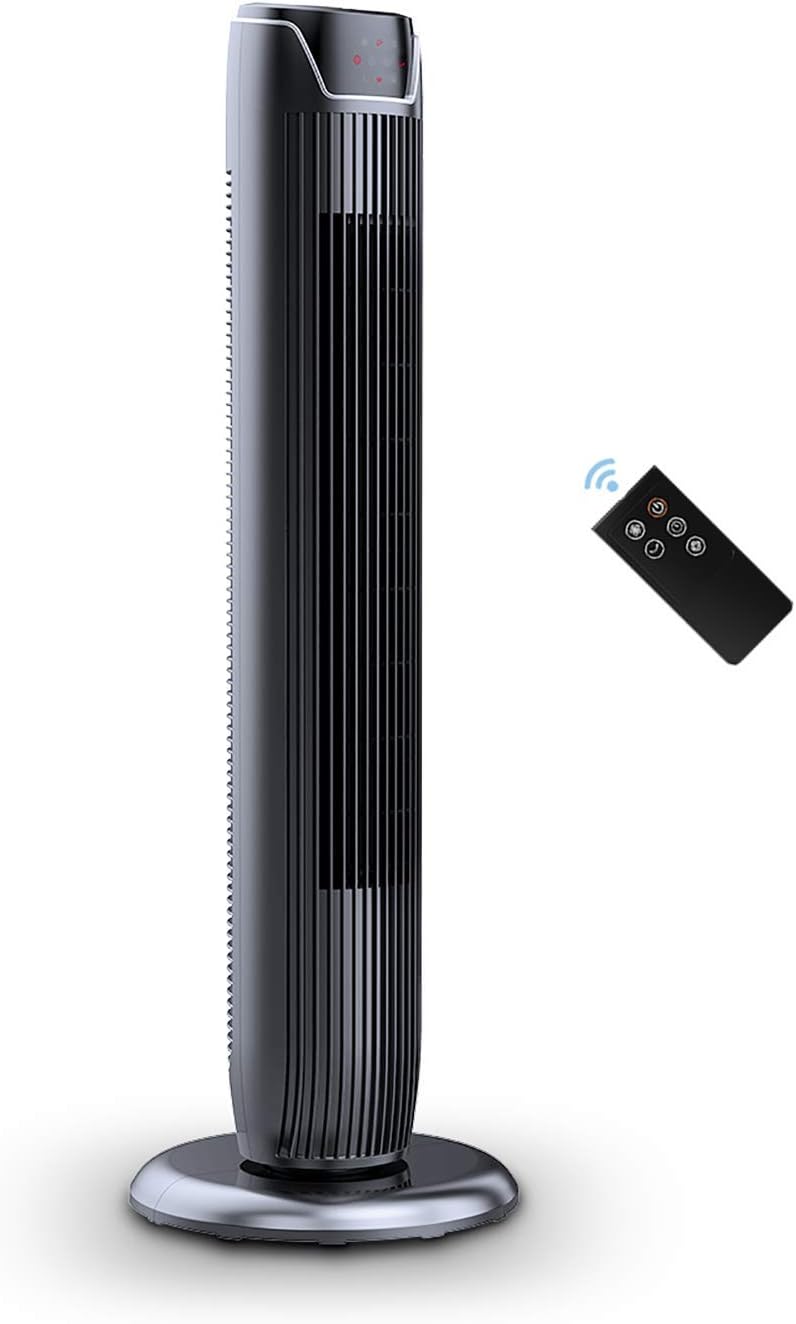
Figure 1: PELONIS FZ10-19JR Quiet Oscillating Tower Fan and Remote Control.
ข้อมูลด้านความปลอดภัย
Always read and follow all safety instructions before using this appliance to prevent injury or damage. Keep this manual for future reference.
- การป้องกันความร้อนสูงเกินไป: The motor has built-in overheat protection for peace of mind, automatically shutting off the fan if it overheats.
- ความปลอดภัยของเด็ก: The compact design on the fan grid ensures the safety of children by preventing finger penetration.
- คำเตือนข้อเสนอ 65: ผลิตภัณฑ์นี้อาจมีสารเคมีที่รัฐแคลิฟอร์เนียรู้จักว่าก่อให้เกิดมะเร็งและความพิการ แต่กำเนิดหรือเป็นอันตรายต่อระบบสืบพันธุ์อื่น ๆ
- ตรวจสอบให้แน่ใจว่าพัดลมวางอยู่บนพื้นผิวที่มั่นคงและเรียบเพื่อป้องกันการพลิกคว่ำ
- ห้ามสอดนิ้วหรือวัตถุแปลกปลอมเข้าไปในตะแกรงพัดลม
- ถอดปลั๊กพัดลมออกจากเต้ารับไฟฟ้าก่อนทำความสะอาดหรือบำรุงรักษาใดๆ
เนื้อหาแพ็คเกจ
ตรวจสอบให้แน่ใจว่ามีส่วนประกอบครบถ้วนก่อนเปิดบรรจุภัณฑ์:
- PELONIS FZ10-19JR Tower Fan Unit
- รีโมทคอนโทรล
- Base Parts (multiple pieces for assembly)
- คู่มือผู้ใช้ (ไฟล์ PDF สามารถดาวน์โหลดออนไลน์ได้)
การตั้งค่า
The PELONIS FZ10-19JR Tower Fan requires minimal assembly. Follow these steps to set up your fan:
- ประกอบฐาน: The base comes in multiple pieces. Snap the base pieces together securely.
- ติดตั้งชุดพัดลมเข้ากับฐาน: Carefully align the fan unit with the assembled base. Ensure the power cord is routed through the designated opening in the base.
- ยึดฐานให้แน่น: Locate the screw underneath the base and tighten it to firmly attach the fan unit to the base.
- การจัดวาง: วางพัดลมที่ประกอบเสร็จแล้วบนพื้นผิวที่มั่นคงและเรียบ
- การเชื่อมต่อไฟฟ้า: Plug the fan into a standard 120V/60HZ power outlet.
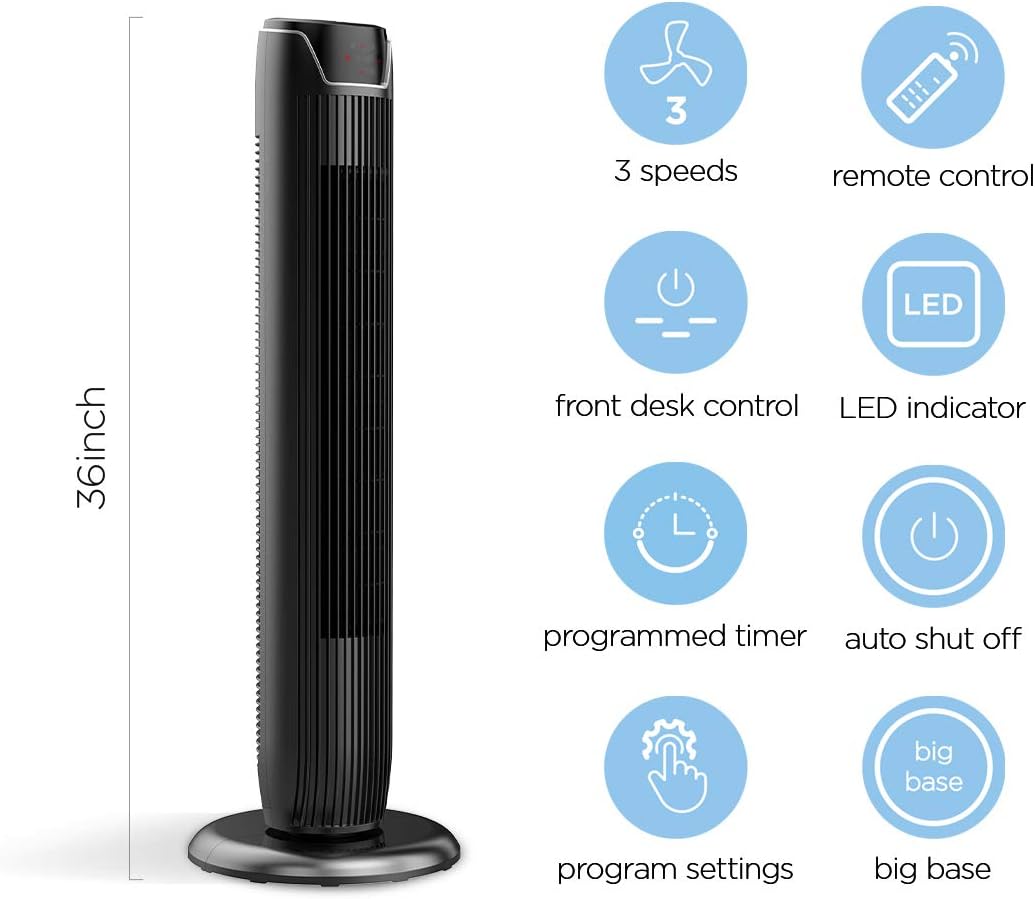
Figure 2: The 36-inch height of the tower fan, highlighting its compact design and various features.

Figure 3: Key features of the PELONIS tower fan, including silent operation, wide-angle airflow, timer, and auto shut-off.
วิดีโอ 1: จบแล้วview of the 36-inch PELONIS FZ10-19JR Oscillating Tower Fan, demonstrating its compact size and features.
คำแนะนำการใช้งาน
Your PELONIS tower fan can be operated using the multi-functional control panel on top of the unit or the included remote control.
แผงควบคุมและรีโมท
Both the control panel and the remote offer identical functions for convenience. The control panel is located on the top of the fan for easy access without bending.

Figure 4: Close-up of the overhead control panel, highlighting the tight fence design for safety and the internal gale wheel for air volume.
- ปุ่มเปิด/ปิด: เปิดหรือปิดพัดลม
- ปุ่มโหมด: สลับโหมดการไหลเวียนของอากาศได้หลายแบบ (ปกติ, ธรรมชาติ, โหมดนอนหลับ)
- ปุ่มความเร็ว: ปรับความเร็วพัดลม (ต่ำ ปานกลาง สูง)
- Oscillation Button (Osc): Activates or deactivates the 60° wide-angle oscillation function.
- ปุ่มตั้งเวลา: Sets the automatic shutoff timer (up to 7 hours).
โหมดพัดลม
- ลมปกติ: ช่วยให้มีการไหลเวียนของอากาศอย่างต่อเนื่อง
- ลมธรรมชาติ: Simulates natural breezes with alternating strong and weak airflows.
- โหมดสลีป: Operates at a low noise level (as low as 48 dB) for undisturbed sleep. The LED display auto-off after 30 seconds to minimize light disturbance.
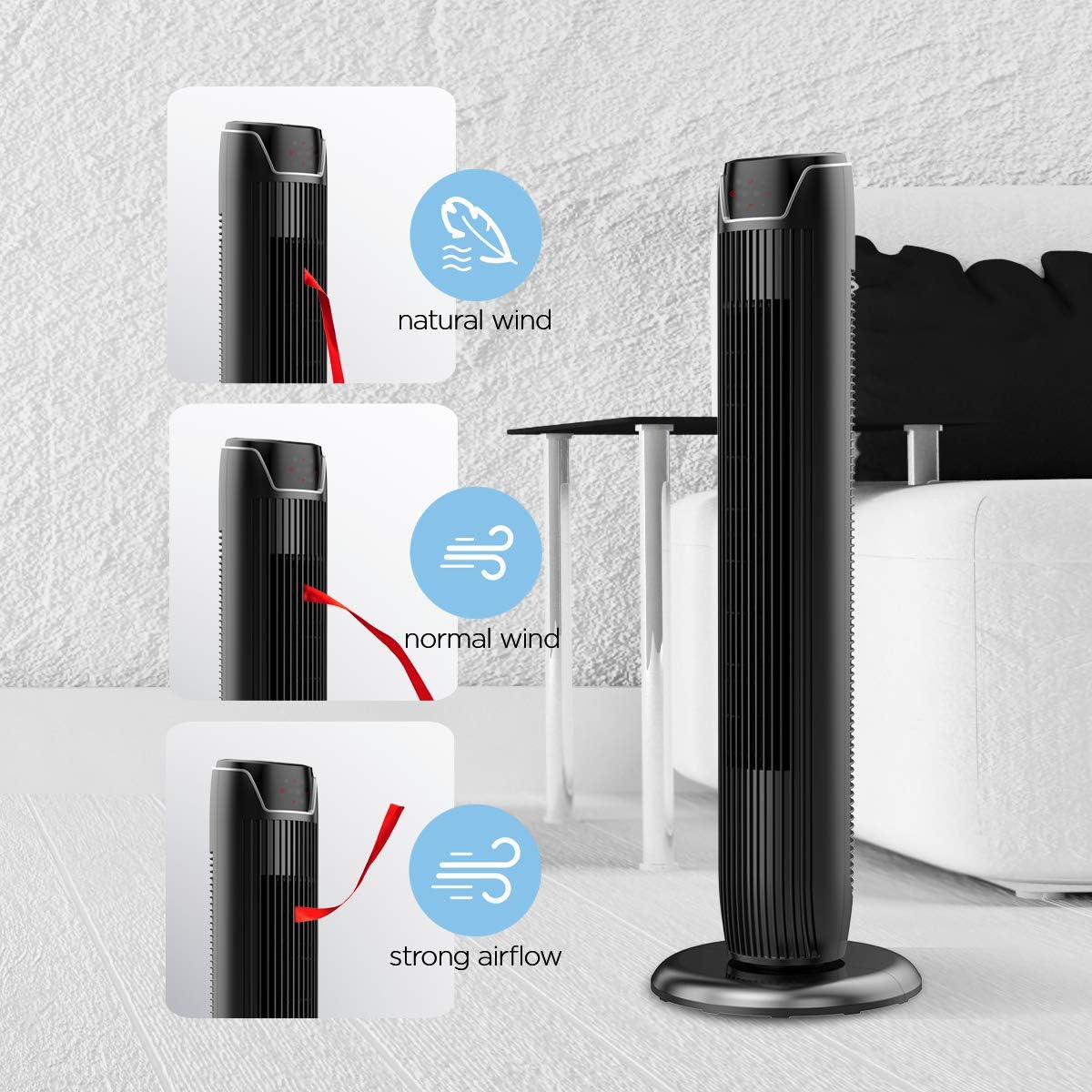
Figure 5: Visual representation of the fan's different wind modes: Natural Wind, Normal Wind, and Strong Airflow.

Figure 6: The fan's quiet operation in sleep mode, ideal for bedrooms and nurseries.

Figure 7: Illustration of the fan's ultra-silence feature (below 48dB on low speed), perfect for quiet environments.
ที่เก็บข้อมูลการควบคุมระยะไกล
The fan features a built-in cubby at the back for convenient storage of the remote control, ensuring it is always within reach and not easily misplaced.
Video 2: Demonstration of the remote control storage slot on the back of the Pelonis Tower Fan.
การซ่อมบำรุง
การทำความสะอาดอย่างสม่ำเสมอจะช่วยรักษาประสิทธิภาพการทำงานของพัดลมและยืดอายุการใช้งานได้
- การทำความสะอาดภายนอก: ใช้แบบนุ่มๆamp ใช้ผ้าเช็ดทำความสะอาดพื้นผิวภายนอกของพัดลม ห้ามใช้น้ำยาทำความสะอาดที่มีฤทธิ์กัดกร่อนหรือตัวทำละลาย
- การทำความสะอาดกระจังหน้า: Use a vacuum cleaner with a brush attachment to remove dust from the fan grilles. For deeper cleaning, a compressed air can may be used to dislodge dust from hard-to-reach areas.
- การทำความสะอาดภายใน: The fan is not designed for easy disassembly for internal cleaning. Regular external cleaning and compressed air use are recommended to minimize dust accumulation inside.
- ตรวจสอบให้แน่ใจว่าพัดลมแห้งสนิทก่อนเสียบปลั๊กกลับเข้าไป
การแก้ไขปัญหา
If you encounter issues with your PELONIS tower fan, try the following troubleshooting steps:
- พัดลมไม่เปิด:
- ตรวจสอบให้แน่ใจว่าสายไฟเสียบเข้ากับเต้ารับไฟฟ้าที่ใช้งานได้แน่นดี
- ตรวจสอบว่าเต้ารับไฟฟ้าใช้งานได้หรือไม่โดยเสียบอุปกรณ์อื่นเข้าไป
- Verify the fan's power button is pressed.
- Fan Not Oscillating:
- กดปุ่มการสั่นบนแผงควบคุมหรือรีโมทคอนโทรล
- Ensure there are no obstructions preventing the fan from rotating.
- การไหลของอากาศที่อ่อนแอ:
- เพิ่มการตั้งค่าความเร็วพัดลม
- Clean the fan grilles to remove any dust or debris that may be obstructing airflow.
- เสียงผิดปกติ:
- ตรวจสอบให้แน่ใจว่าได้วางพัดลมไว้บนพื้นผิวที่มั่นคงและเรียบเสมอกัน
- Check for any loose parts or foreign objects within the fan grilles.
- If the noise is a creaking sound during oscillation, ensure the base is not overtightened. Loosen it slightly if necessary.
- รีโมทคอนโทรลไม่ทำงาน:
- Ensure the remote control's batteries are correctly installed and not depleted.
- Point the remote directly at the fan's control panel.
- ตรวจสอบให้แน่ใจว่าไม่มีสิ่งกีดขวางระหว่างรีโมทและพัดลม
ข้อมูลจำเพาะ
| คุณสมบัติ | รายละเอียด |
|---|---|
| ยี่ห้อ | เปโลนิส |
| ชื่อรุ่น | FZ10-19JR |
| สี | สีดำเงา |
| การออกแบบพัดลมไฟฟ้า | พัดลมตั้งพื้น |
| แหล่งพลังงาน | สายไฟ |
| สไตล์ | ทันสมัย |
| ขนาดสินค้า | ลึก 11.8 นิ้ว x กว้าง 11.8 นิ้ว x สูง 36.14 นิ้ว |
| ประเภทห้อง | ห้องนอน |
| คุณสมบัติพิเศษ | ที่สั่น |
| การใช้ที่แนะนำ | Office, Air Circulation, Bedroom, Living Room, Home |
| ระดับเสียง | 48 เดซิเบล |
| ประเภทการเสร็จสิ้น | มันเงา |
| เล่มที่tage | 120 โวลต์ |
| ส่วนประกอบที่รวมอยู่ | ระยะไกล |
| การใช้งานภายใน/ภายนอกอาคาร | ในร่ม |
| ตรงตามข้อกำหนด | อีทีแอล |
| วิธีการควบคุม | ระยะไกล |
| วัสดุใบมีด | พลาสติก |
| จำนวนระดับพลังงาน | 3 |
| ผู้ผลิต | เพโลนิส |
| ยูพีซี | 750545105431 |
| น้ำหนักสินค้า | 9.13 ปอนด์ |
การรับประกันและการสนับสนุน
PELONIS offers a รับประกันจากผู้ผลิต 1 ปี with the purchase of this product, demonstrating confidence in its quality.
For detailed information, refer to the official User Manual (PDF) available online:
For further assistance or inquiries, please visit the official PELONIS Store on Amazon: PELONIS Store
Ask a question about this manual
Ask about setup, troubleshooting, compatibility, parts, safety, or missing instructions. Manuals+ will review the question and use this page’s manual context to help answer it.