
1. บทนำและเรื่องอื่นๆview
The Kurzweil KA-70-U is an 88-note portable digital piano designed for both home and portable use. It features a spring-action keyboard with adjustable touch sensitivity, offering a responsive playing experience. The instrument includes a variety of sound selections, such as the Triple Strike piano, organs, guitars, and strings.
Equipped with 50 auto-accompaniment styles, the KA-70-U allows users to create real-time arrangements by triggering built-in interactive backing patterns across various musical genres using left-hand chords. The unit is housed in an attractive stage piano-style cabinet and includes a detachable music stand and an integrated speaker sound system. Its intuitive control panel and clear display provide straightforward access to all system functions. Additionally, the KA-70-U supports song recording, enabling users to record and store up to 5 of their own keyboard performances.

ภาพที่ 1.1: ด้านหน้า view of the Kurzweil KA-70-U Portable Digital Piano, showing the 88-key keyboard, control panel, and integrated speakers.
2. อะไรอยู่ในกล่อง
โปรดตรวจสอบว่ารายการทั้งหมดที่ระบุไว้ด้านล่างมีอยู่ในแพ็คเกจของคุณหรือไม่:
- KA-70 Portable Digital Piano Unit
- ขาตั้งโน้ตเพลง
- DC 12V 2.0A External Power Supply
- Switch/Sustain Pedal
3. การตั้งค่า
3.1 การแกะและการจัดวาง
Carefully remove the KA-70-U from its packaging. Place the instrument on a stable, flat surface. Ensure adequate ventilation around the unit and avoid placing it near heat sources or in direct sunlight.
3.2 Attaching the Music Stand
Locate the slots on the top panel of the KA-70-U. Insert the tabs of the music stand into these slots until it is securely in place.
3.3 การเชื่อมต่อแป้นเหยียบ Sustain
Connect the included switch/sustain pedal to the 'SUSTAIN' jack located on the rear panel of the digital piano. This pedal allows for sustain effects during play.
3.4 การเชื่อมต่อสายไฟ
- Ensure the KA-70-U is powered off.
- Connect the DC 12V 2.0A external power supply to the 'DC IN' jack on the rear panel of the instrument.
- Plug the power supply into a standard AC electrical outlet.
3.5 การเปิด/ปิดเครื่อง
กดปุ่ม พลัง button located on the control panel to turn the instrument on. The display will illuminate. To turn off the instrument, press the พลัง ปุ่มอีกครั้ง
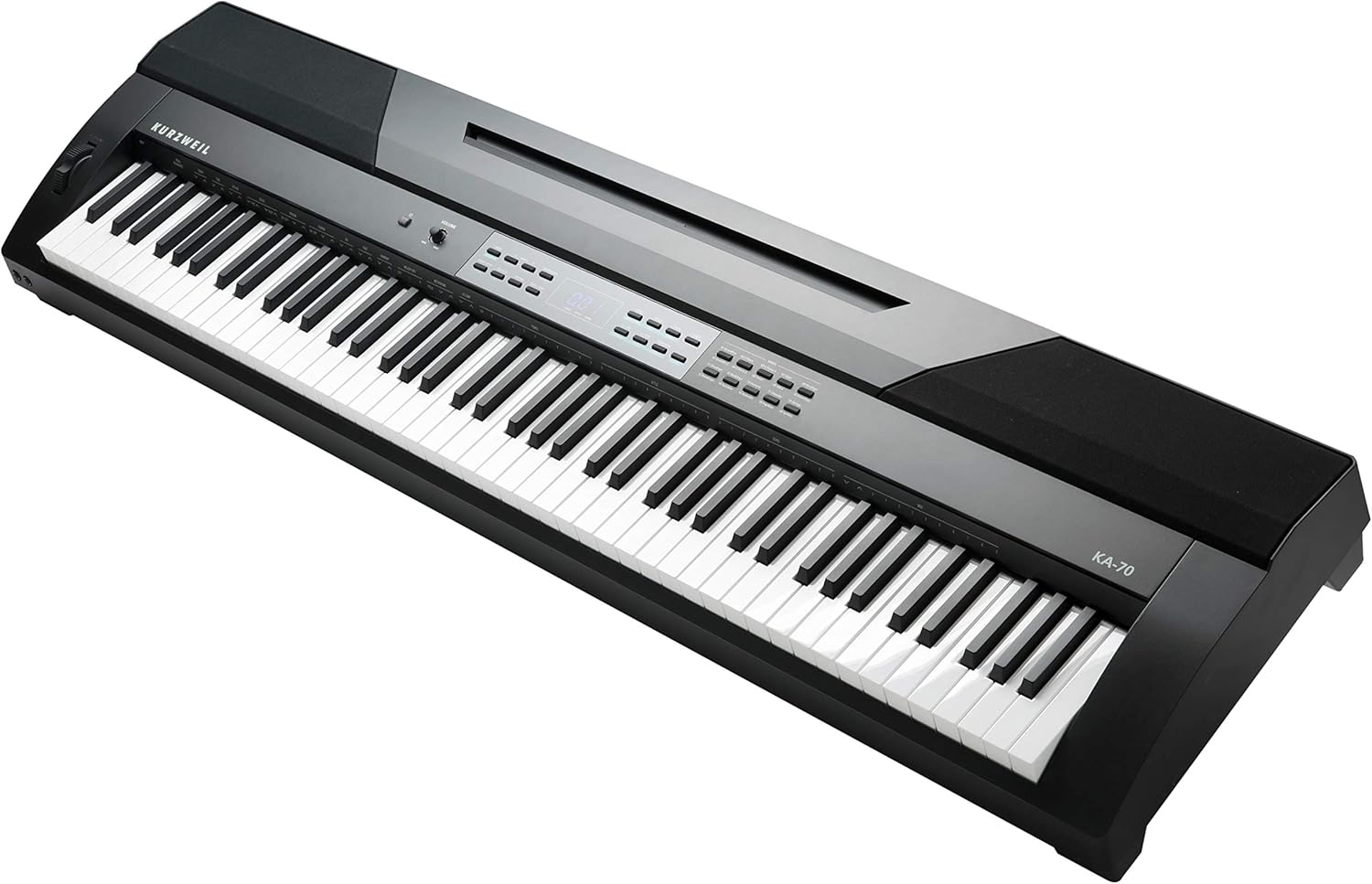
ภาพที่ 3.1: มุม view of the Kurzweil KA-70-U, highlighting the keyboard, control panel, and the overall cabinet design.
4. คู่มือการใช้งาน
4.1 การปรับระดับเสียง
ใช้ ปริมาณ knob on the control panel to adjust the overall output level of the instrument. Turn clockwise to increase volume, counter-clockwise to decrease.
4.2 Selecting Instrument Voices
The KA-70-U offers a variety of instrument sounds. To select a voice:
- กดปุ่ม เสียง ปุ่ม.
- ใช้ - buttons or the numeric keypad to navigate through the available voices. The selected voice number and name will appear on the display.
- กด เข้า เพื่อยืนยันการเลือกของคุณ
4.3 Adjusting Touch Sensitivity
The touch sensitivity of the keyboard can be adjusted to match your playing style. Refer to the display and control panel for specific settings, typically accessed via a การทำงาน or การตั้งค่า button, followed by selecting the 'Touch' parameter.
4.4 Using Auto-Accompaniment Styles
The KA-70-U includes 50 auto-accompaniment styles. To use them:
- กดปุ่ม สไตล์ ปุ่ม.
- Select a desired style using the - ปุ่มกดหรือแป้นตัวเลข
- Play chords with your left hand in the lower section of the keyboard to trigger the accompaniment patterns.
- กด เริ่ม/หยุด to begin or end the accompaniment.
4.5 การบันทึกการแสดง
The instrument allows you to record up to 5 of your performances:
- กดปุ่ม บันทึก ปุ่ม.
- Select an empty song slot.
- Begin playing. The recording will start automatically.
- กด หยุด เพื่อสิ้นสุดการบันทึก
- To play back a recorded song, select the song and press เล่น.
5. การบำรุงรักษา
5.1 การทำความสะอาด
ในการทำความสะอาดเครื่องดนตรี ให้ใช้ผ้าแห้งนุ่มๆ เช็ด สำหรับคราบสกปรกฝังแน่น ให้เช็ดเบาๆ ด้วยน้ำยาทำความสะอาดชนิดเข้มข้นampen the cloth with water and a mild, non-abrasive cleaner, then wipe dry immediately. Avoid using harsh chemicals, solvents, or abrasive materials, as these can damage the finish.
5.2 พื้นที่จัดเก็บ
When not in use for extended periods, store the KA-70-U in a cool, dry place, away from direct sunlight, extreme temperatures, and high humidity. It is recommended to cover the instrument to protect it from dust.
6 การแก้ไขปัญหา
6.1 ไม่มีเสียง
- ตรวจสอบว่าเปิดเครื่องแล้วและปรับระดับเสียงขึ้นแล้วหรือไม่
- Ensure no headphones are plugged into the headphone jack, which would mute the internal speakers.
- ตรวจสอบให้แน่ใจว่าได้เลือกเสียงเครื่องดนตรีที่ถูกต้องแล้ว ไม่ใช่การเลือกเสียงเงียบ (silent patch)
6.2 คีย์ไม่ตอบสนอง
- เริ่มต้นใช้งานเครื่องมือโดยการปิดและเปิดเครื่องอีกครั้ง
- Ensure no demo songs are playing or other modes are active that might disable manual input.
6.3 ปัญหาพลังงาน
- Confirm the power adapter is securely connected to both the instrument and a working electrical outlet.
- ตรวจสอบว่าเต้ารับไฟฟ้าใช้งานได้หรือไม่โดยเสียบอุปกรณ์อื่นเข้าไป
หากปัญหายังคงมีอยู่หลังจากพยายามทำตามขั้นตอนการแก้ไขปัญหาเหล่านี้ โปรดติดต่อฝ่ายสนับสนุนลูกค้า
7. ข้อมูลจำเพาะ
| คุณสมบัติ | ข้อมูลจำเพาะ |
|---|---|
| ชื่อรุ่น | KA-70 |
| หมายเลขรุ่นสินค้า | AMS-K2700 |
| จำนวนคีย์ | 88 |
| ประเภทแป้นพิมพ์ | Spring-action with adjustable touch sensitivity |
| เสียงเครื่องดนตรี | Triple Strike piano, organs, guitars, strings, and more |
| รูปแบบการเล่นดนตรีประกอบอัตโนมัติ | 50 |
| คุณสมบัติการบันทึก | Up to 5 user performances |
| เทคโนโลยีการเชื่อมต่อ | ตัวช่วย |
| แหล่งพลังงาน | DC 12V 2.0A External Power Supply (USB compatible for power input) |
| น้ำหนักสินค้า | 24 ปอนด์ (ประมาณ 10.9 กก.) |
| ขนาดสินค้า | 14.4 x 53.7 x 5.4 นิ้ว (ประมาณ 36.6 x 136.4 x 13.7 ซม.) |
| ยูพีซี | 883793414915 |
8. การรับประกันและการสนับสนุน
Warranty information for the Kurzweil KA-70-U Portable Digital Piano is typically provided with the product at the time of purchase or can be found on the official Kurzweil webไซต์ โปรดเก็บหลักฐานการซื้อไว้เพื่อใช้ในการเรียกร้องการรับประกัน
For technical support, service, or further inquiries, please refer to the contact information provided in your product documentation or visit the Kurzweil official support website. When contacting support, please have your model number (KA-70) and serial number ready.