
การแนะนำ
The Rapoo 1680 Silent Wireless Mouse offers a comfortable and quiet computing experience. Featuring a reliable 2.4GHz wireless connection, 1000 DPI optical tracking, and a silent click design, it is suitable for various environments, including offices and libraries. Its ergonomic and ambidextrous design ensures comfortable use for extended periods, and a long battery life provides convenience.

Image: The Rapoo 1680 Silent Wireless Mouse, showcasing its sleek, ambidextrous design in white.
มีอะไรอยู่ในกล่อง
โปรดตรวจสอบว่าสินค้าทั้งหมดมีอยู่ในแพ็คเกจ:
- 1 x Wireless Mouse (Rapoo 1680)
- 1 x USB Receiver
- แบตเตอรี่ AA 1 ก้อน
- 1 x คู่มือการใช้งาน

Image: The underside of the Rapoo 1680 mouse with the battery compartment open, showing the included AA battery and the USB nano receiver.
คำแนะนำการตั้งค่า
- ใส่แบตเตอรี่: Open the battery compartment located on the underside of the mouse. Insert the provided AA battery, ensuring correct polarity. Close the compartment securely.
- เสียบตัวรับสัญญาณ USB: Locate the USB nano receiver, typically stored within the battery compartment or packaged separately. Plug the USB receiver into an available USB port on your computer (PC, laptop, or tablet).
- เปิดเครื่องเมาส์: Slide the ON/OFF switch on the bottom of the mouse to the "ON" position. The mouse should now be powered on and ready for use.
- การเชื่อมต่ออัตโนมัติ: The mouse is designed for plug-and-play functionality. Your computer should automatically detect and connect to the mouse within a few seconds. No additional drivers are typically required.
The Rapoo 1680 mouse is compatible with various operating systems, including Windows, Mac OS, Linux, and Chrome OS.
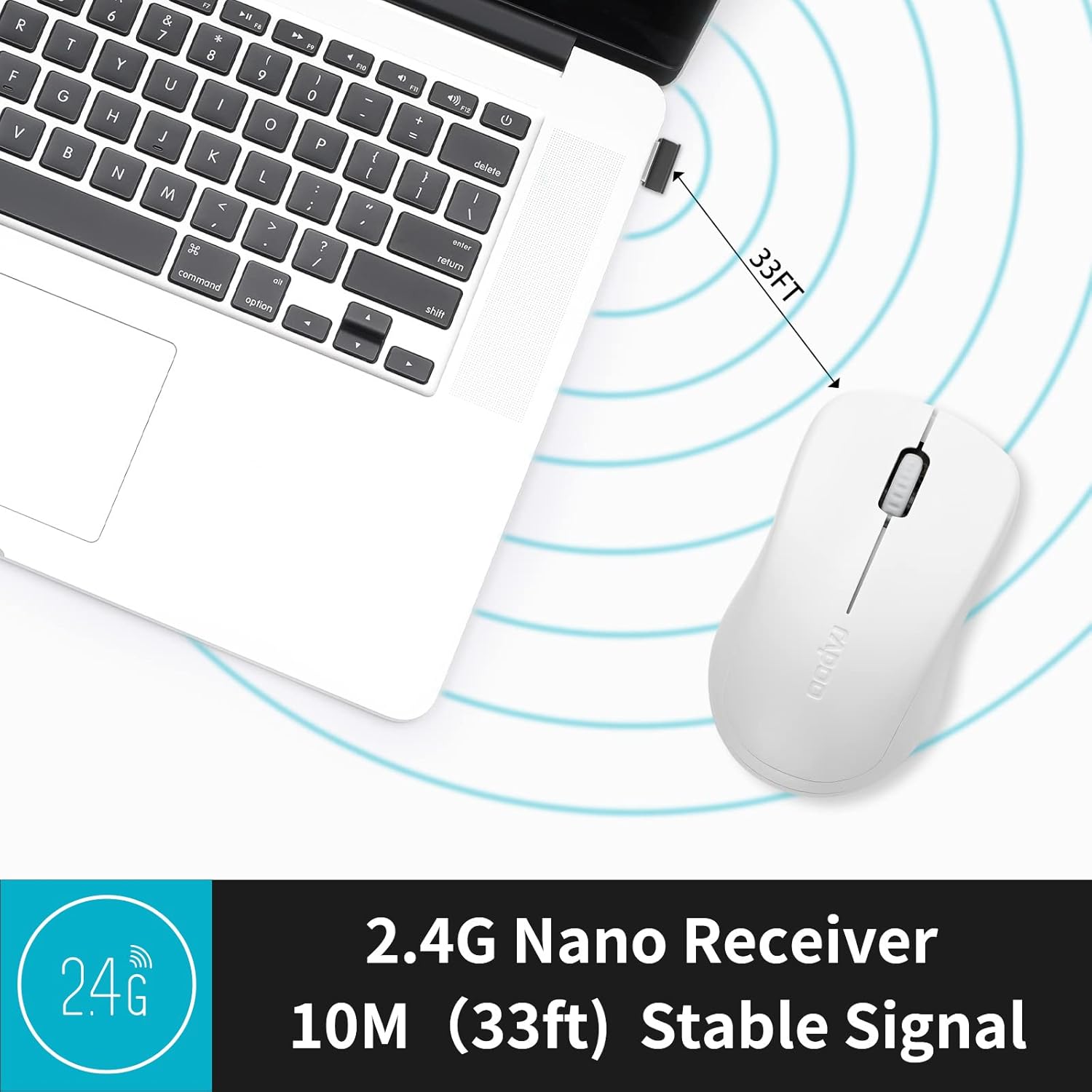
Image: A close-up of the 2.4G Nano Receiver plugged into a laptop, demonstrating the 10-meter (33ft) stable wireless signal range.

Image: The Rapoo 1680 mouse highlighting its wide compatibility with Windows, Mac OS, Linux, and Chrome operating systems.
คำแนะนำการใช้งาน
The Rapoo 1680 mouse features a standard 3-button layout for intuitive control.
- คลิกซ้าย: ปุ่มหลักสำหรับเลือกรายการ เปิด fileและปฏิสัมพันธ์กับซอฟต์แวร์
- คลิกขวา: ปุ่มรองสำหรับเข้าถึงเมนูบริบทและตัวเลือกเพิ่มเติม
- ล้อเลื่อน: ใช้สำหรับเลื่อนดูเอกสารและ web หน้า ปุ่มเลื่อนยังทำหน้าที่เป็นปุ่มคลิกกลางอีกด้วย
ดีไซน์แบบคลิกเงียบ: This mouse is engineered to reduce click sounds by up to 90%, providing a quiet environment without compromising the tactile click feel. This feature is particularly beneficial in quiet settings such as libraries or shared workspaces.
ระบบติดตามภาพด้วยแสงความละเอียด 1000 DPI: The high-definition 1000 DPI optical tracking engine ensures responsive and smooth cursor control on most surfaces.

Image: The Rapoo 1680 mouse demonstrating its silent click feature, ideal for quiet environments.

Image: A user operating the Rapoo 1680 mouse in a library, emphasizing its quiet operation for undisturbed work.
การซ่อมบำรุง
- การเปลี่ยนแบตเตอรี่: When the mouse performance degrades or stops responding, it may be time to replace the AA battery. Open the battery compartment, remove the old battery, and insert a new AA battery with the correct polarity.
- การทำความสะอาด: Use a soft, dry cloth to clean the exterior of the mouse. For the optical sensor, use a cotton swab lightly dampened with rubbing alcohol, ensuring no liquid enters the mouse's internal components.
- พื้นที่จัดเก็บ: When not in use for an extended period, slide the ON/OFF switch to the "OFF" position to conserve battery life. The USB receiver can be stored inside the mouse's battery compartment for safekeeping.
การแก้ไขปัญหา
- เมาส์ไม่ตอบสนอง:
- Ensure the mouse is switched "ON" using the ON/OFF switch on the bottom.
- Check if the AA battery is correctly inserted and has sufficient charge. Replace if necessary.
- ตรวจสอบให้แน่ใจว่าตัวรับสัญญาณ USB เสียบเข้ากับพอร์ต USB ที่ใช้งานได้บนคอมพิวเตอร์ของคุณอย่างแน่นหนา ลองใช้พอร์ต USB อื่นดู
- การเคลื่อนไหวของเคอร์เซอร์ที่ไม่แน่นอน:
- ทำความสะอาดเซ็นเซอร์ออปติคอลที่ด้านล่างของเมาส์
- ตรวจสอบให้แน่ใจว่าคุณใช้เมาส์บนพื้นผิวที่เหมาะสม หลีกเลี่ยงพื้นผิวที่สะท้อนแสงหรือโปร่งใส
- ปัญหาการเชื่อมต่อ:
- ถอดและเสียบตัวรับสัญญาณ USB ใหม่
- Move the mouse closer to the USB receiver to rule out range issues (maximum 10 meters).
ข้อมูลจำเพาะ
| คุณสมบัติ | รายละเอียด |
|---|---|
| ยี่ห้อ | ราปู |
| ชื่อรุ่น | 1680 |
| เทคโนโลยีการเชื่อมต่อ | USB (2.4GHz Wireless) |
| เทคโนโลยีตรวจจับการเคลื่อนไหว | ออฟติคอล |
| Mouse Maximum Sensitivity | 1000 จุดต่อนิ้ว |
| จำนวนปุ่ม | 3 |
| การวางแนวมือ | ถนัดทั้งสองมือ |
| แหล่งพลังงาน | ใช้พลังงานจากแบตเตอรี่ (มีแบตเตอรี่ AA 1 ก้อนให้มาด้วย) |
| อายุการใช้งานแบตเตอรี่โดยเฉลี่ย | นานถึง 12 เดือน |
| ช่วงสาย | 10 เมตร (33 ฟุต) |
| น้ำหนักสินค้า | 58 กรัม |
| ขนาดสินค้า (กว้าง x ยาว) | ยาว 4.33 นิ้ว x กว้าง 2.56 นิ้ว |
| อุปกรณ์ที่รองรับ | เครื่องคอมพิวเตอร์ส่วนบุคคล |
| ระบบปฏิบัติการ | วินโดวส์, Mac OS, Linux, Chrome OS |
| วัสดุของตู้หุ้ม | พลาสติก |
| เสร็จ | แมทต์ |

Image: Detailed dimensions of the Rapoo 1680 mouse, showing its length and width.
วิดีโอผลิตภัณฑ์อย่างเป็นทางการ
Video: An official product video from RAPOO showcasing the features and benefits of the Rapoo 1680 Silent Wireless Mouse, including its silent clicks, ergonomic design, and ease of use.
การรับประกันและการสนับสนุน
The Rapoo 1680 Silent Wireless Mouse comes with a รับประกัน 1 ปี นับจากวันที่ซื้อ การรับประกันนี้ครอบคลุมถึงข้อบกพร่องจากการผลิตและรับประกันประสิทธิภาพการทำงานที่เชื่อถือได้ภายใต้สภาวะการใช้งานปกติ
For technical support, warranty claims, or any product-related inquiries, please contact Rapoo customer service. Refer to the Rapoo official webโปรดตรวจสอบเว็บไซต์หรือบรรจุภัณฑ์ของผลิตภัณฑ์เพื่อดูข้อมูลติดต่อล่าสุด
RAPOO is committed to providing high-performance and high-quality peripheral products. If you have any questions or require assistance, please do not hesitate to reach out to their support team.