
1. บทนำ
The Fanimation Celano V2 ceiling fan is designed to provide efficient air circulation and integrated lighting for indoor spaces. This 52-inch fan features a dark bronze finish with cherry/dark walnut blades, an 18-watt LED light kit, and is operated via a handheld remote control. It offers three forward and reverse speeds for year-round comfort.
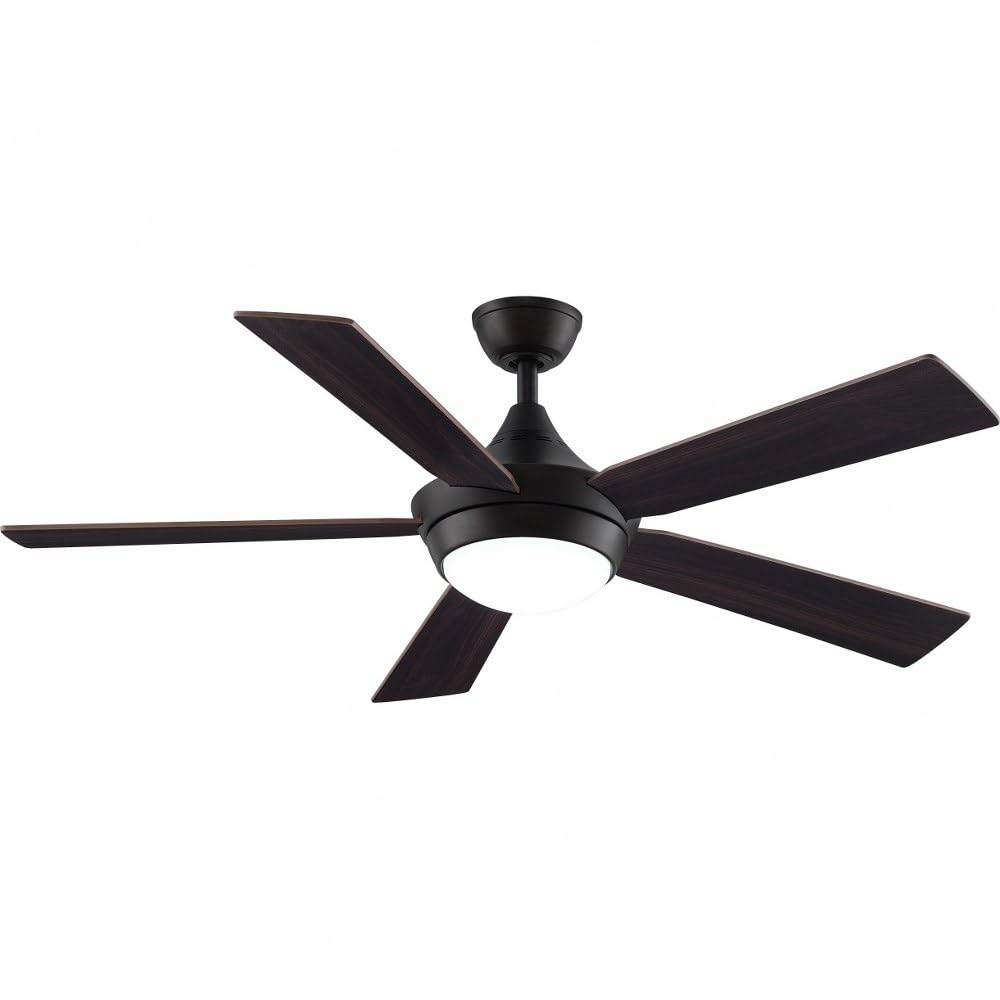
Image 1.1: Fanimation Celano V2 Ceiling Fan (Dark Bronze finish with Cherry/Dark Walnut blades)
2. ข้อมูลด้านความปลอดภัย
Read all instructions carefully before installation and use. Failure to follow these instructions may result in electric shock, fire, or personal injury.
- ความปลอดภัยทางไฟฟ้า: Always disconnect power at the main circuit breaker before attempting any installation, repair, or cleaning. Ensure all electrical connections comply with local codes and ordinances.
- การติดตั้ง: The fan must be mounted to a structurally sound ceiling joist or outlet box capable of supporting the fan's weight (approximately 17.86 pounds).
- ระยะห่างของใบมีด: Ensure there is adequate clearance between the fan blades and any obstacles, including walls and furniture.
- การสัมผัสของเหลว: Keep the fan and its electrical components away from liquids to prevent electric shock and damage.
- การติดตั้งโดยมืออาชีพ: If you are unfamiliar with electrical wiring or installation procedures, consult a qualified electrician.
3. เนื้อหาบรรจุภัณฑ์
ตรวจสอบว่าส่วนประกอบทั้งหมดมีอยู่ก่อนเริ่มการติดตั้ง:
- ชุดมอเตอร์พัดลมเพดาน
- 5 Fan Blades (Cherry/Dark Walnut)
- Light Kit with Opal Glass Diffuser
- TR500 Handheld Remote Control (battery included)
- ก้านต่อ (4.5 นิ้ว)
- ขายึดและฮาร์ดแวร์
- คู่มือการใช้งาน
4. การตั้งค่าและการติดตั้ง
This section outlines the general steps for installing your Celano V2 ceiling fan. Specific details and diagrams are typically found in the detailed installation guide provided in the product packaging.
4.1 ก่อนการติดตั้ง
- ปิดไฟที่เบรกเกอร์
- Ensure the mounting location is suitable for a ceiling fan and can support its weight.
- แกะชิ้นส่วนทั้งหมดออกจากบรรจุภัณฑ์และตรวจสอบดูว่ามีส่วนใดเสียหายหรือไม่
4.2 การติดตั้งพัดลม
- Secure the mounting bracket to the ceiling outlet box and ceiling joist using appropriate hardware.
- Assemble the downrod to the fan motor assembly.
- ยกชุดพัดลมขึ้นอย่างระมัดระวัง แล้วแขวนไว้กับขายึด
4.3 การเชื่อมต่อทางไฟฟ้า
- เชื่อมต่อสายไฟของพัดลมเข้ากับระบบสายไฟภายในบ้านตามแผนผังการเดินสายไฟในคู่มือฉบับเต็ม ตรวจสอบให้แน่ใจว่าการเชื่อมต่อทั้งหมดแน่นหนาดีแล้ว
- การต่อสายดินอย่างเหมาะสมถือเป็นสิ่งสำคัญเพื่อความปลอดภัย
4.4 การติดตั้งใบพัดและชุดไฟ
- ติดตั้งใบพัดทั้งห้าใบเข้ากับตัวมอเตอร์โดยใช้สกรูที่ให้มา
- ติดตั้งชุดไฟ LED ที่ด้านล่างของชุดมอเตอร์พัดลม
- Secure the opal glass diffuser to the light kit.
Once installation is complete, restore power at the circuit breaker and test the fan's operation.
5. การดำเนินการ
The Celano V2 fan is controlled using the included TR500 handheld remote control.
5.1 การควบคุมความเร็วพัดลม
- Use the remote control to select one of three fan speeds (low, medium, high).
- The fan delivers airflow up to 5,596 cubic feet per minute.
5.2 Reversible Airflow
- The fan features a reversible airflow function, typically controlled via a switch on the fan housing or the remote.
- การไหลเวียนของอากาศลงด้านล่าง (ฤดูร้อน): สร้างลมเย็นสบาย
- การไหลเวียนของอากาศขึ้นด้านบน (ฤดูหนาว): ช่วยหมุนเวียนอากาศอุ่นที่ติดอยู่บริเวณเพดาน
5.3 Light Kit Operation
- The remote control operates the integrated 18-watt LED light kit.
- The light provides warm 3000K illumination with a high Color Rendering Index (CRI) of 90.
- A sleep timer function may be available on the remote for the light or fan.
5.4 ความเข้ากันได้กับระบบสมาร์ทโฮม
The Celano V2 is compatible with WiFi and Bluetooth smart home systems. Control units for smart home integration are sold separately.
6. การบำรุงรักษา
การบำรุงรักษาอย่างสม่ำเสมอจะช่วยให้พัดลมเพดานทำงานได้อย่างมีประสิทธิภาพสูงสุดและยืดอายุการใช้งาน
- การทำความสะอาด: ควรทำความสะอาดใบพัดและตัวมอเตอร์เป็นระยะด้วยผ้าเนื้อนุ่มและแห้งamp ผ้า ห้ามใช้สารทำความสะอาดที่มีฤทธิ์กัดกร่อนหรือตัวทำละลาย
- การตรวจสอบใบมีด: Check fan blades for any cracks or damage. Ensure all blade screws are tight.
- ชุดไฟ: The integrated LED light kit does not require bulb replacement. If the light fails, consult the troubleshooting section or contact support.
- การสะสมของฝุ่น: Dust can affect fan performance and appearance. Clean regularly.
7 การแก้ไขปัญหา
If you experience issues with your Celano V2 ceiling fan, refer to the following common problems and solutions:
| ปัญหา | สาเหตุที่เป็นไปได้ | สารละลาย |
|---|---|---|
| พัดลมไม่เริ่มทำงาน | No power; loose wiring; remote control issue | Check circuit breaker; verify wiring connections; replace remote battery. |
| ไฟไม่ทำงาน | Loose wiring; remote control issue; LED driver failure | Check light kit wiring; replace remote battery; contact support if LED is faulty. |
| พัดลมสั่นมากเกินไป | Loose blades; uneven blade balance; improper mounting | Tighten all blade screws; use a balancing kit (not included); ensure mounting bracket is secure. |
| การทำงานมีเสียงดัง | Loose screws; motor issue; interference | Check all screws; ensure no wires are rubbing; contact support if motor noise persists. |
8. ข้อมูลจำเพาะ
| คุณสมบัติ | รายละเอียด |
|---|---|
| ยี่ห้อ | แฟนอนิเมชั่น |
| ชื่อรุ่น | Celano V2 |
| หมายเลขรุ่นสินค้า | FP8062BDZ |
| ขนาดสินค้า | ลึก 52 นิ้ว x กว้าง 52 นิ้ว x สูง 14.71 นิ้ว |
| น้ำหนักสินค้า | 17.86 ปอนด์ |
| จำนวนใบมีด | 5 |
| ความจุการไหลของอากาศ | 3402 ลูกบาศก์ฟุตต่อนาที |
| ความเร็ว (สูงสุด) | 5596 ลูกบาศก์ฟุตต่อนาที |
| เล่มที่tage | 120 โวลต์ |
| วัดtage | 38 วัตต์ |
| ประเภทของหลอดไฟ | นำ |
| ฟลักซ์ส่องสว่าง | 1400 ลูเมน |
| วิธีการควบคุม | ระยะไกล |
| ความยาวดาวน์ร็อด | 4.5 นิ้ว |
| การใช้งานภายใน/ภายนอกอาคาร | ในร่ม |
| ประเภทมอเตอร์ | การเหนี่ยวนำ AC |
| ประเภทการเสร็จสิ้น | Painted (Dark Bronze) |
9. การรับประกันและการสนับสนุน
9.1 ข้อมูลการรับประกัน
The Fanimation Celano V2 ceiling fan comes with a การรับประกันจากผู้ผลิต 1 ปี. Please refer to the warranty card included with your product for specific terms and conditions, including coverage details and limitations.
9.2 การสนับสนุนลูกค้า
For technical assistance, replacement parts, or warranty claims, please contact Fanimation customer support. Contact information can typically be found on the manufacturer's official webเว็บไซต์หรือในบรรจุภัณฑ์ของผลิตภัณฑ์
When contacting support, please have your model number (FP8062BDZ) and purchase date available.