
ข้อมูลด้านความปลอดภัยที่สำคัญ
Please read and understand all instructions before using this product. Keep this manual for future reference.
- อันตรายจากการรัดคอ: Keep cords out of reach of children. Never place the camera or cords within 3 feet (1 meter) of the crib or playpen. Secure cords to a wall or floor using clips to prevent entanglement.
- อันตรายจากการสำลัก: ผลิตภัณฑ์นี้มีชิ้นส่วนขนาดเล็ก เก็บให้พ้นมือเด็ก
- ความร้อนสูงเกินไป: Do not cover the monitor or camera with clothing, blankets, or other objects. Ensure proper ventilation.
- น้ำและความชื้น: Do not expose the product to rain or moisture. Do not use near water (e.g., bathtub, sink).
- แหล่งพลังงาน: Use only the AC power adapters provided. Using other adapters may damage the device and void the warranty.
- การรบกวน: This product operates on a 2.4 GHz frequency. Keep away from other 2.4 GHz devices (e.g., Wi-Fi routers, microwaves) to avoid interference.
- อุณหภูมิ: Operate and store the product within the recommended temperature range (0°C to 40°C / 32°F to 104°F).
เนื้อหาแพ็คเกจ
ตรวจสอบว่ามีรายการทั้งหมดอยู่ในแพ็คเกจของคุณ:
- หน่วยหลัก (จอภาพ)
- หน่วยเด็ก (กล้อง)
- อะแดปเตอร์ไฟฟ้าสำหรับหน่วยหลัก
- อะแดปเตอร์ไฟฟ้าสำหรับหน่วยเด็ก
- คู่มืออ้างอิงฉบับย่อ

Image: All components included in the Dragon Touch DT40 baby monitor package, including the monitor, camera, two power adapters, and a quick reference guide.
สินค้าเกินview
หน่วยหลัก (จอภาพ)
The parent unit features a 4.3-inch color LCD screen for clear video monitoring. It includes controls for volume, brightness, menu navigation, two-way audio, and lullaby playback.
หน่วยเด็ก (กล้อง)
The baby unit is equipped with a camera that provides video and audio feedback. It includes infrared LEDs for automatic night vision, a temperature sensor, and a microphone for two-way communication. The camera can be manually adjusted for optimal viewมุมการเอียง

Image: The baby unit camera, illustrating its ability for manual rotation of 360 degrees horizontally and 60 degrees vertically for flexible positioning.
การตั้งค่า
1. การชาร์จอุปกรณ์หลัก (Parent Unit)
- Connect the small end of the parent unit power adapter to the DC input port on the side of the parent unit.
- เสียบปลายอีกด้านของอะแดปเตอร์เข้ากับเต้ารับไฟฟ้าทั่วไป
- Charge the parent unit for at least 8 hours before first use to ensure optimal battery performance. The battery icon on the screen will indicate charging status.
2. การจ่ายไฟให้กับเครื่องดูแลทารก
- Connect the small end of the baby unit power adapter to the DC input port on the back of the baby unit.
- Plug the other end of the adapter into a standard electrical outlet. The baby unit will power on automatically.
3. การวางตำแหน่งกล้อง
Place the baby unit on a flat surface, such as a dresser or shelf, or mount it on a wall. Ensure it is at least 3 feet (1 meter) away from the baby's crib or playpen. Adjust the camera angle manually to get the best view ของลูกน้อยของคุณ

Image: An illustrative floor plan showing how multiple cameras can be strategically placed in different rooms for comprehensive monitoring.
4. Pairing (If Necessary)
The parent and baby units are pre-paired at the factory. If the connection is lost or you are adding additional cameras, follow these steps:
- บนเครื่องหลัก ให้กดปุ่ม เมนู ปุ่ม.
- นำทางไปที่ กล้อง ไอคอนและเลือก เพิ่มกล้อง.
- กดปุ่ม คู่ button on the back of the baby unit within 10 seconds.
- The parent unit will display a confirmation message once pairing is successful.
คำแนะนำการใช้งาน
เปิด/ปิดเครื่อง
- ในการเปิดเครื่องหลัก ให้กดปุ่มค้างไว้ พลัง กดปุ่มค้างไว้จนกว่าหน้าจอจะสว่างขึ้น
- ในการปิดเครื่องให้กดปุ่ม พลัง กดปุ่มจนกระทั่งหน้าจอดับลง
- เครื่องสำหรับเด็กจะเปิดใช้งานโดยอัตโนมัติเมื่อเชื่อมต่อกับแหล่งจ่ายไฟ
การปรับระดับเสียง
ใช้ เพิ่มระดับเสียง (+) และ ลดเสียงลง (-) ปุ่มบนตัวเครื่องหลักสำหรับปรับระดับเสียงในการฟัง
การปรับความสว่าง
Access the menu on the parent unit and navigate to the ความสว่าง setting to adjust the screen's illumination.
ระบบเสียงสองทาง
กดปุ่มค้างไว้ พูดคุย button on the parent unit to speak to your baby through the camera's speaker. Release the button to hear your baby again.

Image: A couple in a kitchen, with an inset showing a baby in a room and the monitor displaying the baby, illustrating the two-way talk audio feature.
กล่อม
กดปุ่ม กล่อมเด็ก button on the parent unit to play soothing melodies. Press again to cycle through available lullabies or turn them off.
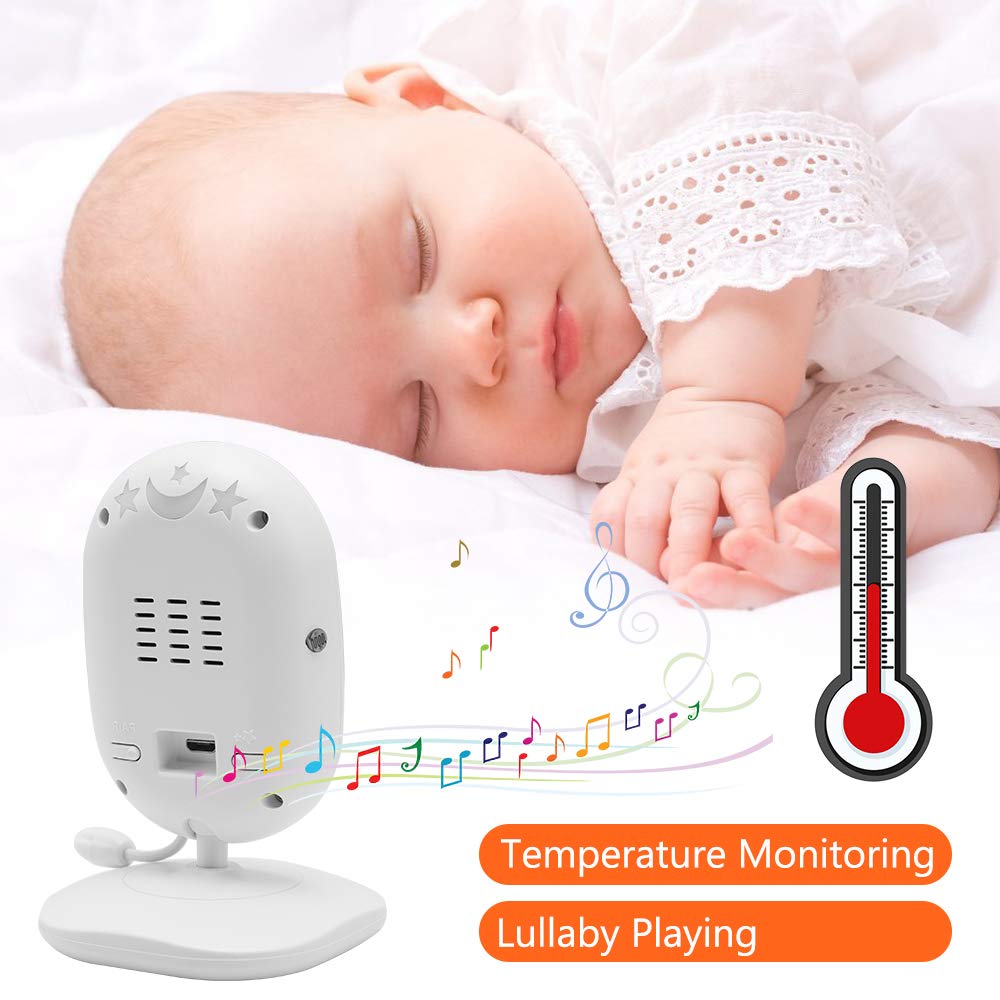
Image: A sleeping baby with the baby unit camera, musical notes, and a thermometer icon, highlighting the lullaby playing and temperature monitoring features.
โหมด VOX (ระบบแลกเปลี่ยนข้อมูลด้วยเสียง)
VOX mode conserves battery by turning off the screen when no sound is detected from the baby unit. The screen will automatically turn on when sound is detected.
- To activate/deactivate VOX mode, press the วอกซ์ button on the parent unit or navigate through the menu.
- You can adjust the VOX sensitivity level in the menu settings.

Image: A split image showing the monitor screen in VOX ON mode (screen off with sleeping baby) and VOX OFF mode (screen on with active baby), demonstrating the voice activation feature.
การมองเห็นตอนกลางคืน
ตัวเครื่องสำหรับเด็กจะเปิดใช้งานระบบมองเห็นกลางคืนด้วยอินฟราเรดโดยอัตโนมัติในสภาพแสงน้อย ทำให้ได้ภาพขาวดำที่คมชัดบนตัวเครื่องสำหรับผู้ปกครอง

Image: A comparison of the monitor display in night vision (black and white, sleeping baby) and day vision (color, sleeping baby), highlighting the automatic night vision capability.
การตรวจวัดอุณหภูมิ
The baby unit's built-in temperature sensor monitors the room temperature and displays it on the parent unit's screen. You can set temperature alerts in the menu.
กล้องหลายตัว View (ถ้ามี)
If you have multiple cameras paired, use the สแกน button or navigate through the menu to switch between camera views or activate auto-scan mode.
การซ่อมบำรุง
- การทำความสะอาด: Use a soft, dry cloth to clean the surfaces of the parent and baby units. Do not use cleaning sprays or liquid cleaners.
- การดูแลแบตเตอรี่ To prolong battery life, fully charge the parent unit before first use. Avoid completely draining the battery frequently. If storing the unit for an extended period, charge it periodically.
- พื้นที่จัดเก็บ: เก็บผลิตภัณฑ์ไว้ในที่แห้งและเย็น ห่างจากแสงแดดโดยตรงและอุณหภูมิที่สูงหรือต่ำเกินไป
การแก้ไขปัญหา
| ปัญหา | สาเหตุที่เป็นไปได้ | สารละลาย |
|---|---|---|
| ไม่มีภาพ/เสียงบนหน้าจอเครื่องรับสัญญาณหลัก | Parent unit is off or battery is low. Baby unit is not powered on. Units are out of range. | Ensure parent unit is charged and powered on. Verify baby unit is plugged in and powered. Move parent unit closer to baby unit. |
| คุณภาพของภาพ/เสียงไม่ดี | Interference from other devices. Units are too far apart. Obstructions between units. | Move units away from other 2.4 GHz devices. Reduce distance between units. Remove obstacles like thick walls. |
| แบตเตอรี่ของเครื่องรับสัญญาณหลักหมดเร็ว | VOX mode is off. Screen brightness is too high. Battery degradation over time. | Activate VOX mode. Reduce screen brightness. Ensure initial full charge. Consider battery replacement if unit is old. |
| Cannot pair camera | Pairing process not followed correctly. | Repeat pairing steps carefully, ensuring the pair button on the camera is pressed within the time limit. |
ข้อมูลจำเพาะ
- แบบอย่าง: DT40
- ขนาดหน้าจอ: 4.3 นิ้ว
- เทคโนโลยีการเชื่อมต่อ: ไร้สาย (2.4 GHz FHSS)
- ความละเอียดการจับภาพวิดีโอ: 720p
- คุณสมบัติพิเศษ: Night Vision, Two-Way Audio, Temperature Monitoring, Lullabies, VOX Mode
- กำลังไฟเข้า: 5 โวลต์
- แบตเตอรี่ที่ต้องการ: Yes (for Parent Unit)
- ประเภทการติดตั้ง: Wall Mount (for Camera)
- น้ำหนักสินค้า: ประมาณ 1.1 ปอนด์
- ยูพีซี: 818537028769
การรับประกันและการสนับสนุน
Dragon Touch products come with a limited warranty. For detailed warranty information, technical support, or customer service inquiries, please refer to the warranty card included in your package or visit the official Dragon Touch website. Please have your model number (DT40) and purchase information ready when contacting support.